


Chromebooks have become more than lightweight laptops for school, work, browsing, and email. For many users, they are also everyday entertainment devices.
People use them to stream video, play browser games, manage cloud apps, read articles, join video calls, listen to music, and explore web-based platforms without needing heavy software or expensive hardware.
That makes Chromebooks a natural fit for casual online entertainment. The device is built around speed, simplicity, browser access, and cloud-based use. For users who prefer quick sessions and low-friction entertainment, that setup can work especially well.
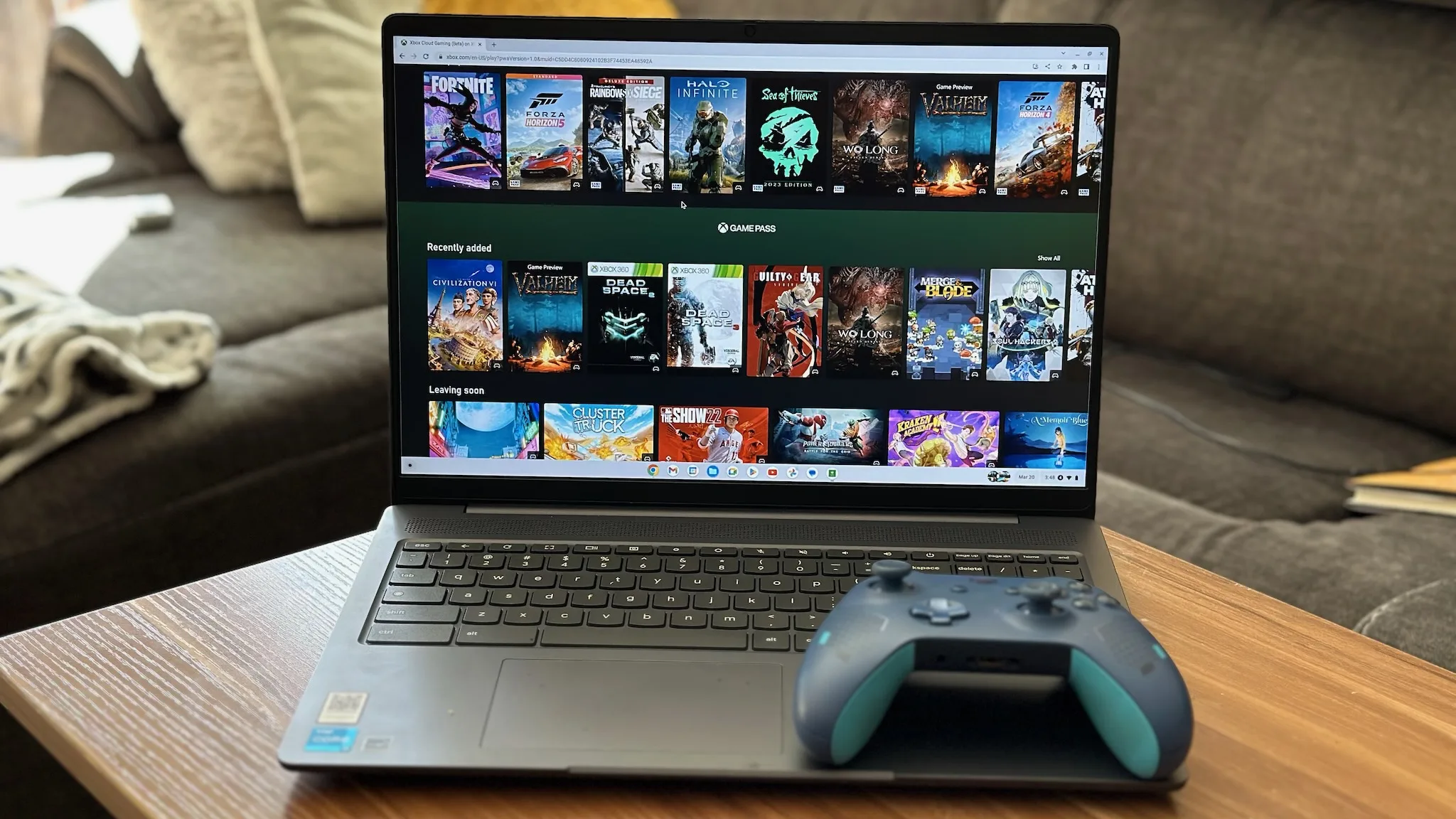
That is where free online slots can fit into the wider Chromebook browser gaming conversation. In a social casino-style setting, slot-style games can be accessed through a browser and experienced through virtual coins, rewards, events, short sessions, and clear platform navigation.
The key is not only whether a game can load on ChromeOS. The stronger question is whether the full platform experience works well: loading speed, mobile-style layout, game discovery, virtual coin clarity, reward explanations, support access, account controls, and responsible-use tools.
Chromebooks Are Built for Browser-First Entertainment
Chromebooks were designed around the browser.
Instead of relying on large local software installations, ChromeOS focuses on web apps, cloud services, lightweight performance, and simple access. That makes the device useful for people who want entertainment that does not require complicated setup.
Browser-first entertainment includes streaming platforms, puzzle games, cloud gaming, social apps, educational games, casual web games, and interactive online platforms.
Social casino-style games can fit into this environment when they are optimized for browser use.
A user should be able to open the platform, understand the interface, browse the game library, check virtual coins, collect rewards, and play briefly without needing a separate download.
For Chromebook users, simplicity is part of the appeal.
Browser Gaming Is Already a Chromebook Strength
About Chromebooks has covered this broader shift in its article on web apps and browser-based gaming on Chromebooks. The article explains how Chromebooks can support browser-based gaming experiences, web apps, cloud access, and casual game formats that do not require heavy local installation.
That context is important because social casino-style entertainment depends on many of the same strengths.
Users want fast access. They want clear menus. They want smooth browser performance. They want the platform to work without technical frustration. They also want to understand the rules of the experience before spending time on it.
A Chromebook-friendly platform should feel lightweight, responsive, and easy to navigate.
Why No-Download Access Matters?
One of the strongest advantages of browser-based entertainment is that users can begin quickly.
A no-download experience reduces friction. Users do not need to install a large app, manage storage, update software, or worry about whether their device has enough space.
That matters for Chromebook users because many devices are built around cloud storage and browser-based workflows.
A social casino-style platform that works directly in the browser can fit this pattern well. Users can open a site, sign in, check available features, and begin exploring without turning the experience into a technical task.
The best browser platforms feel immediate.
They let users focus on the entertainment instead of setup.

Slot-Style Games Use Lightweight Visual Interaction
Slot-style games are often easy for users to understand because the format is visually familiar.
Users may see reels, symbols, coin visuals, themed backgrounds, bonus icons, and quick feedback. The basic interaction is usually simple to follow, even when specific features vary between games.
That kind of visual format can work well on Chromebooks when the platform is optimized properly.
A good browser experience should display games clearly, respond smoothly, and avoid unnecessary clutter. Users should not feel like the platform was designed only for another device and then forced into a Chromebook browser window.
Good ChromeOS entertainment should feel natural inside the browser.
Virtual Coins Create the Platform Framework
Virtual coins are central to many social casino-style platforms.
Users may receive virtual coins through sign-up offers, daily rewards, missions, events, promotions, or other platform features. These coins are then used inside the platform according to its rules.
For Chromebook users, virtual coins can make the experience easier to follow.
A visible balance helps users understand what they have available. Rewards and events can create a simple activity loop. Game libraries can feel more organized when users understand how the coin system works.
But the rules must be clear.
Users should know how virtual coins are earned, how they are used, whether they expire, whether different coin types exist, and whether optional purchases are available.
A clear virtual coin system supports trust. A confusing one can make the platform feel less reliable.
Rewards Make Short Sessions Feel Complete
Many Chromebook users turn to casual entertainment in short windows.
They may have a few minutes between tasks, a quiet break after school or work, a relaxed evening at home, or downtime while traveling. In those moments, rewards can make a short session feel more structured.
A social casino-style platform may use daily rewards, mission rewards, event rewards, leaderboard rewards, or seasonal campaigns.
Rewards help create a reason to return, but only when users understand them.
A strong platform should explain what the reward is, how it can be used, whether it expires, and whether any terms apply.
A reward should add rhythm to the experience. It should not make users search for hidden details.
Events Keep Browser Platforms Fresh
Browser-based platforms need freshness.
If nothing changes, users may stop checking back. Events can create timing, variety, and a reason to return.
A social casino-style platform may offer daily missions, weekend challenges, leaderboard races, seasonal campaigns, themed games, or limited-time rewards.
For Chromebook users, events can make the platform feel more active without requiring a full gaming setup.
A user can open the browser, check what is new, collect virtual coins, join a simple event, or explore a featured game.
The best events are easy to understand.
Users should know how to participate, when the event begins, when it ends, what rewards may be connected to it, and whether conditions apply.
A clear event adds energy. A confusing event creates friction.
ChromeOS Performance Still Matters
Even casual browser games need stable performance.
A platform may be visually simple, but users still expect smooth loading, responsive menus, readable layouts, and reliable interaction. Slow pages, broken buttons, or cluttered interfaces can make users leave quickly.
For Chromebook users, performance depends on several factors: browser optimization, device memory, connection quality, page weight, graphics design, and how well the platform handles tabs and background activity.
A strong social casino-style platform should feel smooth in the browser.
Games should load clearly. Menus should respond quickly. Rewards, account settings, support, and platform information should be easy to find.
Good performance is part of user trust.
Game Libraries Need Clear Organization
A large game library can be valuable, but only if users can navigate it easily.
Social casino-style platforms may include slot-style games, card-inspired formats, themed titles, seasonal games, event-linked games, and bonus feature games.
For Chromebook users, discovery should feel simple.
Useful tools may include categories, search functions, featured games, recently played sections, new game labels, event tags, and clear menus.
A platform should help users find a game that fits their mood without endless scrolling.
Good organization matters because casual users often do not want to spend their whole session searching. They want to begin quickly, understand their options, and return later if they choose.
Mobile-Style Design Helps Chromebook Users
Many Chromebooks now support touchscreens, tablet modes, Android apps, and mobile-style web layouts.
That means users often expect entertainment platforms to feel comfortable across screen sizes and input styles. A platform should work well with a trackpad, keyboard, touch input, or a tablet-style view when supported.
Social casino-style platforms should keep important elements visible and easy to use.
Virtual coin balances, rewards, event information, game categories, account settings, support, privacy information, and responsible-use tools should be easy to reach.
A platform that works only in one layout may feel limited.
A platform with responsive design feels more natural for Chromebook users.
Security and Trust Are Important for Browser Entertainment
Chromebook users often value simple, secure browsing.
That does not mean every web platform is automatically trustworthy. Users still need to evaluate the platform carefully.
For social casino-style entertainment, trust signals matter.
Users should look for clear terms, privacy information, support options, virtual coin rules, reward explanations, event details, account settings, notification controls, and responsible-use tools.
A platform that explains itself clearly feels more reliable.
A platform that hides important information creates uncertainty.
Trust is built through visibility, not only branding or design.
Account Controls Should Be Easy to Find
A browser-based entertainment platform should give users control.
Account settings, profile information, notification preferences, support access, and privacy options should be easy to locate.
This matters because users may access the platform from different devices or shared environments. A Chromebook may be used at home, school, work, or while traveling.
Users should understand how to manage their experience.
A strong platform should make account controls clear and accessible.
Good browser entertainment should never make users guess where basic settings are located.
Responsible Use Should Be Part of the Experience
Social casino-style entertainment should be treated as casual entertainment.
Users should be able to manage notifications, review account settings, access support, understand platform rules, and find responsible-use tools when needed.
Responsible-use information should not be hidden.
A strong platform gives users control over how the experience fits into their routine. It helps users decide when to engage, when to pause, and how to understand the system.
For Chromebook users who may use the device for work, school, browsing, and entertainment, this clarity is especially useful.
Good entertainment should be enjoyable, understandable, and manageable.
What Chromebook Users Should Check First?
Before using any browser-based social casino-style platform regularly, Chromebook users should review a few practical points.
They should check whether the platform loads smoothly in Chrome, whether virtual coins are explained clearly, whether rewards are transparent, whether events have simple rules, whether the game library is organized, and whether account settings are easy to find.
They should also review support options, privacy information, notification controls, responsible-use tools, and any terms connected to promotions or optional purchases.
A strong platform should make this information easy to access.
Users should not need to guess how the experience works.
Why This Topic Fits About Chromebooks Readers?
About Chromebooks readers care about ChromeOS, browser performance, web apps, device usability, cloud services, and practical ways to get more from a Chromebook.
Browser-based social casino-style entertainment fits this audience when it is framed through device experience rather than only game content.
The important questions are practical:
- Does it work well in Chrome?
- Does it require a download?
- Is the layout clear?
- Are the rules easy to understand?
- Does the platform explain virtual coins and rewards?
- Can users manage account settings and responsible-use tools?
Those are Chromebook questions as much as gaming questions.
The best platform experience is the one that fits how people actually use the device.
The Chromebook Gaming Takeaway
Browser-based slot-style games can fit the Chromebook entertainment experience because ChromeOS is built around web access, lightweight workflows, and quick entry into online platforms.
The strongest social casino-style platforms explain virtual coins clearly, make rewards and events easy to understand, organize game libraries well, work smoothly in the browser, and provide visible support, account settings, privacy information, and responsible-use tools.
For Chromebook users, the best entertainment is easy to open, easy to understand, and easy to pause.
When a platform combines smooth browser performance with clear rules and responsible design, it can become a practical option for casual ChromeOS entertainment.
