

Close Menu
    Facebook X (Twitter) Instagram
    • About
    • Privacy Policy
    • Write For Us
    • Newsletter
    • Contact
    Instagram
    About ChromebooksAbout Chromebooks
    • News
      • Stats
    • AI
    • How to
      • DevOps
      • IP Address
    • Apps
    • Business
    • Q&A
      • Opinion
    • Gaming
      • Google Games
    • Blog
    • Podcast
    • Contact
    About ChromebooksAbout Chromebooks
    News

    Chrome OS 72 Dev Channel brings HiDPI toggle for Linux apps in Project Crostini

    Kevin TofelBy Kevin TofelJanuary 2, 2019No Comments2 Mins Read
    Share
    Facebook Twitter LinkedIn Pinterest

    As nice as it is to have full Linux app support on Chromebooks through Project Crostini, the experience still isn’t perfect. Aside from the lack of audio support, for example, not every Linux app looks good on a high-resolution display such as the 3000 x 2000 screen of the Pixel Slate or the 2400 x 1600 resolution Pixelbook.

    This is partially due to display scaling and older Linux apps but I’ve even seen it on some recent software: Text and menus are nearly impossible to read because they’re so small. A bug was opened for this issue all the way back in May as Project Crostini was just arriving on early Dev Channel builds of Chrome OS. And Chrome OS 72 adds a nifty feature to help resolve the problem: a display density system tray option for Linux apps.

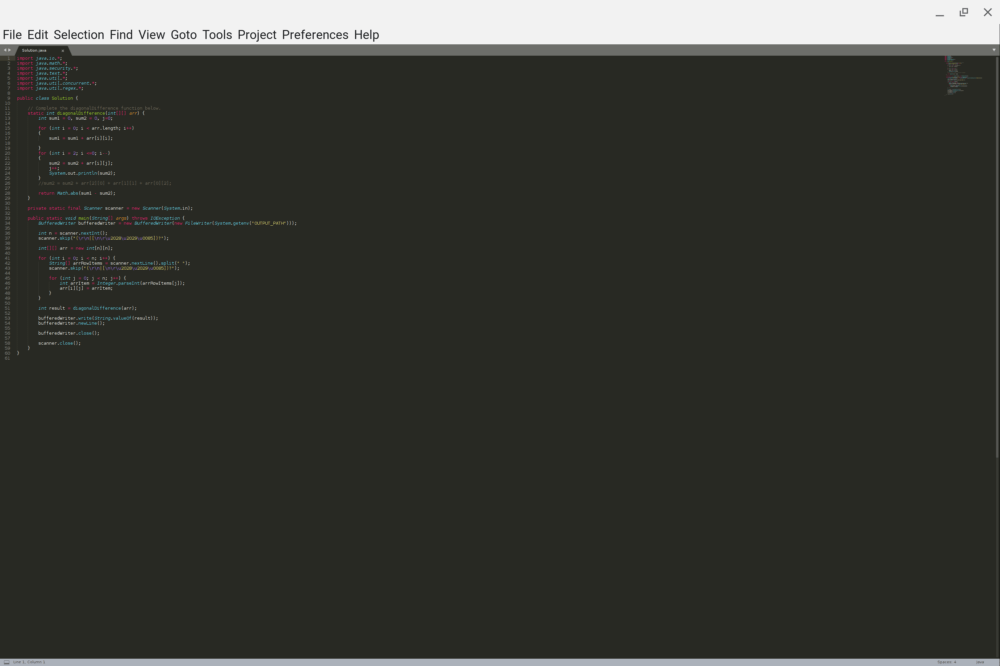
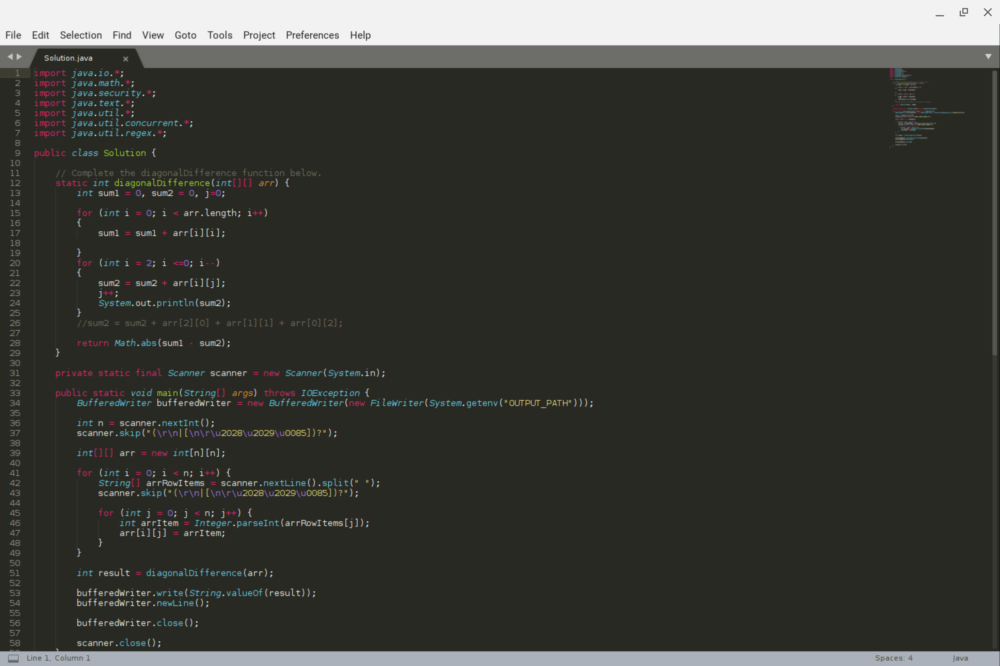
    I’ve tested this option on the Dev Channel and it definitely improves the experience. Take, for example, the Sublime Text editor on the default “high density” setting: The menu options aren’t too bad but my Java code is unreadable. Yes, I could fiddle with the font settings, but again, this is just an example.
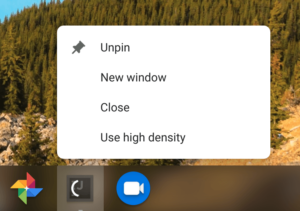
    Right-clicking on the Sublime Text icon shows a “low density” option, which restarts the app in that mode, making everything easily readable.
    Sublime Text may not be the best (or maybe worst?) example because I’ve seen some other Linux apps that have incredibly small menus and buttons. I’ll have to go back and retest those with the new density modes but even if they improve the display scaling marginally, I’ll be happy.
    Oh, and it looks like there could be less manual per-app display configuration in the future: There’s a recent code commit regarding testing with this description:

    Add autotest API for setting a Crostini app scaled. To set a Crostini app scaled is to set the property in the Crostini app registry so that when the app launches it’ll use low display density.

    I could be reading into this too much, but sounds like app scaling preferences for Linux might be saved so that once you’ve found the density setting you like, the app will always launch in that default mode.

    Chrome OS Chrome OS 72 Dev Channel Linux Linux Apps Project Crostini
    Share. Facebook Twitter Pinterest LinkedIn Tumblr
    Kevin Tofel
    • Website

    After spending 15 years in IT at Fortune 100 companies, Kevin turned a hobby into a career and began covering mobile technology in 2003. He writes daily on the industry and has co-hosted the weekly MobileTechRoundup podcast since 2006. His writing has appeared in print (The New York Times, PC Magazine and PC World) and he has been featured on NBC News in Philadelphia.

    Related Posts

    Auto DraftStarbucks Partner Hours: Manual to Managing Work Schedules

    January 26, 2026

    Anon Vault For Private Cloud Storage

    January 23, 2026

    GitHub Copilot Statistics [2026]

    January 7, 2026

    Comments are closed.

    Best of AI

    VALL-E Statistics 2026

    January 28, 2026

    StarCoder Statistics And User Trends 2026

    January 27, 2026

    BLIP-2 Statistics 2026

    January 23, 2026

    AI mode Usage Statistics 2026

    January 22, 2026

    Code Llama Statistics 2026

    January 22, 2026
    Trending Stats

    Most searched keywords on Google

    January 27, 2026

    Ahrefs Search Engine Statistics 2026

    January 19, 2026

    Pay Per Click Advertising Statistics 2026

    January 16, 2026

    Google Ads Revenue 2025

    November 29, 2025

    Statistical Analysis Programs for Chromebook 2025

    November 22, 2025
    • About
    • Write For Us
    • Contact
    • Privacy Policy
    • Sitemap
    © 2026 About Chrome Books. All rights reserved.

    Type above and press Enter to search. Press Esc to cancel.