


Want to try online game streaming with your Chromebook for no cost? You can do that with Nvidia’s GeForce Now game service for three months and it won’t cost a dime. This is one of the newest Perks provided to Chromebook users who bought a device released after June 2017.
Since games are streamed and not run directly on your Chromebook, you can play games on even the most entry-level of devices: All of the processing and graphics are handled on Nvidia’s servers, just like those on the Google Stadia platform.
Indeed, I’ve streamed games on the ARM-based Lenovo Duet Chromebook, currently on sale for $269 with 128 GB of storage. Essentially, your Chromebook is viewing an interactive game experience.
To get the GeForce Now perk, open the Explore app on your Chromebook and hit the Perks page. Or just browse over to the Perks webpage. Provided the Chromebook you have was released after June 2017, you haven’t previously subscribed to GeForce Now and you’re in the U.S. (sorry, don’t shoot the messenger!), the offer should work.
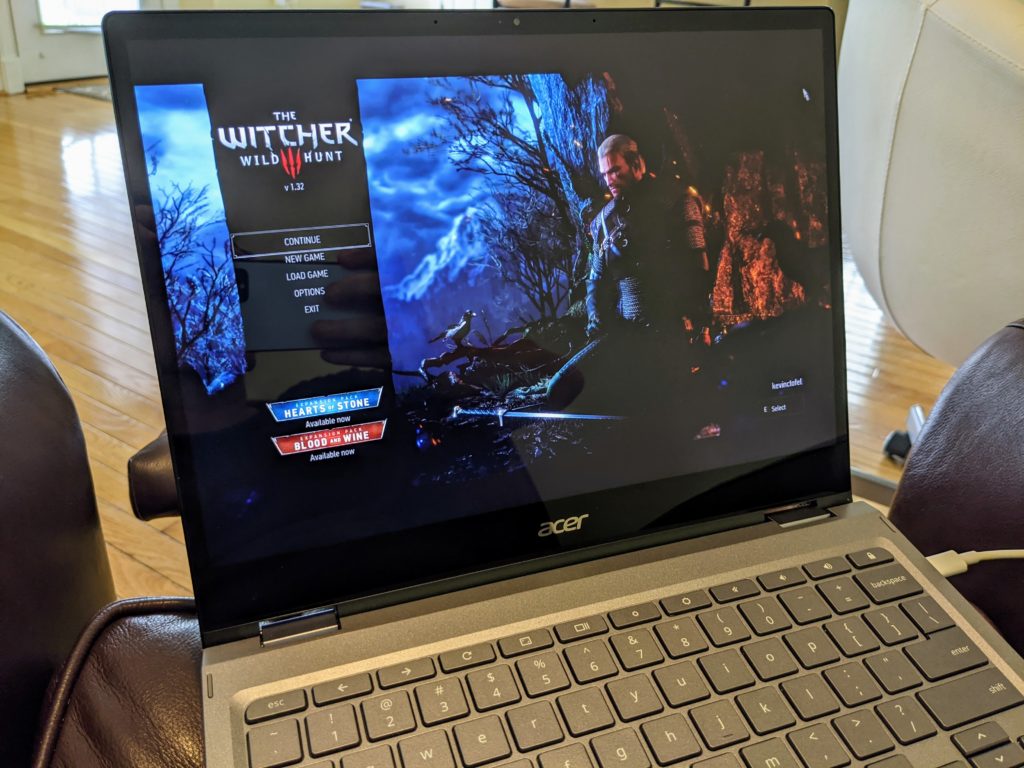
I’ve used GeForce Now on various Chromebooks to access PC games that I’ve purchased previously thanks to Nvidia adding game sync support from the Steam store.
In my experience so far, GeForce Now has performed similarly to Google Stadia on a Chromebook which has generally been great. Of course, you’ll need a solid internet connection to stream games from either service: If you have at least a 25 Mbps connection, you should be fine.
Keep in mind too: Nvidia has a special website for Chromebooks to use its service.
Once you redeem your 3 months of free service, just head over to https://play.geforcenow.com/. While Nvidia GeForce Now does sell game titles to play lets you play games you’ve purchased, similar to Stadia, it also provides a reasonable number of free PC gaming titles. One key difference is that Nvidia doesn’t sell game titles. Instead, you purchase games from Steam, Epic, or Uplay.
If nothing else, the free trial can be tested on those games to see if game streaming on your Chromebook is for you.
