

Close Menu
    Facebook X (Twitter) Instagram
    • About
    • Privacy Policy
    • Write For Us
    • Newsletter
    • Contact
    Instagram
    About ChromebooksAbout Chromebooks
    • Linux
    • News
      • Stats
      • Reviews
    • AI
    • How to
      • DevOps
      • IP Address
    • Apps
    • Business
    • Q&A
      • Opinion
    • Gaming
      • Google Games
    • Blog
    • Podcast
    • Contact
    About ChromebooksAbout Chromebooks
    News

    Another great Chromebook perk available: 3 months of free Nvidia GeForce Now gaming

    Kevin TofelBy Kevin TofelOctober 25, 2020Updated:September 22, 2025No Comments2 Mins Read

    Want to try online game streaming with your Chromebook for no cost? You can do that with Nvidia’s GeForce Now game service for three months and it won’t cost a dime. This is one of the newest Perks provided to Chromebook users who bought a device released after June 2017.

    Since games are streamed and not run directly on your Chromebook, you can play games on even the most entry-level of devices: All of the processing and graphics are handled on Nvidia’s servers, just like those on the Google Stadia platform.

    Indeed, I’ve streamed games on the ARM-based Lenovo Duet Chromebook, currently on sale for $269 with 128 GB of storage. Essentially, your Chromebook is viewing an interactive game experience.

    To get the GeForce Now perk, open the Explore app on your Chromebook and hit the Perks page. Or just browse over to the Perks webpage. Provided the Chromebook you have was released after June 2017, you haven’t previously subscribed to GeForce Now and you’re in the U.S. (sorry, don’t shoot the messenger!), the offer should work.
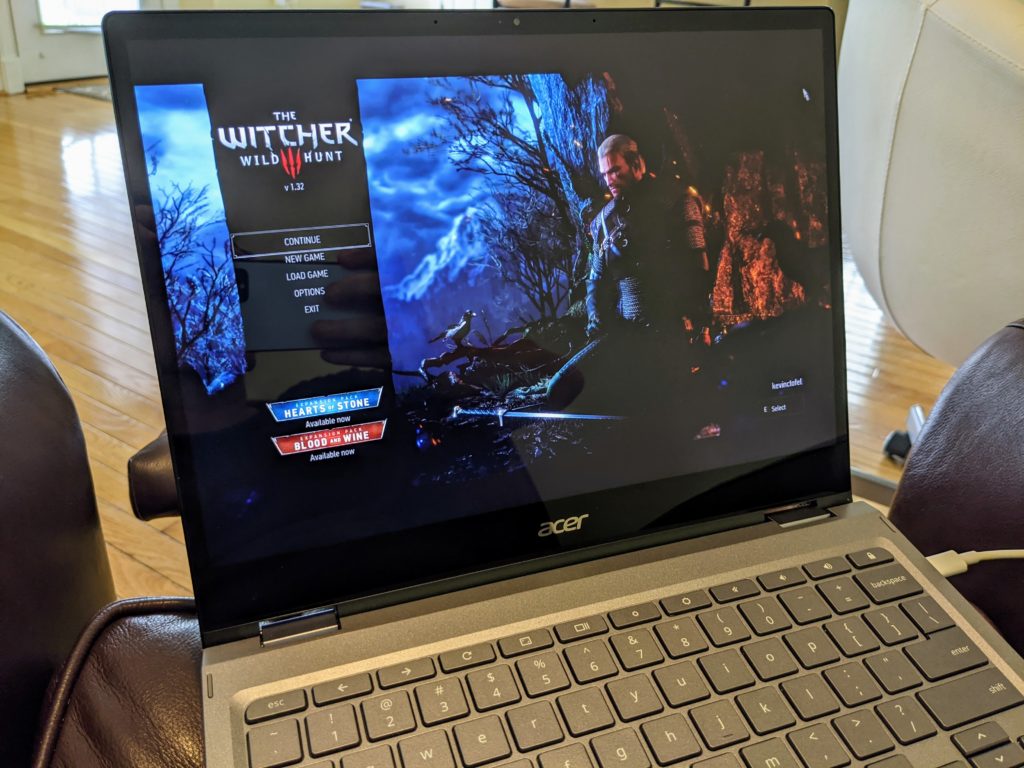
    I’ve used GeForce Now on various Chromebooks to access PC games that I’ve purchased previously thanks to Nvidia adding game sync support from the Steam store.

    In my experience so far, GeForce Now has performed similarly to Google Stadia on a Chromebook which has generally been great. Of course, you’ll need a solid internet connection to stream games from either service: If you have at least a 25 Mbps connection, you should be fine.

    Keep in mind too: Nvidia has a special website for Chromebooks to use its service.

    Once you redeem your 3 months of free service, just head over to https://play.geforcenow.com/. While Nvidia GeForce Now does sell game titles to play lets you play games you’ve purchased, similar to Stadia, it also provides a reasonable number of free PC gaming titles. One key difference is that Nvidia doesn’t sell game titles. Instead, you purchase games from Steam, Epic, or Uplay.

    If nothing else, the free trial can be tested on those games to see if game streaming on your Chromebook is for you.

    Kevin Tofel
    • Website

    After spending 15 years in IT at Fortune 100 companies, Kevin turned a hobby into a career and began covering mobile technology in 2003. He writes daily on the industry and has co-hosted the weekly MobileTechRoundup podcast since 2006. His writing has appeared in print (The New York Times, PC Magazine and PC World) and he has been featured on NBC News in Philadelphia.

    Best of AI

    Turn Photos to Videos: A Product Marketing Playbook

    August 18, 2026

    DeepSeek Statistics 2026: Users, Token Share, Pricing and Benchmark Data

    August 15, 2026

    Cursor AI Statistics 2026

    August 14, 2026

    AI Hardware Market Share Statistics 2026

    August 12, 2026

    AI Startup Funding Statistics by Region Statistics 2026

    August 7, 2026
    Trending Stats

    Two-Factor Authentication Adoption Statistics 2026

    August 15, 2026

    Chromebook Detachable VS Clamshell Sales Statistics 2026

    August 13, 2026

    MacOS Version Distribution And Demographics Statistics 2026

    August 5, 2026

    Small Language Model Adoption Statistics 2026

    August 3, 2026

    Linux Distribution Popularity Statistics 2026

    August 3, 2026
    • About
    • Tech Guest Post
    • Contact
    • Privacy Policy
    • Sitemap
    © 2026 About Chrome Books. All rights reserved.

    Type above and press Enter to search. Press Esc to cancel.