


Every Chromebook carries both a brand model name and an internal board name. The board name identifies the underlying hardware platform your device uses.
Google recently redesigned its Chrome OS version tracking page. The new interface organizes devices primarily by board names rather than brand models.
Knowing your board name helps you track Chrome OS updates specific to your device. You can quickly find release information and download recovery images when needed.
The board name matters because multiple Chromebook models often share the same hardware platform. Different manufacturers customize these shared platforms for their specific devices.
How to find your Chromebook board name (and why you want to)
Finding your Chromebook’s board name takes just a few seconds. The information lives within your browser settings.
Access the Chrome version page
Open your Chrome browser and type chrome://version into the address bar. Press Enter.
You’ll see a page displaying detailed information about your Chromebook and Chrome OS installation.
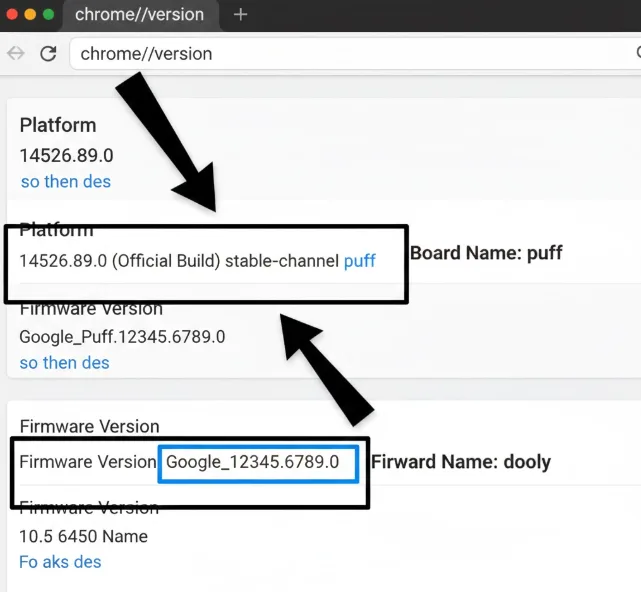
Locate the Platform information
Scroll through the version page until you find the Platform line. This line contains your board name.
The Platform entry shows your board name at the end of the string.
For example, a Platform line reading “14526.89.0 (Official Build) stable-channel puff” indicates the board name is “puff.”
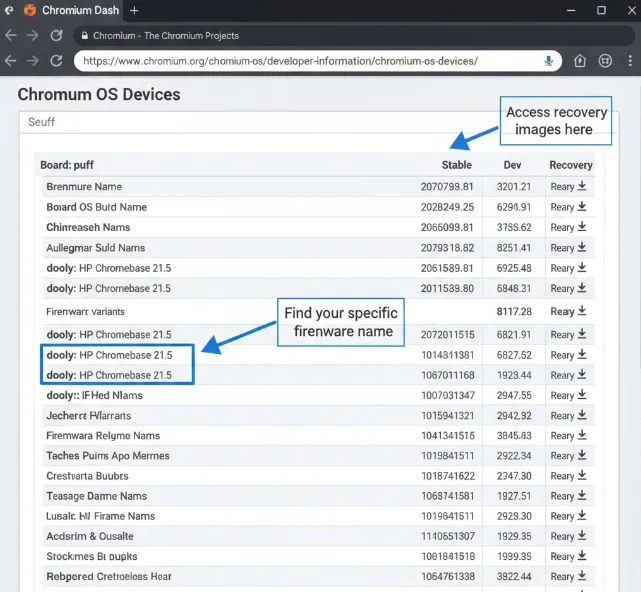
Find your device-specific firmware name
Look for the Firmware Version line on the same page. This line contains your device’s specific identifier.
The firmware name appears after the board name in the version string.
Multiple devices share the same board but use different firmware names. An HP Chromebase 21.5 uses the “puff” board but has the firmware name “dooly.”
Use the Chromium Dash page
Navigate to the Chromium Dash release page. Search for your board name in the interface.
The page organizes devices by board names. Each board section lists all firmware variants beneath it.
Find your specific firmware name under your board section. This shows you exactly which Chrome OS versions are available for your device.
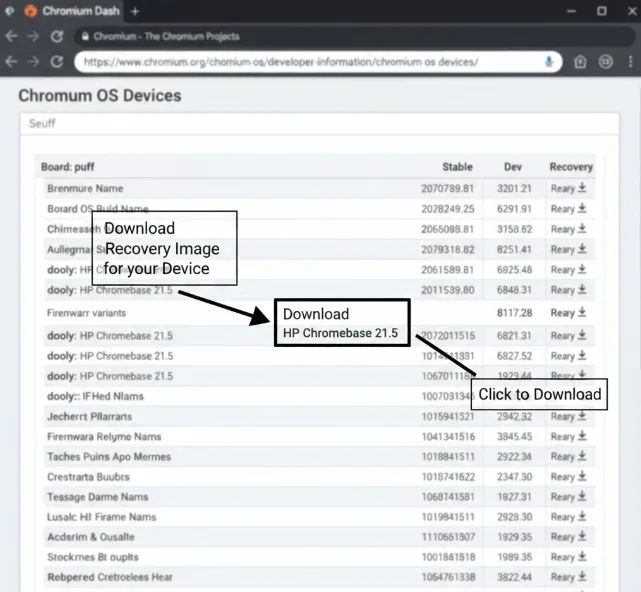
You can track upcoming releases and access recovery images from this page. The right-most column provides download links for recent Chrome OS versions.
Recovery images help you restore your Chromebook if something goes wrong with the operating system. If you encounter the “Chrome OS is missing or damaged” error, you’ll need the correct recovery image for your specific board name.
FAQs
What is a Chromebook board name?
A board name identifies the hardware platform your Chromebook uses. Multiple device models from different manufacturers often share the same board name.
Why do I need to know my board name?
You need your board name to track Chrome OS updates and download recovery images. Google’s release page organizes devices primarily by board names.
Is my board name the same as my model name?
No, your board name differs from your brand model name. The board name identifies the internal hardware platform your device uses.
Where do I find Chrome OS recovery images?
Visit the Chromium Dash page and locate your board name. The right-most column contains download links for device-specific recovery images.
Can different Chromebooks share the same board name?
Yes, many Chromebooks share board names but use different firmware identifiers. Manufacturers customize shared platforms for their specific models.
