

Close Menu
    Facebook X (Twitter) Instagram
    • About
    • Privacy Policy
    • Write For Us
    • Newsletter
    • Contact
    Instagram
    About ChromebooksAbout Chromebooks
    • Linux
    • News
      • Stats
      • Reviews
    • AI
    • How to
      • DevOps
      • IP Address
    • Apps
    • Business
    • Q&A
      • Opinion
    • Gaming
      • Google Games
    • Blog
    • Podcast
    • Contact
    About ChromebooksAbout Chromebooks
    News

    Linux on Chromebooks may get automatic disk storage resizing

    Kevin TofelBy Kevin TofelAugust 30, 2022Updated:September 8, 2025No Comments2 Mins Read

    A new feature may bring automatic disk storage expansion to Linux on Chromebooks. Based on my interpretation of the current, in-progress code, the feature is called Storage Ballooning. And it already supports Borealis, which is the Steam gaming container coming to Chromebooks.

    This makes sense because when you enable Linux on Chromebooks, you have to choose the amount of storage you want for the Linux container. In my usage, I’ve always seen a default recommendation of 10 GB for the Linux disk. And you can later resize that storage block as Chromebooks gained that ability around ChromeOS 75.
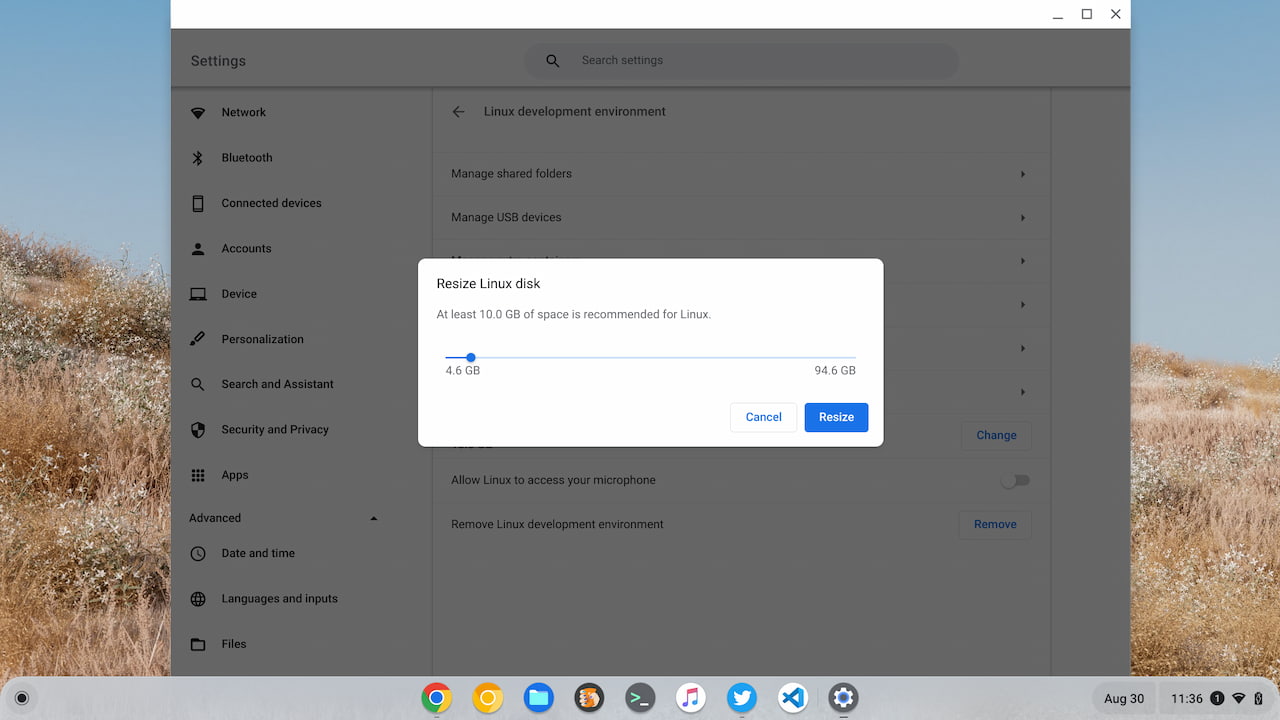
    Resize Linux on Chromebooks disk

    While that’s a good solution, a better one would be to have ChromeOS monitor the Linux on Chromebooks disk storage. And based on the available amount of storage, it should expand the capacity, if possible.

    This way, you can be using Linux and not run into an out-of-storage message. In that case, you’d have to manually resize the disk. What a drag!

    The Storage Ballooning code looks to watch for several disk usage levels and attempts to adjust storage size:
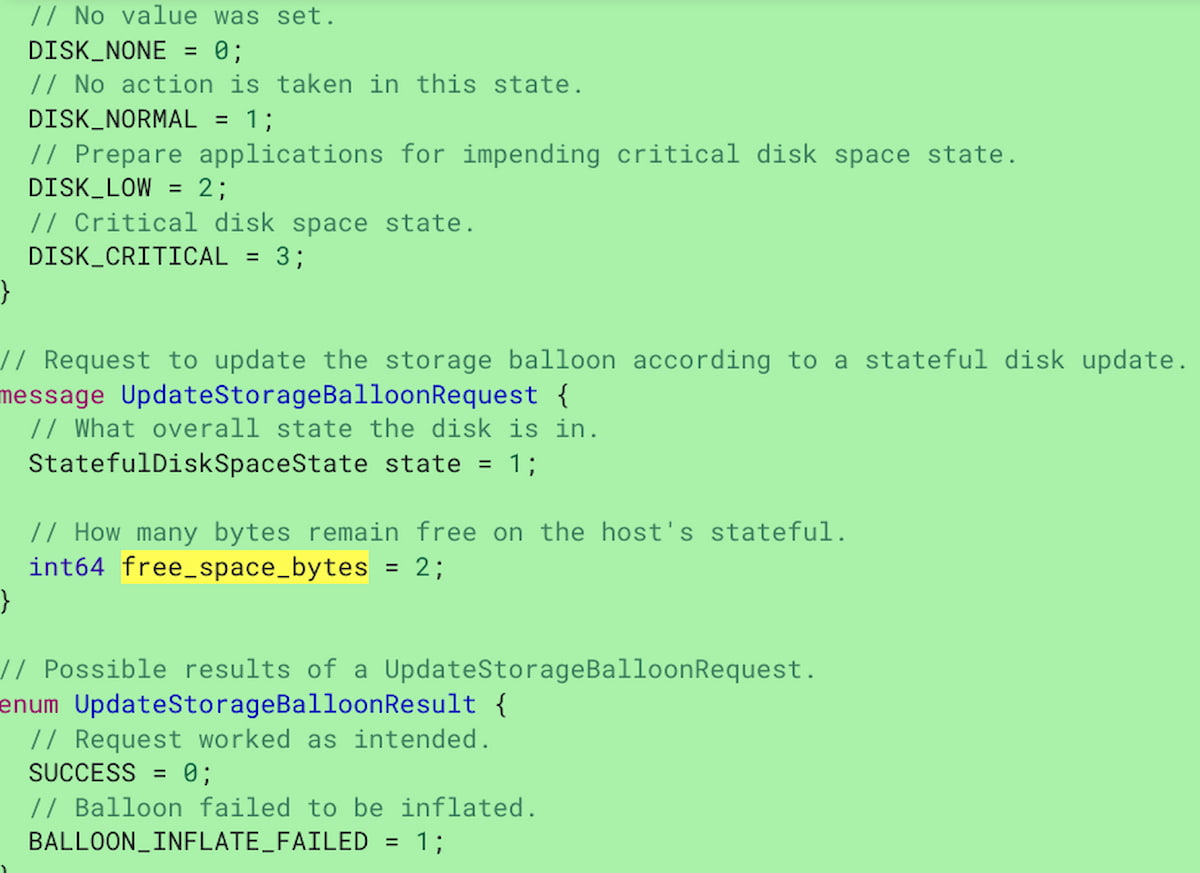
    Linux on Chromebooks storage ballooning disk space

    As I mentioned, this feature is already supported by the Borealis container that will run Steam games on a Chromebook.

    From the code change description:

    Storage ballooning is currently only being used by borealis. CL adds a handler to the StatefulDiskStateUpdate signals from spacedfor maitred. Maitred then inflates/fallocate its balloon to artificially limit disk resources.

    And that makes total sense, given that some PC games can take up gobs of storage. I don’t have many top-tier games but even some of my older titles use up to 40 GB of storage. With Storage Ballooning support, large game downloads can be accommodated on the fly.

    Regardless of needing this for games or other desktop apps on a Chromebook, this should be a useful feature for Linux users.

    Kevin Tofel
    • Website

    After spending 15 years in IT at Fortune 100 companies, Kevin turned a hobby into a career and began covering mobile technology in 2003. He writes daily on the industry and has co-hosted the weekly MobileTechRoundup podcast since 2006. His writing has appeared in print (The New York Times, PC Magazine and PC World) and he has been featured on NBC News in Philadelphia.

    Best of AI

    What Does Adobe Firefly AI Do?

    June 16, 2026

    Is Joyland AI Safe For Kids?

    June 12, 2026

    LMArena AI: Chatbot Ranking Platform 2026

    May 27, 2026

    Will AI Take Over the World

    May 25, 2026

    AI21 Jurassic Statistics 2026: Model Size, Usage and AI Performance Trends

    May 19, 2026
    Trending Stats

    Chromebook Storage Usage Statistics 2026: Device Storage Consumption Trends

    June 18, 2026

    Conversational AI Market Statistics 2026: Chatbot Usage And Enterprise Deployment

    June 17, 2026

    Chromebook Gaming Usage Statistics 2026: Player Engagement And Usage Reports

    June 17, 2026

    Chromebook Battery Degradation Statistics 2026: Lifecycle Performance Testing Data

    June 15, 2026

    Chromebook Touchscreen vs Non-Touchscreen Usage Statistics 2026: Device Interaction and Form Factor Data

    June 11, 2026
    • About
    • Tech Guest Post
    • Contact
    • Privacy Policy
    • Sitemap
    © 2026 About Chrome Books. All rights reserved.

    Type above and press Enter to search. Press Esc to cancel.