

Close Menu
    Facebook X (Twitter) Instagram
    • About
    • Privacy Policy
    • Write For Us
    • Newsletter
    • Contact
    Instagram
    About ChromebooksAbout Chromebooks
    • Linux
    • News
      • Stats
      • Reviews
    • AI
    • How to
      • DevOps
      • IP Address
    • Apps
    • Business
    • Q&A
      • Opinion
    • Gaming
      • Google Games
    • Blog
    • Podcast
    • Contact
    About ChromebooksAbout Chromebooks
    News

    Chrome OS 89 adds media annotations, photo filters and a working Trash can for Chromebooks

    Kevin TofelBy Kevin TofelJanuary 4, 2021No Comments2 Mins Read

    The latest Dev Channel release for Chrome OS 89 has a few nice features to improve the Chromebook experience. Kent Duke over at Android Police noted a few of them with regards to the Media app.

    Image annotations, for example, are supported as are preset image filters similar to what you’d find in Google Photos or Instagram. I also see that that the Trash can for the Files app is working for file deletion and restoration.

    Media annotations are likely best used with a pen-enabled device. However, a touchscreen or the trackpad can do the trick too as shown in the image below.
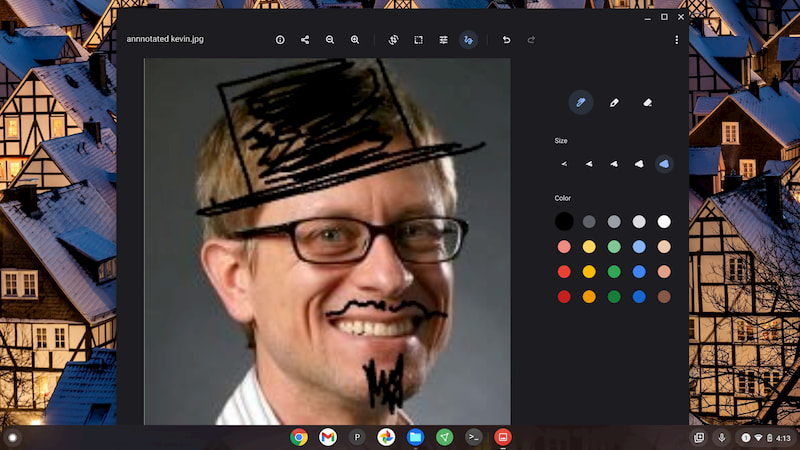
    Yeah, I didn’t have many photos to ink up, so I just made my headshot look a little more formal. 😉 With the native annotation tool, you have several color and thickness choices.

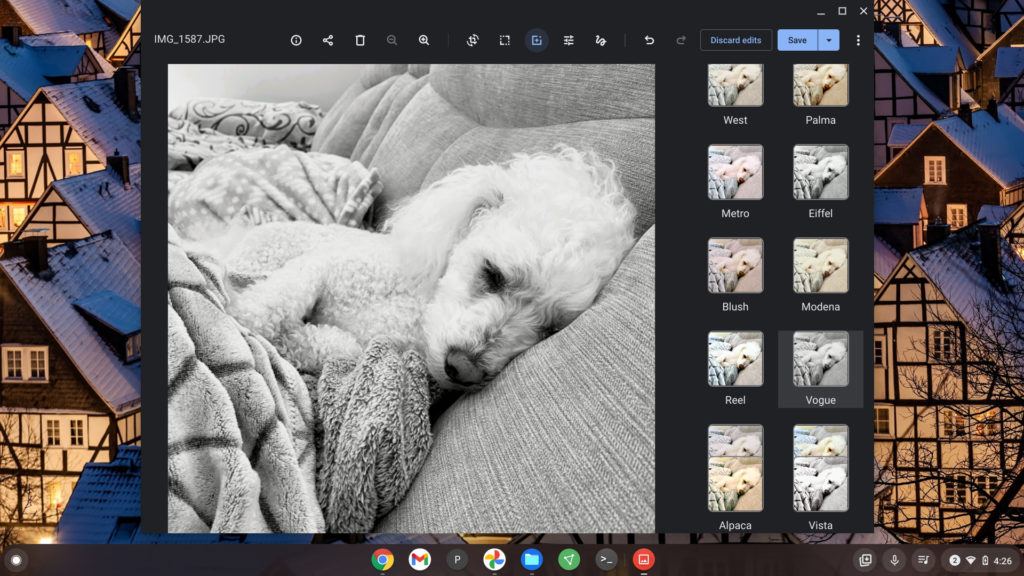
    The filter tool is what you’d expect if you’ve ever used one before. It is an experimental feature that you have to enable in the Media app: Click the three-dot menu, Experiments, and choose “enable colorFilter tool”.

    Here’s an original image of my pal, Norm, followed by the filter options and output after choosing one.
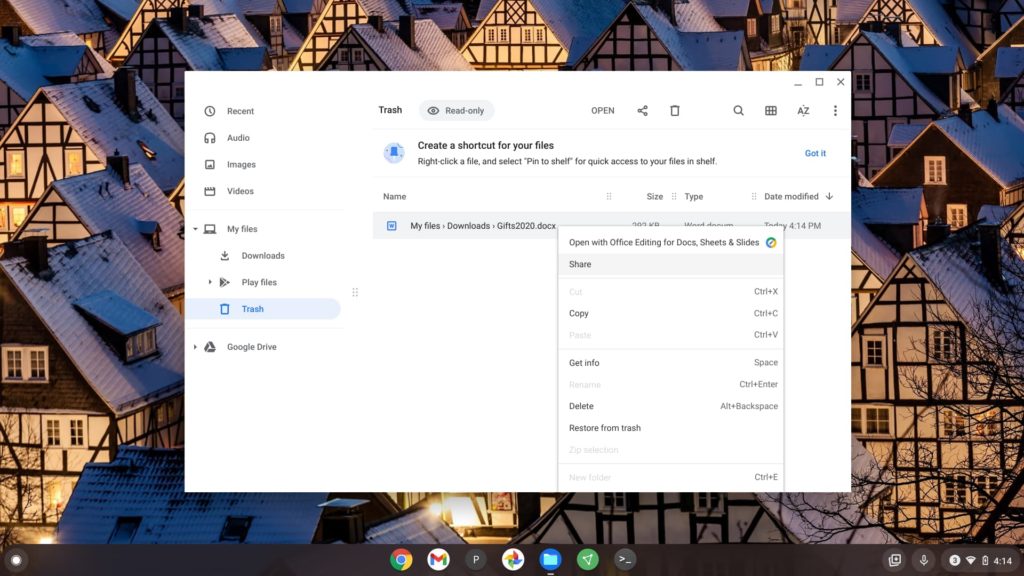
    I’ve also been waiting for the Trash can feature in the native Files app to work and it does in Chrome OS 89 currently. I was able to delete a file and then open the Trash can to see its contents. My deleted file was there, as was an option to restore it. I tested it and saw my file back in the My Downloads folder where it was originally.
    Note that you’ll need the current Dev Channel of Chrome OS 89 to try any of these features, which are hidden behind flags.

    You’ll want to enable chrome://flags#media-app and chrome://flags#media-app-annotation for the Media features, while chrome://flags#files-trash enables the working Trash function. Or you can wait for the Stable Channel release of Chrome OS 89, expected to start rolling out around March 9.

    Chrome OS Chrome OS 89 Dev Channel Files Media Productivity Trash
    Kevin Tofel
    • Website

    After spending 15 years in IT at Fortune 100 companies, Kevin turned a hobby into a career and began covering mobile technology in 2003. He writes daily on the industry and has co-hosted the weekly MobileTechRoundup podcast since 2006. His writing has appeared in print (The New York Times, PC Magazine and PC World) and he has been featured on NBC News in Philadelphia.

    Comments are closed.

    Best of AI

    Why Healthcare Practices Are Turning to Virtual Assistants to Beat the Admin Crisis in 2026

    March 31, 2026

    Smartest AI In 2026 [Statistics And User Data]

    March 28, 2026

    AI Investment By Country [2026 Statistics]

    March 27, 2026

    Pephop AI Statistics And Trends 2026

    February 26, 2026

    Poe AI Statistics 2026

    February 21, 2026
    Trending Stats

    Chrome Lighthouse Statistics 2026

    March 26, 2026

    Chrome Incognito Mode Statistics 2026

    February 10, 2026

    Google Penalty Recovery Statistics 2026

    January 30, 2026

    Search engine operators Statistics 2026

    January 29, 2026

    Most searched keywords on Google

    January 27, 2026
    • About
    • Tech Guest Post
    • Contact
    • Privacy Policy
    • Sitemap
    © 2026 About Chrome Books. All rights reserved.

    Type above and press Enter to search. Press Esc to cancel.