

Close Menu
    Facebook X (Twitter) Instagram
    • About
    • Privacy Policy
    • Write For Us
    • Newsletter
    • Contact
    Instagram
    About ChromebooksAbout Chromebooks
    • Linux
    • News
      • Stats
      • Reviews
    • AI
    • How to
      • DevOps
      • IP Address
    • Apps
    • Business
    • Q&A
      • Opinion
    • Gaming
      • Google Games
    • Blog
    • Podcast
    • Contact
    About ChromebooksAbout Chromebooks
    News

    There’s a new app for custom Chromebook keyboard shortcuts (Updated)

    Kevin TofelBy Kevin TofelOctober 7, 2022Updated:September 15, 2025No Comments2 Mins Read

    Google is working to update customized Chromebook keyboard shortcuts, complete with new icons and application interface. Using the in-progress code I generated some of the new icons that will be added to ChromeOS and they bring a more modern look to certain system functions.

    This is how the new icons are designed, along with their representative function for customized Chromebook keyboard shortcuts.
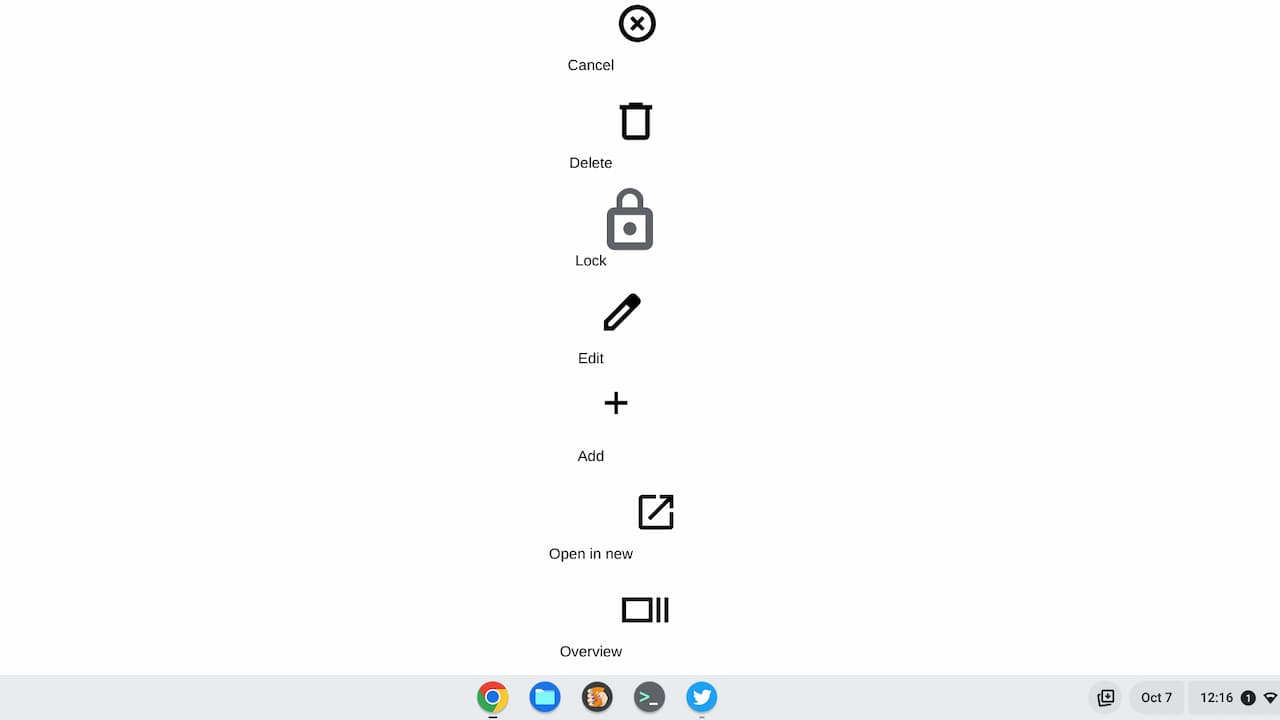
    There’s also mention of a dedicated Print icon although the code to display the icon isn’t yet present. It’s also possible these icons will change prior to implementation.

    A code comment currently reads “Replace these temporary icons with the actual ones.” However, I can’t tell if that’s already happened: These could be temporary or they may have already been replaced with code for the planned icons.

    Since the code refers to the Chromebook Shortcut Customization App first reported back in 2021, I anticipate that these icons will eventually appear in your Chromebook Settings.

    Navigate to Settings -> Device -> Keyboard and you’ll see the default Chromebook keyboard shortcuts. However, you can modify some of these; I anticipate the list of which shortcuts you can customize will be growing. And this interface will be changing too.
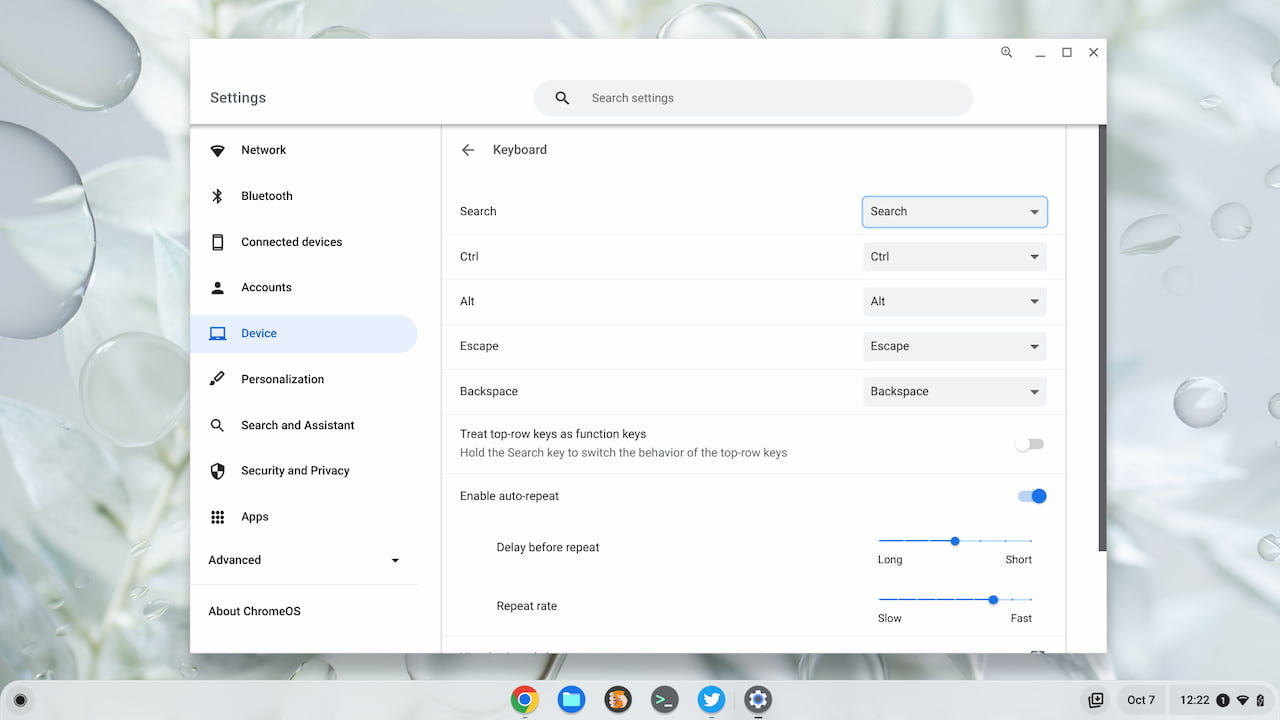
    Current customized Chromebook keyboard shortcuts

    The more I use ChromeOS, the more I’m getting away from using the trackpad to navigate around quickly. I think it has something to do with my coding education because if you know the right keyboard shortcuts, you can zip around text or windows. In fact, that’s why I recently shared a quick way to maximize and minimize windows or apps using Chromebook keyboard shortcuts. I have a video demonstration in that post to show you how quick the approach is.

    I figure the more my hands are on the keyboard, the more I can type. More time on the trackpad reduces text entry, so I’m learning to love Chromebook keyboard shortcuts. I’m looking forward to seeing how these new ones are implemented.

    Update: Dinsan over at Chrome Story has a short video look at the new Chromebook keyboard shortcuts app. Here’s a peek at what’s coming:

    Chromebook Chromebooks ChromeOS Keyboard shortcuts
    Kevin Tofel
    • Website

    After spending 15 years in IT at Fortune 100 companies, Kevin turned a hobby into a career and began covering mobile technology in 2003. He writes daily on the industry and has co-hosted the weekly MobileTechRoundup podcast since 2006. His writing has appeared in print (The New York Times, PC Magazine and PC World) and he has been featured on NBC News in Philadelphia.

    Comments are closed.

    Best of AI

    Why Healthcare Practices Are Turning to Virtual Assistants to Beat the Admin Crisis in 2026

    March 31, 2026

    Smartest AI In 2026 [Statistics And User Data]

    March 28, 2026

    AI Investment By Country [2026 Statistics]

    March 27, 2026

    Pephop AI Statistics And Trends 2026

    February 26, 2026

    Gramhir AI Statistics 2026

    February 24, 2026
    Trending Stats

    Chrome Lighthouse Statistics 2026

    March 26, 2026

    Chrome Incognito Mode Statistics 2026

    February 10, 2026

    Google Penalty Recovery Statistics 2026

    January 30, 2026

    Search engine operators Statistics 2026

    January 29, 2026

    Most searched keywords on Google

    January 27, 2026
    • About
    • Tech Guest Post
    • Contact
    • Privacy Policy
    • Sitemap
    © 2026 About Chrome Books. All rights reserved.

    Type above and press Enter to search. Press Esc to cancel.