

Close Menu
    Facebook X (Twitter) Instagram
    • About
    • Privacy Policy
    • Write For Us
    • Newsletter
    • Contact
    Instagram
    About ChromebooksAbout Chromebooks
    • News
      • Stats
    • AI
    • How to
      • DevOps
      • IP Address
    • Apps
    • Business
    • Q&A
      • Opinion
    • Gaming
      • Google Games
    • Blog
    • Podcast
    • Contact
    About ChromebooksAbout Chromebooks
    News

    Family Link for Chromebooks adds screen time limits, site & app whitelisting and parental management controls

    Kevin TofelBy Kevin TofelDecember 13, 2018Updated:December 13, 2018No Comments2 Mins Read
    Share
    Facebook Twitter LinkedIn Pinterest

    Back in September, Google expanded its Family Link service from Android devices to Chromebooks. On Thursday, Google added new Family Link features on the Chromebook side that will allow parents to have more control over how, and how long, their kids use Chrome OS devices.

    The new additions include:

    • Screen time settings: Parents can limit the amount of time their child’s Chromebook is used on a daily basis, set bedtime hours and even view Chromebook usage reports to better understand how much a home Chromebook is used.
    • Site and app whitelisting: This adds the ability for parents to allow access to only certain websites or Google Play Store apps on a Chromebook, similar to managed Chrome OS devices in enterprises. Unapproved apps can even be hidden so children don’t see them in the Google Play Store.
    • Account and device settings: With the updated Family Link service, parents can remotely lock managed Family Link accounts and review or edit their child’s Google account settings.
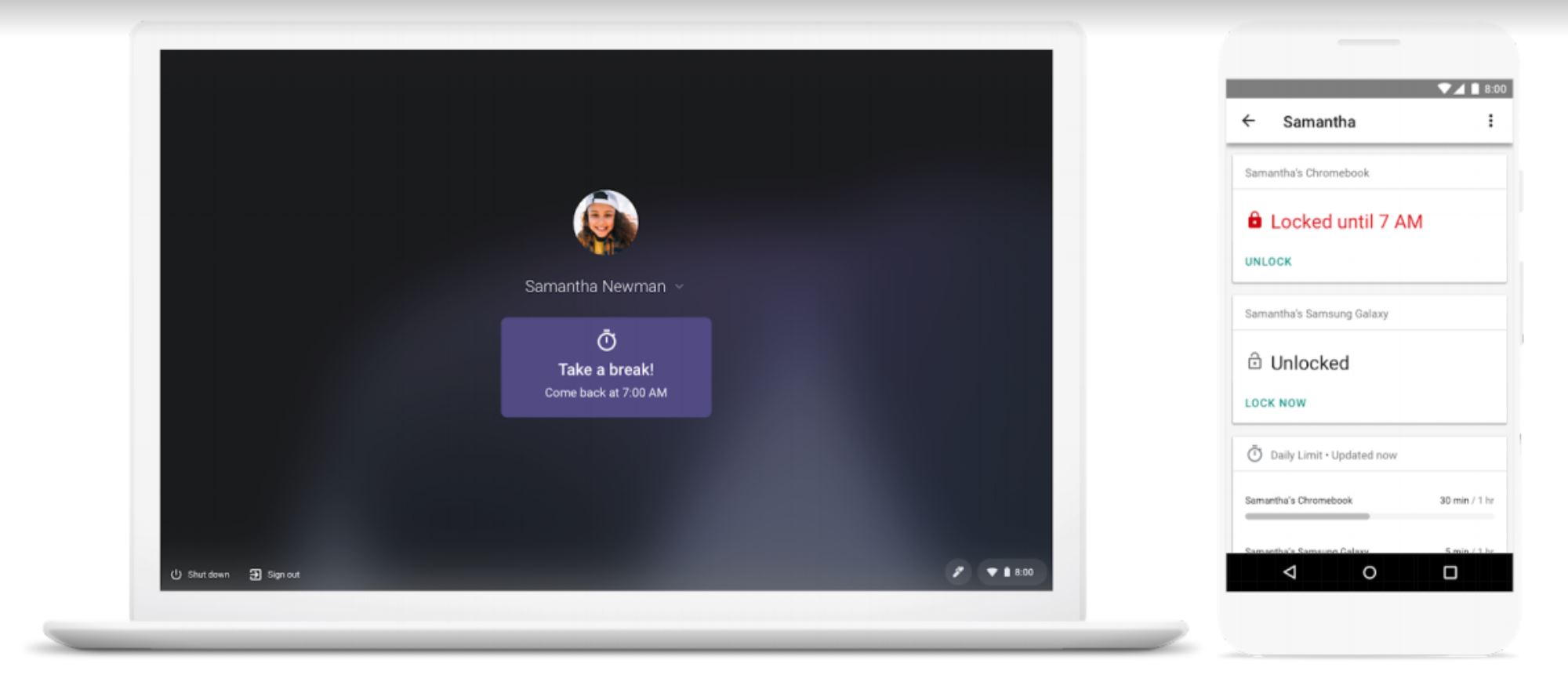

    Since Family Link is based on Google accounts, parents can manage a shared Chromebook differently for individual children. You may want to hide specific apps or limit access to particular websites for a 6-year old, for example, but let that child’s 14-year old sibling have a little more freedom on the same device.

    We’ve seen these types of parental controls come to phones over the past year or so and it’s fitting that Google bring the same to Chromebooks. Obviously, it’s up to each individual family to decide whether or not Family Link fits well in their own home and it’s completely optional. For those households that want to actively manage devices, however, Family Link is a great feature to have.

    My own kids are now college age, so I don’t take advantage of any such controls on their devices save for one: Application purchases on a family credit card.

    I do that because we all share apps across phones so that we don’t all purchase the same software multiple times. I pay for those upon review and I have yet to say “no” to a request. If my kids want to buy their own apps that I don’t need to know about, they do that on their own dime at this point. I’d feel differently if the kids were ten years younger and I’d be taking full advantage of Family Link.

    Chrome OS Chromebooks Device management Family Link Google Security
    Share. Facebook Twitter Pinterest LinkedIn Tumblr
    Kevin Tofel
    • Website

    After spending 15 years in IT at Fortune 100 companies, Kevin turned a hobby into a career and began covering mobile technology in 2003. He writes daily on the industry and has co-hosted the weekly MobileTechRoundup podcast since 2006. His writing has appeared in print (The New York Times, PC Magazine and PC World) and he has been featured on NBC News in Philadelphia.

    Related Posts

    Auto DraftStarbucks Partner Hours: Manual to Managing Work Schedules

    January 26, 2026

    Anon Vault For Private Cloud Storage

    January 23, 2026

    GitHub Copilot Statistics [2026]

    January 7, 2026

    Comments are closed.

    Best of AI

    Make-A-Video Statistics 2026

    January 30, 2026

    Stable Video Diffusion User Trends And Statistics 2026

    January 29, 2026

    VALL-E Statistics 2026

    January 28, 2026

    StarCoder Statistics And User Trends 2026

    January 27, 2026

    BLIP-2 Statistics 2026

    January 23, 2026
    Trending Stats

    Google Penalty Recovery Statistics 2026

    January 30, 2026

    Search engine operators Statistics 2026

    January 29, 2026

    Most searched keywords on Google

    January 27, 2026

    Ahrefs Search Engine Statistics 2026

    January 19, 2026

    Pay Per Click Advertising Statistics 2026

    January 16, 2026
    • About
    • Write For Us
    • Contact
    • Privacy Policy
    • Sitemap
    © 2026 About Chrome Books. All rights reserved.

    Type above and press Enter to search. Press Esc to cancel.