


I’ve been reporting that when your Chromebook replaces Chrome with the new Lacros browser, you shouldn’t see any feature changes. However, Lacros does bring one feature improvement that’s worth noting: Improved profile switching on Chromebooks.
If you’re not familiar with the Lacros browser, here’s a quick refresher. It’s essentially a Linux-based version of the Chrome browser but it’s not as tightly integrated with Chrome OS. It has the same features as the standard Chrome browser.
The reason Google is decoupling the Chrome browser from the ChromeOS system is to make it easier to manage changes across Chrome for all systems. This means the browser on a Chromebook can be updated separately from ChromeOS on a Chromebook.
Here’s a perfect example of how this helps you.
Today, Chrome users on Linux, macOS, and Windows have an easy way to switch user accounts or profiles in the browser.
This has long been a pain point for the rest of us because profile switching on Chromebooks isn’t as robust. I have two Google accounts, for example. One for personal use and one with my local community college. It’s difficult to switch between the two in ChromeOS.
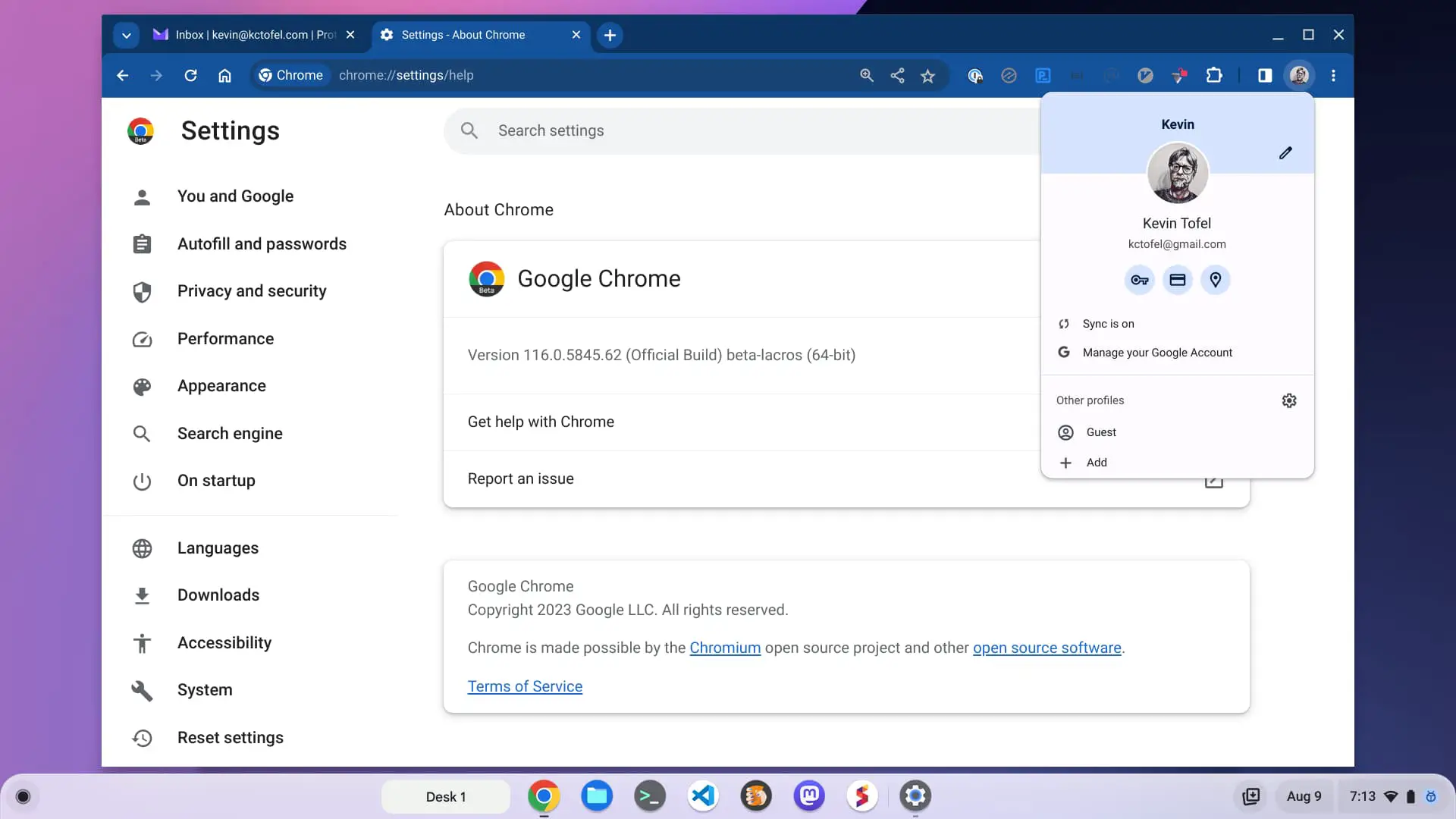
That changes with Lacros.
Using Lacros as my primary browser on the ChromeOS 116 Beta Channel, I was easily able to add both personal and school accounts to my Chromebook. And it’s now easy to switch back and forth between the two or run both profiles at the same time in the browser.
Here are both profiles in different browser windows on my Chromebook. I broke them out to separate windows for illustration, however, they can be used as different tabs in the same browser window.
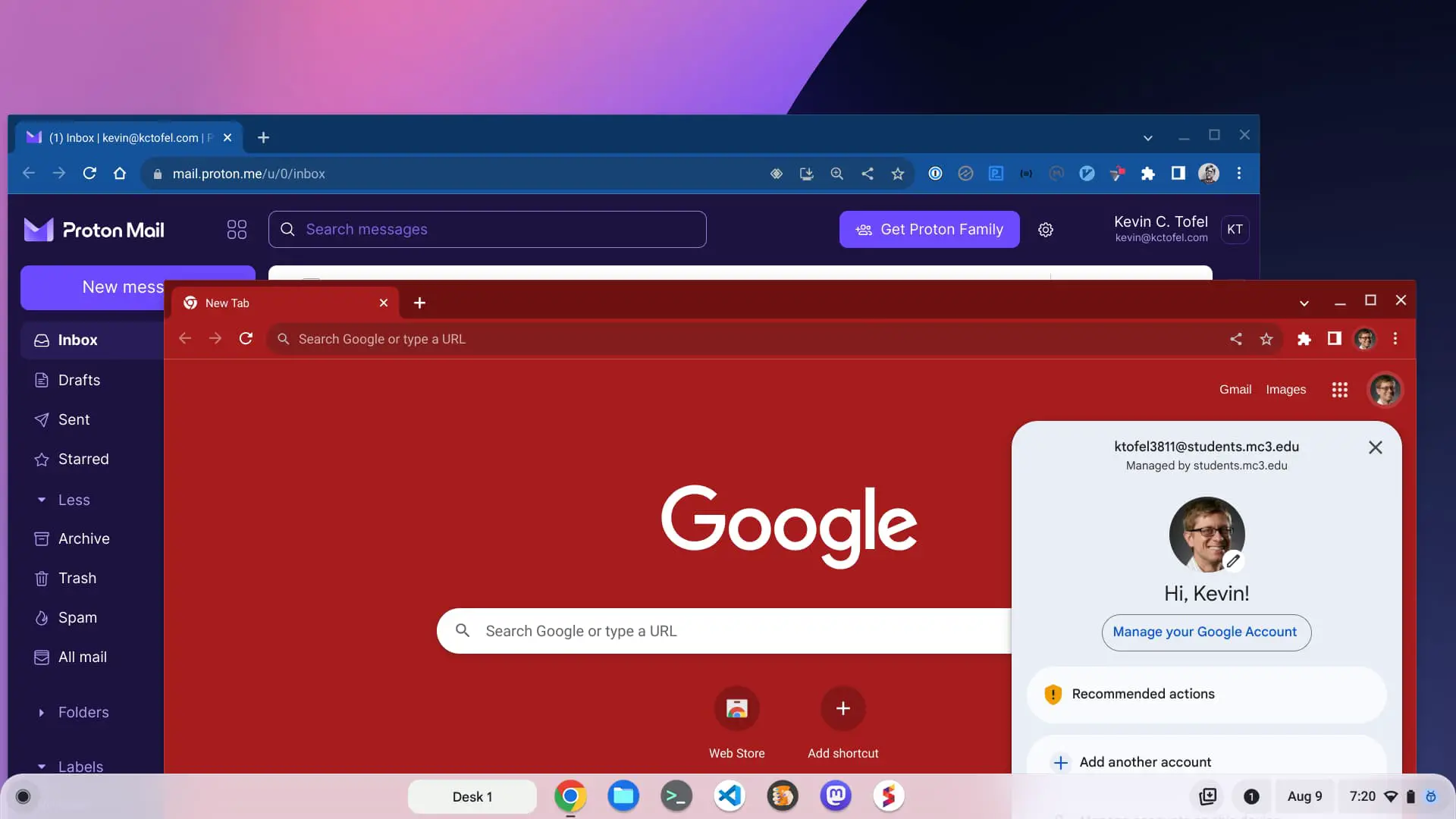
Essentially, I can manage or access all of my Google information, apps, and emails for both Google accounts with this improved profile switching on Chromebooks. And that’s a huge benefit, at least for those who use multiple Google accounts in ChromeOS.
However, the solution as it stands today isn’t perfect.
Remember, Chromebooks are tied directly to Google accounts. That means the Google ID you use to set up your Chromebook will always be your primary account.
The only way you can change that is to add secondary Google accounts to your Chromebook as user accounts and then log into one of them upon bootup. Of course, you’d need the profile to switch to use other Google accounts in that session.
Even so, this is another big benefit that the Lacros transition plan will bring to Chromebooks if you have multiple Google accounts.
