

Close Menu
    Facebook X (Twitter) Instagram
    • About
    • Privacy Policy
    • Write For Us
    • Newsletter
    • Contact
    Instagram
    About ChromebooksAbout Chromebooks
    • News
      • Stats
    • AI
    • How to
      • DevOps
      • IP Address
    • Apps
    • Business
    • Q&A
      • Opinion
    • Gaming
      • Google Games
    • Blog
    • Podcast
    • Contact
    About ChromebooksAbout Chromebooks
    News

    Project Crostini gets new features, fixes in Chrome OS 71 Dev Channel

    Kevin TofelBy Kevin TofelOctober 18, 2018Updated:September 10, 2025No Comments2 Mins Read
    Share
    Facebook Twitter LinkedIn Pinterest

    Although Google rolled out support for Linux apps through Project Crostini in the Stable version of Chrome OS 69, there’s still some work to be done. And some of that work comes with Chrome OS 71 in the Dev Channel, which was released on Wednesday.

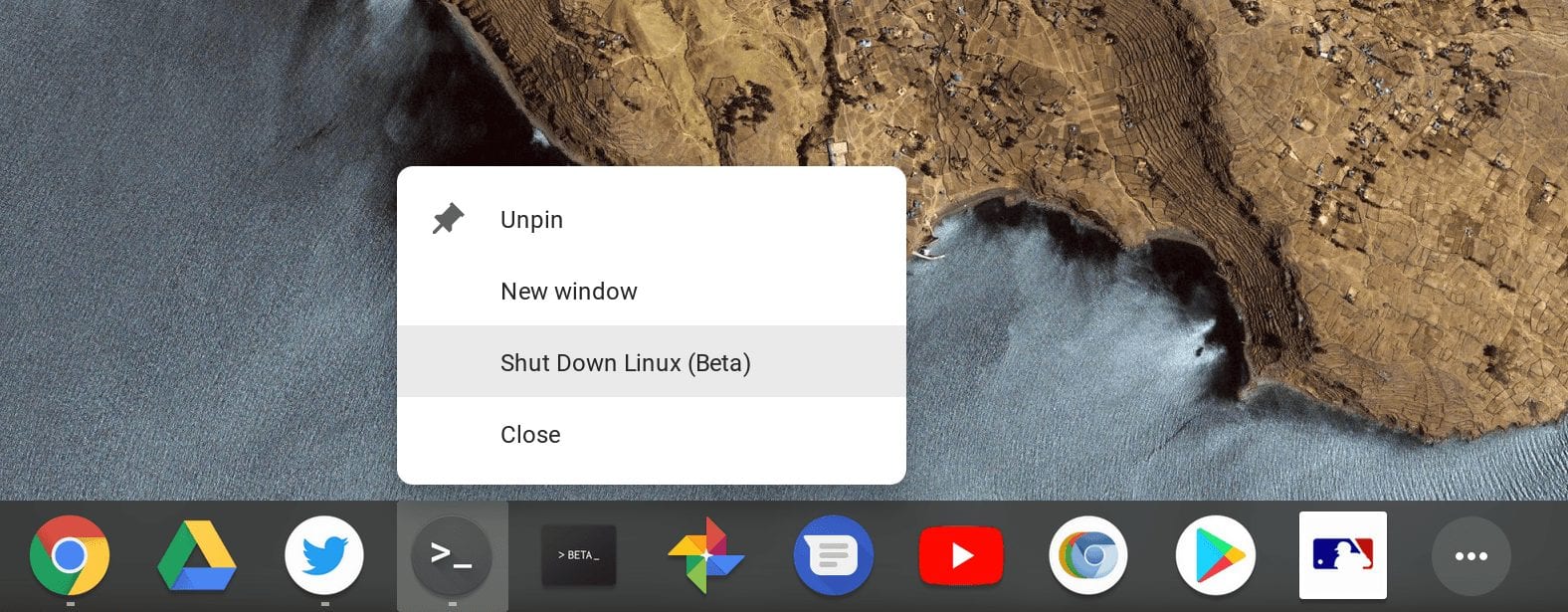
    First is an easier way to stop the Linux virtual machine. There’s a new contextual menu option for the Terminal app in the dock: Right-clicking the icon will now show a new “Shut Down Linux (Beta)” option to close down the Linux instance.
    Also implemented is a way to share files and folders within the native Chrome OS Files app to the Linux VM, although it only seems to be working (partially) for files at the moment. When fully working, you can right-click on a local file or folder and see a new “Share with Linux” action.
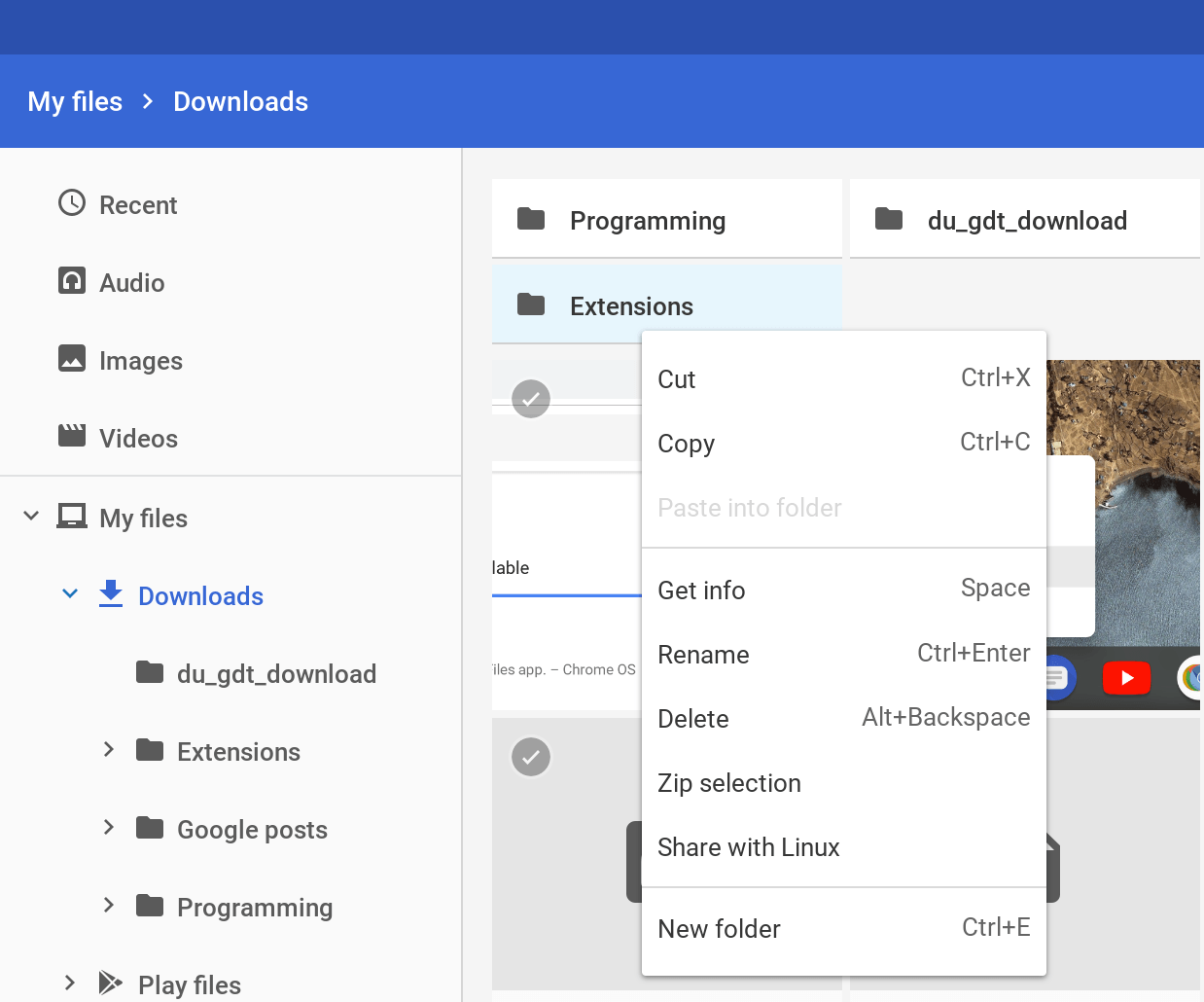
    For me, it’s only appearing on folders, not individual files. And even when I choose to share a folder, I don’t yet see it in my Linux directory in the Terminal.

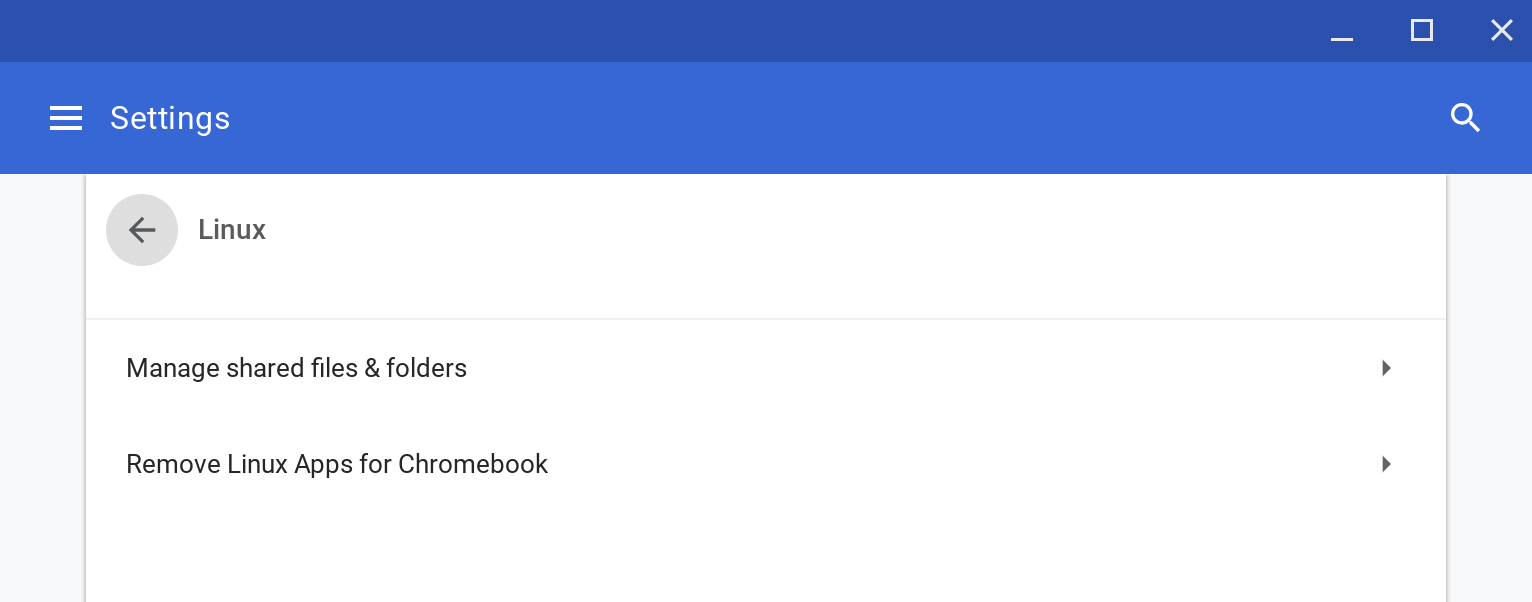
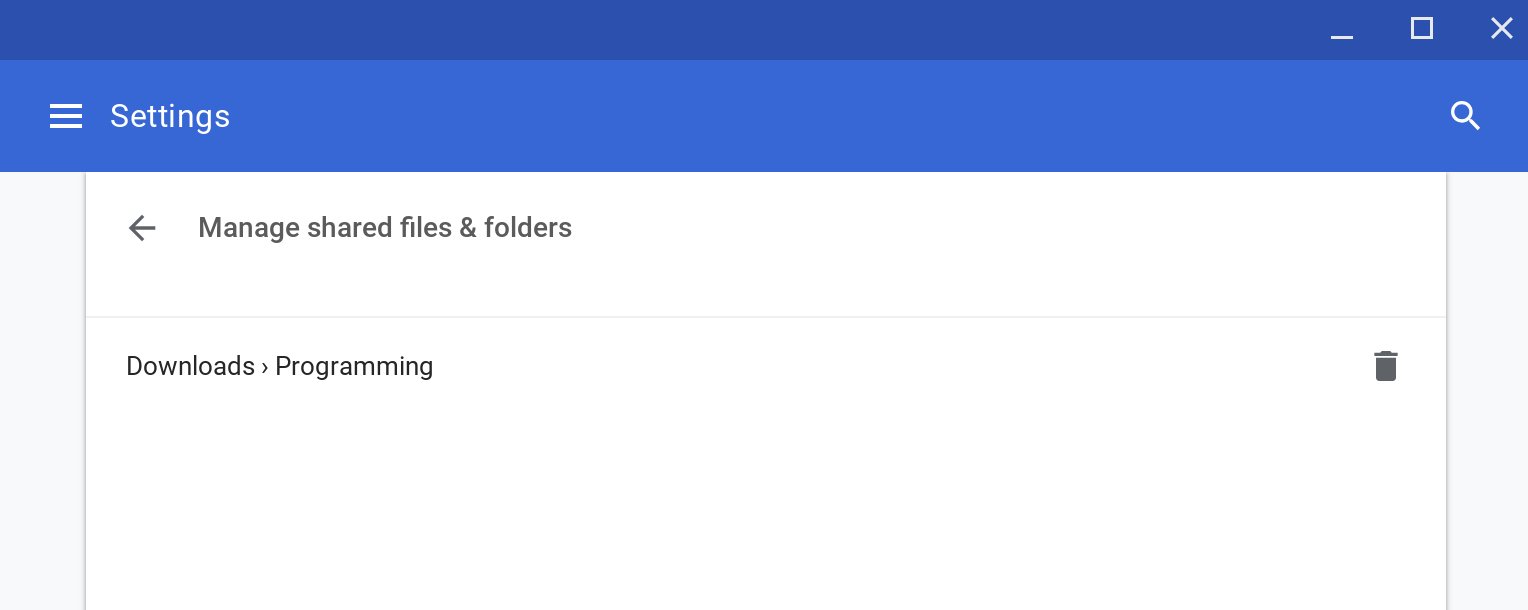
    However, there’s a related feature that is working. In the Settings, there’s a new way to directly manage files and folders shared with Linux. You’ll find it in the settings where you enable or disable Linux support:
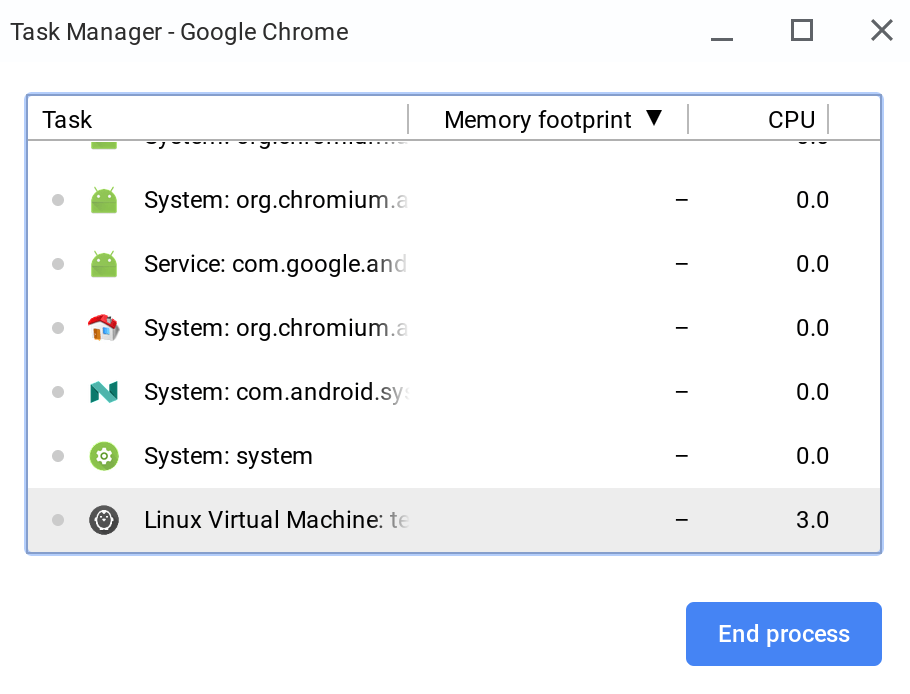
    Lastly, there are the beginnings of an effort to view device resource usage by the Linux VM. If you open the Chrome OS Task Manager, you should see the Linux Virtual Machine as a task. For now, I can only view the CPU usage and not the memory resources, but I’m sure that will be resolved shortly in an upcoming Chrome OS update.
    Some users reported low-resolution launcher icons for their Linux apps in Chrome OS, but that should be resolved in this update. There’s one more item that’s a behind-the-scenes fix so you won’t see it. This relates to uninstalling Crostini, i.e.; disabling the Linux app support, but again, it’s more of a cleanup process than anything else.


    Chrome OS Crostini Dev Channel Linux Linux Apps Project Crostini
    Share. Facebook Twitter Pinterest LinkedIn Tumblr
    Kevin Tofel
    • Website

    After spending 15 years in IT at Fortune 100 companies, Kevin turned a hobby into a career and began covering mobile technology in 2003. He writes daily on the industry and has co-hosted the weekly MobileTechRoundup podcast since 2006. His writing has appeared in print (The New York Times, PC Magazine and PC World) and he has been featured on NBC News in Philadelphia.

    Related Posts

    Auto DraftStarbucks Partner Hours: Manual to Managing Work Schedules

    January 26, 2026

    Anon Vault For Private Cloud Storage

    January 23, 2026

    GitHub Copilot Statistics [2026]

    January 7, 2026

    Comments are closed.

    Best of AI

    Make-A-Video Statistics 2026

    January 30, 2026

    Stable Video Diffusion User Trends And Statistics 2026

    January 29, 2026

    VALL-E Statistics 2026

    January 28, 2026

    StarCoder Statistics And User Trends 2026

    January 27, 2026

    BLIP-2 Statistics 2026

    January 23, 2026
    Trending Stats

    Google Penalty Recovery Statistics 2026

    January 30, 2026

    Search engine operators Statistics 2026

    January 29, 2026

    Most searched keywords on Google

    January 27, 2026

    Ahrefs Search Engine Statistics 2026

    January 19, 2026

    Pay Per Click Advertising Statistics 2026

    January 16, 2026
    • About
    • Write For Us
    • Contact
    • Privacy Policy
    • Sitemap
    © 2026 About Chrome Books. All rights reserved.

    Type above and press Enter to search. Press Esc to cancel.