

Close Menu
    Facebook X (Twitter) Instagram
    • About
    • Privacy Policy
    • Write For Us
    • Newsletter
    • Contact
    Instagram
    About ChromebooksAbout Chromebooks
    • News
      • Stats
    • AI
    • How to
      • DevOps
      • IP Address
    • Apps
    • Business
    • Q&A
      • Opinion
    • Gaming
      • Google Games
    • Blog
    • Podcast
    • Contact
    About ChromebooksAbout Chromebooks
    Q&A

    So you have Project Crostini on your Chromebook: What are good Linux apps to install?

    Kevin TofelBy Kevin TofelJuly 6, 2018Updated:September 20, 2025No Comments2 Mins Read
    Share
    Facebook Twitter LinkedIn Pinterest

    I’m getting this question a bunch lately now that Project Crostini is quickly spreading to many Chromebooks: What Linux apps should I install? The answer is, I don’t know. 😉 That’s because I don’t know what each individual is trying to do. But that doesn’t mean I can’t point you in the right direction to help.

    For me, I’m using Linux apps to do things I would normally do on my MacBook because I either can’t do them in a browser or because there isn’t quite a perfect Android app for what I need.

    I’m down to just one activity on the MB: Recording weekly podcasts. I have a multi-track audio recording over Skype and then need to edit the audio, add intro music, etc… On the MB, I obviously use Skype for the conversation and I then use Audacity for the edits. There’s a Linux version of both apps so that solves my problem. Or at least it will once Google adds audio support to Project Crostini. And I’ve already moved my coding from the MB to the Pixelbook since most of the text editors and IDEs I use are available for Linux.
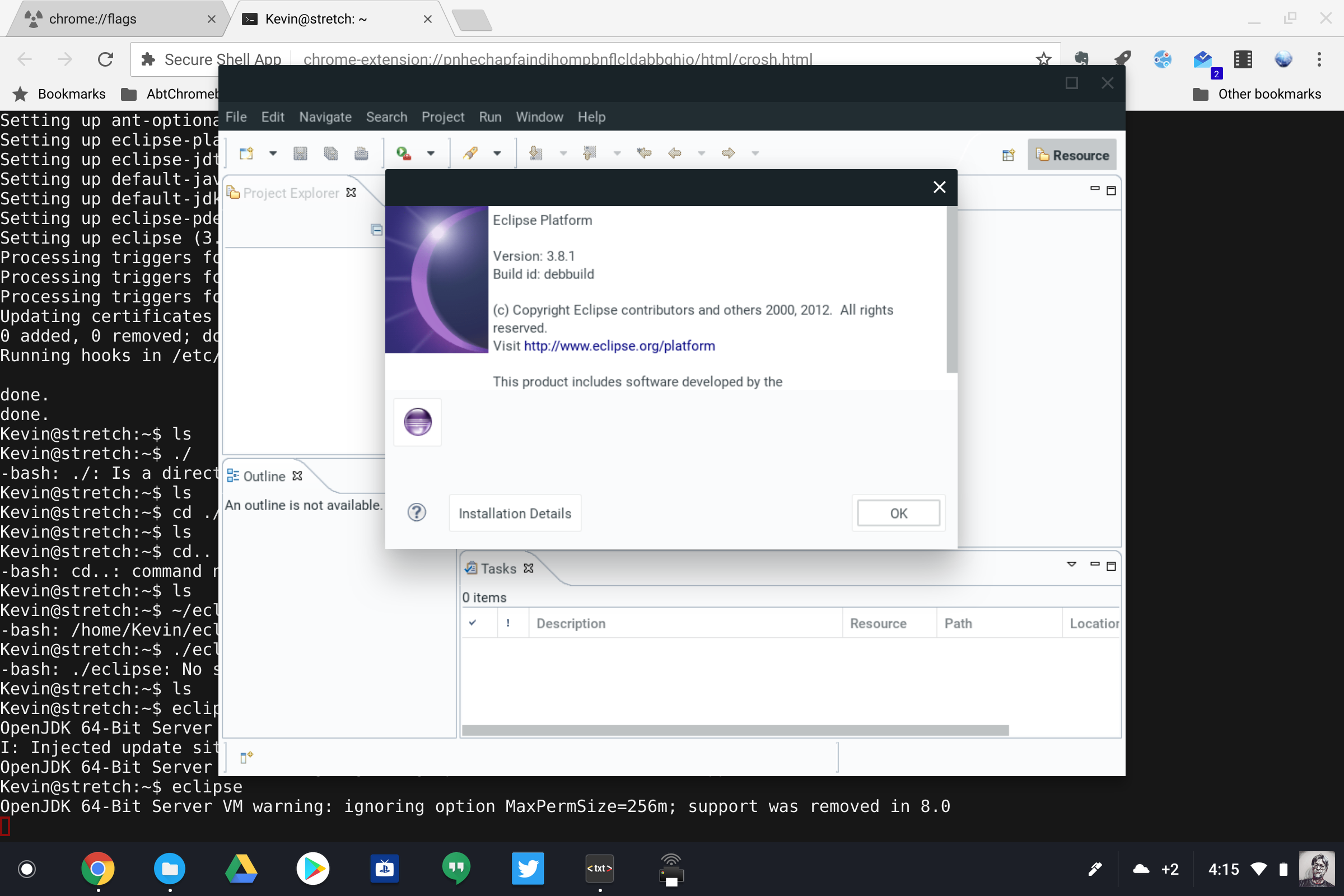
    Project Crostini Eclipse installed

    If you don’t record podcasts or code then, what can you do using Linux on a Chromebook?

    The best I can do is point you to this Wiki of Windows app equivalents for Linux. It hasn’t been updated since 2016 but it’s still a decent resource to get you started. And it’s broken down into type of applications: Office/Productivity, Networking, Desktop Publishing, etc… so you can focus on the specific activities you’re looking to do on a Chromebook using Linux apps.

    If you want a second resource that’s not quite as comprehensive, the Linux Alternative Project site, might be worth the look as well.

    Got fave Linux apps that you’re using on a Chromebook? Drop ’em in the comments and help the “Crostini Community” out!

    Chrome OS Crostini Linux Linux Apps Productivity Project Crostini
    Share. Facebook Twitter Pinterest LinkedIn Tumblr
    Kevin Tofel
    • Website

    After spending 15 years in IT at Fortune 100 companies, Kevin turned a hobby into a career and began covering mobile technology in 2003. He writes daily on the industry and has co-hosted the weekly MobileTechRoundup podcast since 2006. His writing has appeared in print (The New York Times, PC Magazine and PC World) and he has been featured on NBC News in Philadelphia.

    Related Posts

    What Does Esoszifediv Help With?

    January 10, 2026

    2579xao6 New Software Name

    January 9, 2026

    How to Develop OXZEP7 Software

    January 8, 2026

    Comments are closed.

    Best of AI

    VALL-E Statistics 2026

    January 28, 2026

    StarCoder Statistics And User Trends 2026

    January 27, 2026

    BLIP-2 Statistics 2026

    January 23, 2026

    AI mode Usage Statistics 2026

    January 22, 2026

    Code Llama Statistics 2026

    January 22, 2026
    Trending Stats

    Most searched keywords on Google

    January 27, 2026

    Ahrefs Search Engine Statistics 2026

    January 19, 2026

    Pay Per Click Advertising Statistics 2026

    January 16, 2026

    Google Ads Revenue 2025

    November 29, 2025

    Statistical Analysis Programs for Chromebook 2025

    November 22, 2025
    • About
    • Write For Us
    • Contact
    • Privacy Policy
    • Sitemap
    © 2026 About Chrome Books. All rights reserved.

    Type above and press Enter to search. Press Esc to cancel.