


By now you’ve probably read a story about the Chrome OS Self Share news and how it relates to the Nearby Share feature of Chromebooks. Actually, you’ve probably read several stories about it, touting “you don’t have to email files to yourself anymore!” Frankly, some of the coverage articles are downright confusing, so let’s clear that up. And here’s a tip: You can already share files to your other devices from a Chromebook.
To wit: Here’s a screenshot of the Files app from a Chromebook running the latest Chrome OS 97 Stable Channel with the Nearby Share experimental feature that arrived in Chrome OS 87 enabled.
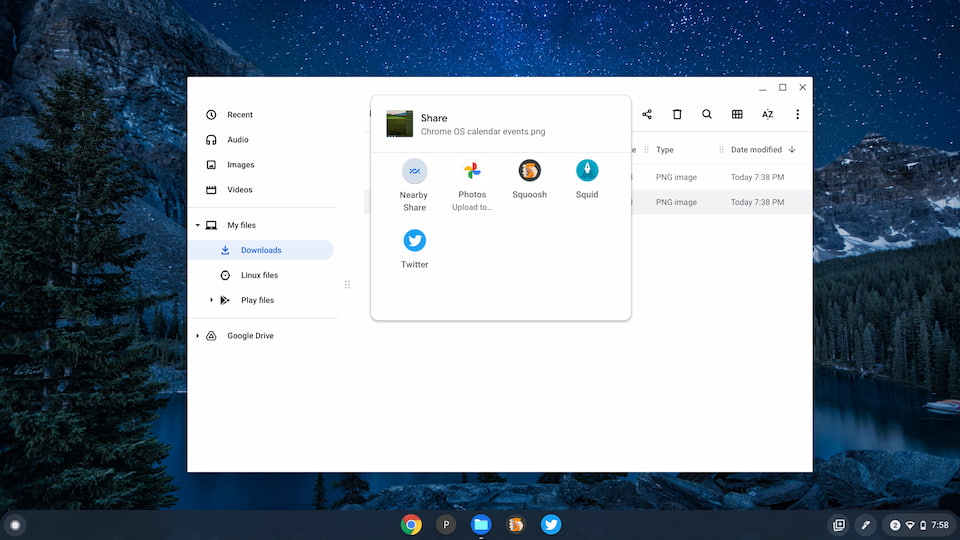
I’ve right-clicked on the image and selected the Share option. The Nearby Share menu opens up and I can search for any devices that currently support Nearby Share. That includes any Chromebook running Chrome OS 91 or better, or any Android phone on Android 6.0 or above. In this case, I sent the image to another Chromebook where it appeared in my Files app.
Here’s another example from the same Chromebook sending a PDF in the same manner.
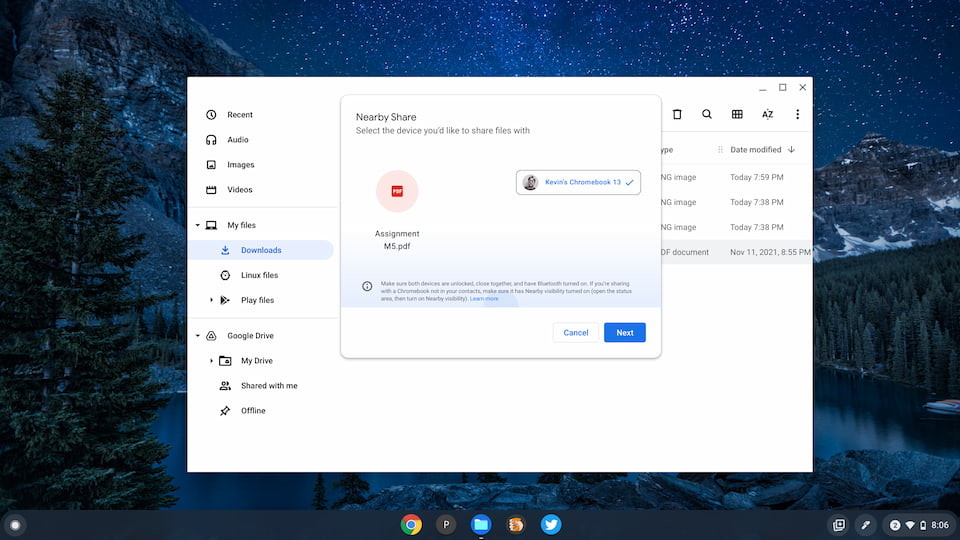
Essentially, Nearby Share already lets you share files from a Chromebook to your other devices. These must be on the same network and signed in with your Google account. Heck, it even works when sharing a Chrome browser tab from a Chromebook to the Chrome browser on my iPhone.
The original report from Chrome Story is pretty clear: “When this new feature is ready, you will see the “Send to Your Devices” option in the Nearby Share menu.” That’s the change: A menu option.
What Google is doing is moving (or perhaps supplementing is the better word) the already available “Send to your devices” menu option to the Nearby Share menu. And there will be the Chrome OS Self Share feature.
Again, from the Chromebook that’s running the same Chrome OS 97 Stable Channel as you likely have on your device: I can right-click on a web page and see that “new” Send to your Devices option.
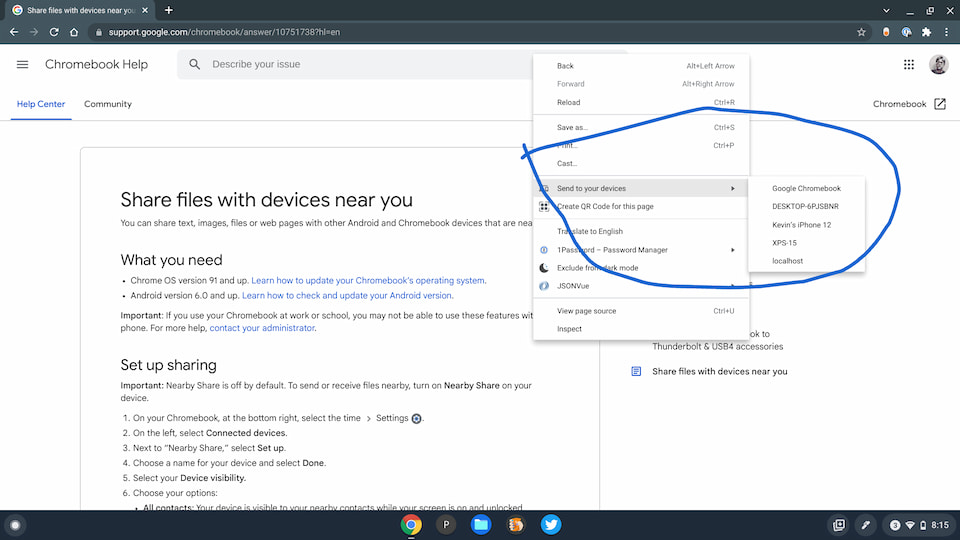
If you want the fancy new Nearby Share menu option (that does the same thing but looks nicer), I’ve explained how to enable that experimental feature back in September with Chrome OS 87.
Like Chrome Story reported, the Chrome OS Self Share option will be added to the Nearby Share menu that has been slowly expanding over the last few months.
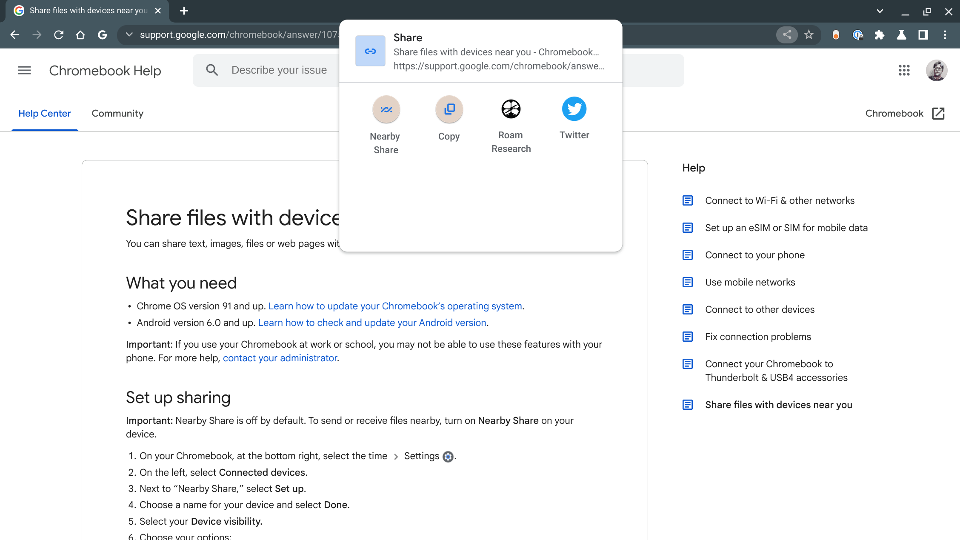
Even on the Chrome OS 99 Dev Channel (as shown above), this adjustment isn’t showing yet, nor is the flag for it available. But that’s what it is: A different place to do what you’ve been able to do on a Chromebook for nearly six months.
Don’t get me wrong, this is a nice upcoming change. Frankly, the contextual menu option to share things looks like it came from Windows 98 to me. So I’m all for this modernization.
I simply wanted to clear up the confusion because some articles are written as though this is some insanely new feature. And many commenters in those articles saying “Chromebooks are finally getting their version of AirDrop” and they “can’t wait” to be able to share files across devices like this.
I’m not sure what exactly they’re waiting for although I understand that Nearby Share is currently still experimental. I actually took all of these screenshots from one Chromebook and used Nearby Share to wirelessly send them to another one where I wrote this post!
