


According to the official Chrome Release blog, the Chrome OS 98 Stable Channel was released on Monday night. All supported Chromebooks, Chromeboxes and Chrome OS tablets should see the update now, or in the coming days.
As of Tuesday morning, the main Google site did not have any information as to what’s in this update. So here’s a rundown on the new features and functions found so far in the Chrome OS 98 Stable Channel. Many are experimental features.
Chrome OS 98 fixes the printing issue from the prior version
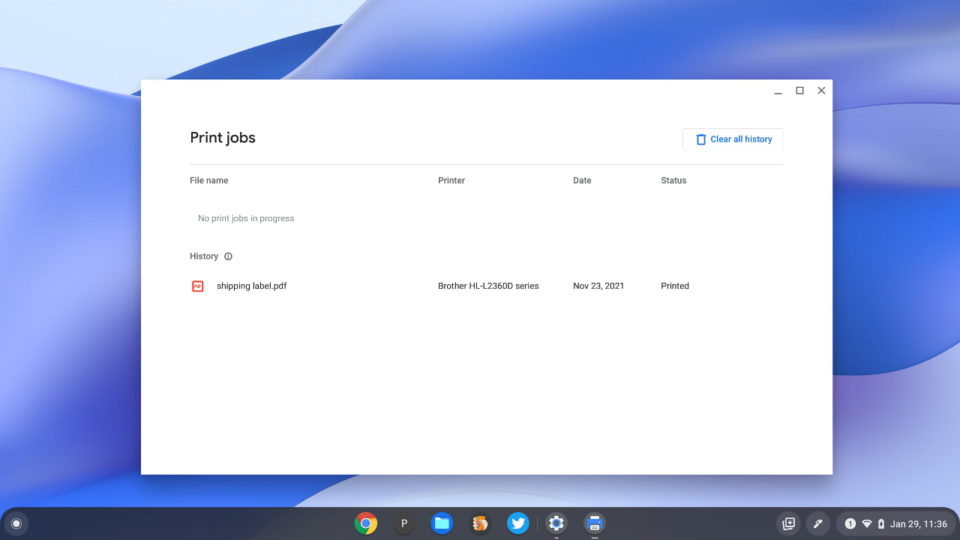
Probably the most anticipated update for some is a fix for Chromebooks that couldn’t print with Chrome OS 97. One reader has already reported that the issue is resolved on his Chromebook with this update. Note that the initial problem appeared limited to ARM-based Chromebooks and mainly with HP printers. So you might not fall into that category and therefore never experienced the problem.
Chrome OS Files gets the Dark Mode treatment (mostly)
If you have the experimental Dark Mode features enabled, you’ll see they now apply to the Chrome OS Files app. Well, for the most part. The title bar on my Chromebook is still light in color. And personally, I typically don’t enable the flag for showing web content in dark mode.
Here’s what the Files app looks like if you’re in “full” dark mode.
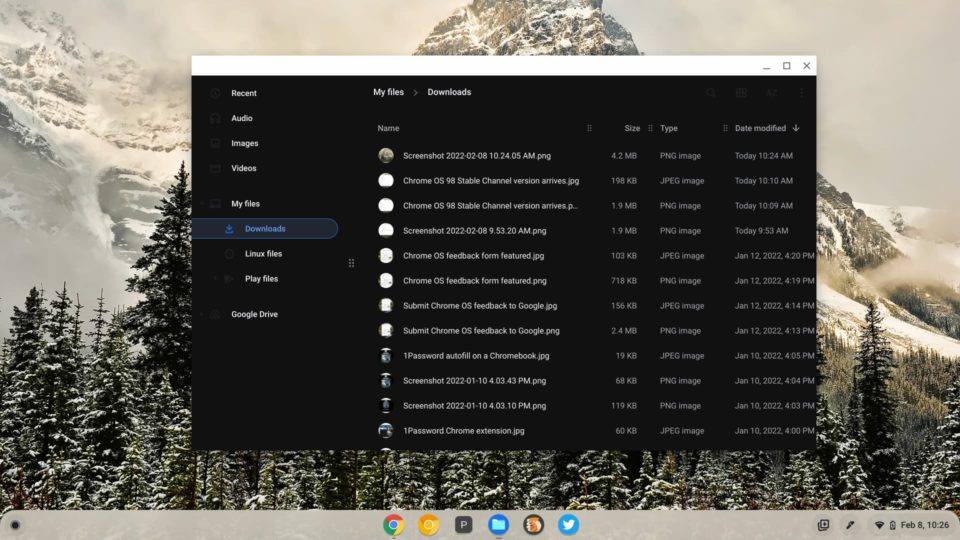
As a reminder to use Dark Mode in full, you’ll need to set these flags to enabled: chrome://flags#dark-light-mode, chrome://flags#webui-dark-mode, and chrome://flags#enable-force-dark. The third one shows the Files app in dark mode, so after taking the above screenshot, I disabled it on my device. Enabling the flags ads a Dark Mode switch in the Chrome OS quick settings area.
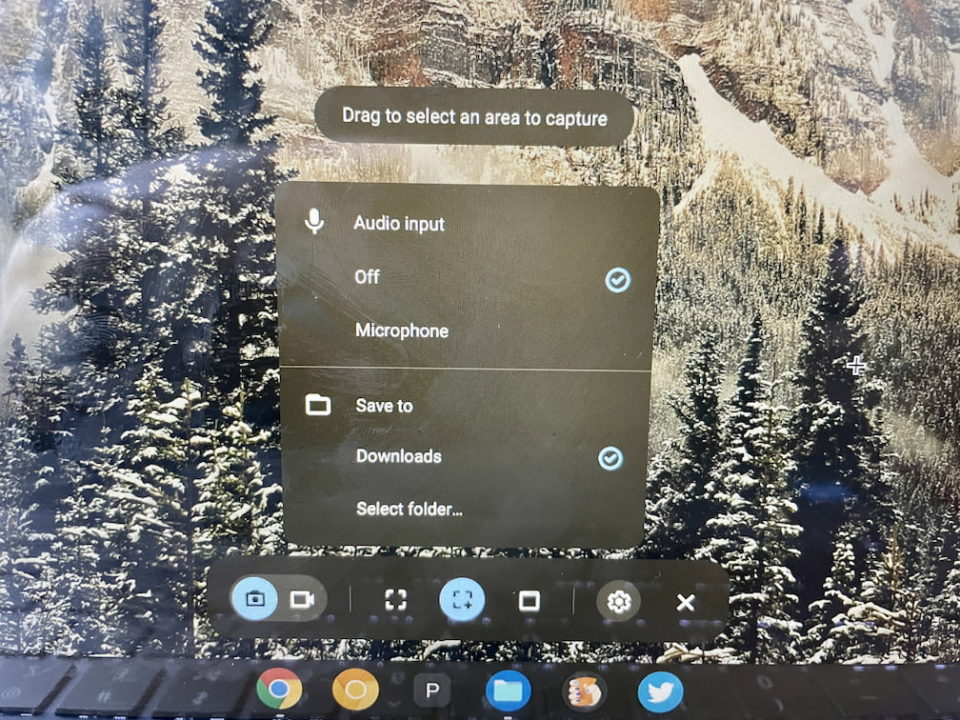
You pick where Screen Capture images are saved
By default, any Screen Capture images are saved to the Downloads file on a Chromebook. However, with Chrome OS 98, you can click the Settings button in the Screen Capture tool and choose a different save location. That’s handy if you take a bunch of screenshots because you can separate the images from your regular files.
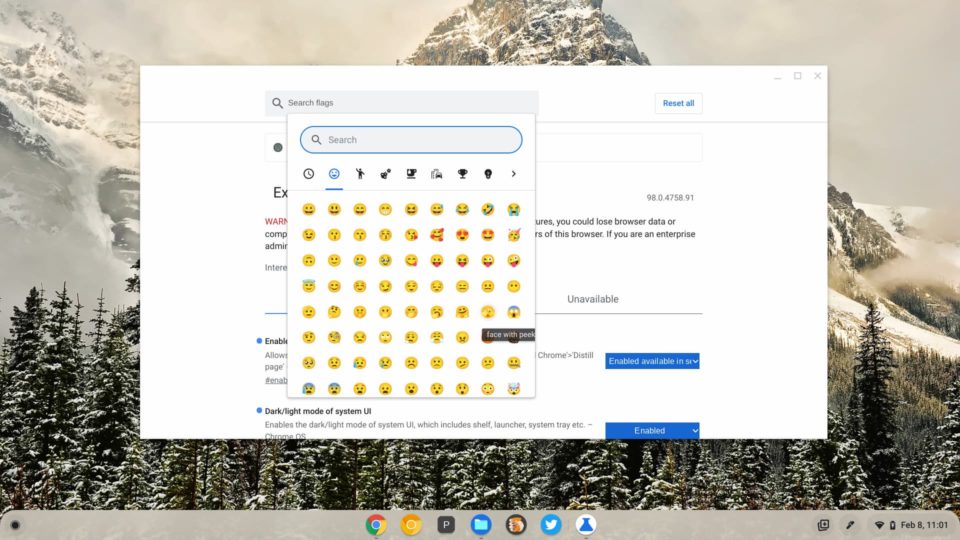
New emojis if you enable this flag
Want to add a few new emojis to choose from? Android Police says you can. By enabling chrome://flags#enable-cros-ime-system-emoji-picker-extension and chrome://flags#enable-cros-ime-assist-emoji-enhanced you’ll get them. I see a new peeking face and finger pointing towards you, the user, among the new ones. I’ll let you play “find the new emoji” for the rest of the day. ?
An in-browser Privacy Review
This is really more of a Chrome 98 feature, but you have to enable it in the Chrome OS 98 flags. Yeah, get used to mixing and matching settings between the browser and the OS.
Enabling chrome://flags#privacy-review in Chrome OS and then restarting the browser adds this feature to the Chrome settings. To use it, click the three dot menu in the Chrome browser and click Settings. Then choose Privacy and Security from the left menu and you’ll see the new Privacy Review workflow.
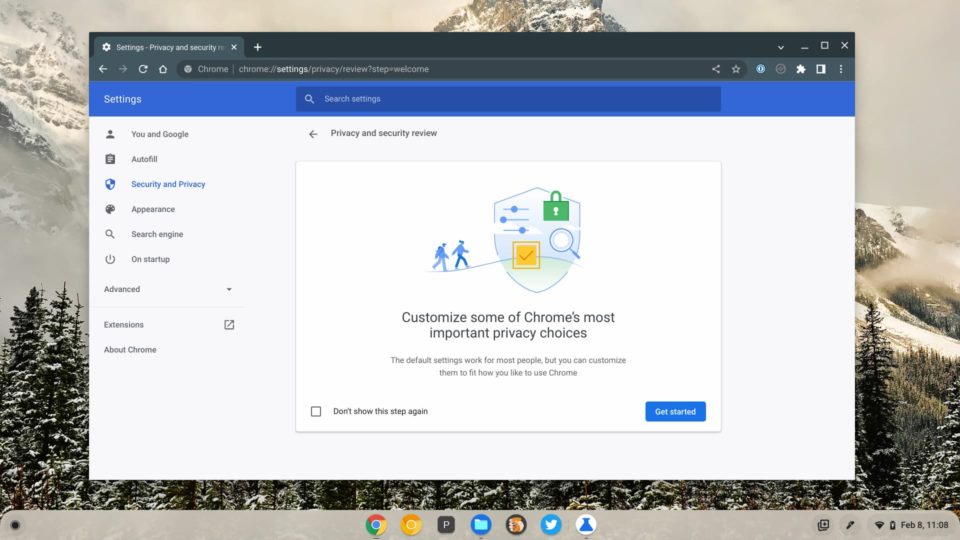
I don’t see much here that’s new, save for the way to access and answer your privacy questions. I’d watch for this workflow to evolve in the future.
Additional Virtual Desktop keyboard shortcuts
Yup, it’s another experimental feature, but it works well. And if you use Virtual Desks on your Chromebook, it’s a must have. In fact, keyboard shortcuts for desks were first introduced in Chrome OS 76. Now there are a few more so you can switch to any specific desk that you’d like by using Shift + Search + the number of the desk.
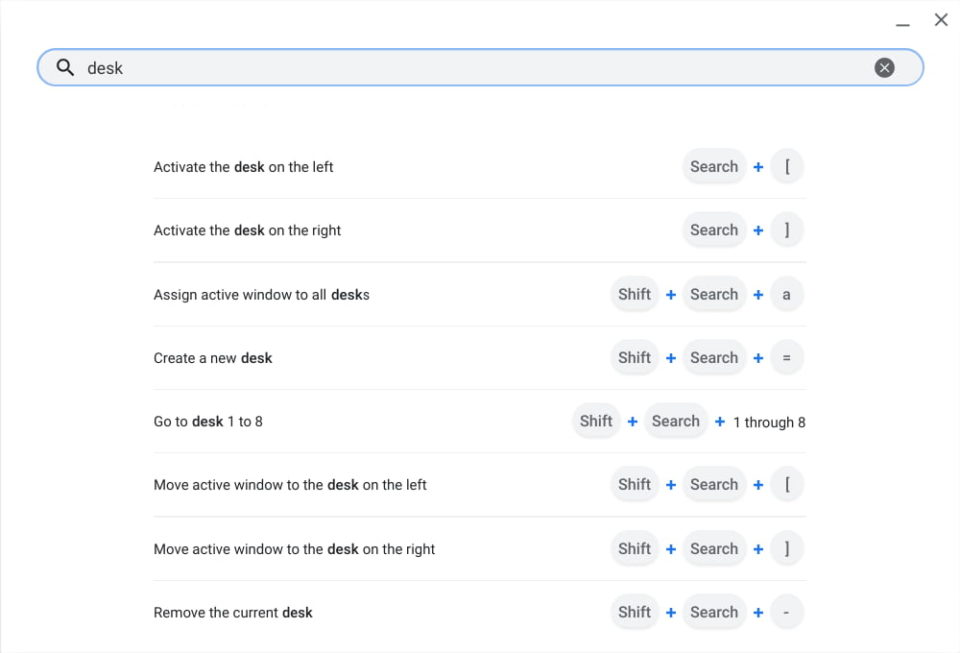
If you haven’t already enabled this, hit up chrome://flags#improved-desks-keyboard-shortcuts to add the improved navigation shortcuts.
That’s all for now in the Chrome OS 98 Stable Channel
I’ve only taken a first pass looking for changes in the Chrome OS 98 Stable Channel, so there’s likely more that’s changed. If you see anything that I’ve missed, drop a comment and share with the group!
