The ChromeOS 107 release is now available and follows just three weeks after ChromeOS 106 arrived for the Stable Channel. Chromebooks get six key, new features with the software update, which is rolling out to most of the supported ChromeOS devices. If you haven’t received the ChromeOS 107 release, you can check the status of your device here.
Google hasn’t provided an official blog post highlighting what’s in the software update. However, the recent Chrome Enterprise release notes point out features now available for Chromebooks. Note that some of them currently require you to enable an experimental flag. Here are what I think are the key 6 features.
Camera framing centers your face on Chromebooks
I personally haven’t had any luck with this ChromeOS 107 release feature, although it appears to require that the camera must support it. If yours does, you’ll see a notification that the Camera Framing option is available for taking photos or in a video call. When enabled, the camera will zoom in on your face and keep it in the center of the frame.
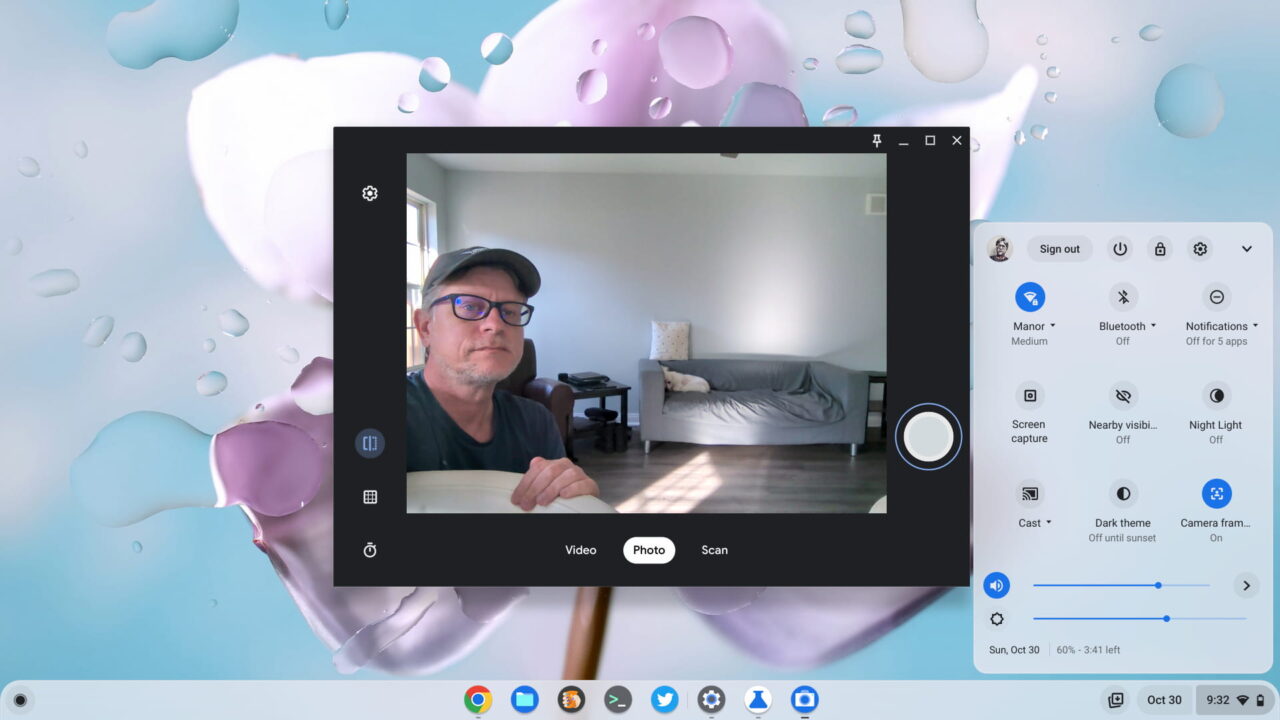
I was able to enable Camera Framing with the following experimental flag: chrome://flags#auto-framing-override. However, in both the Camera app and in a Google Meet call, Camera Framing didn’t work on my Acer Chromebook Spin 714.
If Camera Framing works for your device, drop a comment and let me know which Chromebook you have.
Files app improvement for Recent files
Why we haven’t seen this before, I have no idea because it’s a no-brainer. When you click the Recents option in the ChromeOS 107 Files app, you’ll now see a way to filter those files. You know, just like you can in Google Drive. Which is made by Google. Who makes ChromeOS.
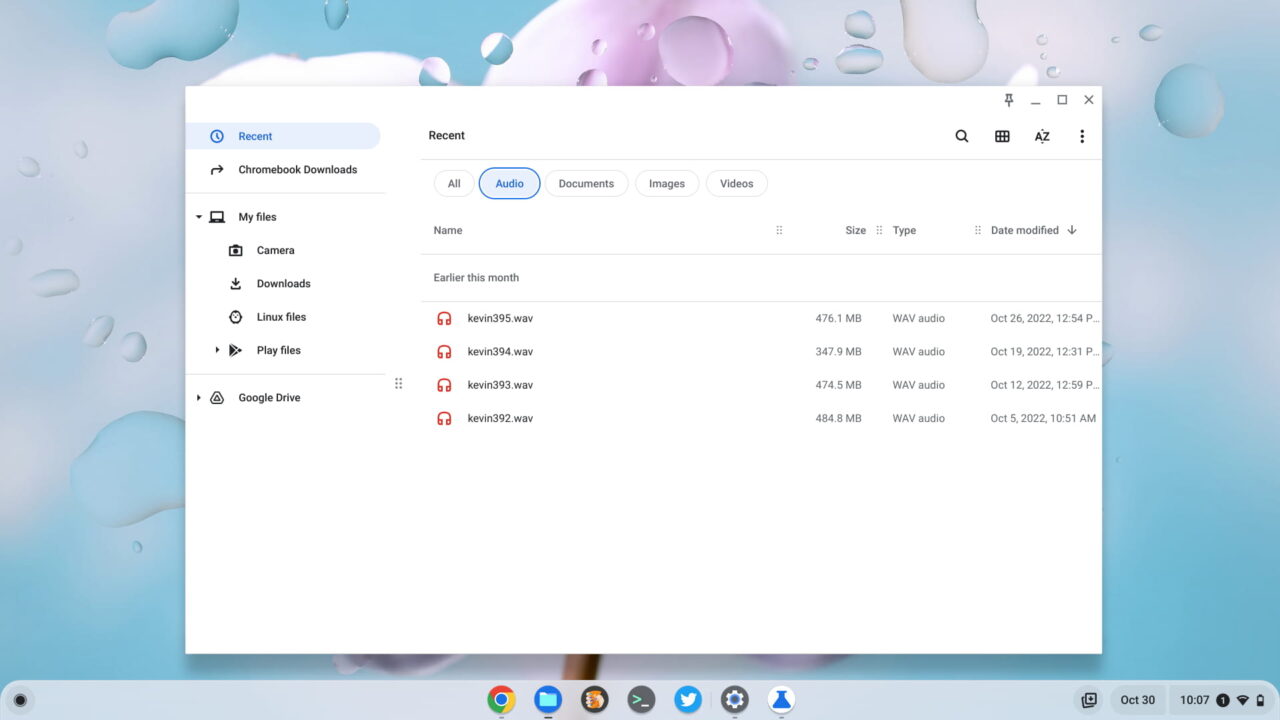
Above, I’m filtering my Recent files specifically for audio. The default option is to show All recent files but the filtering options include Documents, Images, and Videos, as well as the Audio filter I’ve chosen. Yay!
Lock your Chromebook by closing the lid
I always thought that closing the lid of a Chromebook locks the device by default. Apparently not? In any case, there’s a setting in the ChromeOS 107 release to ensure that this happens. You’ll find it in Settings under the Security and Privacy options.
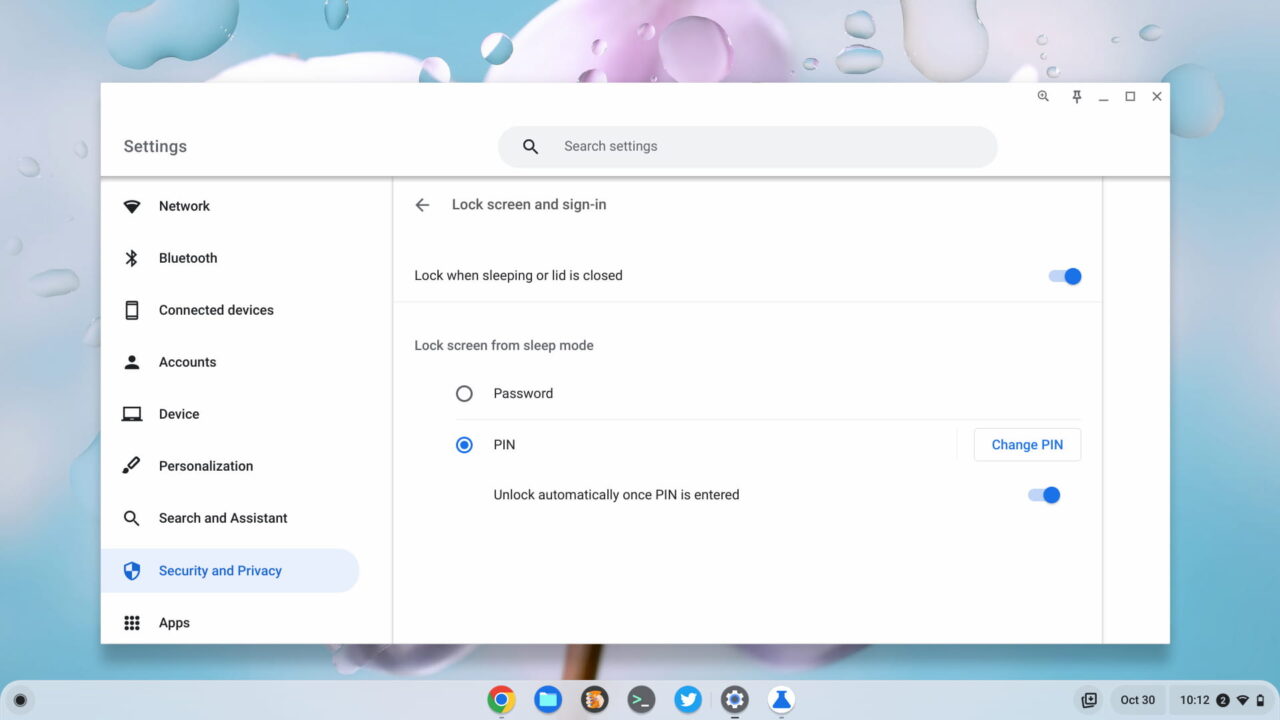
This is different from the setting under Power which gives you the option to put the Chromebook to sleep when closing the lid. I find this a bit confusing but there you go. If you want to ensure your Chromebook is locked when closing the screen, hit the Security and Privacy settings.
Saved Desks is officially official in ChromeOS 107
I’ve been saving Virtual Desks on my Chromebook for several releases by using the experimental feature. ChromeOS 107 changes it from experimental to official. And the final implementation is much nicer than when I started using Saved Desks.
If you want to save a Virtual Desk, use a three-finger swipe up gesture to see all of your desks. You’ll see an option to save your current desk for later. Click it and the desk is saved so that you can later recall it, along with all of the apps and browser tabs as before.
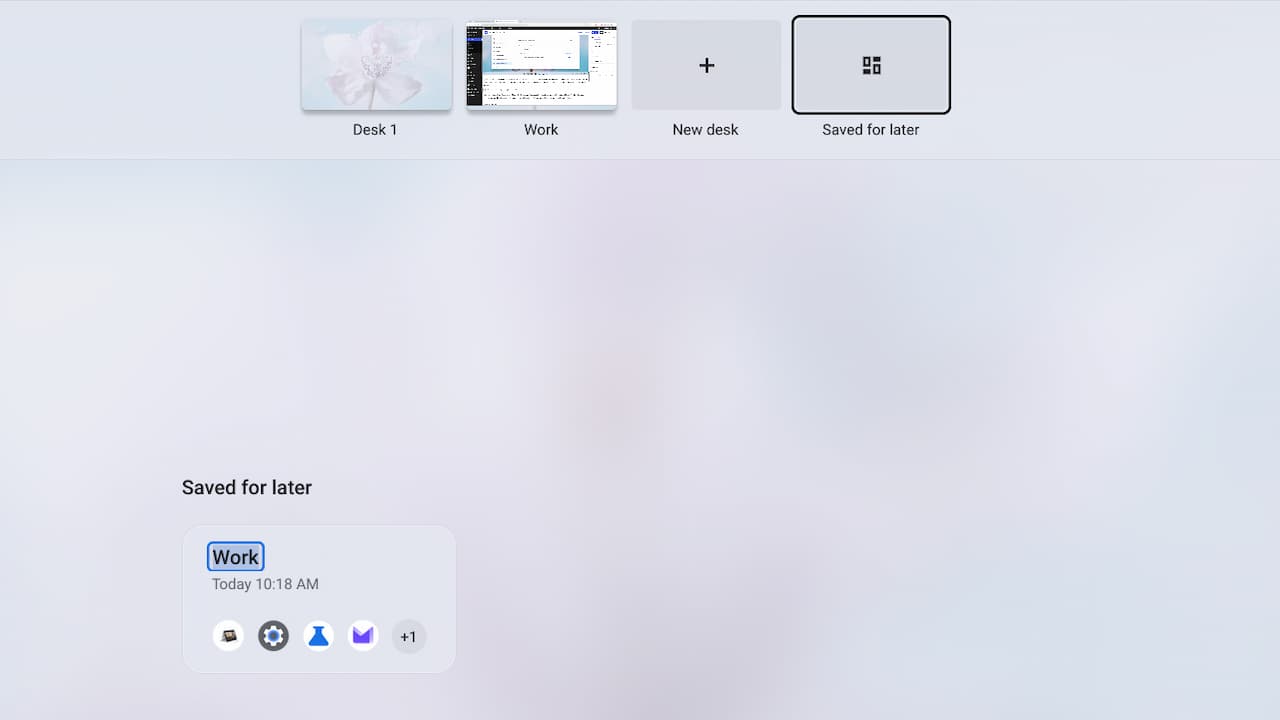
Your saved Virtual Desks are persistent upon a reboot or a restart. That means you can shut down your Chromebook and later restore any saved desks; they don’t “disappear” when you shut down.
One-click closing and merging of Virtual Desks
This is another feature that’s been in the experimental pipeline for ages. You can close any Virtual Desk with a single click. If you still want to use the apps from that desk, the ChromeOS 107 release adds a merge function as well. This lets you move those apps to an existing Virtual Desk.
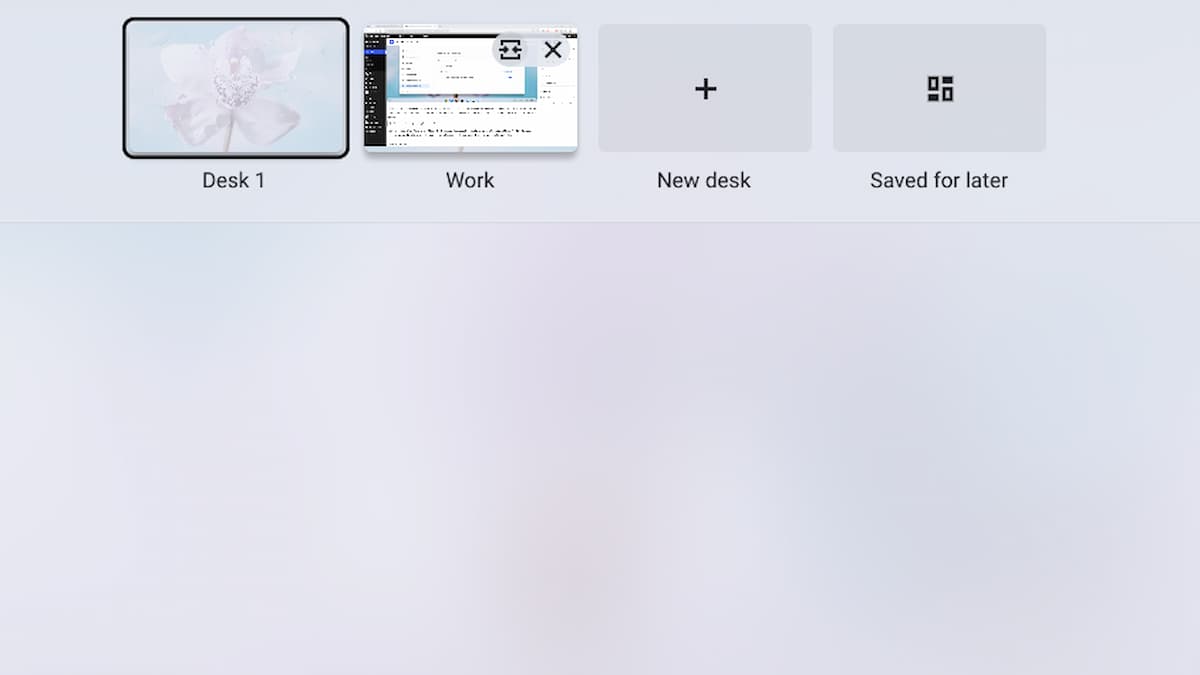
Above you can see these two options as I hover over my Work desk. The button on the left merges my open apps with Desk 1, while the button on the right closes the Work desk.
Long pressing keyboard letters for accents and symbols
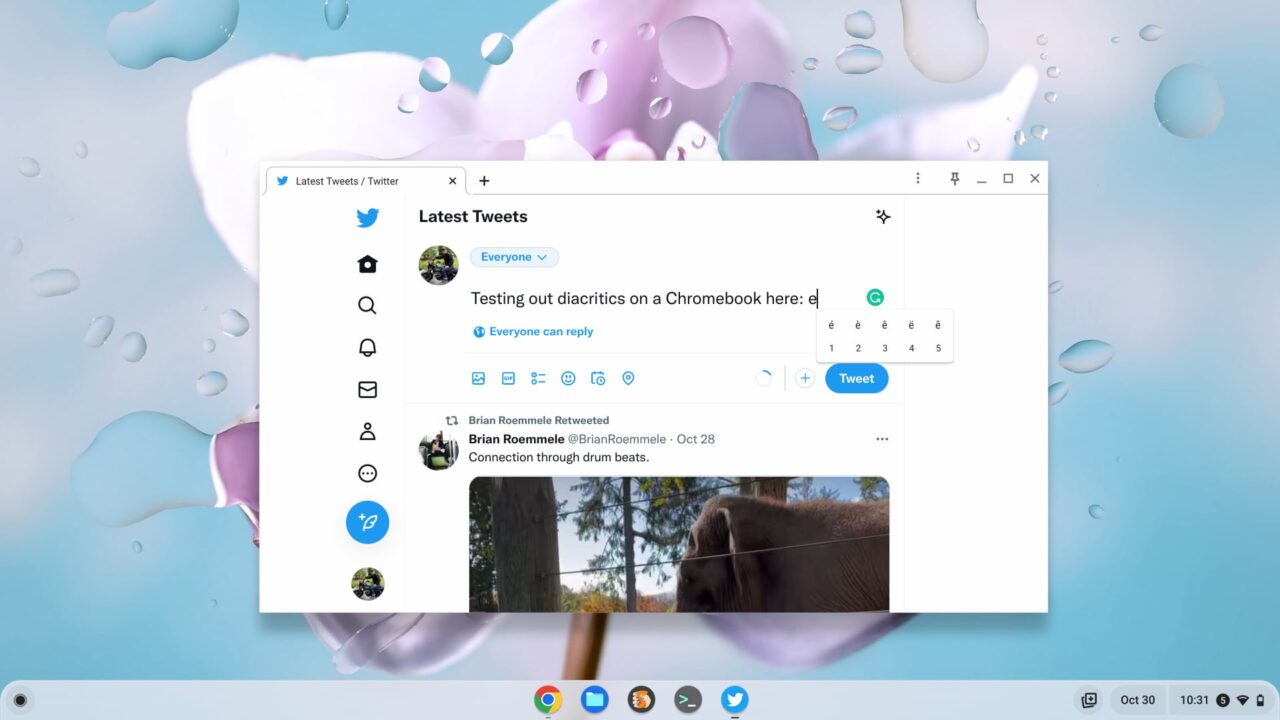
As I reported two releases ago, Google was working on keyboard support for diacritics. These are the accents and symbols used on characters in various languages around the world. This is still an experimental feature but is available and working well in ChromeOS 107. To use it, just go to chrome://flags#enable-cros-diacritics-on-physical-keyboard-longpress. Once enabled, you can hold down any key on your physical keyboard to see and choose from the available options.
Bonus feature in ChromeOS 107?
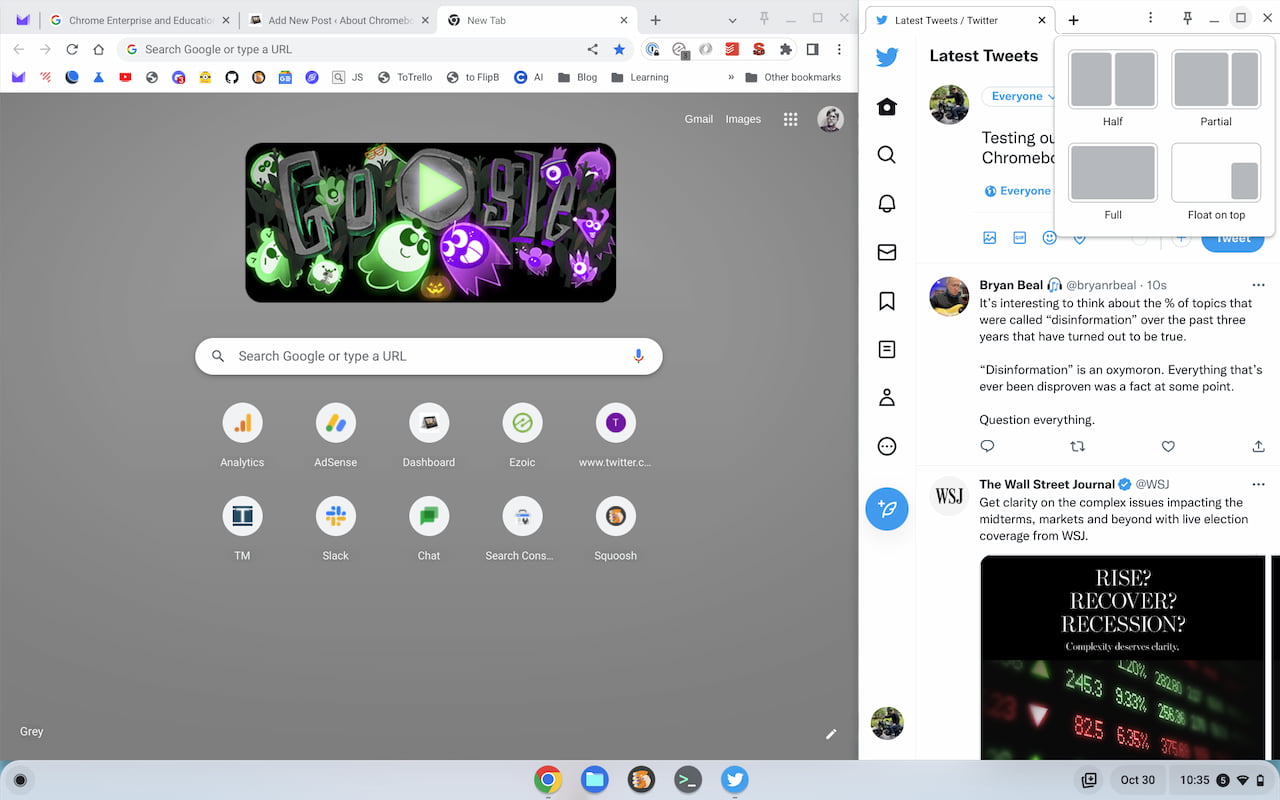
I’ve previously covered the Partial Split feature several times in the past. This brings window size management to ChromeOS similar to Microsoft Windows and I use it all the time. However, the option to have apps split in a two-thirds and one-third view either hasn’t worked for me in the past, or worked inconsistently. Suddenly, it’s rock solid stable on my Chromebook after the Chrome OS 107 release.