


The ChromeOS 108 release is now available and follows just a few days after the Chrome browser was updated to version 108. Chromebooks get five key, new features with the software update, which is rolling out to most of the supported ChromeOS devices. If you haven’t received the ChromeOS 108 release, you can check the status of your device here.
Google only updates the “What’s New” release notes every few versions, so you won’t explicitly be told what’s inside the ChromeOS 108 release. Here’s what I found so far, which is a mix of items I’ve previously covered and some new ones.
The ChromeOS Files app gets the Trash can
I call it a Recycle Bin, but you can call it a Trash can. Whatever you prefer, it’s there in the ChromeOS 108 release. I’ve been using the Trash can as an experimental feature since ChromeOS 89. That’s a long time for an experimental feature. I started to think Google forgot about it.
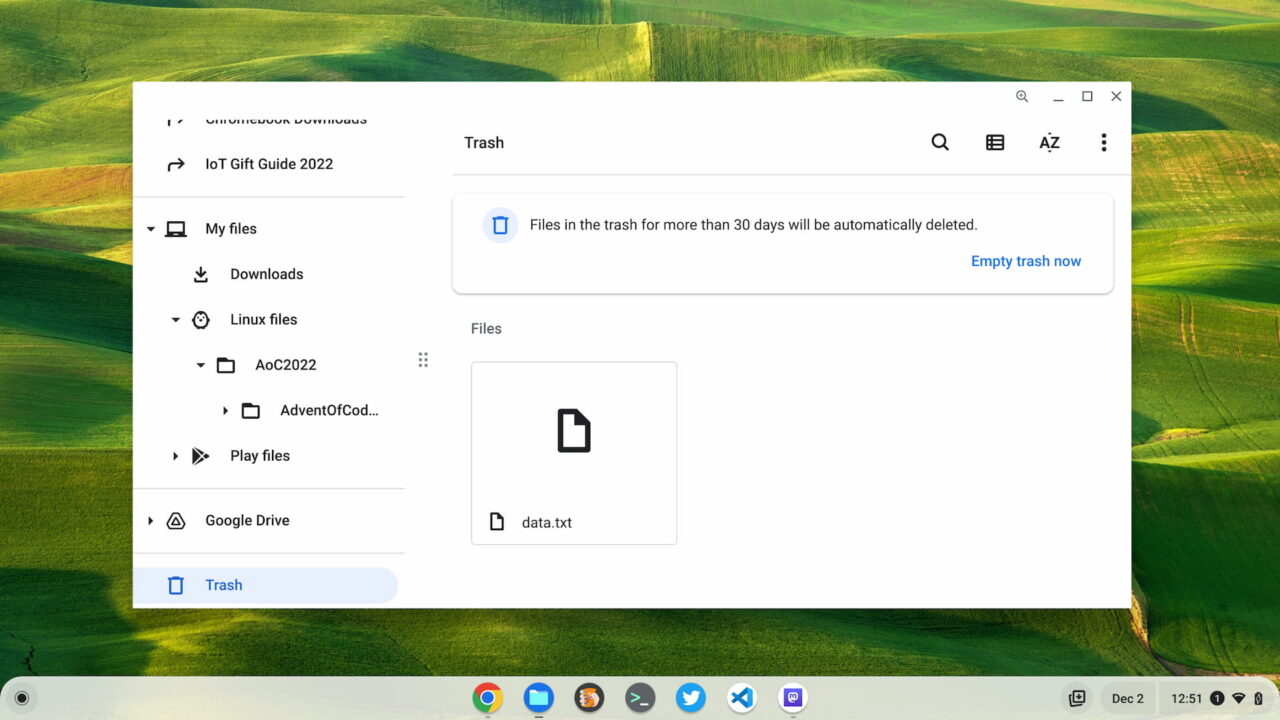
Anyway, when you delete files in the Files app on your Chromebook, they’re no longer wiped from existence. Instead, they go to the Trash can, where you can restore some or all of them. Don’t wait though. Files older than 30 days disappear into the ether automatically.
High-Performance Settings are available in ChromeOS 108
Although they’re hidden by an experimental flag in ChromeOS 108, the Memory Saver and Energy Saver options are available. These also appeared in Chrome 108 earlier in the week although I believe they’re generally available in the browser.
To enable them, go to chrome://flags#high-efficiency-mode-available and chrome://flags#battery-saver-mode-available and enabled the features. Restart your browser when prompted.
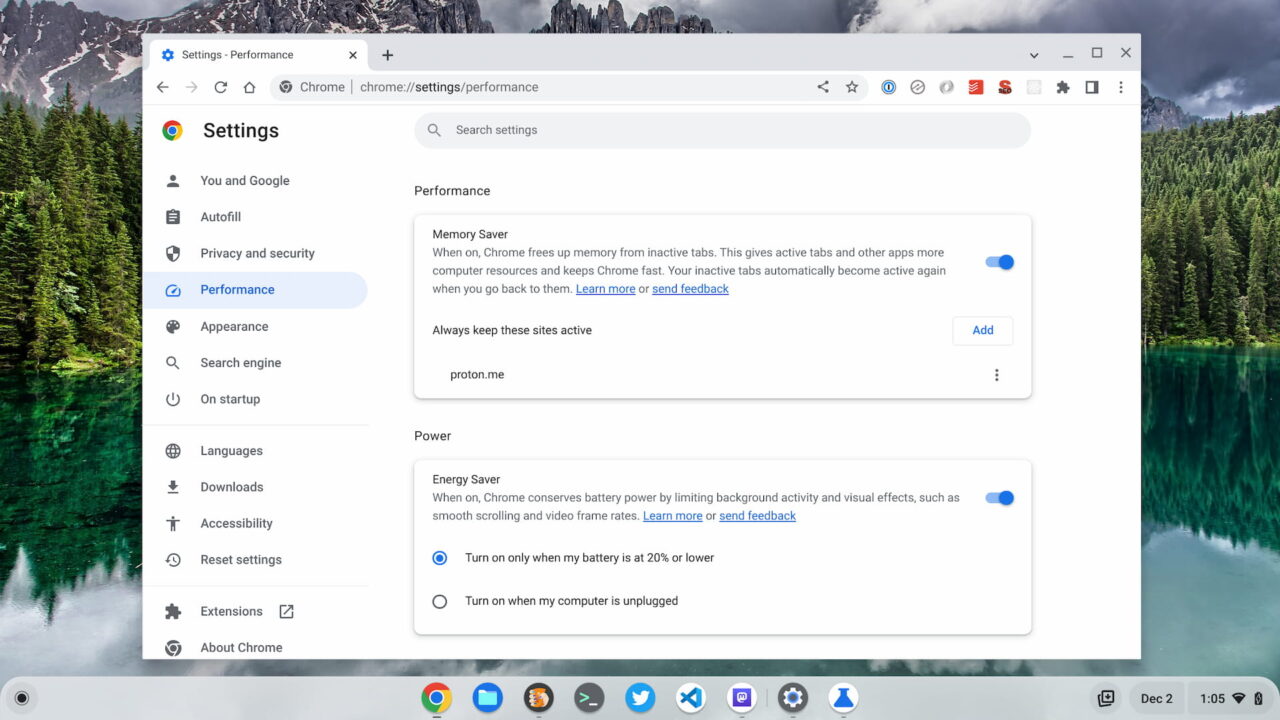
Now you should see new options in your Chrome browser Settings, not in the Chromebook settings. If you’re confused, you may not be aware that Google is separating the Chrome browser from ChromeOS. Here you can allow Chrome to discard data from active tabs, keep tabs from certain sites to be always active, and reduce some features to save on battery life.
Chrome Enterprise gets the ability to rollback to prior versions of ChromeOS
I don’t use a managed Chromebook, but if I did, I would appreciate this new feature in the ChromeOS 108 release. Managed devices can be rolled back up to three versions prior to the current Stable Channel. Or your IT folks can drop you down to the latest ChromeOS LTS, or long-term Stable version. That software only sees major updates every six months or so, which brings software stability to the enterprise.
Note that since the rollback feature is brand new, it will take two future versions before all three prior ones are available. With ChromeOS 108, for example, managed devices can only roll back to 107. Once ChromeOS 109 arrives, version 107 will stay as the oldest available rollback version, and so on.
Document scanning on a Chromebook is improved
If you scan documents using the camera on your Chromebook, you might end up with a PDF of each and every page you scan. The ChromeOS 108 release can take multiple scans and combine them into a single PDF. It’s another feature I’ve never used, mainly because my always-present phone does the same thing. However, this is handy for those that do.
The virtual keyboard is revamped in the ChromeOS 108 release
ChromeOS tablet and convertible Chromebook owners should look for an improved virtual keyboard. Google says:
[I]t’s now even easier` to type what you want easily with a newly redesigned virtual keyboard. With just a tap on the new header bar, you can switch between languages, pull up the emoji library, or access the handwriting tool. The virtual keyboard also more quickly processes fast typing – so no need to slow down to make sure that every key is pressed one by one.
I initially thought this was generally available but I didn’t see the updated virtual keyboard after installing the ChromeOS 108 release. So I went to chrome://flags#enable-cros-virtual-keyboard-new-header and enabled that function. Now I see what Google is describing:
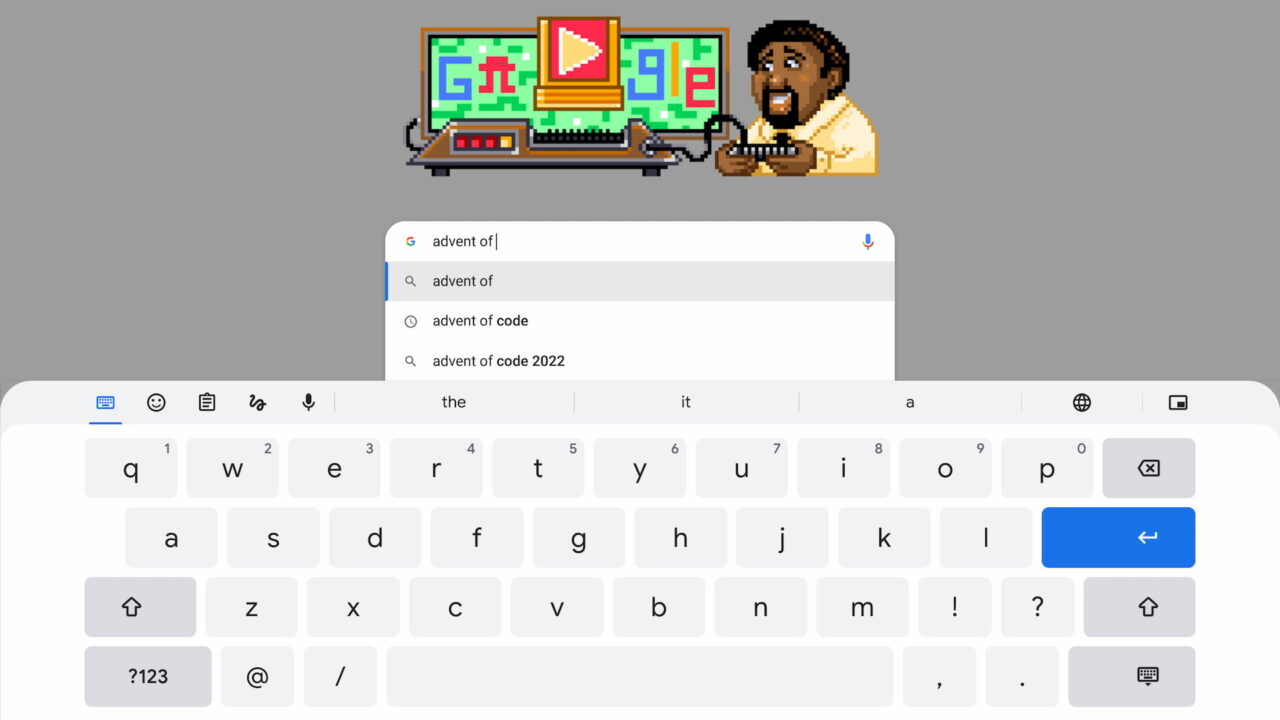
All of the settings and options are available on the left side of the keyboard header, making them easier to get at. And the language picker is over on the right, next to the keyboard “shrinker” option. I’m sure it’s called something else but I’m going with “shrinker”.
While you ponder on my word choice, I’ll keep digging around to see what else I can find in the ChromeOS 108 release.
