

Close Menu
    Facebook X (Twitter) Instagram
    • About
    • Privacy Policy
    • Write For Us
    • Newsletter
    • Contact
    Instagram
    About ChromebooksAbout Chromebooks
    • Linux
    • News
      • Stats
      • Reviews
    • AI
    • How to
      • DevOps
      • IP Address
    • Apps
    • Business
    • Q&A
      • Opinion
    • Gaming
      • Google Games
    • Blog
    • Podcast
    • Contact
    About ChromebooksAbout Chromebooks
    News

    Material You For Chromebooks Looks Amazing and Nearly Ready

    Kevin TofelBy Kevin TofelJanuary 19, 2023Updated:September 10, 2025No Comments2 Mins Read

    Those who think the ChromeOS user interface is bland on a Chromebook might be interested in Google’s Material You feature. It’s been in the works since at least last year and makes the interface similar to Android 12 and 13. Using some command line flags, C2 Productions tweeted images of the current Material You for Chromebooks state and it looks close to completion in my eyes.
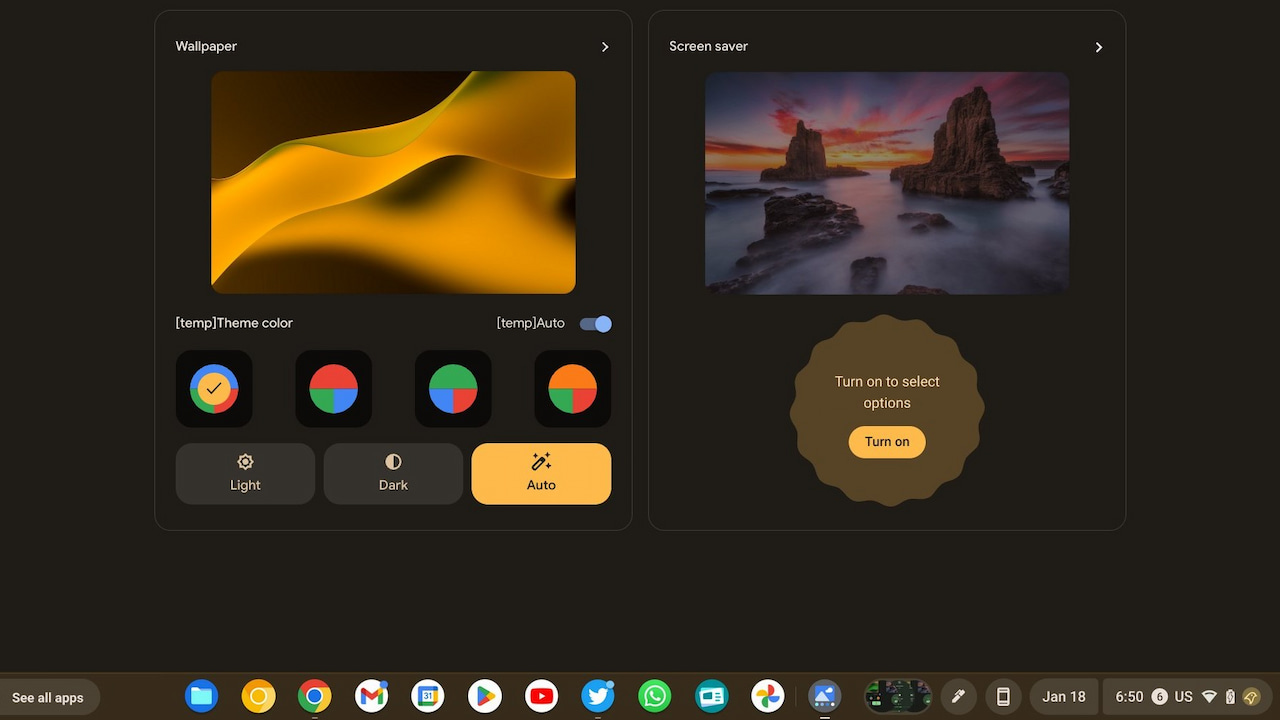
    Material You for Chromebooks sample

    Chrome Unboxed reported on the many images shared via Twitter and I think they look amazing.

    I reported back in November that the Material You color palette would automatically be set based on your wallpaper colors. At that time, the in-progress feature was working in an early version of ChromeOS 110. Now it appears more complete, with a theme color picker if you want to go the manual route.

    For some surprising reason, I like the interface in a dark mode with green elements, manually chosen with theme colors:
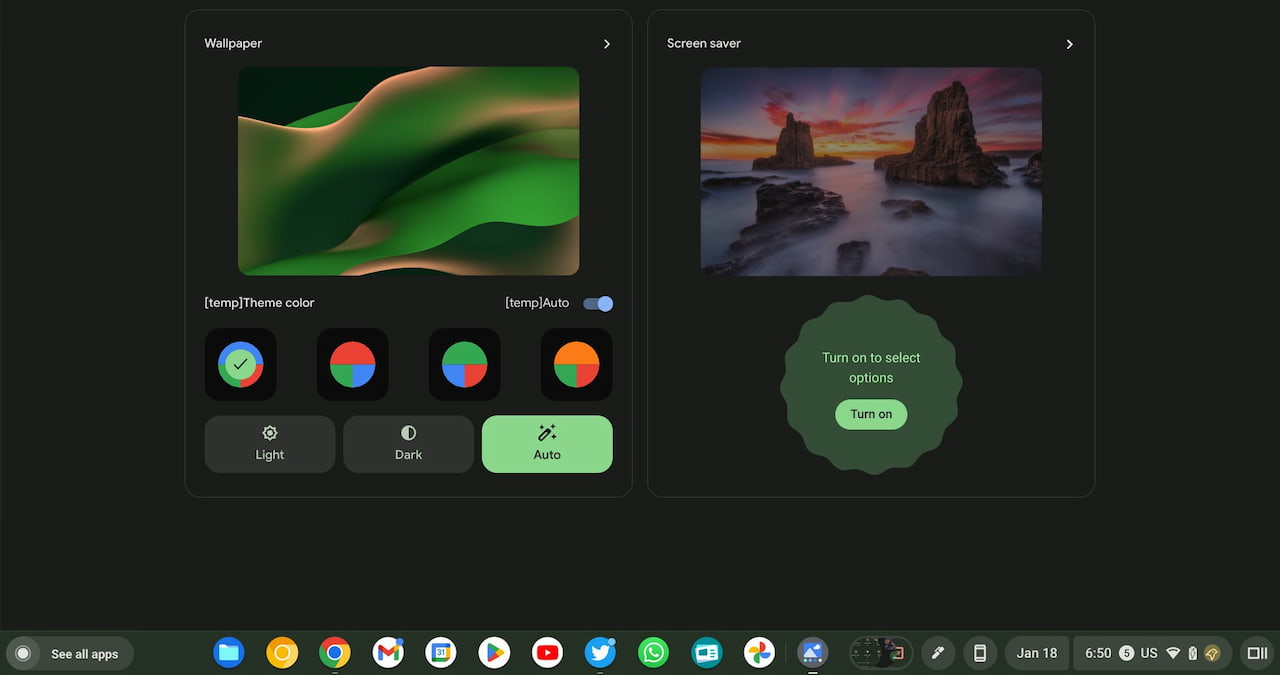
    Material You for Chromebooks in green

    But, I also like the idea of a different color scheme daily.

    I set my Chromebook wallpaper to change daily, showing a different landscape or cityscape each day. I’ll have to see how the Material You interface matches those wallpaper colors, the decide to go the manual or automatic route.

    Material You for Chromebooks applies to the entire desktop interface, including the Quick Settings tray buttons, by the way. Here’s a shot of those buttons along with slider controls that have been Android-ified.
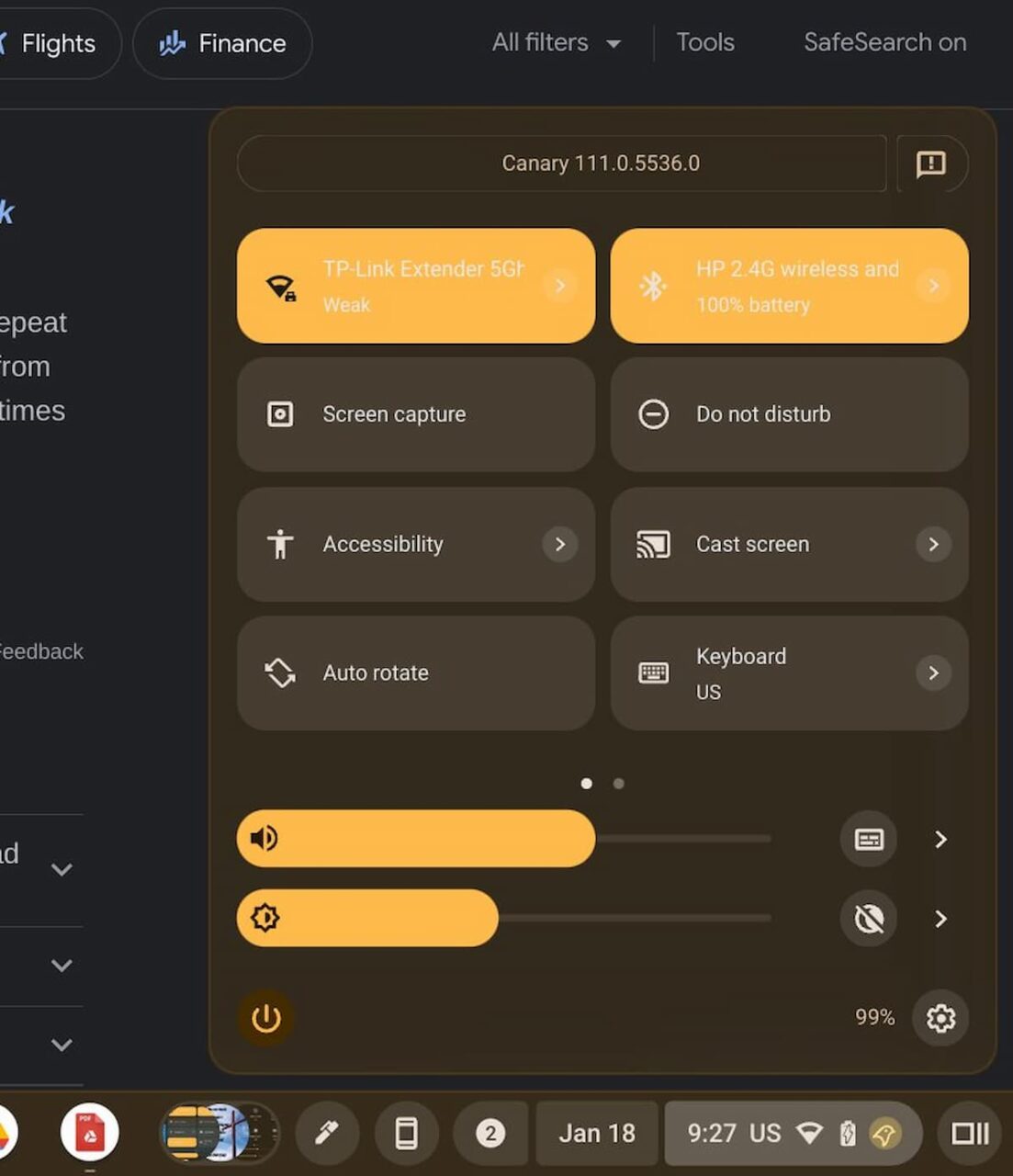
    Material You for Chromebooks Quick Settings controls

    The above images are from the ChromeOS 111 Canary Channel version, which isn’t due to hit the Stable Channel until the beginning of March. That’s only around six or so weeks away though.

    Given how polished Material You for Chromebooks currently looks, I could see Google finish up the coding and push this out the door with that release. Is this a feature you’re looking forward to or will you just ignore it when it arrives?

    Kevin Tofel
    • Website

    After spending 15 years in IT at Fortune 100 companies, Kevin turned a hobby into a career and began covering mobile technology in 2003. He writes daily on the industry and has co-hosted the weekly MobileTechRoundup podcast since 2006. His writing has appeared in print (The New York Times, PC Magazine and PC World) and he has been featured on NBC News in Philadelphia.

    Best of AI

    What Does Adobe Firefly AI Do?

    June 16, 2026

    Is Joyland AI Safe For Kids?

    June 12, 2026

    LMArena AI: Chatbot Ranking Platform 2026

    May 27, 2026

    Will AI Take Over the World

    May 25, 2026

    AI21 Jurassic Statistics 2026: Model Size, Usage and AI Performance Trends

    May 19, 2026
    Trending Stats

    Conversational AI Market Statistics 2026: Chatbot Usage And Enterprise Deployment

    June 17, 2026

    Chromebook Gaming Usage Statistics 2026: Player Engagement And Usage Reports

    June 17, 2026

    Chromebook Battery Degradation Statistics 2026: Lifecycle Performance Testing Data

    June 15, 2026

    Chromebook Touchscreen vs Non-Touchscreen Usage Statistics 2026: Device Interaction and Form Factor Data

    June 11, 2026

    Chromebook Performance Across Price Segments Statistics 2026: Benchmark Comparison Data

    June 10, 2026
    • About
    • Tech Guest Post
    • Contact
    • Privacy Policy
    • Sitemap
    © 2026 About Chrome Books. All rights reserved.

    Type above and press Enter to search. Press Esc to cancel.