


The latest ChromeOS 119 release adds several new Chromebook features and follows the recent Chrome browser update to version 119. Updated or new Chromebook features include saving and synching Tab Groups, improved Privacy controls and Google Drive file synchronization. This version is now rolling out to most of the supported ChromeOS devices. If your Chromebook hasn’t received the ChromeOS 119 release, you can check the status of your device here.
11 security patches in the ChromeOS 119 release
This software update has several security patches in it, and not just for ChromeOS. In fact, there’s only one that’s specific to the software powering Chromebooks. There’s also one related to WebAudio in the Chrome browser. If you’re not running the Lacros browser on your ChromeOS device, you’re not going to get this one.
Additionally, there are three third-party fixes, mostly related to the Linux kernel. Remember, ChromeOS is basically a Linux distribution with Google’s desktop environment on it. So these kinds of fixes are very important.
Lastly, there are six patches for the Android container. If you run Android apps on your Chromebook, this container is where they actually run. Here are details for all of the fixes in the ChromeOS 119 release, although there isn’t much information offered on most of them.
ChromeOS 119 can save, sync, and recall Tab Groups
Google says that the ChromeOS 119 release can save, sync, and recall Tab Groups. And it can but I had to enable chrome://flags#tab-groups-save first. I suspect another mid-release update will address that.
Regardless, you can get more out of Tab Groups with this feature. Here I’ve set up a Tab Group called “Test”. You can see the slider button to save the group.
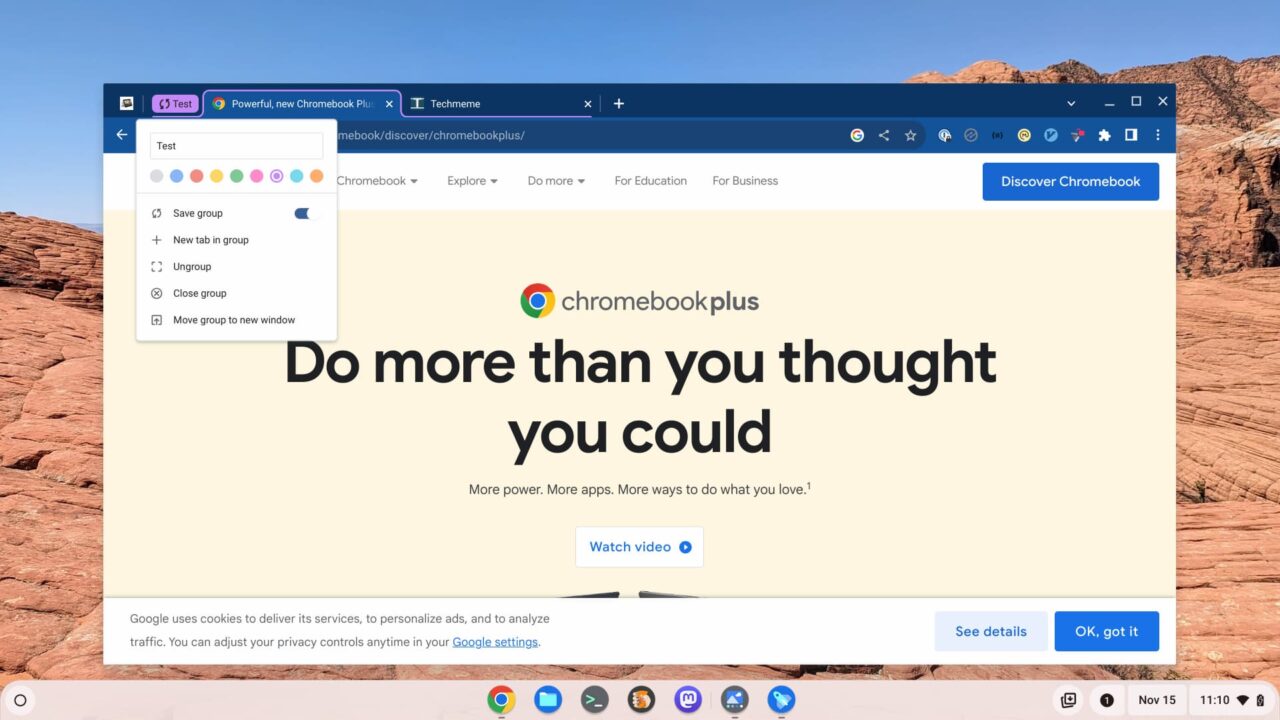
Switching on the Save setting does exactly what it’s called. It also starts synching the Tab Group to other Chrome and ChromeOS devices. There’s a little synchronization indicator in the purple Tab Group name in the image above.
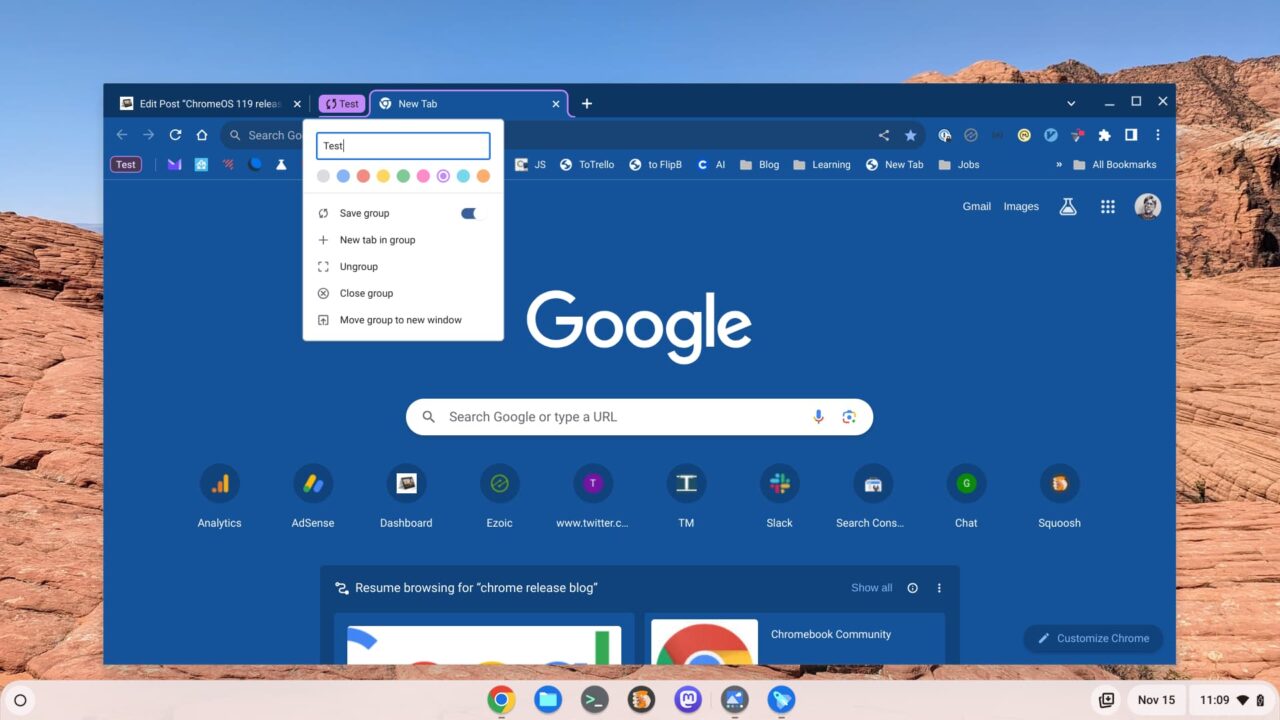
To get the Tab Group back, look for the name of it on the left side of a new tab page. I already clicked it in the image below, for reference. You can still see the little “Test” icon to the left of my bookmarks.
Privacy Hub controls for camera and microphone access in ChromeOS 119
To improve privacy, the ChromeOS 119 Privacy Hub includes switches to manage your camera and microphone access. You can already do this on a Chromebook but this Privacy Hub update provides a central way to manage device access.
In fact, it’s a global “kill” switch to disable (or enable) access to the camera or microphone for all apps on your Chromebook.
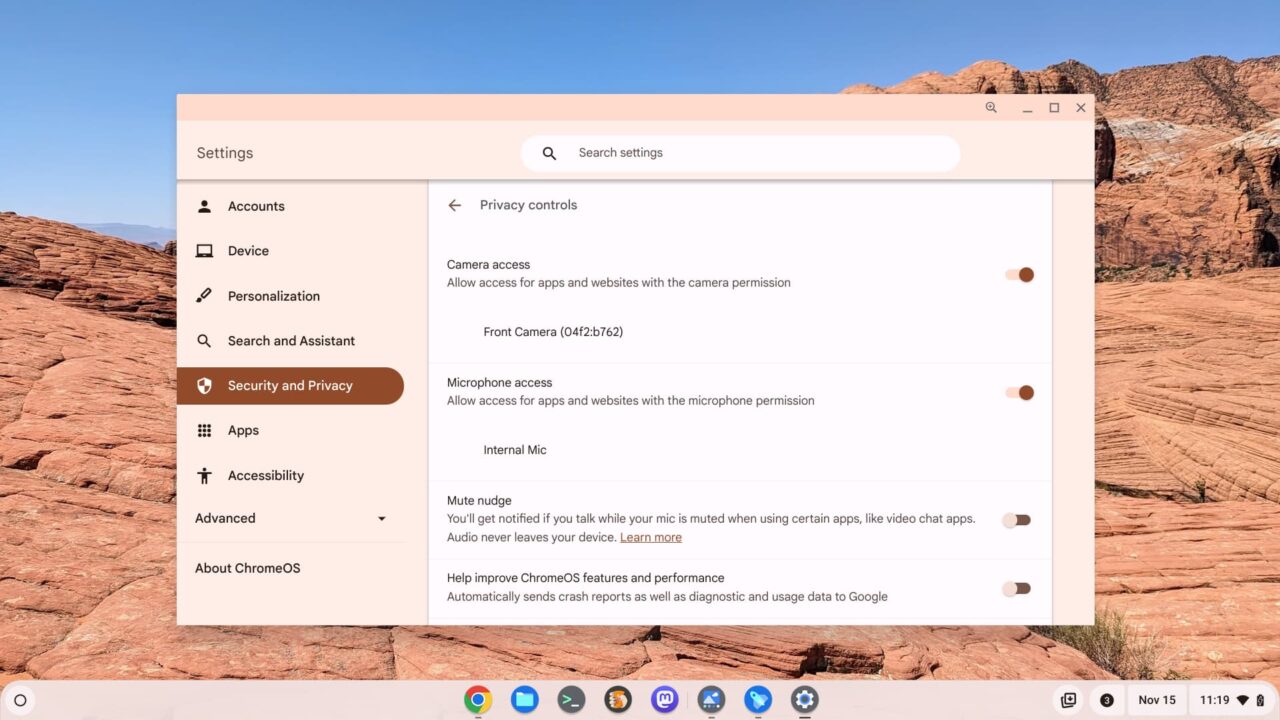
Look for it in the “Security and Privacy” section of the ChromeOS Settings app.
Google Drive File Sync…. for Chromebook Plus models on the ChromeOS 119 release
We all knew this one was coming because it was announced last month as a Chromebook Plus feature. ChromeOS 119 allows you to sync all of your Google Drive files for offline access. If you have a Chromebook Plus.
I still have the Lenovo IdeaPad Flex 5i Chromebook Plus, which is a great device for $499 and currently on sale for $379. That’s what I used to check the ChromeOS 119 features. And sure enough the Google Drive file sync option is there.
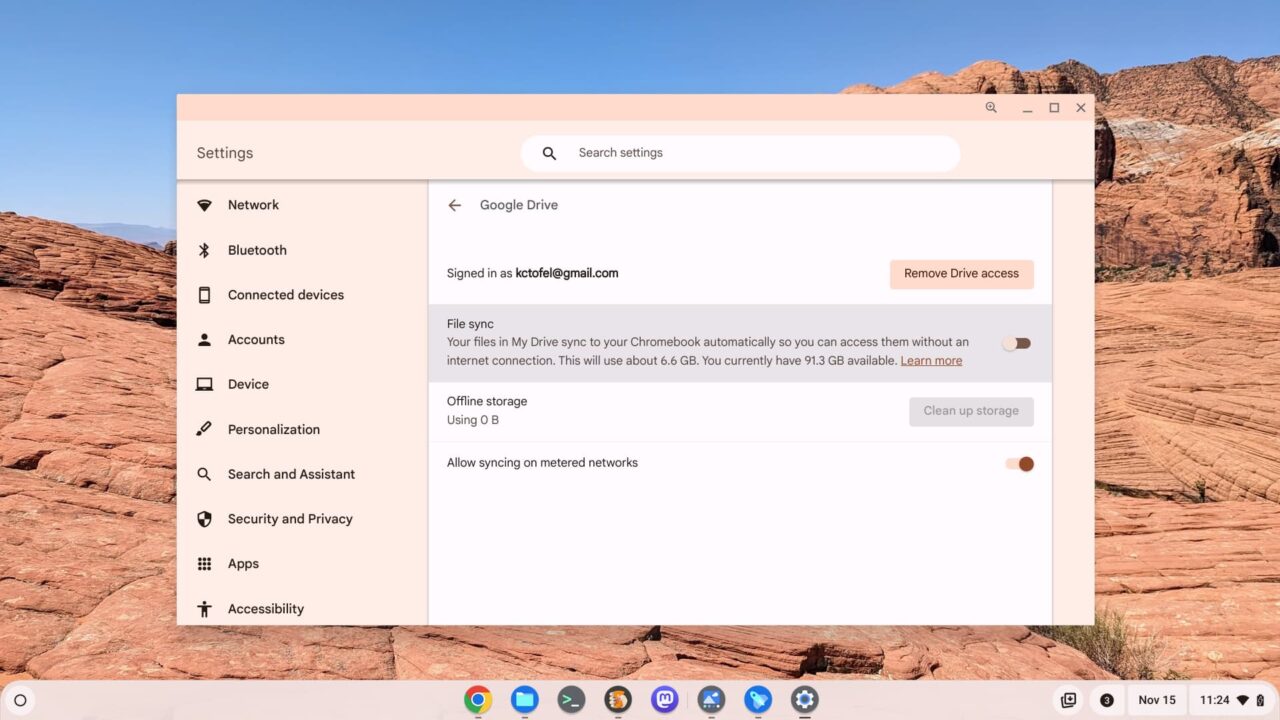
I don’t plan to switch this feature on because I don’t work offline using a Chromebook. And it currently would eat up 6.6 GB of local storage on my laptop. But that’s a “me” thing. If you have a Chromebook Plus, you can use this feature with ChromeOS 119.
That’s all I’ve found for now in ChromeOS 119
This release is a bit light compared to most recent ones from Google. Still, I may have missed something in it, so chime in with a comment if you find something. I’m still scouring the newest experimental flags as well. I’ll update this post if I find anything noteworthy.
Speaking of experimental flags and features. I have a running list of the ones that I use daily right here, in case of interest.
