


Chromebooks have revolutionized computing, especially in education. They offer a budget-friendly alternative to traditional laptops, delivering excellent performance.
However, Chromebooks face one major limitation: their inability to run specific software.
This is where emulators step in, enabling users to access Windows applications on their Chromebooks.
This article explores the best Windows Emulators for Chromebooks to help you overcome these compatibility hurdles.
What Are Emulators?
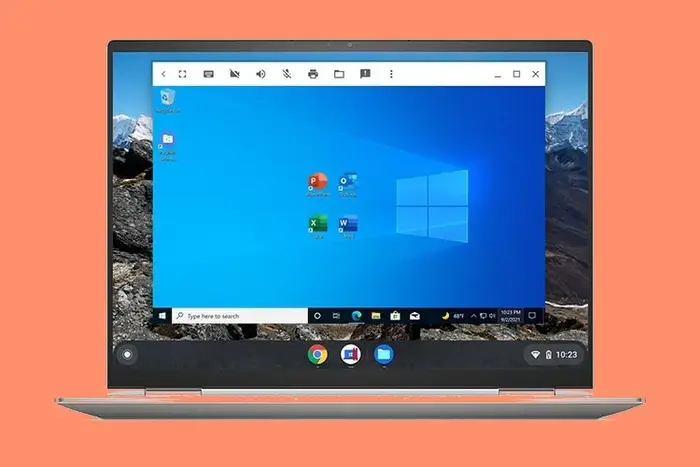
Simply put, Windows applications are not inherently designed to run on ChromeOS.
This is due to differences in operating system structures and hardware requirements.
Emulators act as a bridge by replicating a Windows environment on your Chromebook, allowing Windows programs to run seamlessly.
With an emulator, you can access software or games that would otherwise be incompatible with ChromeOS.
Best Software for Running Windows Programs on Chromebook
Here are the most reliable emulators, including both free and paid options, for running Windows software on Chromebooks:
1. Parallels Desktop: Premium Experience
Cost: Paid
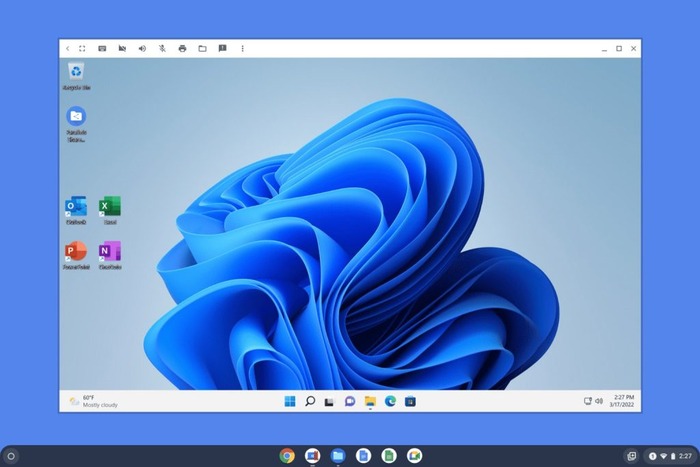
Parallels Desktop is a widely known solution for running Windows on Chromebooks.
It offers a fully integrated experience, blending Windows with ChromeOS for smooth functionality. Key features include:
- File Sharing: Effortlessly drag and drop files between Windows and ChromeOS.
- Printing Compatibility: Print directly from Windows programs using your Chromebook.
- Microsoft Office Support: Seamlessly run Office apps.
- Storage Management: Adjust storage partitions with ease through intuitive settings.
Performance and Compatibility: Parallels Desktop supports most Intel and AMD processors, ensuring broad compatibility.
In testing, Windows 11 applications ran smoothly without significant delays. Users experiencing performance issues can optimize the experience by adjusting storage and RAM allocations.
Advantages:
- Comprehensive Windows functionality.
- Compatible with a wide range of apps.
- Reliable performance.
Drawbacks:
- Requires a subscription.
- Best suited for enterprise users.
2. QEMU: Open-Source Flexibility
Cost: Free
For those seeking a no-cost option, QEMU offers a highly customizable way to emulate Windows on your Chromebook. With QEMU, you can:
- Run multiple versions of Windows simultaneously.
- Test programs across different Windows environments.
- Emulate Android for ChromeOS Flex users who lack native Android app support.
Performance Evaluation: QEMU performed well with Windows 11 and Android applications during testing. It provided a lag-free experience and handled Office applications without issues.
Advantages:
- Free to use.
- Supports multiple Windows instances.
- Allows Android emulation.
Drawbacks:
- Setup can be challenging for beginners.
- Requires manual configuration.
3. Wine: Lightweight Compatibility Layer
Cost: Free
Wine (an acronym for “Wine Is Not an Emulator”) differs from traditional emulators.
It acts as a compatibility layer that allows Windows programs to run directly on ChromeOS without needing a full Windows operating system. This makes it ideal for:
- Older Chromebooks with limited hardware.
- Running lightweight Windows applications.
Key Requirements: Wine requires Linux support on your Chromebook to function properly.
Performance Insights: Microsoft Word and other applications performed well with minimal lag. However, some apps may not be fully compatible.
Advantages:
- Minimal resource usage.
- Suitable for older hardware.
Drawbacks:
- Doesn’t support all Windows programs.
- Setup can be complicated for non-technical users.
Comparison Table
| Emulator | Cost | Key Features | Best For | Drawbacks |
| Parallels Desktop | Paid | Full Windows integration, Office support | Enterprise users | Requires subscription |
| QEMU | Free | Multi-version support, Android emulation | Developers, advanced users | Difficult setup |
| Wine | Free | Lightweight, runs apps without full Windows | Older devices, basic needs | Limited app compatibility |
Frequently Asked Questions
Can a Chromebook run Windows software?
Yes, with the help of emulators, you can run Windows applications on a Chromebook.
Do I need to purchase a Windows license?
Most emulators, including Wine and QEMU, do not require a Windows license.
Will running an emulator affect my Chromebook’s performance?
This depends on your device’s specifications. Emulators like QEMU and Wine are optimized for efficient performance, but resource-intensive tasks may require a more powerful Chromebook.
Final Thoughts
Using a Windows emulator for Chromebook can unlock many possibilities, allowing you to run previously inaccessible software.
Whether you choose Parallels Desktop for a comprehensive experience, QEMU for its flexibility, or Wine for its lightweight performance, there is an option to suit every need.
If one emulator doesn’t work for you, try another. Compatibility often depends on the specific hardware and software configuration of your Chromebook.
