


Chromebooks have become popular for people who need a basic computer but don’t want to spend a lot on a Windows laptop or Mac.
These devices have taken over the budget laptop market worldwide. Many schools also use them.
Chromebooks do not run Windows. Instead, they come with Google’s ChromeOS. The interface is simple, efficient, and requires little maintenance.
Users can also download and install Android apps, which makes Chromebooks even more appealing. However, they still cannot handle specific tasks.
Chromebook vs. Laptop: What’s the Difference?
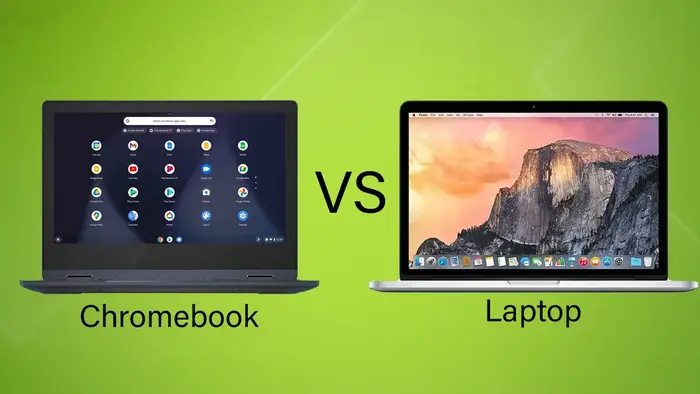
In terms of hardware, Chromebooks and laptops look alike. Both are compact, portable computers with a similar design. If you’re weighing your options, this quick comparison of Chromebook vs laptop might help you decide which is right for your needs.
Some models also have a 2-in-1 design, allowing them to function like tablets. The most significant difference is the operating system.
Unlike Windows on regular laptops and macOS on MacBooks, Chromebooks run ChromeOS.
One significant hardware difference is storage. Since ChromeOS is lightweight and most apps run as web applications, Chromebooks usually have less internal storage.
However, most users don’t need much space and can always use external hard drives or SSDs if necessary.
Chrome OS Overview
Chrome OS is a simplified version of the Chrome browser. You can use it to perform the same tasks as Chrome on Windows or Mac.
Chrome OS and Android Apps
Chromebooks have built-in apps, but Android apps offer more options. Many Android apps enhance the Chrome OS experience.
Most Chromebooks released after 2017 support Android apps. However, not all apps work well on Chrome OS.
Chromebooks that run Android apps can use the Google Play Store. You can download and install most Android apps right away.
Many messaging, video calls, music, and streaming apps are available.
Chromebook Features
Access Your PC Remotely
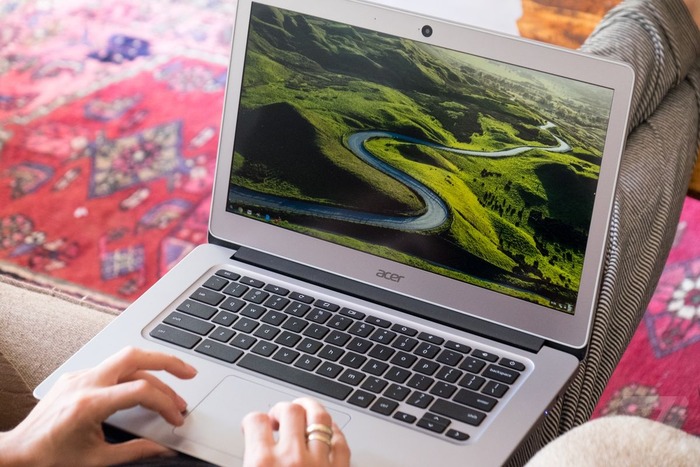
One crucial feature is accessing a desktop remotely. Install Chrome Remote Desktop on your computer at home to use any program from your Chromebook.
You can run Photoshop, Microsoft Office, Adobe Premiere, and powerful tools like Blender or Apache Spark.
You can play high-performance games if your main computer supports them. The desktop handles most tasks, and the Chromebook manages only a small part. That expands the possibilities.
Use Android Apps and Google Assistant
Popular apps like Facebook, YouTube, Netflix, WhatsApp Web access, and Google Suite (Drive, Calendar, Gmail) work online and offline.
You can also install apps like Kindle, Twitch, WordPress, Steam, PayPal, Spotify, and Apple Music.
Want a voice assistant? Google Assistant runs on Chromebooks, allowing you to set reminders, manage shopping lists, and control smart home devices.
Use It as a Tablet
Some Chromebooks function as 2-in-1 devices. You can fold the screen as a tablet, tent, or stand mode for collaboration or entertainment.
However, these convertible models often cost more than standard Chromebooks.
What a Chromebook Can’t Do?
Photo and Video Editing
Photo and video editing are more straightforward on Windows and Mac and more manageable even with built-in tools.
Most Chromebooks have low-end hardware, making video rendering and editing nearly impossible.
Chromebooks also do not support Adobe Photoshop, which is not easy to use. You must rely on online tools like Pixlr or Photoshop Express Editor to edit photos.
Multitasking
Chromebooks are not as good for multitasking as Windows or Mac devices.
Those operating systems handle demanding multitasking well, but ChromeOS struggles when multiple windows are open. The interface makes multitasking difficult.
Gaming
Most Chromebooks have affordable hardware with limited performance. Some mid-range versions support a few Android games, but most lack gaming capability.
Offline Work
One major drawback of Chromebooks is their reliance on an internet connection. Most apps and extensions need an active connection to work.
Some apps, like Google Docs, function offline but with limited features. To stay productive, Chromebooks usually require internet access.
