


Pixlr works well, and I like the web app. It has been a top choice for web-based graphics, especially for Chromebook users.
But Photoshop’s move to the browser changes things. Just yesterday, Adobe launched Photoshop Web.
It offers most of its tools without requiring a large software download.
Today, I will share my first thoughts on both and explain why Adobe’s option might make you consider leaving Pixlr—and why you might not.
Pricing: Is it worth the cost?
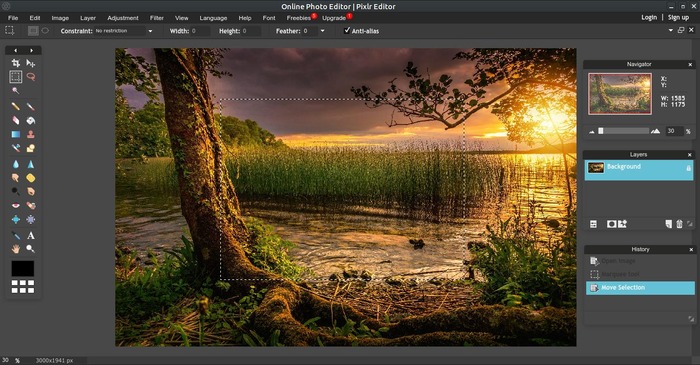
Let’s talk about the price first. Pixlr costs $7.99 per month. Photoshop Web, on the other hand, costs $19.99 per month.
But there’s more—Photoshop Web also lets you download the full desktop version.
Sketching: A Big Difference
When it comes to sketching, Photoshop Web stands out. It offers smooth pressure sensitivity, making it an excellent option for digital artists.
I tested it first because I use it for game development. It is the first online tool with truly responsive pressure sensitivity.
Pixlr introduced this feature earlier, but it does not work as well. Since I am used to Photoshop on my Windows 11 PC, Pixlr’s web version felt frustrating for sketching.
I hope it improves, but right now, it falls short.
Interface: Modern but Not for Everyone
Each platform features a clean and modern look. Users find them easier to use than Photoshop’s desktop version.
Experienced users recognize the web version. The keyboard shortcuts function the same way.
For example, “B” selects the brush, and brackets adjust the size. Moving from desktop to web is smooth. It is a good companion, even if it is not a complete replacement.
Photoshop Web has some issues. The missing Zoom tool is confusing. Adobe requires using the Ctrl + mouse scroll wheel, which feels awkward.
Adjusting gradients also seems incomplete since there is no clear way to change alpha opacity.
A different issue comes from how the system arranges tools. Users open the side panel or hover and click to find subtools.
This design does not support touch controls well. A Chromebook with a stylus in tablet mode does not provide a smooth experience, though it works better than some competitors.
On the other hand, Pixlr Web arranges tools like older Photoshop versions, making access more straightforward.
Photoshop Web Will Soon Be Free for Everyone
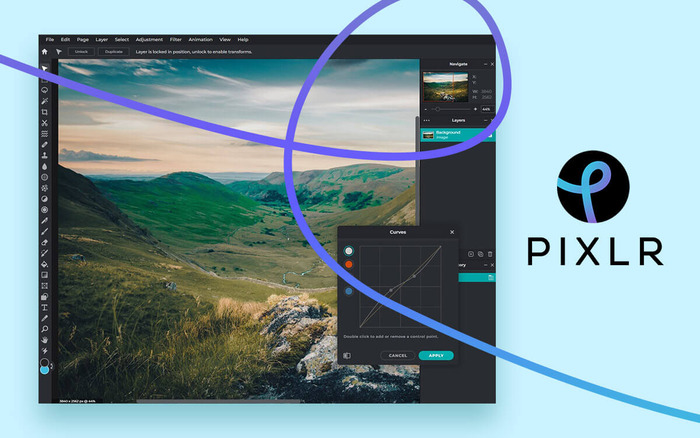
People with an active Photoshop subscription will find the web version familiar. However, for new users or those looking for a budget-friendly option, Pixlr is the better choice.
Most users are unlikely to pay $20 monthly for editing unless they run a business.
Additionally, if Adobe’s AI tools don’t interest you, Pixlr offers user-friendly features and a wide range of templates, making it a great alternative.
Chromebook Users Benefit in the End
If drawing is not your primary focus and you already use apps like Artflow Studio, Photoshop Sketch, or Autodesk Sketchbook, Pixlr remains an excellent option for basic edits.
Since I have a Photoshop subscription, I plan to continue using it on my Chromebook and the desktop app on my Windows PC.
You can sync PSD files in the cloud and access them anywhere. Pixlr also allows this, but I prefer keeping everything in Adobe’s cloud or Google Drive for better consistency between web and desktop versions.
Many, including myself, dislike Adobe’s expensive subscription model. In the past, buying Photoshop once meant owning it forever.
However, Pixlr also uses a subscription plan, and with so many services charging monthly fees, this debate feels less important in this comparison.
The Internet is the Future
If you want to support a small business, Pixlr is a great choice. However, many longtime Photoshop users prefer a familiar tool instead of adjusting to something completely different.
Adobe’s shift to web-based tools highlights the impact Pixlr has made. However, competition benefits users by driving innovation.
No matter which platform you choose, Chromebook users now have more design options than ever before. The Internet is shaping the future!
