


If you’ve decided that you no longer need your Gmail account, it’s important to understand the process of deleting it permanently.
Whether you’re switching email providers or just want to declutter your digital life, knowing the right steps ensures your personal data is protected.
This manual will walk you through the exact process for deleting a Gmail account securely.

Steps to Follow Before Deleting Your Gmail Account
Before you proceed with deleting your Gmail account, take a few important steps to ensure you don’t lose any essential data.
1. Backup Your Important Data
It’s crucial to back up any important emails, attachments, and files from your Gmail account.
You can use Google Takeout to download your data, which ensures you won’t lose any vital information.
This backup will be useful if you need to refer to your old emails in the future.
2. Understand the Consequences
Deleting your Gmail account means you will lose access to other Google services, such as Google Drive, Photos, and YouTube, linked to that account.
Make sure you’ve updated your recovery email and double-check the status of other linked services before proceeding with deletion.
How to Delete Your Gmail Account on Desktop
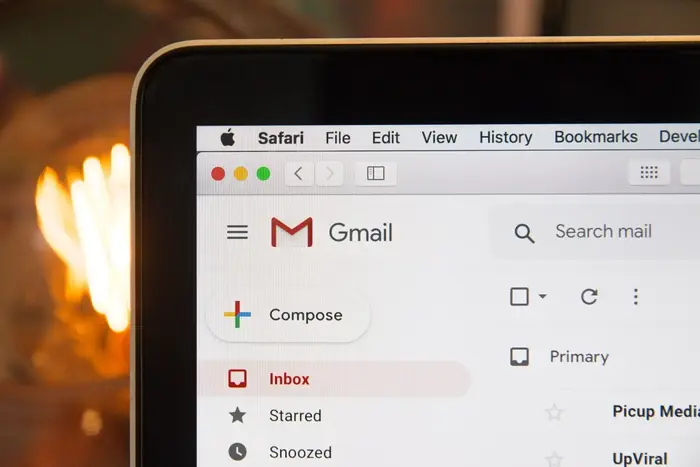
If you prefer to use your desktop for this task, follow the steps below to delete your Gmail account.
Step 1: Log In to Your Google Account
To start the deletion process, sign in to the Google account you wish to delete. You’ll need your username and password to access the account settings.
Step 2: Open the Data & Privacy Settings
Once logged in, click on your profile icon at the top right corner. From the dropdown, select “Manage Your Google Account.” Then, go to the “Data & Privacy” section.
Step 3: Find the Option to Delete Your Google Account
Scroll through the available options and click on the “Delete Your Google Account” button.
Step 4: Backup Your Data
Ensure you’ve backed up all the important information stored in your Gmail account.
This process is irreversible, so once your account is deleted, there’s no way to recover any of the data.
Step 5: Confirm and Proceed
Scroll down and carefully read the provided information. Check the acknowledgment boxes to confirm that you understand the deletion process.
Finally, click the “Delete Account” button to complete the process.
Step 6: Account Deletion Complete
Your Gmail account is now deleted. To finalize the process, remember to log out of all devices connected to your account.
Deleting Your Gmail Account on Mobile (Android & iPhone)

If you prefer using your smartphone, here’s how to delete your Gmail account on both Android and iPhone.
Step 1: Open Gmail and Access Account Settings
Open the Gmail app on your phone and tap on your profile picture in the top-right corner. Then, select “Manage Your Google Account.”
Step 2: Go to Data & Privacy Settings
In the “Manage Your Google Account” section, tap on the “Data & Privacy” tab. Once there, locate the Gmail icon and tap on it.
Step 3: Select “Delete a Service”
Tap the “Delete a Service” option, which will take you to a page listing various Google services linked to your account.
Step 4: Choose “Delete Your Google Account”
On this page, select the option to “Delete Your Google Account.”
Step 5: Confirm the Deletion
Carefully read all the information regarding the deletion process.
Once you’re sure, check the acknowledgment boxes and tap “Delete Account” to finalize the process.
Conclusion
Deleting a Gmail account is a straightforward process, but it’s important to be well-prepared.
Ensure you back up any necessary data, understand the impact on other Google services, and proceed with caution.
By following the above steps, you can delete your Gmail account securely and confidently.
Just remember, once the account is deleted, you won’t be able to recover any of your data, so make sure you’ve taken all the necessary precautions before moving forward.
