

Close Menu
    Facebook X (Twitter) Instagram
    • About
    • Privacy Policy
    • Write For Us
    • Newsletter
    • Contact
    Instagram
    About ChromebooksAbout Chromebooks
    • Linux
    • News
      • Stats
      • Reviews
    • AI
    • How to
      • DevOps
      • IP Address
    • Apps
    • Business
    • Q&A
      • Opinion
    • Gaming
      • Google Games
    • Blog
    • Podcast
    • Contact
    About ChromebooksAbout Chromebooks
    News

    Google expands Instant Tethering connection to 15 Chromebooks and 30 Android phone models

    Kevin TofelBy Kevin TofelFebruary 4, 2019Updated:September 7, 2025No Comments2 Mins Read

    Regular readers already knew this was coming, and now it’s officially “official”: You can use a non-Pixel branded Android phone as a seamless hotspot for your Chromebook. And it’s not just limited to Google’s own Chrome OS hardware either. The feature is available on 15 different Chromebook models:

    Before today, Instant Tethering was available only on a small range of devices, namely Pixelbooks and
    Pixel Slates paired with either Pixel or Nexus phones. But now, Instant Tethering is available on 15
    additional Chromebook models and over 30 cell phone models.

    While you could have always used any smartphone as a hotspot for your Chromebook — provided you have a carrier plan that supports that function — the Instant Tethering function is mainly a “set it and forget it” process.
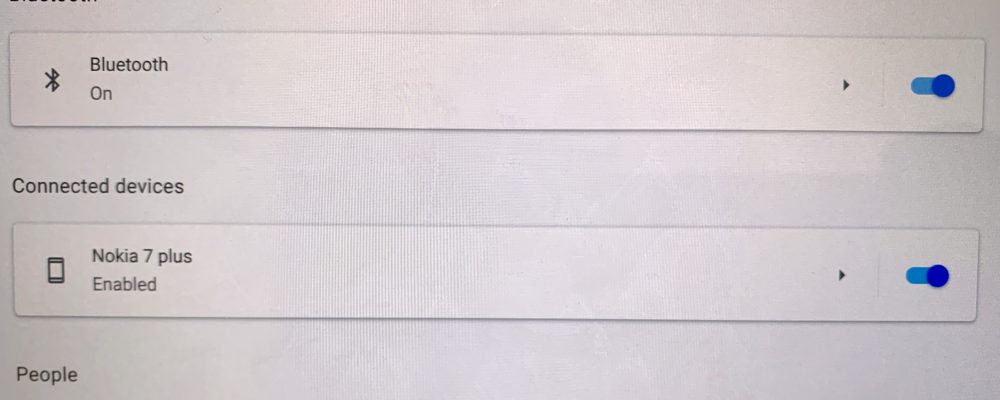
    Once you link an Android phone to a Chromebook for tethering, the Chromebook will automatically prompt you to use your cellular data connection when a Wi-Fi network can’t be found. Essentially, it’s automatic and is part of Google’s Better Together branding strategy, which also includes SMS messaging and unlocking your Chrome OS device when your handset is in Bluetooth range.

    Google will show a list of Chromebooks and Android phones compatible with Instant Tethering on this help site, so once it’s live, you can see if your devices are on the list. And if not, Google says ” [W]e’ll be bringing Instant Tethering to even more Chromebook and phones in the coming months,” so you might want to bookmark that page.

    Update: Here is the list of compatible Android phone models, per Google.

    • HTC U11, U11+
    • HTC U12+
    • Huawei Mate 10, Mate 10 Pro
    • Huawei Mate 20, Mate 20 Pro, Mate 20 X
    • LG G7 ThinQ
    • LG V30, V30+, V30S ThinQ, V30S+ ThinQ
    • LG V35 ThinQ
    • LG V40 ThinQ
    • Motorola Moto Z
    • Motorola Moto Z2 Force
    • Motorola Z3
    • Nexus 5X
    • Nexus 6, Nexus 6P
    • OnePlus 5, 5T
    • OnePlus 6, 6T
    • Pixel, Pixel XL
    • Pixel 2, Pixel 2 XL
    • Pixel 3, Pixel 3 XL
    • Samsung Galaxy S7, S7 Active, S7 Edge
    • Samsung Galaxy Note 8
    • Samsung Galaxy S8, S8+
    • Samsung Galaxy Note 9
    • Samsung Galaxy S9, S9+
    Kevin Tofel
    • Website

    After spending 15 years in IT at Fortune 100 companies, Kevin turned a hobby into a career and began covering mobile technology in 2003. He writes daily on the industry and has co-hosted the weekly MobileTechRoundup podcast since 2006. His writing has appeared in print (The New York Times, PC Magazine and PC World) and he has been featured on NBC News in Philadelphia.

    Best of AI

    Chub AI Explained

    May 6, 2026

    Stable Diffusion AI: Free Text To Image AI Generator

    May 5, 2026

    Imagen AI: The Best Photo Editing AI In 2026

    April 21, 2026

    Alphafold AI from Google Deepmind 2026

    April 21, 2026

    Agentic AI Pindrop Anonybit: The Future of Secure Identity Verification

    April 17, 2026
    Trending Stats

    Education Sector Chromebook Adoption Statistics 2026

    May 4, 2026

    ChromeOS Data Usage Patterns And Statistics 2026

    May 2, 2026

    Auto Update Expiration (AUE) In Chromebooks Statistics 2026

    May 2, 2026

    Chromebook Vs IPad Adoption In Schools Statistics 2026

    May 1, 2026

    ChromeOS Accessibility Feature Usage Statistics 2026

    April 28, 2026
    • About
    • Tech Guest Post
    • Contact
    • Privacy Policy
    • Sitemap
    © 2026 About Chrome Books. All rights reserved.

    Type above and press Enter to search. Press Esc to cancel.