


You dropped your Chromebook once. Maybe you didn’t drop it, maybe a kid in the backseat did. Either way, you started thinking about a case. Now you’re staring at two options: a hard shell or a soft case. Both claim to protect your device. Both come in a range of prices. So which one actually does the job?
Let’s break it down without the sales pitch.
What Is a Hard Shell Chromebook Case?
A hard shell case is a rigid outer cover, usually made from polycarbonate (PC) or ABS plastic. It snaps directly onto the Chromebook body top, bottom, or both and stays in place without straps or zippers.
Some hard shells add a thin rubber layer inside to absorb shock. Others are purely rigid with no padding at all.
What Hard Shell Cases Do Well
- Impact resistance on edges and corners. When a Chromebook slides off a desk and hits the floor, the corners take the most damage. A hard shell keeps the chassis from cracking at those points.
- Screen protection from pressure. If something heavy gets placed on top of the closed lid, the hard shell distributes the load and prevents the screen from flexing.
- Slim profile. Most hard shells add only 2–4mm to the overall thickness. Your Chromebook still fits inside a backpack sleeve.
- Easy to clean. Wipe it down with a damp cloth. Done.
Where Hard Shell Cases Fall Short
- Vibration and drop shock. Rigid materials don’t absorb energy well. A hard case transfers the force of a drop directly to the device. Without internal padding, a bad fall can still crack the screen.
- Limited port access on cheaper models. Some hard shells block USB-C or headphone ports. Always check the cutout specs before buying.
- Hinge stress. Snap-on cases that don’t account for the hinge design can put tension on the hinge area over time, especially on convertible Chromebooks.
What Is a Soft Chromebook Case?
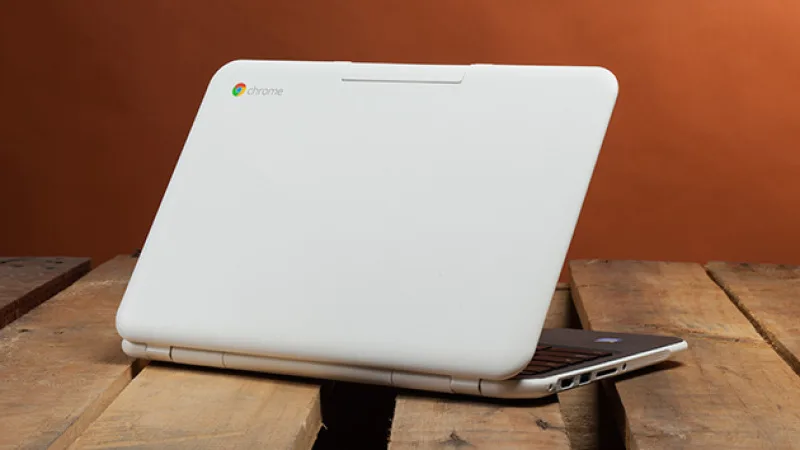
A soft case is a sleeve, pouch, or zippered bag made from materials like neoprene, polyester, or ballistic nylon. Your Chromebook slides in and out. There are no clips, no snap-fit parts.
Soft cases range from a basic neoprene sleeve to a padded laptop bag with separate compartments.
What Soft Cases Do Well
- Shock absorption during transit. Neoprene and foam padding compress on impact, which slows the force transfer to your device. This matters when the bag takes a hit.
- Scratch protection. The interior lining keeps your screen and chassis free of scratches during daily carry.
- Storage flexibility. Many soft cases have pockets for chargers, cables, and accessories. The hard shell gives you none of that.
- Works with any Chromebook size. Soft sleeves aren’t model-specific. A 13-inch sleeve fits most 13-inch Chromebooks regardless of brand.
- Many schools and businesses now prefer custom chromebook cases to keep devices protected while also maintaining consistent branding across teams or classrooms.
Where Soft Cases Fall Short
- No protection while the Chromebook is in use. You take your Chromebook out of the sleeve to use it. At that point, it’s unprotected. A hard shell stays on during use.
- Not waterproof by default. Basic neoprene resists light moisture but won’t stop a spilled drink. Look for cases with a TPU or coated outer layer if water is a concern.
- Bulkier. A padded sleeve adds noticeable thickness. If you’re already carrying a heavy bag, this adds up.
Head-to-Head: The Key Differences
| Feature | Hard Shell | Soft Case |
| Protection while in use | ✅ Yes | ❌ No |
| Drop shock absorption | Moderate | Better (with padding) |
| Transit scratch protection | Limited | Good |
| Port access | Depends on cutouts | Full access (sleeve) |
| Water resistance | Low | Low to moderate |
| Storage pockets | None | Yes |
| Model-specific fit | Usually yes | Usually no |
| Adds to profile thickness | Minimal | Moderate |
Which Situation Calls for Which Case?
Go with a Hard Shell If:
- Your Chromebook stays out on a desk for most of the day
- You work in a school, office, or shared environment where the device gets handled by multiple people
- You want protection without changing how the Chromebook looks in your bag
- You’re looking for custom branding hard shells are the standard format for Custom Logo Cases business and school orders because the flat surface holds print without distortion
Go with a Soft Case If:
- Your Chromebook spends most of its time inside a bag or backpack
- You carry it between locations daily and need impact protection during transit
- You want one case that also carries your charger and accessories
- Your Chromebook is a shared or family device that needs to stay scratch-free in storage
Can You Use Both?
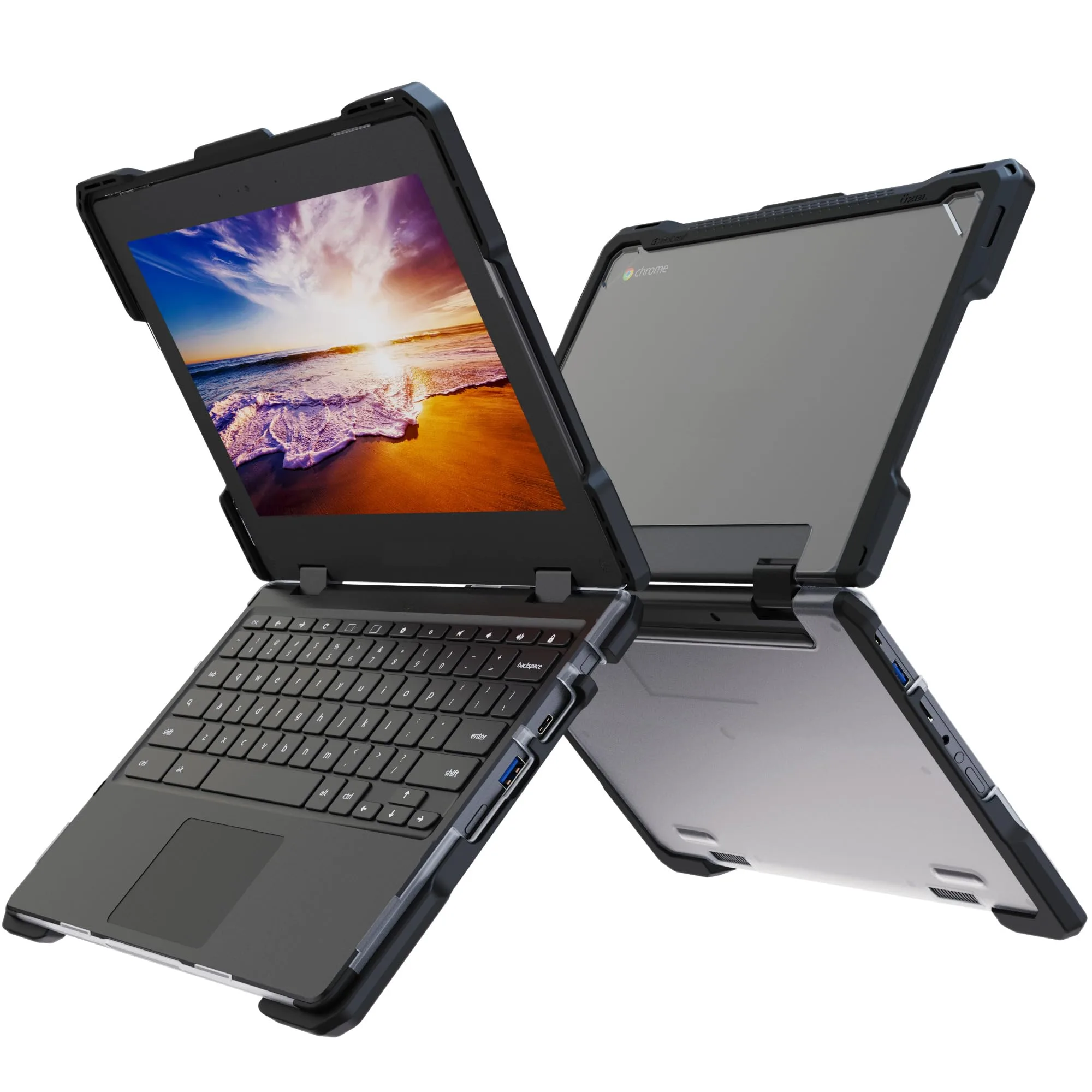
Yes, and many users do. A hard shell keeps the Chromebook protected during classroom or office use. A padded sleeve goes around it when it travels in a bag. This combination covers both use cases without compromise.
If budget is a factor, prioritize based on your biggest risk. Desk users who occasionally commute: start with the hard shell. Daily commuters who rarely use the device outside the office: start with the sleeve.
A Note on Fit
Neither case type works well if it doesn’t fit your specific Chromebook model. Hard shells are model-specific; a case made for a 14-inch HP Chromebook won’t fit a 14-inch Lenovo, even if the screen size matches. Always verify the model number before ordering.
Soft sleeves are more forgiving on dimensions, but a sleeve that’s too large gives your Chromebook room to slide around and bang against the interior which defeats the point.
At Custom Logo Cases, every order goes through a fit check against the device model before production. A case that doesn’t fit isn’t a case, it’s just packaging.
The Bottom Line
Hard shell cases protect your Chromebook while you use it. Soft cases protect it while you carry it. The best choice depends on where and how your Chromebook spends most of its time.
Neither type is better in every situation. But once you know your main use case, the decision gets simple.
If you’re outfitting a fleet of school Chromebooks or need branded cases for a business rollout, Custom Logo Cases handles both hard shell and soft sleeve options with custom print. No minimum order pressure, just cases that fit the device and the job. Personalized laptop cases are also a popular option for businesses and educational institutions looking to combine protection with custom branding.
