


Modern video editing demands speed, accuracy, and consistency across diverse content types. Traditional workflows are generally manual and time-consuming to render.
Intelligent automation and faster processing of these inefficiencies are now being replaced with AI-powered tools.
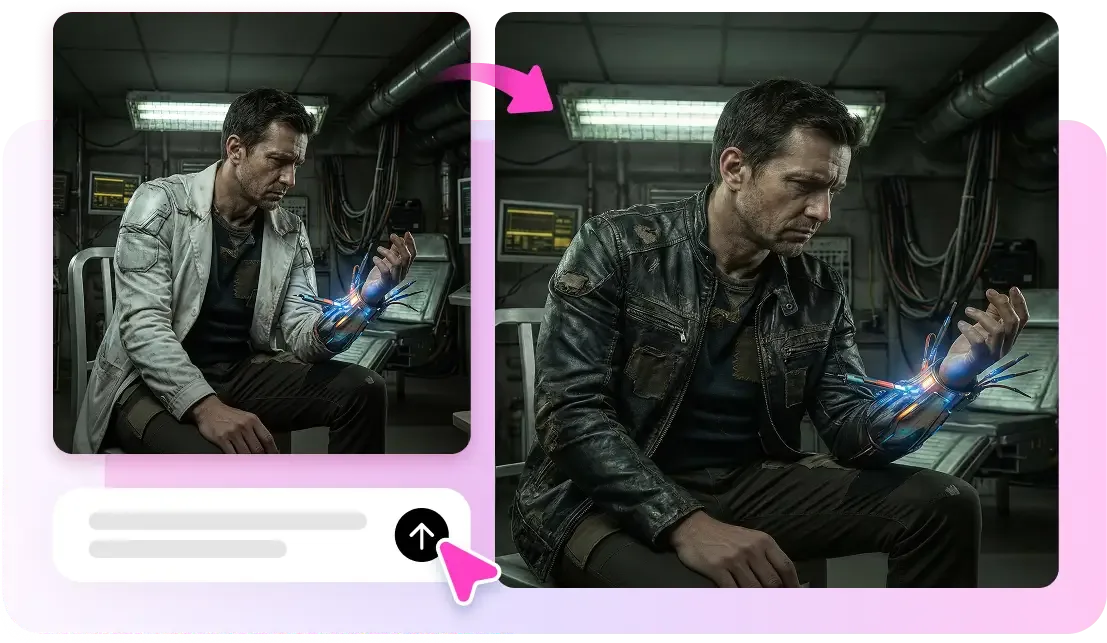
Pippit makes editing easier by simplifying complex tasks with minimal input. The technique helps designers to meet deadlines without sacrificing aesthetics.
The most important features of competitive content production today are speed, accuracy, and output quality.
Understanding AI-Powered Video Editing Engines
AI-based video editing engines are machine learning models that are effective at performing complex video processing tasks. These systems analyze videos, identify patterns, and make edits without human oversight.
The traditional editing method presupposes timeline modifications, whereas AI simplifies the task through automation and smart commands.
Real-time processing also reduces waiting time compared to the older rendering processes. Pippit uses the finest models to offer an easy editing process and a uniform production quality.
The AI video generator feature also enhances production, as the idea is converted into sophisticated images in a short time.

Smart Trimming and Scene Detection Capabilities
Smart trimming helps eliminate unnecessary content by automatically identifying key moments in uploaded content. AI understands transitions and changes in speakers, and it uses visual indicators to effectively distinguish between clips.
This saves the hassle of scrubbing through long tapes. Highlight detection will ensure that only the important moments are retained in the final product.
Pippit uses background knowledge to hone pacing and plot. It is used alongside the technology Seedance 2.0, which makes it more precise, better at recognizing scenes, and more sensitive to editing.
Upscaling and Visual Enhancement with AI
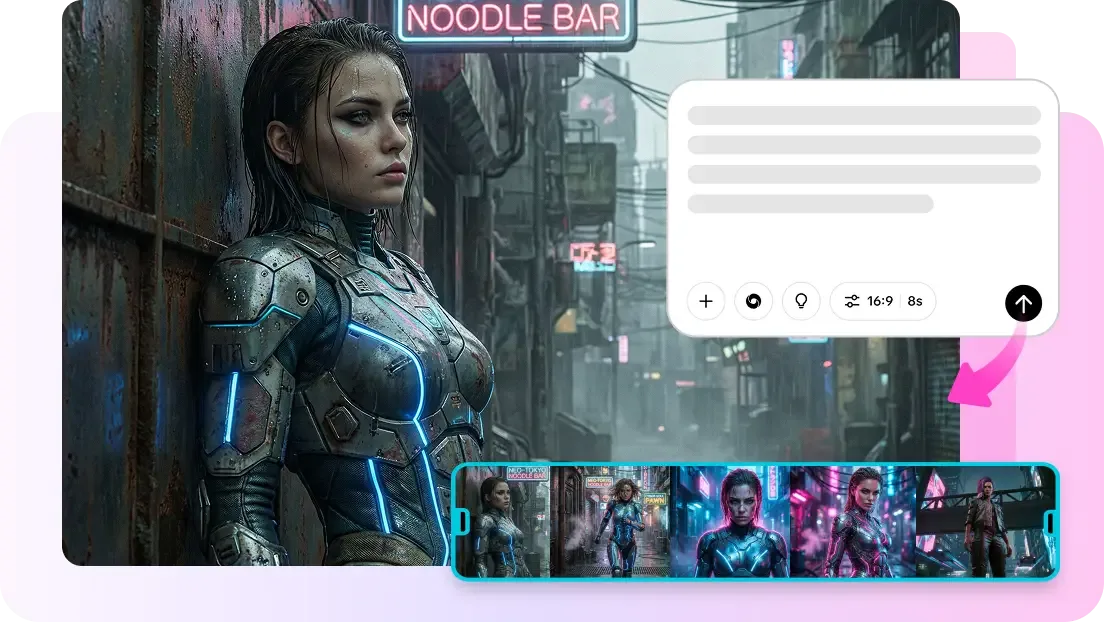
AI upscaling enhances video quality by adding extra pixels, retaining detail, and minimizing pixel artifacts. Lost visual data is reconstructed using complex algorithms to improve clarity at various magnifications on the screen.
Color correction software matches colors and corrects lighting to create a uniform visual representation. Stabilization functions reduce camera shake and create a more fluid viewing experience. Noise removal reduces grain and enhances the image’s overall sharpness.
Pippit also incorporates face retouching capabilities that enhance the appearance of subjects without excessive processing of visual images.
Speed Optimization Through AI Automation
Less timeline editing is needed with AI automation, as smart processing pipelines can do repetitive work. You can edit many clips at once without compromising quality using batch processing. Rapid iteration and quicker production decision-making.
Instant previews allow for quicker decision-making and shorter iteration cycles. Pippit works well within the workflow, as it simplifies editing procedures into a single interface.
It is a free AI video editor, meaning it can work faster and does not require any sophisticated technical expertise. This feature ensures content is delivered consistently across platforms.
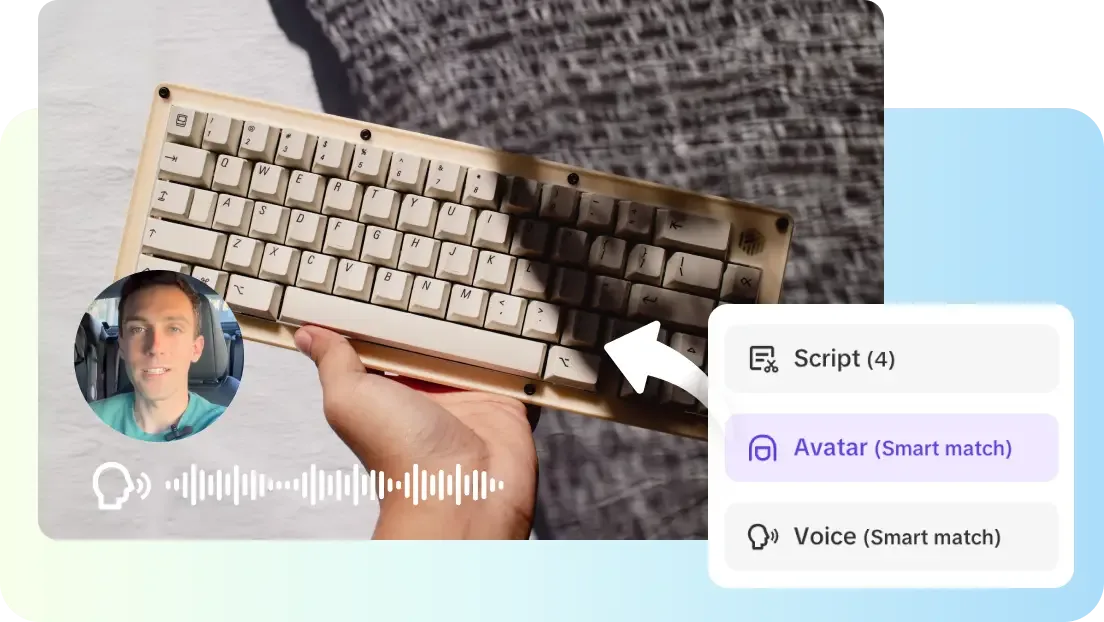
Steps to edit, trim, upscale, and polish clips faster with the AI Video Editor engine
Step 1: Launch your editing workspace
- Sign up for Pippit and access the platform.
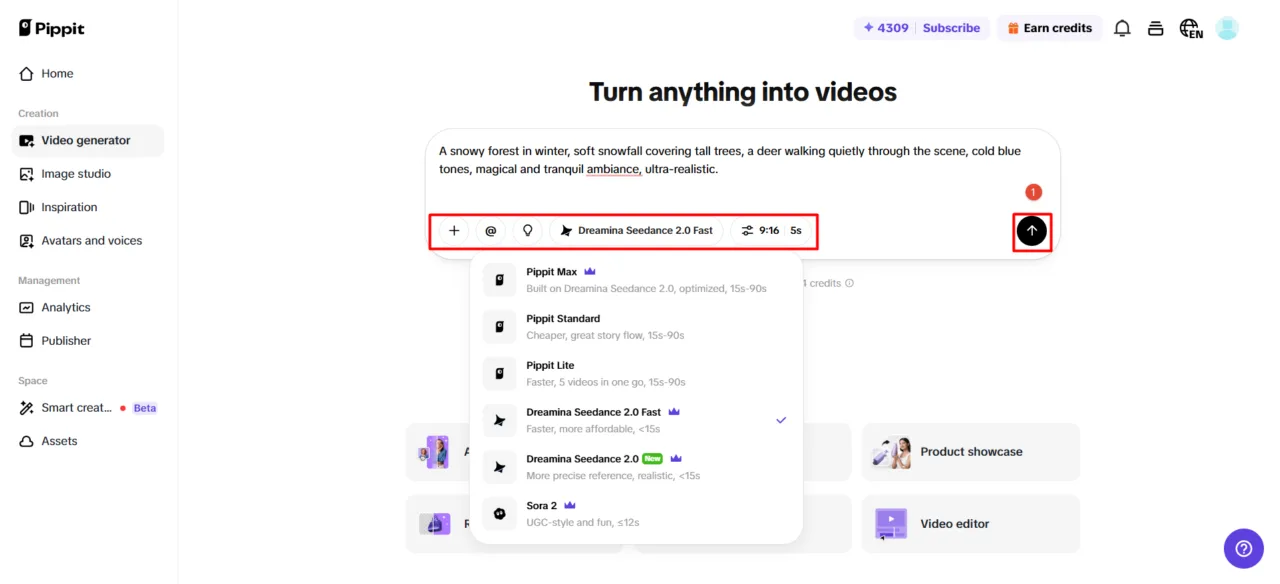
- Locate and open “Video generator” in the left sidebar under the “Creation” section.
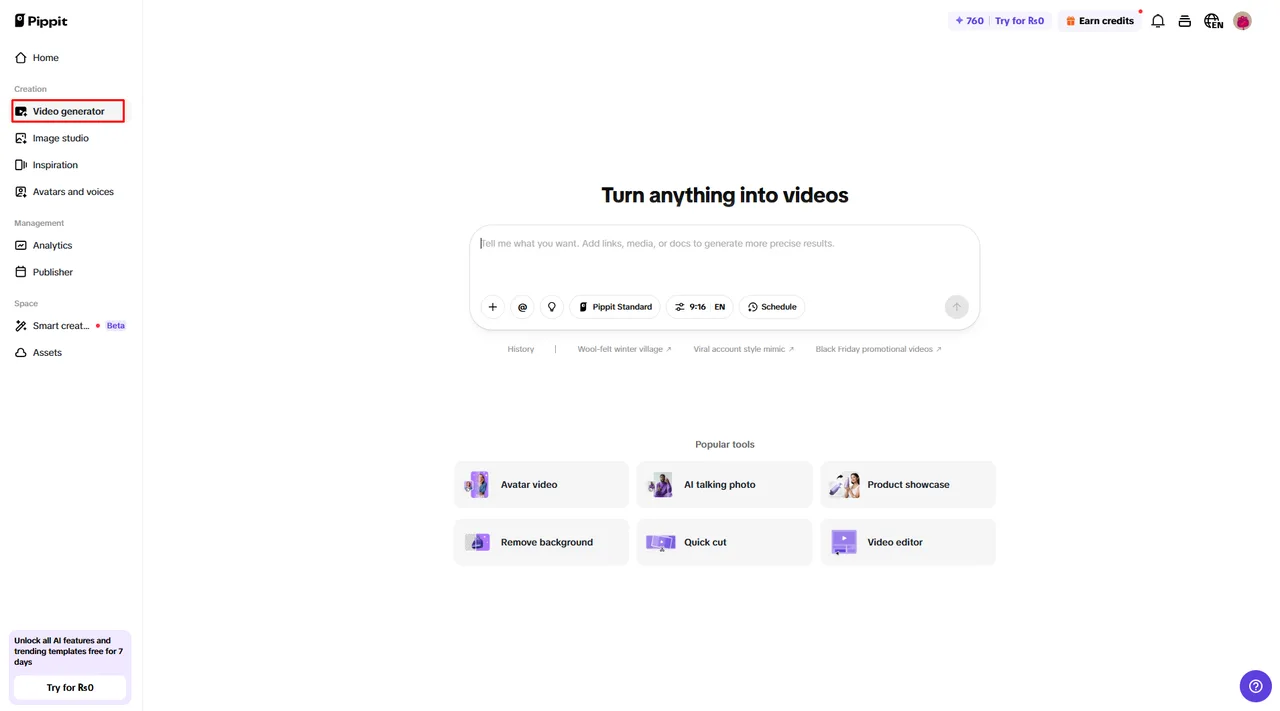
- Choose an AI model such as Dreamina Seedance 2.0, Dreamina Seedance 2.0 Fast, Sora 2, Pippit Standard, Pippit Max, or Pippit Lite.
- Add a detailed text prompt explaining how you want your polished video to appear.
- Adjust video length, language, subtitles, and aspect ratio if needed.
- Click the “+” button to upload your video from your computer, a link, the assets library, a mobile device, or Dropbox.
- Click “Generate” once everything is ready.
Step 2: Let AI refine your clips
- After clicking “Generate”, the AI video editor processes your content automatically.
- It enhances transitions, pacing, captions, avatars, voice, lyrics, and visuals.
- A refined draft appears for review.

Step 3: Fine-tune and export
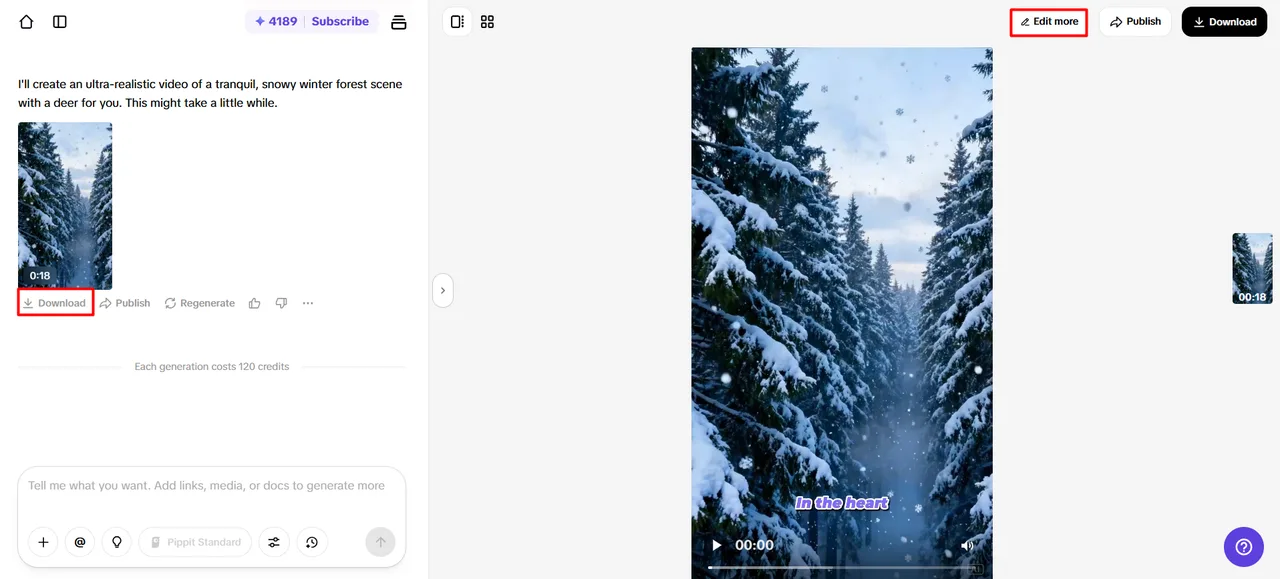
- Use the “Download” tab to save instantly or click “Regenerate” if needed. Select “Edit more” in the top right to access deeper editing tools.
- Trim clips, adjust captions, tweak size, colors, alignment, filters, and effects.
- Add music, remove backgrounds, and polish visuals further.
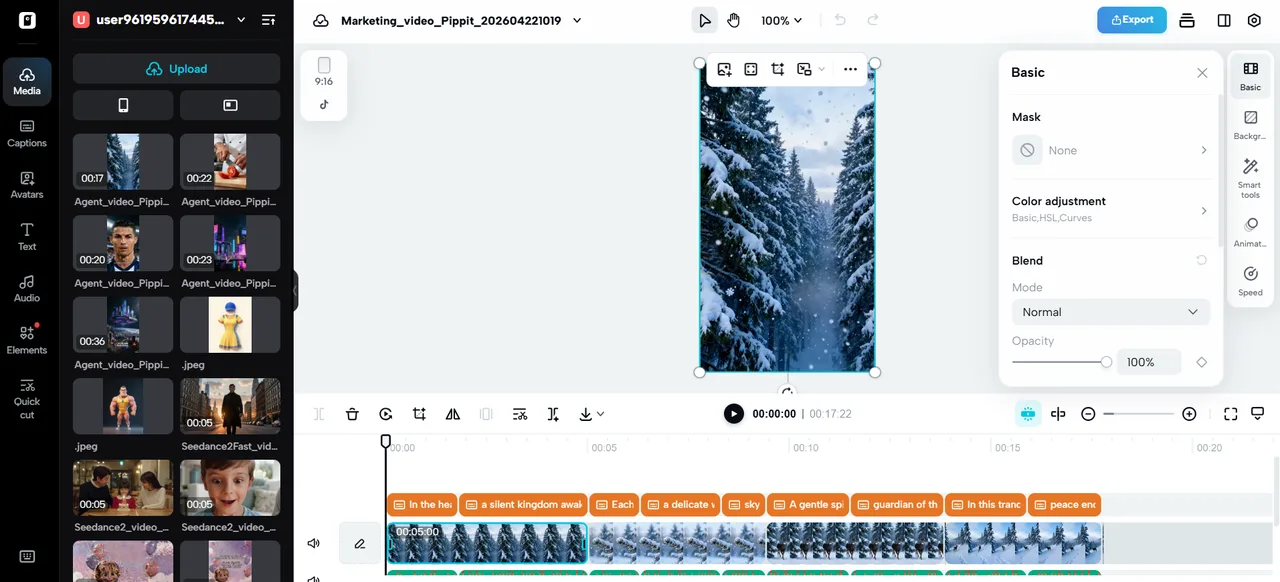
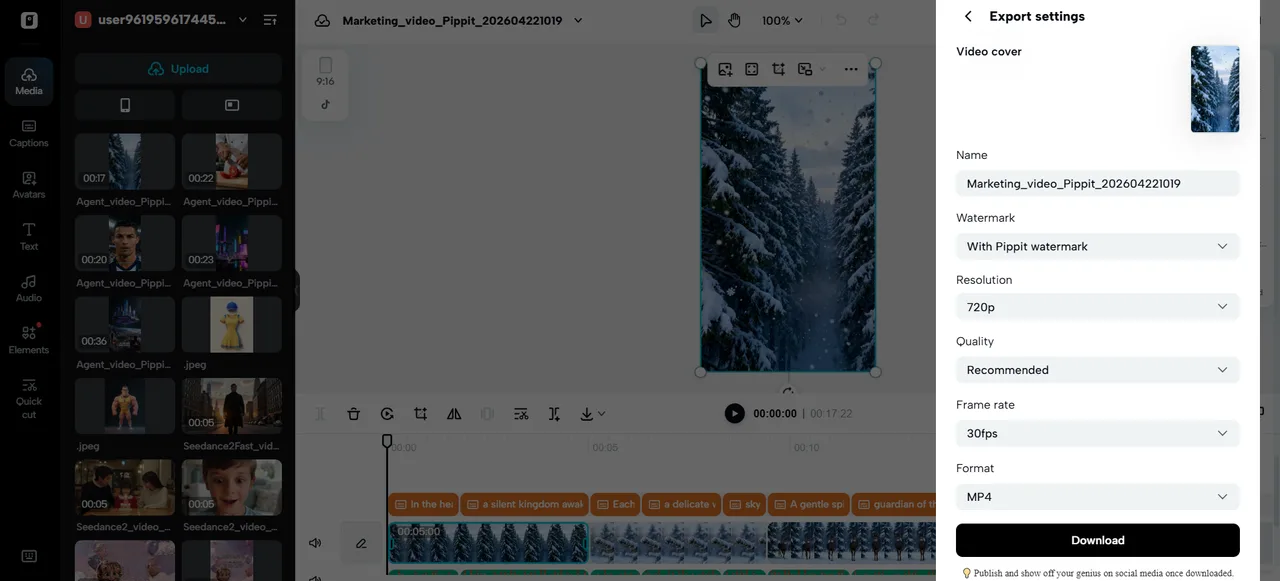
- Click “Export” in the top right when done.
- Choose “Publish” for social platforms or “Download” with your preferred settings.
Precision Polishing with AI Tools
AI polishing tools are used to complement final products and enhance their visual and audio characteristics.
Captions that are generated automatically come out with the correct text that is in line with the words pronounced in the video.
Background cleaning eliminates undesired areas and enhances the clarity of the scene. Audio balancing aligns audio across various segments to make them the same.
Intelligent transitions provide a smooth transition between clips without sudden cuts. Pippit uses AI-based improvements to create a quality, professional final product.
Key Editing Features That Accelerate Workflow
- AI Clip Cutter is a context-based, scene-understanding automatic redundancy-removal tool.
- Smart Upscaler enhances quality, maintains clarity, and does not pixelate.
- Auto Color Grader matches colors and lighting to obtain the same appearance of clips.
- Noise Reducer eliminates background noise and improves voice quality.
- Scene Stabilizer eliminates shaky videos and smooths playback.
Conclusion
The AI-driven editing engines transform the video production process, reducing human labor and improving efficiency.
High-level automation accelerates trimming, upscaling, and polishing. Pippit uses intelligent editing capabilities and simplified workflows to deliver a consistent quality.
This kind of tools enables production to be faster without losing the creative control or visual quality. The further development of AI editing technology will enhance content creation opportunities as well.
