


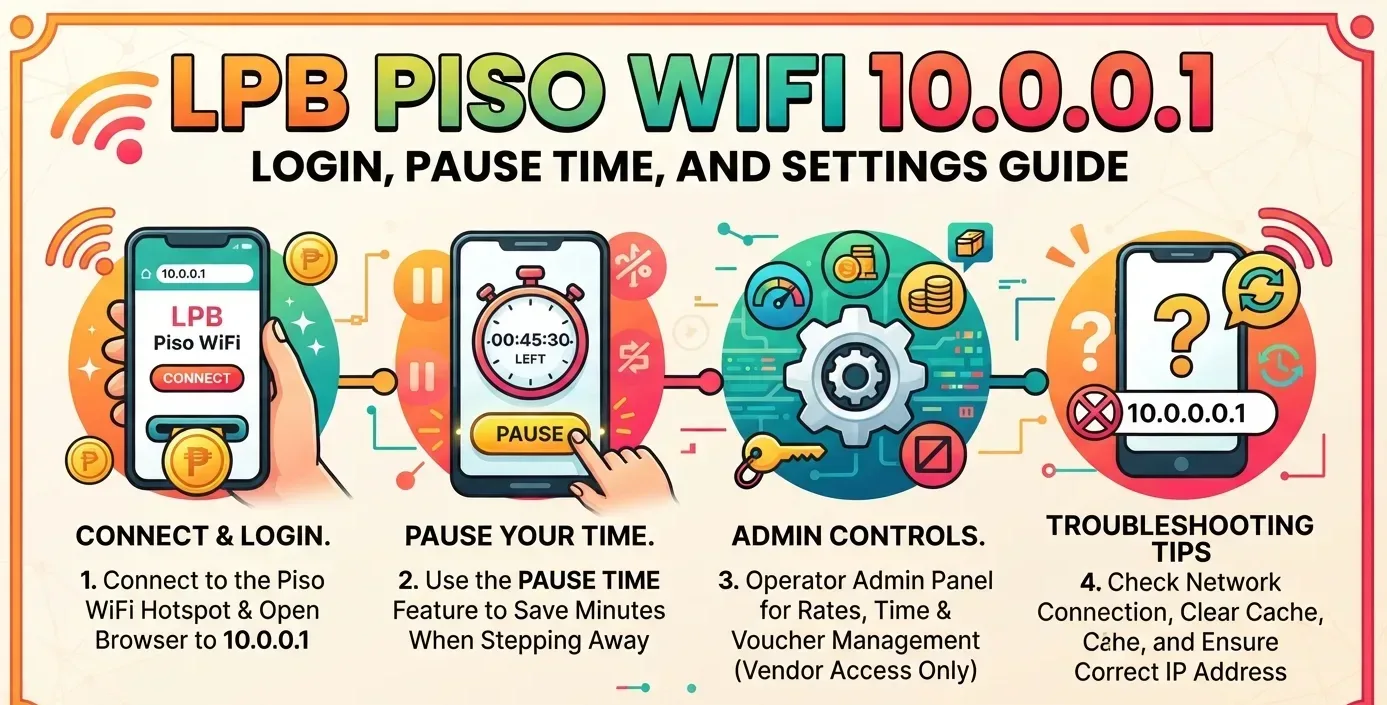
LPB Piso WiFi is a coin-operated internet system common in the Philippines, and 10.0.0.1 is the gateway address that opens its portal. Type it into a browser on the connected network and you reach the login and time controls for your session.
How to open the LPB Piso WiFi 10.0.0.1 login
Connect to the Piso WiFi hotspot first. Then open a browser and go to 10.0.0.1. A common mistake is typing 10.0.0.0.1 with an extra zero, which leads nowhere.
The portal loads your time balance, insert-coin status, and the session controls. On most LPB units the same page shows how many minutes you have left.
Using the pause time feature on 10.0.0.1
The pause time button is the reason most people search “lpb piso wifi 10.0.0.1 pause time login”. It freezes your remaining minutes so paid time is not wasted when you step away.
Open the portal, find the Pause option tied to your device, and tap it. Your countdown stops. Returning to the page and resuming continues from the same balance.
Pause lives per device, matched to your connection. If the portal does not show it, the vendor may have disabled pause on that machine.
Admin settings behind the Piso WiFi portal
Owners reach a separate admin area to set rates, time per coin, and the voucher system. That login is for the operator, not customers, and uses a vendor-supplied password.
From there an operator can change bandwidth caps, block a device, or reset the portal. Regular users only see the time and pause controls.
Why 10.0.0.1 Piso WiFi login will not load
If the page fails, confirm you are on the Piso WiFi network and not mobile data. A wrong gateway, a typo like 10.10 0.1, or a cached old page are the usual causes.
Clearing the browser cache or trying a private window fixes most stuck logins. If nothing loads, the specific unit may use a different IP printed on the machine. For other login quirks, our page-not-loading fixes use the same cache steps.
FAQs
What is the correct IP for LPB Piso WiFi?
The portal address is 10.0.0.1. Variants like 10.0.0.0.1 with an extra zero are typos and will not open the login. Connect to the Piso WiFi network first.
How do I pause my time on 10.0.0.1 Piso WiFi?
Open 10.0.0.1 in a browser, locate the Pause button tied to your device, and tap it. Your remaining minutes freeze until you return and resume the session.
Why won’t the Piso WiFi login page open?
Usually you are on mobile data instead of the hotspot, or you mistyped the IP. Reconnect to the Piso WiFi network, clear the cache, and retry 10.0.0.1.
Can I change the Piso WiFi pause time settings myself?
No. Rate and pause settings sit in the operator admin panel, which needs a vendor password. Customers can only view time and use the pause button.
