

Close Menu
    Facebook X (Twitter) Instagram
    • About
    • Privacy Policy
    • Write For Us
    • Newsletter
    • Contact
    Instagram
    About ChromebooksAbout Chromebooks
    • News
      • Stats
    • AI
    • How to
      • DevOps
      • IP Address
    • Apps
    • Business
    • Q&A
      • Opinion
    • Gaming
      • Google Games
    • Blog
    • Podcast
    • Contact
    About ChromebooksAbout Chromebooks
    News

    Chrome OS 86 to add Global Media Controls icon in system shelf on Chromebooks: Kaleidoscope?

    Kevin TofelBy Kevin TofelAugust 27, 2020No Comments2 Mins Read
    Share
    Facebook Twitter LinkedIn Pinterest

    Google has been slowly fleshing out media playback functions on Chromebooks for some time now. Most recently was the addition of media playback controls in the Chrome OS notifications area. With Chrome OS 86, it looks like there will be a dedicated Global Media Controls icon on the right side of the system shelf.

    Here’s a mockup of the icon in the system shelf, which isn’t super exciting to look at, but gives you an idea of what to expect:
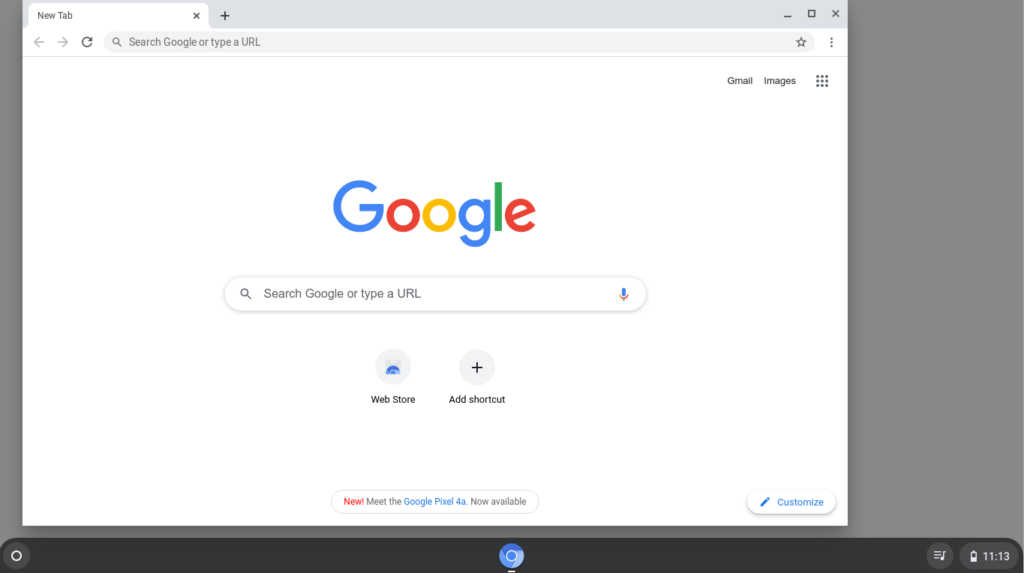
    The code commits for this new icon don’t really get into specifics of usability.

    There’s no mention of what the interface will be like when tapping on the icon, but the code shows a tooltip value of “Control your music, videos, and more”. I see several experimental flags mentioning the “Global Media Controls” in Chrome OS 86 on the Dev Channel but even when enabled, it doesn’t appear there is any functionality yet available in this regard.

    I am wondering if this icon has anything to do with the new “Kaleidoscope” feature that Chrome Story reported on early this month. That will supposedly be a way to gather up and aggregate media content from various online sources to your Chromebook. I’m wondering if those videos will even be available offline; perhaps I’m too optimistic though.

    And based on a little tinkering I did with the Kaleidoscope page JavaScript, it appears those sources will be video only, at least initially:
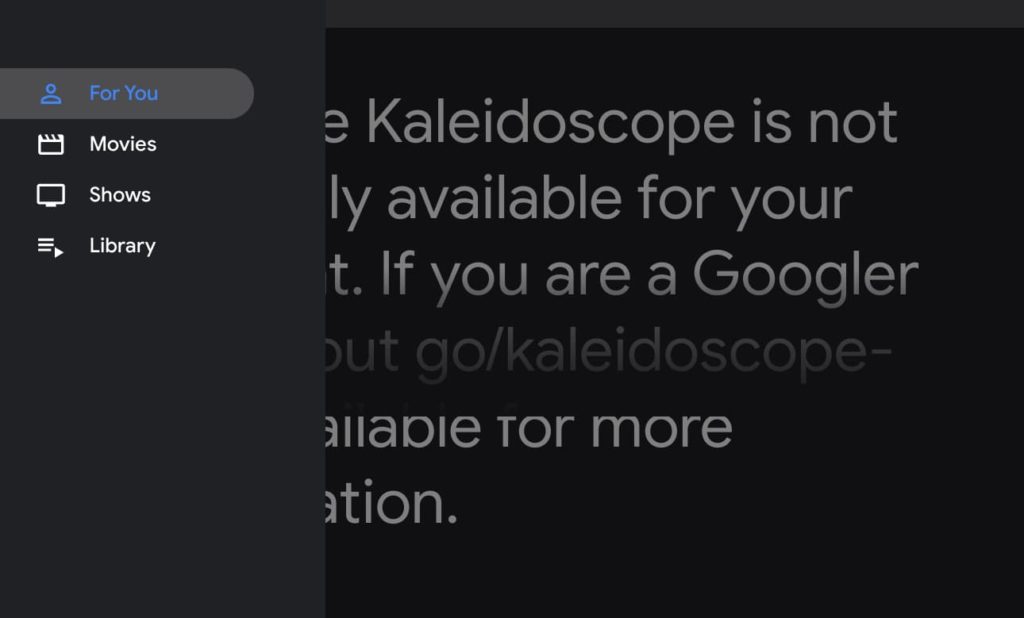
    My take is that as Google builds the backend for Kaleidoscope over time, it has to get the user interface elements in place before launching the service. So while the Global Media Controls icon may come with Chrome OS 86, you may not see it or find that it does anything until a later version when Kaleidoscope actually launches.

    Chrome OS Chrome OS 86 Chromebooks Entertainment Kaleidoscope Shelf Streaming video User interface
    Share. Facebook Twitter Pinterest LinkedIn Tumblr
    Kevin Tofel
    • Website

    After spending 15 years in IT at Fortune 100 companies, Kevin turned a hobby into a career and began covering mobile technology in 2003. He writes daily on the industry and has co-hosted the weekly MobileTechRoundup podcast since 2006. His writing has appeared in print (The New York Times, PC Magazine and PC World) and he has been featured on NBC News in Philadelphia.

    Related Posts

    Auto DraftStarbucks Partner Hours: Manual to Managing Work Schedules

    January 26, 2026

    Anon Vault For Private Cloud Storage

    January 23, 2026

    GitHub Copilot Statistics [2026]

    January 7, 2026

    Comments are closed.

    Best of AI

    VALL-E Statistics 2026

    January 28, 2026

    StarCoder Statistics And User Trends 2026

    January 27, 2026

    BLIP-2 Statistics 2026

    January 23, 2026

    AI mode Usage Statistics 2026

    January 22, 2026

    Code Llama Statistics 2026

    January 22, 2026
    Trending Stats

    Most searched keywords on Google

    January 27, 2026

    Ahrefs Search Engine Statistics 2026

    January 19, 2026

    Pay Per Click Advertising Statistics 2026

    January 16, 2026

    Google Ads Revenue 2025

    November 29, 2025

    Statistical Analysis Programs for Chromebook 2025

    November 22, 2025
    • About
    • Write For Us
    • Contact
    • Privacy Policy
    • Sitemap
    © 2026 About Chrome Books. All rights reserved.

    Type above and press Enter to search. Press Esc to cancel.