

Close Menu
    Facebook X (Twitter) Instagram
    • About
    • Privacy Policy
    • Write For Us
    • Newsletter
    • Contact
    Instagram
    About ChromebooksAbout Chromebooks
    • Linux
    • News
      • Stats
      • Reviews
    • AI
    • How to
      • DevOps
      • IP Address
    • Apps
    • Business
    • Q&A
      • Opinion
    • Gaming
      • Google Games
    • Blog
    • Podcast
    • Read More
      • Review
      • Insights
    About ChromebooksAbout Chromebooks
    News

    Chromebook privacy indicators for mic and camera in the works

    Kevin TofelBy Kevin TofelSeptember 27, 2022Updated:May 7, 2026No Comments2 Mins Read

    While phones these days are really good about telling you when your microphone or camera is in use, Chromebooks aren’t. At least not at the system level even if most apps do. That’s going to change with new Chromebook privacy indicators coming to ChromeOS.

    Chrome Story spotted a ChromeOS code change in the works to add this feature. When sharing your screen or when using the microphone or camera, you’ll see Chromebook privacy indicators.

    I don’t yet see the experimental flag in the ChromeOS 107 Dev Channel. However, it will be found at chrome://flags#enable-privacy-indicators once the code is pushed out.

    There isn’t a screenshot to show what the Chromebook privacy indicators will look like but it sounds similar to how Android’s privacy indicators work.

    Users will see “a green icon in the status area as well as add a silent notification to the tray.”
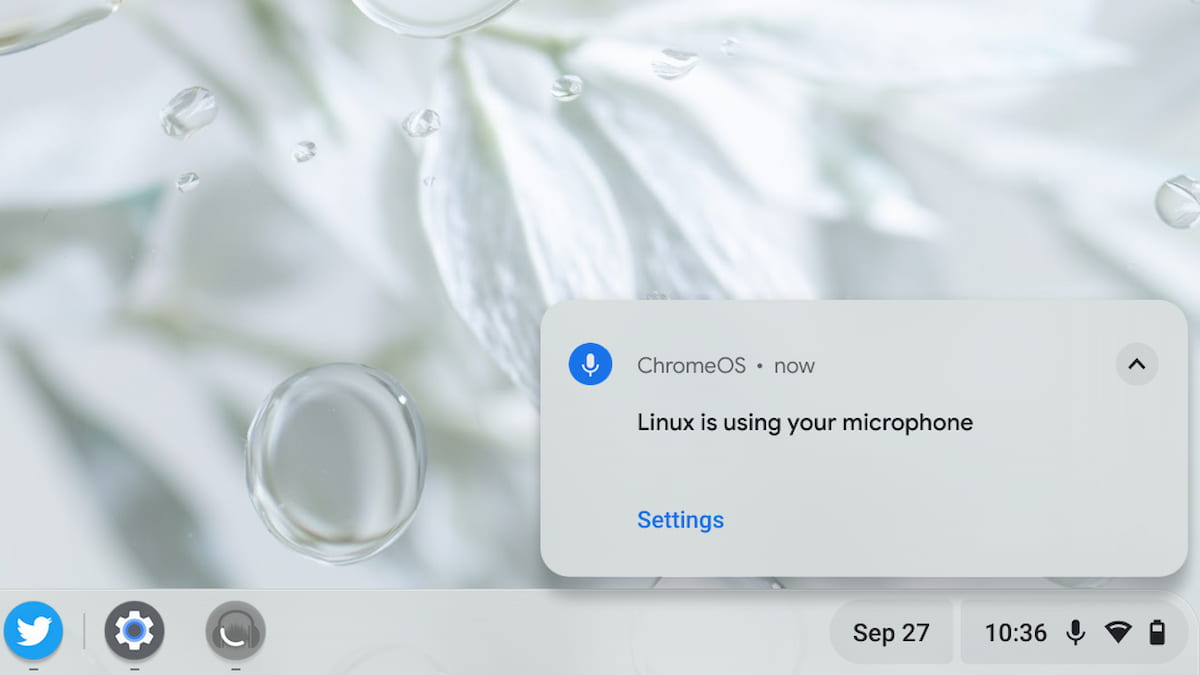
    Chromebook privacy indicator for microphone in Linux

    Interestingly, the silent notification for a microphone in use has been a staple of Linux on Chromebooks for some time. I would assume the new privacy indicator feature will do the same across all of ChromeOS with this new feature.

    As I noted, most apps are pretty good at telling you if your mic or camera is in use. I’d say all of them are if that app is the browser on your Chromebook because you have to allow access to these devices. You always see Chromebook privacy indicators for when the camera is in use, for example.

    However, this is really a global feature that applies to the operating system. So I can understand why Google is adding this functionality.

    Although there aren’t any further implementation details, I’d expect to see Chromebook privacy indicators enabled by default and possibly without a way to disable it. If it’s an option, it will most likely be in the upcoming Privacy Hub settings and features. That’s where you’ll also find other related features such as snooping detection, which is still a work in progress.
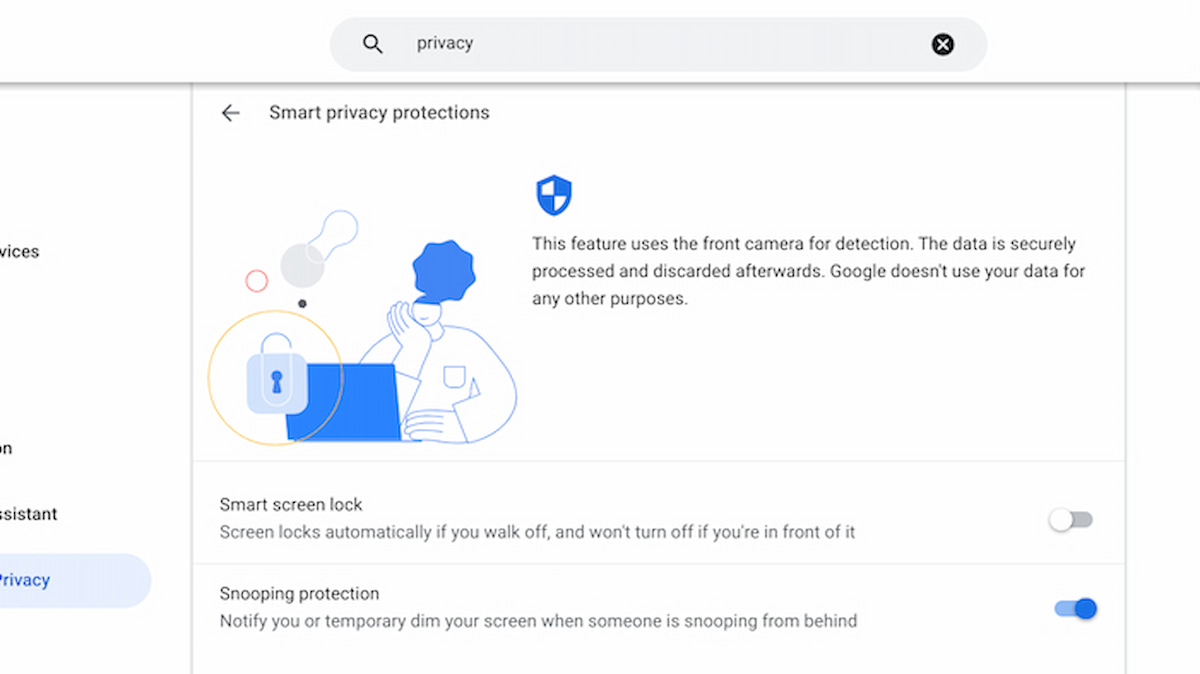
    Chromebook privacy
    Kevin Tofel
    • Website

    After spending 15 years in IT at Fortune 100 companies, Kevin turned a hobby into a career and began covering mobile technology in 2003. He writes daily on the industry and has co-hosted the weekly MobileTechRoundup podcast since 2006. His writing has appeared in print (The New York Times, PC Magazine and PC World) and he has been featured on NBC News in Philadelphia.

    Best of AI

    AI in Journalism Statistics 2026

    September 26, 2026

    Notion AI Statistics 2026 [Agents, Credits And Revenue]

    September 24, 2026

    AI Patent Filing Statistics by Country 2026

    September 22, 2026

    AI Job Displacement Statistics by Industry 2026

    September 12, 2026

    AI Content Detector Accuracy Statistics 2026

    September 10, 2026
    Trending Stats

    Linux Kernel Contributor Statistics 2026

    September 26, 2026

    Chromebook Enterprise Deployment Statistics 2026 [Setup Times, Fleet Volumes, Licensing and Migration Data]

    September 22, 2026

    Vector Database Market Statistics 2026

    September 15, 2026

    Chromebook Screen Refresh Rate Distribution Statistics 2026

    September 12, 2026

    Chromebook Total Cost of Ownership Statistics 2026

    September 11, 2026
    • About
    • Tech Guest Post
    • Contact
    • Privacy Policy
    • Sitemap
    © 2026 About Chrome Books. All rights reserved.

    Type above and press Enter to search. Press Esc to cancel.