

Close Menu
    Facebook X (Twitter) Instagram
    • About
    • Privacy Policy
    • Write For Us
    • Newsletter
    • Contact
    Instagram
    About ChromebooksAbout Chromebooks
    • Linux
    • News
      • Stats
      • Reviews
    • AI
    • How to
      • DevOps
      • IP Address
    • Apps
    • Business
    • Q&A
      • Opinion
    • Gaming
      • Google Games
    • Blog
    • Podcast
    • Contact
    About ChromebooksAbout Chromebooks
    News

    Google launches Password Checkup; here’s how to use it on your Chromebook

    Kevin TofelBy Kevin TofelOctober 2, 2019Updated:September 13, 2025No Comments2 Mins Read
    Share
    Facebook Twitter LinkedIn Pinterest

    Last month, I reported that Google plans to add a Password Checkup function directly into Chrome OS, warning you about any compromised passwords. This password leak detection, which surfaces any credentials you use among the 4 billion that are known to have been breached by a third-party, is now available online but isn’t yet built into Chrome OS.

    However, you can still manually use it on your Chromebook. Here’s how.

    Simply navigate to https://passwords.google.com and log in with your Google account. You’ll see the new Password Checkup option with a link to check your passwords:

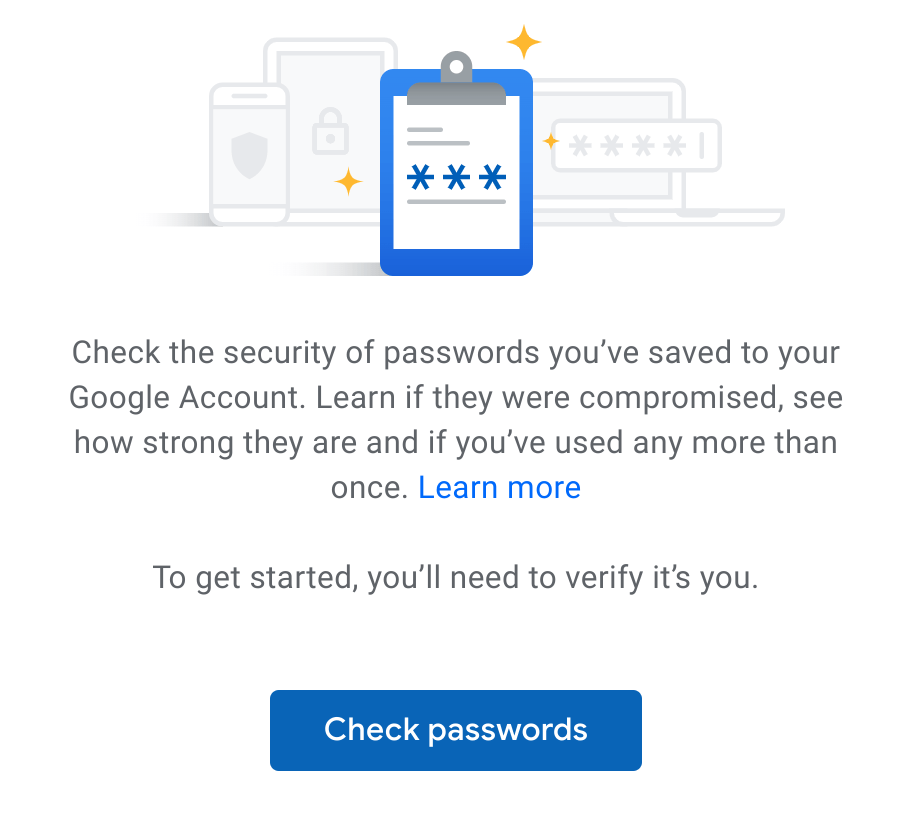
    Clicking the link will take you to this explainer dialog and a link to continue. Click the link and all of the login IDs and passwords stored with the Google Password Manager will be compared to the database of known compromised accounts.
    I clicked the link and was shocked to see the results. I’ve already taken some action to modify the most serious offenders in my accounts, but here’s just sampling of my results:
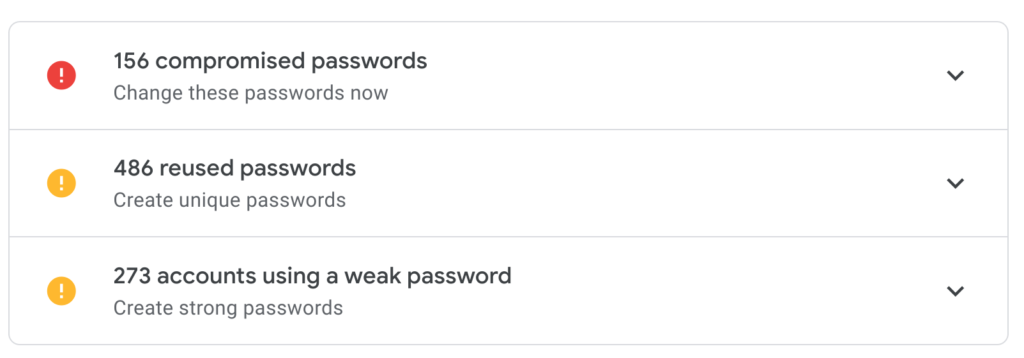
    I’ve been storing my online creditials with Google ever since Chrome supported this feature, and clearly, I’ve been lax in some areas. In particular, the reuse of credentials across 486 accounts shows my laziness when it comes to online security.

    In my (mostly lame) defense, I do use a Google Titan Security key and authentication apps for 2FA, or two-factor authentication, for any accounts that support it. Even so, it’s terrible practice to use the same credentials for multiple accounts: A single account compromised will allow a third-party to penetrate multiple accounts due to the reuse.

    Google plans to integrate its Password Checkup feature directly in Chrome OS with version 78, so I have some time to clean up my credentials. Until then though, I recommend using the new web version of Password Checkup on your Chromebook. Hopefully, you won’t be as surprised as I was by the results.

    2FA Chrome OS Chrome OS 78 Password Checkup passwords Security Titan security key
    Share. Facebook Twitter Pinterest LinkedIn Tumblr
    Kevin Tofel
    • Website

    After spending 15 years in IT at Fortune 100 companies, Kevin turned a hobby into a career and began covering mobile technology in 2003. He writes daily on the industry and has co-hosted the weekly MobileTechRoundup podcast since 2006. His writing has appeared in print (The New York Times, PC Magazine and PC World) and he has been featured on NBC News in Philadelphia.

    Related Posts

    8tshare6a Software Download Guide

    February 10, 2026

    Starbucks Partner Hours: Manual to Managing Work Schedules

    January 26, 2026

    Anon Vault For Private Cloud Storage

    January 23, 2026

    Comments are closed.

    Best of AI

    Pephop AI Statistics And Trends 2026

    February 26, 2026

    Gramhir AI Statistics 2026

    February 24, 2026

    Poe AI Statistics 2026

    February 21, 2026

    Joyland AI Statistics And User Trends 2026

    February 21, 2026

    Figgs AI Statistics 2026

    February 19, 2026
    Trending Stats

    Chrome Incognito Mode Statistics 2026

    February 10, 2026

    Google Penalty Recovery Statistics 2026

    January 30, 2026

    Search engine operators Statistics 2026

    January 29, 2026

    Most searched keywords on Google

    January 27, 2026

    Ahrefs Search Engine Statistics 2026

    January 19, 2026
    • About
    • Tech Guest Post
    • Contact
    • Privacy Policy
    • Sitemap
    © 2026 About Chrome Books. All rights reserved.

    Type above and press Enter to search. Press Esc to cancel.