

Close Menu
    Facebook X (Twitter) Instagram
    • About
    • Privacy Policy
    • Write For Us
    • Newsletter
    • Contact
    Instagram
    About ChromebooksAbout Chromebooks
    • Linux
    • News
      • Stats
      • Reviews
    • AI
    • How to
      • DevOps
      • IP Address
    • Apps
    • Business
    • Q&A
      • Opinion
    • Gaming
      • Google Games
    • Blog
    • Podcast
    • Contact
    About ChromebooksAbout Chromebooks
    News

    Google launches Password Checkup; here’s how to use it on your Chromebook

    Kevin TofelBy Kevin TofelOctober 2, 2019Updated:September 13, 2025No Comments2 Mins Read

    Last month, I reported that Google plans to add a Password Checkup function directly into Chrome OS, warning you about any compromised passwords. This password leak detection, which surfaces any credentials you use among the 4 billion that are known to have been breached by a third-party, is now available online but isn’t yet built into Chrome OS.

    However, you can still manually use it on your Chromebook. Here’s how.

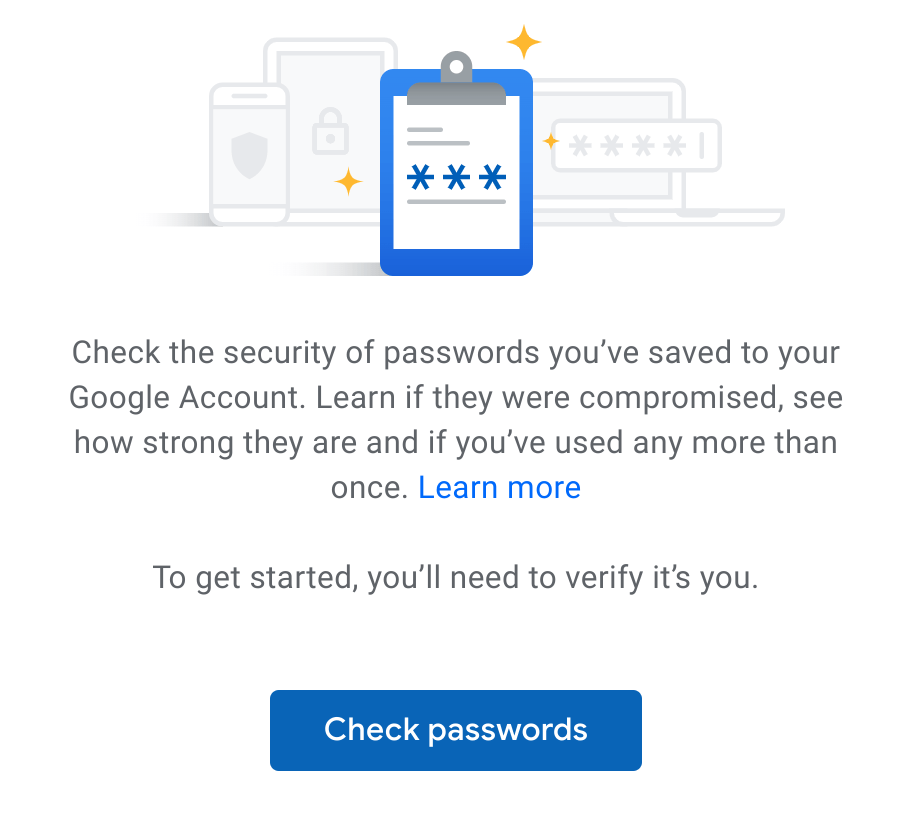
    Simply navigate to https://passwords.google.com and log in with your Google account. You’ll see the new Password Checkup option with a link to check your passwords:

    Clicking the link will take you to this explainer dialog and a link to continue. Click the link and all of the login IDs and passwords stored with the Google Password Manager will be compared to the database of known compromised accounts.
    I clicked the link and was shocked to see the results. I’ve already taken some action to modify the most serious offenders in my accounts, but here’s just sampling of my results:
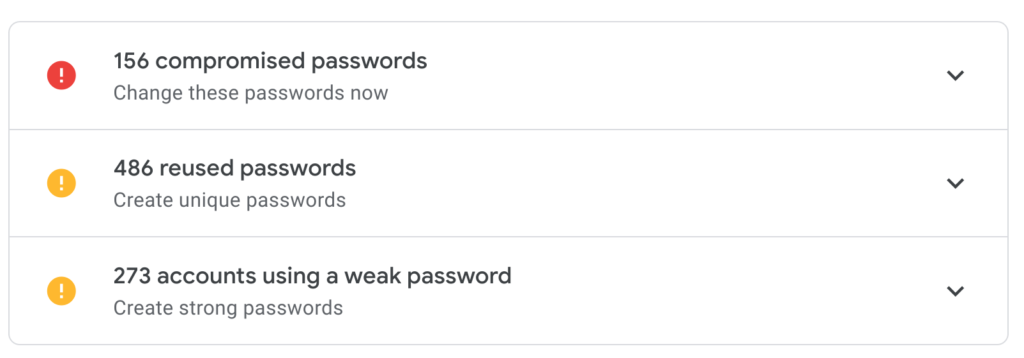
    I’ve been storing my online creditials with Google ever since Chrome supported this feature, and clearly, I’ve been lax in some areas. In particular, the reuse of credentials across 486 accounts shows my laziness when it comes to online security.

    In my (mostly lame) defense, I do use a Google Titan Security key and authentication apps for 2FA, or two-factor authentication, for any accounts that support it. Even so, it’s terrible practice to use the same credentials for multiple accounts: A single account compromised will allow a third-party to penetrate multiple accounts due to the reuse.

    Google plans to integrate its Password Checkup feature directly in Chrome OS with version 78, so I have some time to clean up my credentials. Until then though, I recommend using the new web version of Password Checkup on your Chromebook. Hopefully, you won’t be as surprised as I was by the results.

    Kevin Tofel
    • Website

    After spending 15 years in IT at Fortune 100 companies, Kevin turned a hobby into a career and began covering mobile technology in 2003. He writes daily on the industry and has co-hosted the weekly MobileTechRoundup podcast since 2006. His writing has appeared in print (The New York Times, PC Magazine and PC World) and he has been featured on NBC News in Philadelphia.

    Best of AI

    AI Reasoning Model Benchmark Statistics 2026

    July 31, 2026

    Is Muah AI Safe? An Honest Muah AI Review After the 2024 Breach

    July 29, 2026

    9 Best CrushOn AI Alternatives in 2026 (Uncensored & Tested)

    July 29, 2026

    AI Energy Consumption Statistics 2026 [Power Usage And Costs]

    July 28, 2026

    AI Agent Adoption Statistics 2026

    July 23, 2026
    Trending Stats

    Steam Deck Sales Statistics 2026 [Units Sold to Date]

    July 29, 2026

    VPN Usage Statistics by Country 2026 [Adoption Rates]

    July 24, 2026

    Server OS Market Share Statistics 2026 [Latest Data]

    July 22, 2026

    Password Manager Adoption Statistics 2026 [Usage by Region]

    July 21, 2026

    Chromebook Plus Adoption Statistics 2026

    July 20, 2026
    • About
    • Tech Guest Post
    • Contact
    • Privacy Policy
    • Sitemap
    © 2026 About Chrome Books. All rights reserved.

    Type above and press Enter to search. Press Esc to cancel.