

Close Menu
    Facebook X (Twitter) Instagram
    • About
    • Privacy Policy
    • Write For Us
    • Newsletter
    • Contact
    Instagram
    About ChromebooksAbout Chromebooks
    • Linux
    • News
      • Stats
      • Reviews
    • AI
    • How to
      • DevOps
      • IP Address
    • Apps
    • Business
    • Q&A
      • Opinion
    • Gaming
      • Google Games
    • Blog
    • Podcast
    • Contact
    About ChromebooksAbout Chromebooks
    Opinion

    Considering the Pixel Slate? Answer these two questions before you buy

    Kevin TofelBy Kevin TofelOctober 20, 2018Updated:May 7, 2026No Comments7 Mins Read

    There are other factors but these are where to start

    Let’s be honest: At their core, every Chromebook essentially does the same thing. They all provide a simple, speedy and secure way to use the web. Some older Chromebooks and any new ones that arrived in 2017 through the present also run Android apps. And roughly 20 different models currently support Linux apps thanks to Project Crostini. So right there, you have some choices to make on what apps and features you’d like.

    When it comes to the Pixel Slate, the real key is how badly do you want or need a tablet. If you don’t, then I’m not sure it’s the device for you.

    Perhaps you’re wowed by that 3000 x 2000 display — I was — and it’s a must-have. OK, you’re back in the Pixel Slate camp then. Otherwise, you just don’t need a slate because that’s essentially the main draw here and you’ll be paying a premium for it.
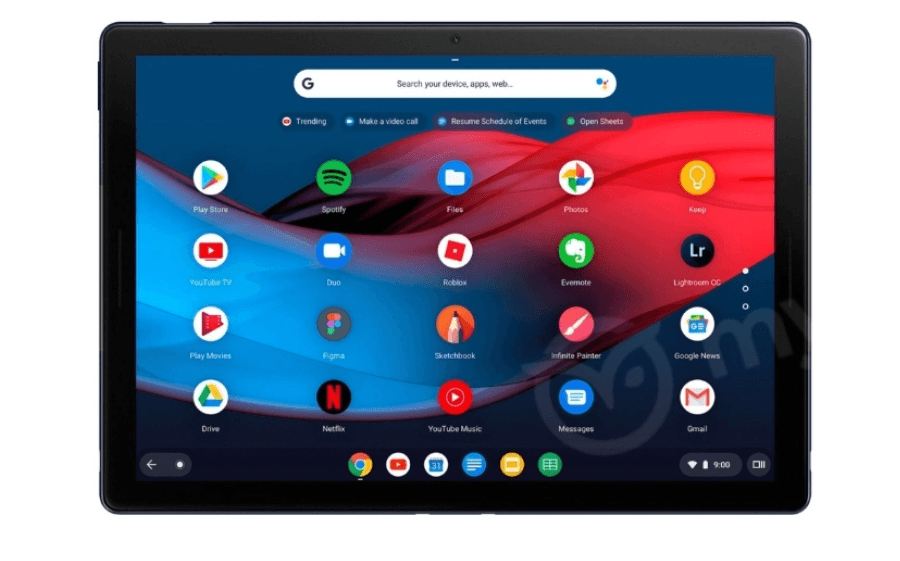
    And while the top-end Pixel Slate is likely to be one of the best performing Chrome OS devices this year, you’ll pay a hefty premium to get that Core i7, 16GB of memory and 256GB of storage.

    Unless you’re a heavy-duty developer with a big budget and you either want a tablet or don’t mind using a separate keyboard, or if you simply want the highest possible performance from a portable Chrome OS device, $1,599 is a lot to spend when you can get a great Chromebook experience for roughly one-third to one-half of the cost.

    Again the HP Chromebook X2 fits the bill here as do many other devices in the $500 to $700 range: The Dell Inspiron Chromebook 14 arrives this weekend for $599 with a newer Core i3 and 128GB of storage; it should run well enough for most people, even with its 4GB of memory.
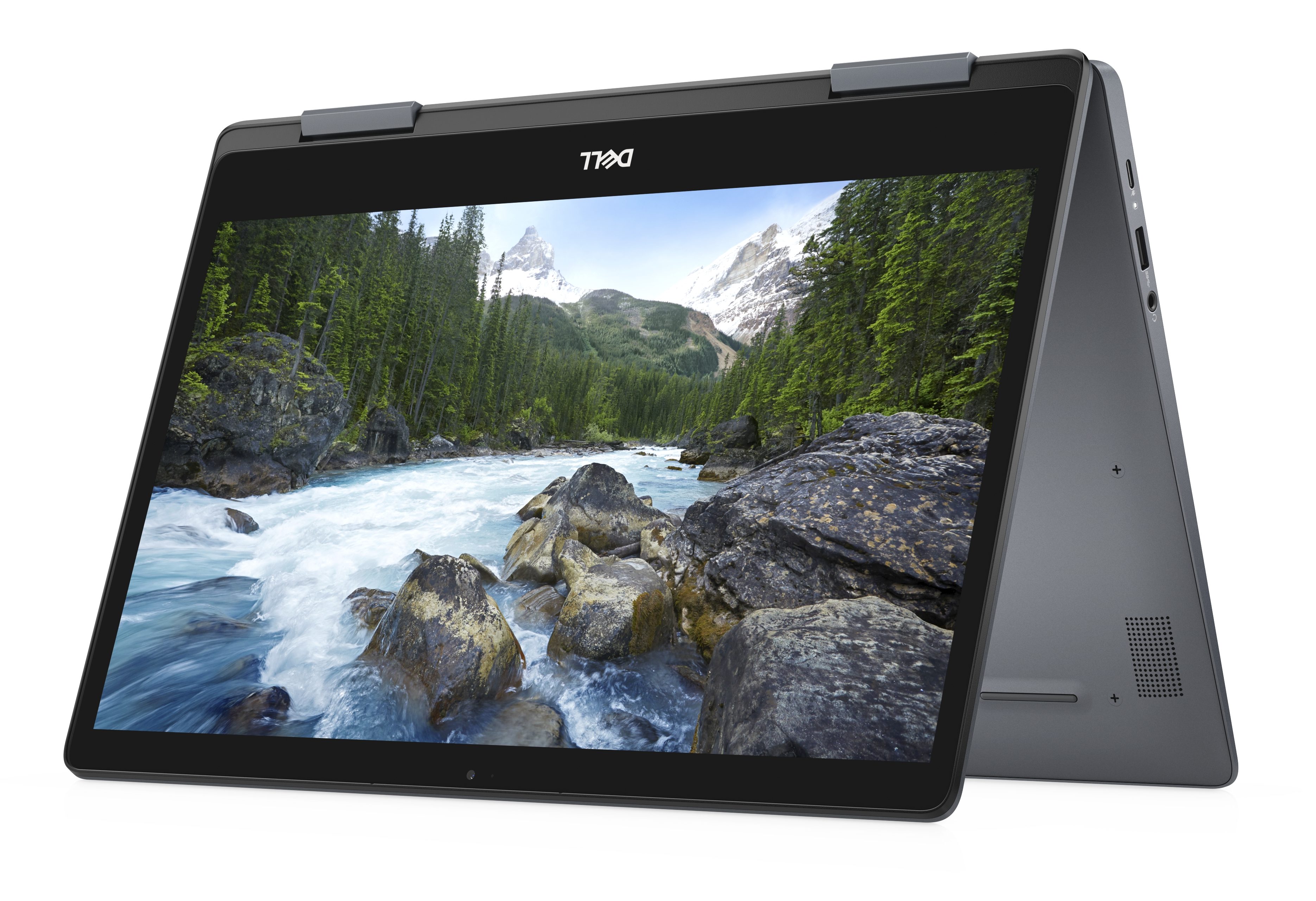
    Dell Inspiron Chromebook 14

    Are there other factors in the decision making process for a new Chromebook purchase? Sure: Battery life, touch vs non-touch displays or screen resolution, weight, size and more or all part of the decision, as is cost.

    But if you’re wondering if the Pixel Slate is for you, my advice is to focus on the need for a true tablet — based on how and where you’ll use the device — as well as performance. All things being equal, these two factors are key before even considering your other preferences and requirements.

    1 2
    Kevin Tofel
    • Website

    After spending 15 years in IT at Fortune 100 companies, Kevin turned a hobby into a career and began covering mobile technology in 2003. He writes daily on the industry and has co-hosted the weekly MobileTechRoundup podcast since 2006. His writing has appeared in print (The New York Times, PC Magazine and PC World) and he has been featured on NBC News in Philadelphia.

    Best of AI

    AI21 Jurassic Statistics 2026: Model Size, Usage and AI Performance Trends

    May 19, 2026

    Chub AI Explained

    May 6, 2026

    Stable Diffusion AI: Free Text To Image AI Generator

    May 5, 2026

    Imagen AI: The Best Photo Editing AI In 2026

    April 21, 2026

    Alphafold AI from Google Deepmind 2026

    April 21, 2026
    Trending Stats

    Chromebook User Satisfaction By Use Case Statistics 2026: Education, Work And Entertainment Trends

    May 20, 2026

    Chromebook Adoption in Remote Work Statistics 2026: Workforce Usage and Enterprise Growth

    May 20, 2026

    Chromebook Webcam Usage Trends Statistics 2026: Video Calls, Remote Learning And User Behavior

    May 19, 2026

    External Monitor Usage on Chromebooks Statistics 2026

    May 15, 2026

    Chromebook Keyboard Failure Rates Statistics 2026

    May 13, 2026
    • About
    • Tech Guest Post
    • Contact
    • Privacy Policy
    • Sitemap
    © 2026 About Chrome Books. All rights reserved.

    Type above and press Enter to search. Press Esc to cancel.