


Minecraft remains one of the most popular games worldwide, allowing players to build, explore, and survive in its blocky arena.
If you own a Chromebook and wonder how to get Minecraft on Chromebook, you’re in luck.
This post explains how to get Bedrock Edition (Android version) and Java Edition up and running on your Chromebook so you can enjoy the game regardless of your preferred version.
Install Minecraft: Bedrock Edition from the Google Play Store
In 2023, Minecraft Bedrock Edition officially became available for all Chromebook models. This cross-platform version allows you to play with friends on other devices.
The game includes the latest update, “Trails and Tales,” adding exciting features like the cherry grove biome and the ability to ride camels.
To get Minecraft: Bedrock Edition on your Chromebook, follow these simple steps:
- Check Your Chromebook’s Compatibility
Minecraft works on Chromebooks released after 2020. You can confirm your device’s compatibility on the Minecraft support website. Before downloading, ensure your Chromebook is updated to the latest version of Chrome OS. - Update Your Chromebook
- Open Settings on your Chromebook.
- Go to the About Chrome OS tab.
- Select Check for updates and let the device update if necessary.
- Restart your Chromebook if prompted.
- Purchase and Download Minecraft
Minecraft Bedrock Edition costs $20 on the Google Play Store. However, if you’ve already purchased the Android version for $7, you can upgrade to the Chromebook version for an additional $13. Once you’ve paid, simply download the game from the store.
You can also opt for Minecraft: Education Edition, which is free to download and provides an educational version of the game.
Play AI Minecraft On Your Chromebook
For those interested in experiencing a unique, AI-driven twist on Minecraft, Oasis AI Minecraft offers an innovative browser-based alternative.
Developed by Decart in collaboration with Etched, Oasis AI is the first fully AI-generated game that offers real-time, interactive gameplay where every action changes the world. It uses advanced transformer models to generate gameplay in real-time at 20 frames per second, creating dynamic, evolving environments without the need for traditional game engines.
You can play Oasis AI directly in your web browser without any downloads. Simply visit the Oasis AI website using a Chromium-based browser (like Google Chrome), select one of the available worlds, and follow the on-screen instructions to start playing .
This method is perfect for those who want to experience a Minecraft-like game without installing anything on their Chromebook.
Use Linux Support to Install Minecraft Java Edition
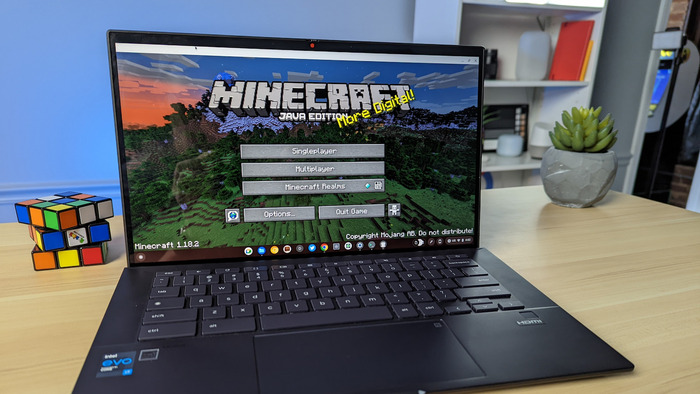
The Minecraft Java Edition is another favorite among players. If you’re wondering how to get Minecraft on Chromebook using this version, you can use Linux support, but it only works for x86 systems. If your Chromebook uses an ARM processor, this method will not work.
To play Minecraft Java Edition, first enable Linux app support on your Chromebook. Once Linux is ready, follow these steps:
- Enable Linux Support
- First, check if your Chromebook supports Linux apps. If it does, enable Linux support by following the official Chromebook support guide steps.
- Download the Linux Version of Minecraft
- Go to the Minecraft website and download the .deb file for Linux (Debian/Ubuntu version).
- Save the file to your Downloads folder.
- Install the Game
- Open the Linux Files folder on your Chromebook.
- Copy the downloaded file into the folder, then double-click the .deb file to start the installation.
- Select Install and then click OK to confirm.
- Once installed, open the Minecraft Launcher from your apps list.
How to Play Minecraft Using PojavLauncher?
PojavLauncher is another way to play Minecraft on a Chromebook, especially if you prefer the Java Edition. It works with any Chromebook and is capable of running Android apps.
PojavLauncher is a third-party solution, but it’s simple to set up and run.
Here’s how you can use PojavLauncher to play Minecraft:
- Download PojavLauncher
- Open the Google Play Store on your Chromebook.
- Search for PojavLauncher and download it.
- Set Up and Play
- Launch PojavLauncher from your apps list.
- Press the Play button, log in with your Minecraft account, and start playing!
This method is perfect for those who want to play the Java Edition but don’t want to go through the process of using Linux support.
Play Minecraft Using Cloud Gaming Services
Cloud gaming is an excellent option for playing Minecraft on a Chromebook without downloading or installing anything.
Using cloud gaming services, you can run Minecraft on a remote server and play it on your Chromebook via an internet connection.
This method allows you to play high-quality PC games without needing powerful hardware.
Here are some cloud gaming platforms that you can use:
- Shadow PC
Shadow PC allows you to rent a gaming PC in the cloud. You can access this Windows machine from your Chromebook and play Minecraft as if it were running on your device. This service costs about $30 monthly but gives you a full gaming experience.
- NVIDIA GeForce Now
NVIDIA’s cloud gaming service supports Minecraft Dungeons but not the main Minecraft game. The free plan has limitations, such as one-hour play sessions and access to a basic gaming rig. Paid plans start at $10.
- Xbox Cloud Gaming
Xbox Cloud Gaming allows you to play Minecraft Dungeons and Minecraft Legends. However, the full Minecraft experience isn’t available on this service unless you subscribe to Xbox Game Pass Ultimate for $17 monthly.
Although cloud gaming is excellent, it requires a stable internet connection to ensure smooth gameplay.
FAQs
Is Minecraft Laggy on a Chromebook?
Minecraft should run smoothly on most Chromebooks, but performance can depend on your device’s specs and the method you use to play. Cloud gaming services will offer the best experience if you have a fast internet connection.
Can You Run Minecraft Bedrock Edition on Chromebooks?
Yes, starting June 7, 2023, Minecraft: Bedrock Edition is available for all Chromebook models through the Google Play Store.
Can You Play Minecraft on a School Chromebook?
While playing Minecraft on a school Chromebook is technically possible, it depends on your school’s restrictions. Many schools block game downloads or disable Linux support, so check your institution’s policies before installing it.
