

Close Menu
    Facebook X (Twitter) Instagram
    • About
    • Privacy Policy
    • Write For Us
    • Newsletter
    • Contact
    Instagram
    About ChromebooksAbout Chromebooks
    • Linux
    • News
      • Stats
      • Reviews
    • AI
    • How to
      • DevOps
      • IP Address
    • Apps
    • Business
    • Q&A
      • Opinion
    • Gaming
      • Google Games
    • Blog
    • Podcast
    • Contact
    About ChromebooksAbout Chromebooks
    News

    Chrome OS 74 Dev Channel 74.0.3713.0 brings Linux container Backup/Restore feature (and it works!)

    Kevin TofelBy Kevin TofelFebruary 26, 2019Updated:September 22, 2025No Comments2 Mins Read

    Google released a new version of Chrome OS 74 for the Dev Channel on Monday and there are a ton of references to “Crostini”, which is the project that added Linux containers to Chromebooks. Among the many mentions — there are over 500 — is audio support for Linux apps and the first implementation of a backup and restore feature for Crostini, which I mentioned was coming earlier this month.

    The user interface for backups and restores looks exactly as I reported and even better: The functionality works, provided you have first enabled it. To do so, type chrome://flags/#crostini-backup and set it to “enabled”. After restarting your browser, the feature should work.

    I tested it after upgrading to the latest Dev Channel on a Pixel Slate and it saved a backup in the Downloads folder. This, of course, can be moved to Google Drive or external storage for safe keeping. Or you can simply choose a different location, including external storage: I tested an SD card through the USB-C hub I use with my Pixel Slate.
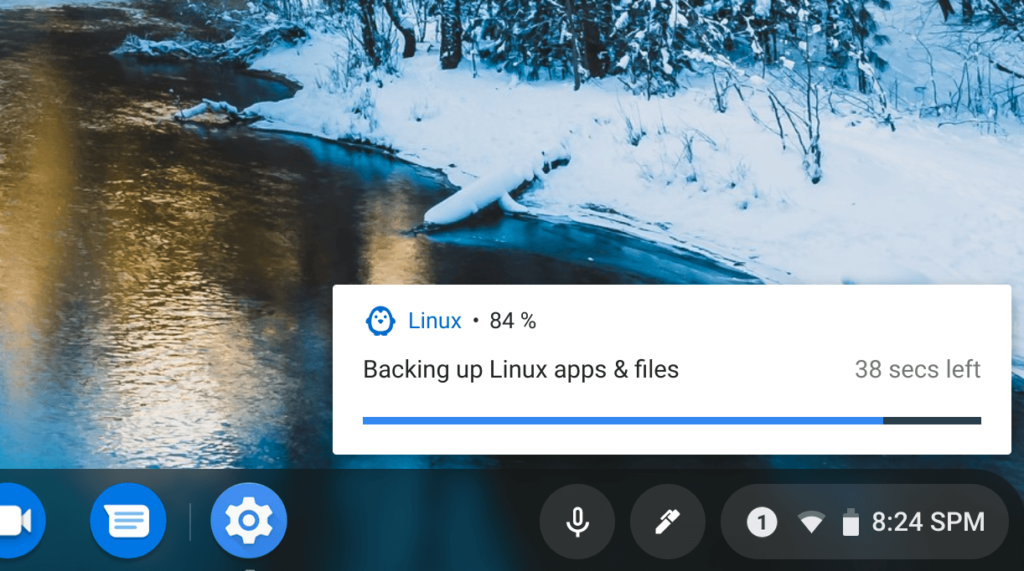
    After performing the backup, which took about three minutes for my files, I then removed the Linux container entirely from the Pixel Slate, rebooted and then re-enabled Linux support.

    The restore process took another two minutes and my entire Linux container was completely restored: both apps and data.
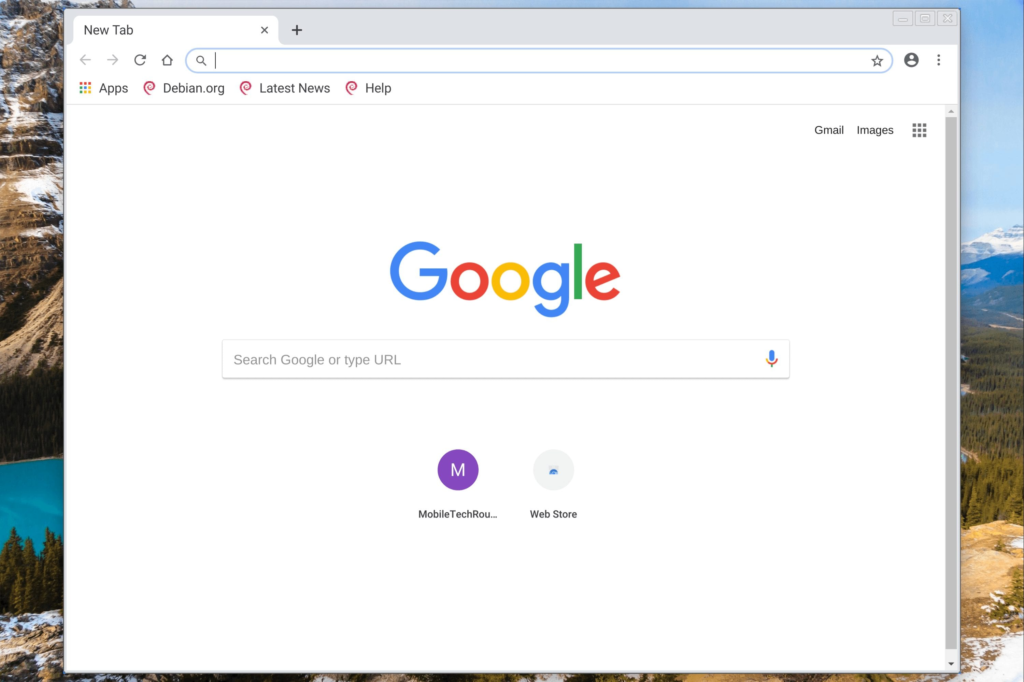
    Running Chromium right after a container restore

    This a key feature for those using Linux containers. In my case, I do all of my Java programming for Comp Sci class using IntelliJ for Linux and while all of my code is safely stored on GitHub, the ability to backup and restore IntelliJ and my work brings a sigh of relief.

    Since this is the Dev Channel though, I won’t rely on this feature 100% just yet. In fact, the Chrome OS Files app no longer shows my Linux files at all, so clearly there are some issues – for now, I can access those files through the Linux terminal.

    I’ll be poring through the remaining Crostini mentions in the Chrome OS 74 changelog, so stay tuned!

    Updated at noon ET on 2/26/2019 to reflect that you can choose the location of the backup and/or restore file, including external storage.

    Kevin Tofel
    • Website

    After spending 15 years in IT at Fortune 100 companies, Kevin turned a hobby into a career and began covering mobile technology in 2003. He writes daily on the industry and has co-hosted the weekly MobileTechRoundup podcast since 2006. His writing has appeared in print (The New York Times, PC Magazine and PC World) and he has been featured on NBC News in Philadelphia.

    Best of AI

    AI in Healthcare Adoption Statistics 2026

    July 9, 2026

    Deepfake Incident Statistics 2026

    July 7, 2026

    Best AI Music and Vocal Tools for Chromebook Users in 2026 

    June 24, 2026

    What Does Adobe Firefly AI Do?

    June 16, 2026

    Is Joyland AI Safe For Kids?

    June 12, 2026
    Trending Stats

    Chromebook Peripheral Usage Statistics 2026: Device Connectivity And Usage Data

    June 30, 2026

    ChromeOS Update Size and Installation Statistics 2026: System Performance Reports

    June 27, 2026

    Chromebook vs MacBook and Windows Boot Time Statistics 2026: Performance Benchmark Data

    June 25, 2026

    Chromebook Brand Reliability Scores Statistics 2026: Quality Ratings And User Reports

    June 24, 2026

    Chromebook Performance Degradation Statistics 2026: Long-Term Usage And Reliability Data

    June 23, 2026
    • About
    • Tech Guest Post
    • Contact
    • Privacy Policy
    • Sitemap
    © 2026 About Chrome Books. All rights reserved.

    Type above and press Enter to search. Press Esc to cancel.