


Updated November 2026: I first wrote this review after a month with the 2022 Spin 714 (model CP714-1WN). This version adds its current update schedule, its Chromebook Plus upgrade, the end of Steam on ChromeOS, and how it compares now that newer Acer models and Googlebooks are on the market.
After nearly a month of owning the Acer Chromebook Spin 714, I decided this would be my new daily driver. It’s not the most modern-looking ChromeOS laptop but it’s a great value and a real workhorse. Most of that still holds today, with a few caveats if you’re shopping for one now. Read my Acer Chromebook Spin 714 review to find out why.
What the Spin 714 is replacing and why
To understand my upgrade decision, you should know what the Spin 714 replaced. I bought a refurbished Acer Chromebook Spin 13 for $819 in pre-COVID times. It had a then-current Intel Core i5 processor and 16 GB of RAM.
That amount of memory is relatively rare on a Chromebook. But I wanted the extra headroom because I rely on Linux apps on ChromeOS every day. Not too many, just enough for me to continue my programming education. And the Spin 13 served me well. It has since reached the end of its automatic update schedule, so the timing of this upgrade worked out.
After testing a few devices with Intel’s 12th gen Core processors, I knew I was ready for a newer laptop. The HP Elite Dragonfly Chromebook with Core i3 is powerful enough to meet my needs. And it has some really nice features, plus a sleek design.
But its $1,149 MSRP isn’t worth it to me: I primarily need processing power and don’t need to pay for the “nice to have” features. That’s where the $729 Acer Chromebook Spin 714 entered the conversation. It didn’t hurt that I bought it for $100 less during a sale, either.
At the time, only four Chromebooks shipped with a 12th gen Intel processor, and two of them cost more than $1,000. The Asus Chromebook Flip CX5 was even cheaper than the Acer. However, it’s larger than I’d like; I don’t want a keyboard with a dedicated number pad either. That’s just me.
That field looks very different now. Acer refreshed the Spin 714 with a 13th gen Intel chip in 2023, then followed it with the Chromebook Plus Spin 714 and its Intel Core Ultra 5 processor. Google’s new Android-based Googlebooks, including an Acer Googlebook 14, went on sale in October. If you want the 2022 model I’m reviewing here, expect to find it mostly on the refurbished and used market, where Chromebook resale values can make it a bargain.
She’s not a looker compared to the others
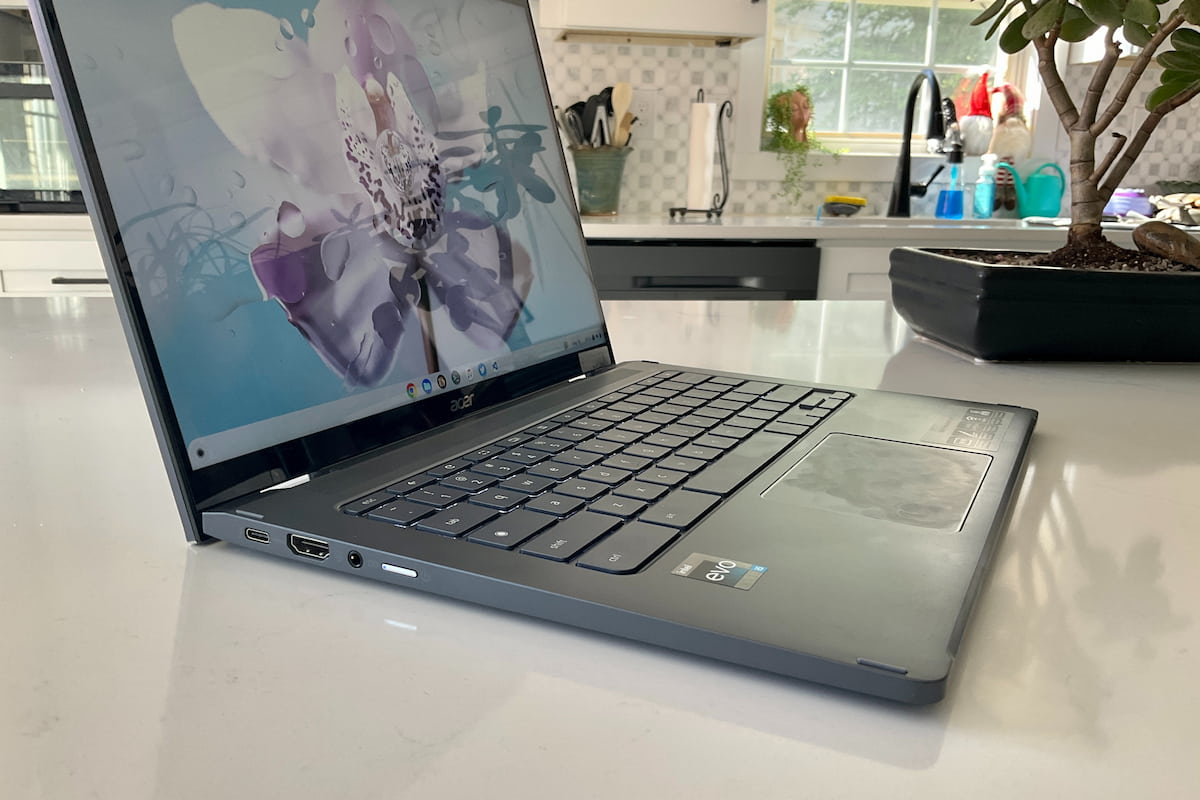
When it comes to the hardware, build quality, and design, the Acer Chromebook Spin 714 may not win any awards. It’s really an iteration on the Spin 713, which itself is an iteration on my old Spin 13.
That’s to say you won’t see a thin profile compared to more expensive Chromebooks. Aside from a little sculpting here and there, the Spin 714 looks like your basic ChromeOS laptop.
There’s still some keyboard flex in the middle if you push hard enough, although I haven’t found that to be an issue. Plastic and aluminum make up the chassis. And it weighs a reasonable, but not super-light, 3.09 pounds.
Yet it still meets the MIL-STD-810H specification, so it’s durable. The 14-inch 1920 x 1200 touch display with 16:10 aspect ratio is bright enough for most at 340 nits. It also covers 100% of the sRGB color gamut, so you see rich, saturated colors. As an added bonus, the screen has earned TÜV low-blue-light certification.
I appreciate that Acer tweaked the hardware to address some of the things I didn’t like on my old Spin 13. The display bezels are much thinner all around. Gone are the downward-firing speakers, replaced by up-firing units. They provide adequate, about average output and won’t wow you. But they’re far better than the muffled speakers I used for several years.
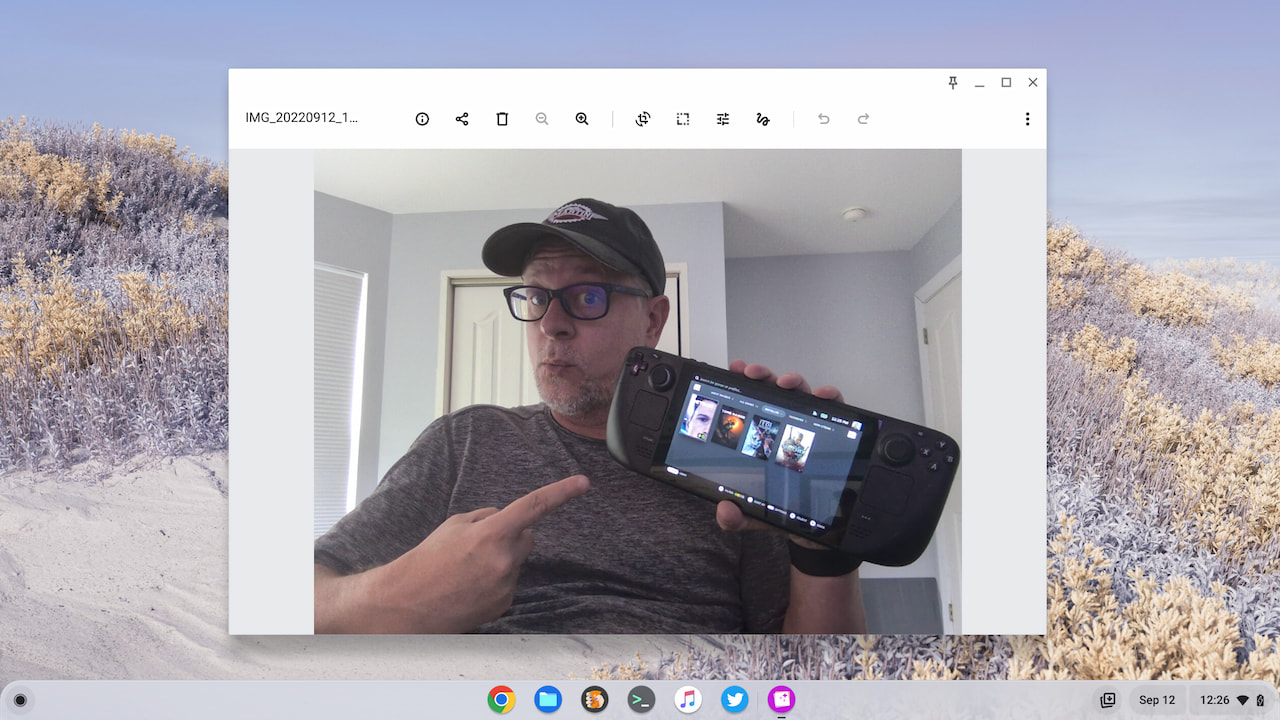
The webcam also gets an upgrade, as well as a privacy shutter. The 1080p camera resolution is nice, although the sensor doesn’t handle backlighting as well as the one in the HP Elite Dragonfly Chromebook.
This photo was taken with more light behind me and to my right. It’s unedited and has plenty of detail even though it could use a brightness boost.
And there are still plenty of ports, and they move data much faster than the ones on my Spin 13. The two USB-C 3.2 Gen 2 ports, one on each side, double as Thunderbolt 4 ports if you have devices that support that speedy standard. Either one can charge the laptop. You also have a USB Type-A 3.2 Gen 2 port as well as a full-sized HDMI and a microphone/headphone jack.
I love that the power button is on the left side while the volume rocker is on the right. Note takers will appreciate the garaged USI stylus included as well. The pen recharges when stored in the Spin 714 and it worked well enough in my tests. Just be sure you use a good writing application.
The full specs: Most of what you need
Although I’ve covered most of the hardware above, here’s a list of the full specs. I’m including it because of certain features not on the list.
| Component | Spec |
|---|---|
| CPU | 12th gen Intel Core i5-1235U with vPro, up to 4.4 GHz, 10 cores / 12 threads |
| GPU | Intel Iris Xe |
| Display | 14-inch IPS, 1920 x 1200, 16:10, 340 nits, 100% sRGB, external monitor support at 4K 60Hz |
| Memory | 8 GB LPDDR4x-4266 |
| Storage | 256 GB NVMe M.2 SSD |
| Connectivity | Wi-Fi 6E (802.11ax 2×2), Bluetooth 5.2 |
| Input | Backlit keyboard, multitouch trackpad, garaged USI stylus |
| Camera and audio | 1080p webcam with privacy shutter, dual-array microphones |
| Ports | 2 USB Type-C 3.2 Gen 2 / Thunderbolt 4, 1 USB Type-A 3.2 Gen 2, HDMI, headphone/microphone jack |
| Battery | 3-cell, rated up to 10 hours |
| Weight | 3.09 pounds |
| Software | ChromeOS automatic updates through June 2032; upgraded to Chromebook Plus in 2023 |
Right off the bat, you’ll notice there’s no fingerprint sensor. To me, that’s a “nice to have” because these sensors are fairly limited on Chromebooks, and fingerprint readers still aren’t common on them. You also don’t get quad speakers. For that, and the fingerprint sensor, look to the HP model. And you aren’t getting a massive trackpad. With the 16:10 aspect ratio, there’s less vertical room for such a beast than on a Chromebook with a 3:2 display.
Also missing is a memory card slot of any kind. This surprised me because they’re generally always on a Chromebook.
Personally, none of that bothers me. I thought the lack of a memory card slot might, but then I reviewed the free space on my old Spin 13. It has 128 GB of SSD storage and I was still only using half of that. So the 256 GB SSD in the Spin 714 is plenty of storage for the way I use a Chromebook. You may keep gobs of locally stored files on your device, so not having a memory card slot could be an issue.
The software line in that table is the biggest change since launch. The Spin 714 originally had updates scheduled through June 2030. Google’s move to 10 years of updates pushed that to June 2032. In late 2023 the Spin 714 was also on Google’s list of existing Chromebooks upgraded to Chromebook Plus, so it gets the same Plus features as newer models, even without the label on the lid.
The keyboard is quite good, although I have seen better. I’d say it’s above average. I feel a little let down by the trackpad. That’s not because it’s smaller than you’d expect but because it doesn’t feel as solid as the one on the Spin 713. I find it a bit loose. However, it works perfectly fine.
Acer Chromebook Spin 714 performance
For me personally, the performance of the Spin 714 is interesting. First, it’s nice to see how it compares to my old high-end Chromebook. Second, I was surprised by how well Chromebooks with a 12th gen Intel Core i3 compare to this Core i5.
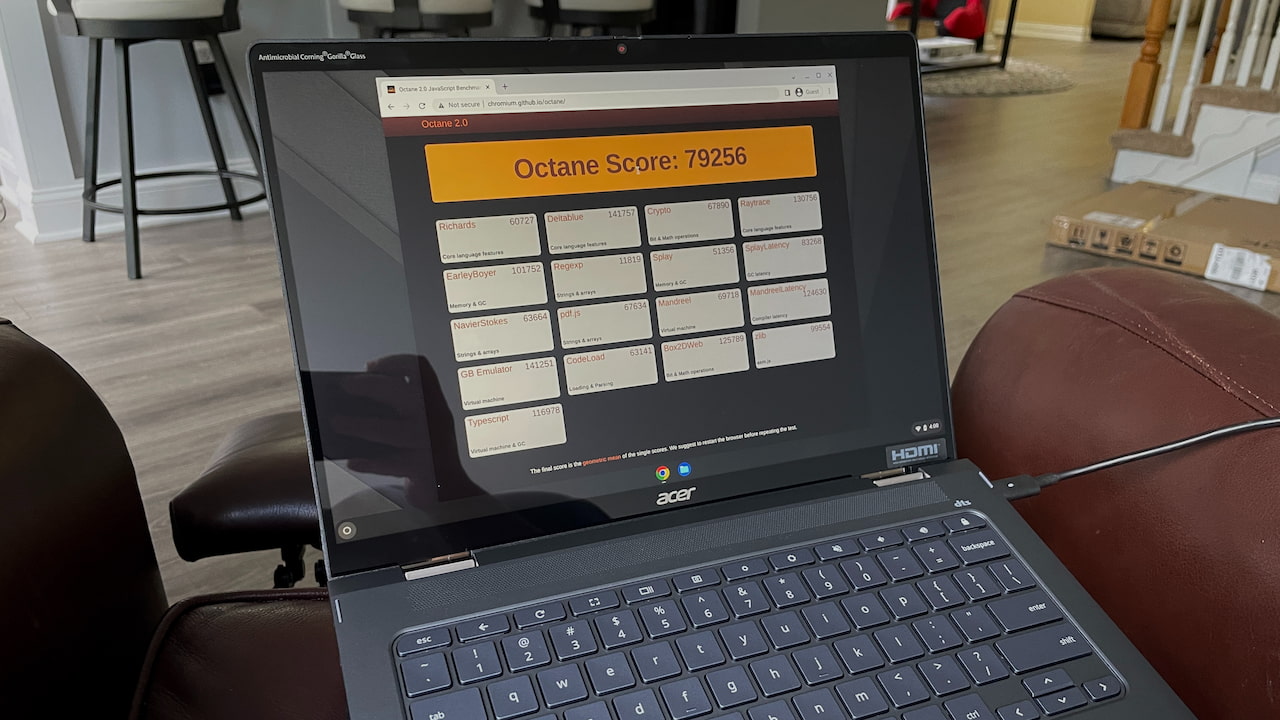
I’ll cut to the chase on the second point: Most people will be thrilled with a 12th gen Core i3 in their ChromeOS laptop. From a pure benchmark perspective, there’s little difference between that i3 and this i5. Like a Core i5 device, a 12th gen Core i3 laptop can score 80,000 or better on the Octane test. And even in real-world usage, I see little benefit to paying more for the Core i5.
Speaking of benchmarks, here are the results from when I first tested the HP with Core i5, my Spin 714, an 11th gen Intel Core i3 Chromebook, and my old Spin 13:
| Test | HP Elite Dragonfly (12th gen Core i5) | Acer Chromebook Spin 714 (12th gen Core i5) | Lenovo Flex 5i (11th gen Core i3) | Acer Spin 13 (8th gen Core i5) |
|---|---|---|---|---|
| Speedometer 1.0 | 412 | 430 | 311 | 179.9 |
| Speedometer 2.0 | 240 | 251 | 176 | 99.6 |
| JetStream 2 | 222.375 | 227.924 | 151.889 | 94.436 |
| Basemark 3.0 | 1,387.51 | 1,392.81 | 1,179.9 | 594.18 |
| Octane 2.0 | 77,747 | 78,533 | 55,360 | 35,116 |
Higher numbers are better.
Again, purely from a benchmark standpoint, the Spin 714 is fast. In nearly every test, it was the fastest Chromebook I’d tested up to that point. Everyday use reinforced that. Newer chips have arrived since, but for the browser, Android and Linux work I describe below, a 12th gen Core i5 is still plenty. And I’m not hearing the sound of a jet engine here either: The fan is relatively quiet when it’s running at all.
Whether I’m using a few browser tabs or a score of them, ChromeOS is zippy on the Spin 714. I can say the same when using Android apps, the Linux container, or any combination of these activities. I’m very impressed with Intel’s 12th gen silicon.
Other than video playback, I hadn’t really stressed the Intel Iris Xe graphics. My plan was to do that with Steam on Chromebooks, which was in beta at the time. That plan didn’t pan out. Google ended the Steam for Chromebook beta on January 1, 2026, and games installed through it no longer run. Cloud gaming is now the practical route for PC games on this laptop, and the Spin 714 clears the specs for GeForce Now gaming with room to spare, helped by its Wi-Fi 6E radio.
Let’s talk about that 8 GB of memory though. I thought it would be a limiting factor for heavy-duty use cases. Yet the Spin 714 handles Visual Studio Code for Linux with no problem as I work my way through a JavaScript course, including the usual round of installing Node.js and npm in the Linux container. I suspect that Android Studio would benefit from more memory, so if you’re an Android app developer, you probably want a model with 16 GB of RAM.
For the non-programmers out there, 8 GB inside the Acer Chromebook Spin 714 is plenty. Unless you keep 40 or more browser tabs open all the time, you’ll be just fine with this configuration.
Frankly, I’m surprised at how well the 8 GB of memory is working for my daily activities. That was my only concern when I purchased this laptop, and it’s all but gone at this point.
In terms of battery life, you might hit the expected 10 hours of run time. I did not, although I got close, with nearly 9.5 hours of usage in a work day. Most of my tasks were browser-based and not too intensive that particular day, so I’m sure the Spin 714 was leaning on the efficiency cores of the Intel Core i5. On what I’d call heavy-duty usage days, the battery lasted between 6.5 and 7.5 hours. If you’re buying one used, keep in mind that batteries lose capacity with age, so a unit from 2022 may fall short of these numbers.
Should you buy the Acer Chromebook Spin 714?
Right off the bat, if you’re on an entry-level budget and have entry-level use cases, the Spin 714 at full price was overkill. You’d be better served by a Chromebook that costs half as much. That math changes on the refurbished market, where this model can land much closer to budget prices while still giving you Thunderbolt 4, a USI pen and a Core i5.
The bigger question in 2026 is updates. The Spin 714 gets ChromeOS updates through June 2032, which still leaves several years of support. Google has said ChromeOS itself will get updates through mid-2034, and that devices whose 10-year schedule runs past 2034 will be able to move to Googlebook OS. The Spin 714’s schedule ends before that, so I wouldn’t count on it ever running Googlebook OS. When you shop, confirm you’re getting the CP714-1WN model (here’s how to check a Chromebook’s specs) and look at the date under Settings > About ChromeOS > Additional details.
If you have the money to spend and want more years of support, the Chromebook Plus Spin 714 is the natural successor, with updates through June 2034. If you’re curious about where Google is taking its laptops next, a Googlebook is the other path, though it’s a new platform with its own trade-offs. The HP Elite Dragonfly Chromebook and Lenovo ThinkPad C14 I compared this to at launch are now older models too, so check their update dates before paying a premium for either. Our Acer Chromebook buying guide and current Chromebook deals are good places to compare.
Do you fit somewhere in between? Then I think the Acer Chromebook Spin 714 is still well worth considering, especially at a refurbished price.
Sure, you’re giving up some premium feel and functionality. But you’re getting one of the most capable Chromebooks of its generation, with years of updates left. If you can overlook what might appear to be a bit recycled in terms of design, this “ugly duckling” will shine in value and performance.
