


When Intel launched its first Core Ultra chips, it said they would usher in “the Age of the AI PC.” At least that’s what Intel claimed. And we did see this silicon in Chromebooks, starting with the Asus ExpertBook CX54 Chromebook Plus. Now Google’s Googlebooks ship with NPUs rated over 45 TOPS. These AI chips in Chromebooks solve today’s problem of… exactly what?
AI chips in Chromebooks are a solution in search of a problem
You don’t need this special silicon to do many “AI things” right now. Most Chromebook Plus models still have no AI-specific hardware inside, for example. The Lenovo Chromebook Plus 14 was the first to put its NPU to work, on Smart grouping of tabs and image editing in the Gallery app. Yet Google says that every Chromebook Plus laptop has AI features.
These include “Magic Eraser’s AI-powered editing in the built-in Google Photos app”, Help me read, NotebookLM and “Duet AI in Workspace,” now called Gemini for Workspace. The latter is used to summarize data from multiple documents.
Handy, yes. But it doesn’t require AI chips in Chromebooks.
There’s also the AI image generation for video call backgrounds on Chromebook Plus laptops, available since May 2024.
When I saw a demonstration of this, I thought it was neat. Not particularly groundbreaking in terms of productivity though. Changing my background to an office on Mars might be fun, at least for a little while.
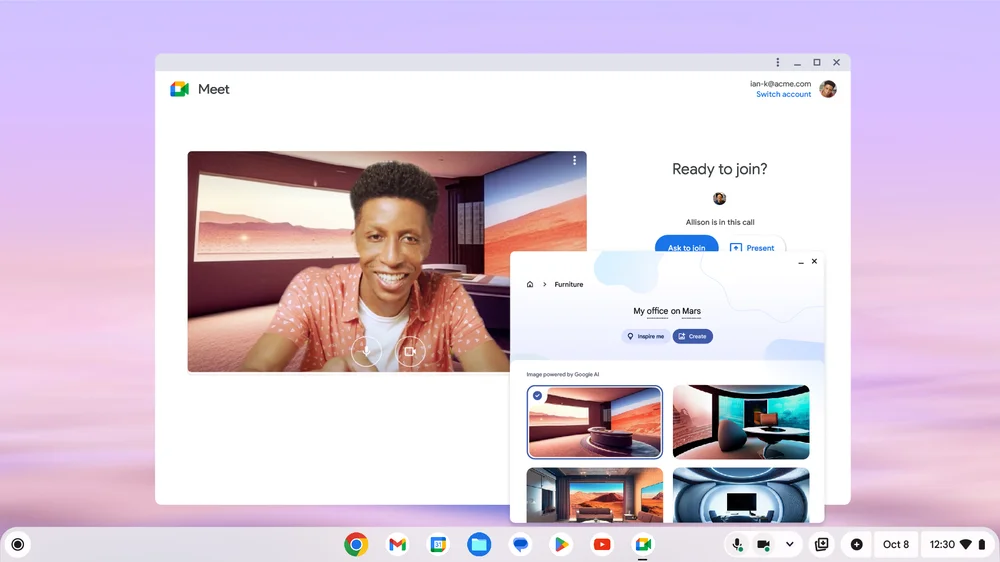
It doesn’t boost my productivity or add that much value, however.
I completely understand that when you have chips dedicated to a single purpose, they can boost the performance of that purpose. But you still need a purpose. And right now I just don’t see one.
Hype and experimentation?
It feels like this whole AI push, both by Google on Chromebooks and Googlebooks and Intel in its chips, is a “let’s throw it against the wall and see what sticks” situation.
Googlebook, Google’s Gemini-first laptop line starting at $899, is the biggest throw yet. 9to5Google’s review called its headline Magic Pointer feature basically the Gemini overlay from Android phones.
I have yet to see anything that sticks, save for the Magic Eraser photo editing.
It started life on the Pixel phones and I do appreciate that it filtered down to my Chromebook. I think I’ve used it one time on my laptop though and that was simply for a blog post example. Again, no special AI chips were needed.
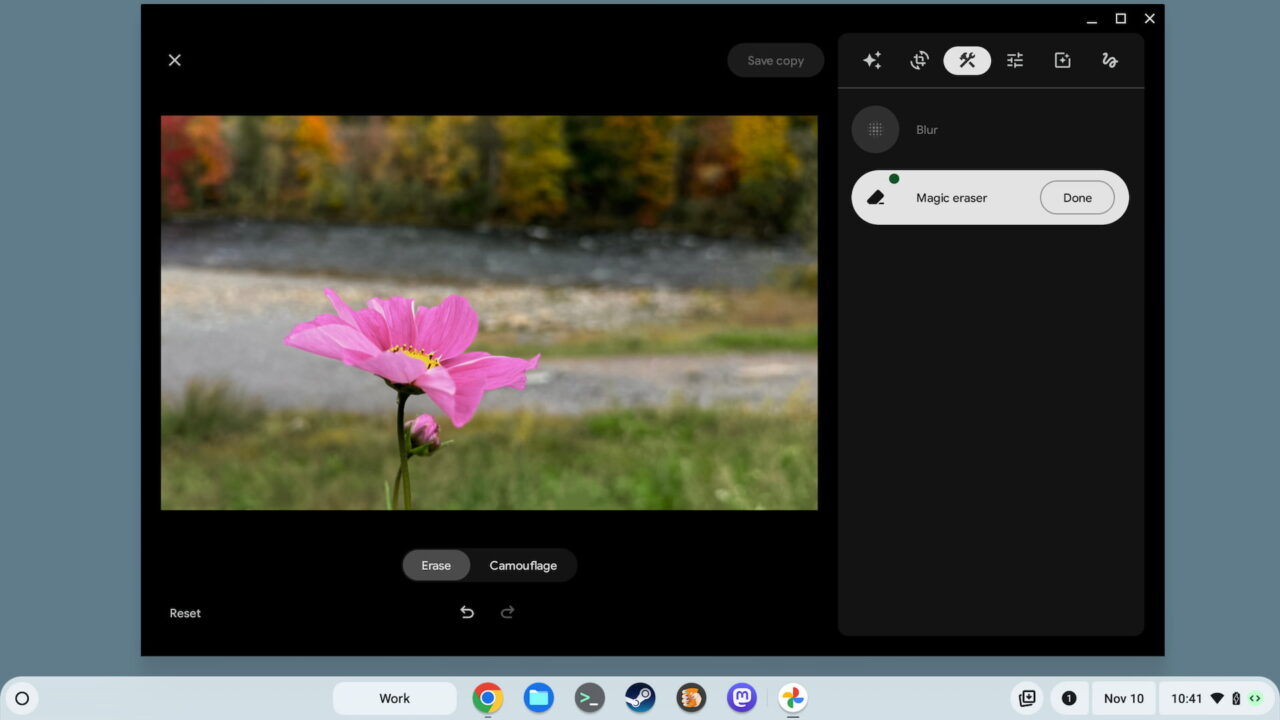
I used Magic Eraser to remove a small flower bud from the bottom of this photo
Maybe my issue is that there’s so much hype around AI. And that’s breeding hype for AI chips in Chromebooks, as well as other computers.
Don’t get me wrong. I believe that AI will transform computing, as well as other industries. We have years before that happens.
I also lean on OpenAI when I can’t solve a coding problem. And I do benefit from that. But what the industry calls AI is still a generative, language-modeled system. It’s not intelligence that can span a very broad set of tasks. Chromebooks don’t stand to benefit much from AI chips, outside of local processing over cloud computations.
What value can AI chips in Chromebooks add?
Think about what AI could bring to Chromebooks, based on typical usage activity, to better understand.
System-level AI might surface apps or browser tabs at certain times of the day based on context. Google Docs could be ready to go at the beginning of a workday in this case. A nudge or automatic opening of Netflix might happen at night on a Chromebook. Smart grouping already does a bit of this.
OK, so the AI saved me a click. Does that justify AI chips in Chromebooks?
I don’t think so. And I also struggle to find any Chromebook activities that would benefit from AI chips. Of course, as I’m sure someone will point out, I’m only considering current use cases. It’s possible, even likely, that future Chromebook activities will be better with AI power. I don’t know what those are and I’m drawing a blank when I think about what they might be.
Is it just me? Am I overlooking the value of AI chips in Chromebooks? Some of you have probably thought about the intersection of AI and ChromeOS, or now Googlebook OS, so share your thoughts.
