

Close Menu
    Facebook X (Twitter) Instagram
    • About
    • Privacy Policy
    • Write For Us
    • Newsletter
    • Contact
    Instagram
    About ChromebooksAbout Chromebooks
    • Linux
    • News
      • Stats
      • Reviews
    • AI
    • How to
      • DevOps
      • IP Address
    • Apps
    • Business
    • Q&A
      • Opinion
    • Gaming
      • Google Games
    • Blog
    • Podcast
    • Contact
    About ChromebooksAbout Chromebooks
    News

    Chrome OS may sync Wi-Fi configurations between your Chromebook and Android phone

    Kevin TofelBy Kevin TofelAugust 20, 2020Updated:September 7, 2025No Comments2 Mins Read

    Slowly but surely, Google has been improving the “Better Together” strategy that integrates the user experience between Chromebooks and Android phones. The latest feature in the works is for Chrome OS to sync your Wi-Fi network settings and credentials between the two devices, according to code commits found by 9to5 Google this week.

    Like most new features for Chrome OS, this one will be hidden behind an experimental flag; at least at first. I’m currently running the Chrome OS 86 Dev Channel on one of my Chromebooks and don’t see yet. When it appears, possibly in 86 but I’m thinking more likely in 87 since work just began on the feature, you should find the flag at chrome://flags/#wifi-sync-android

    According to developer comments, this is a two-way sync, meaning it will be beneficial whether you get either a new Chromebook or a new Android phone.
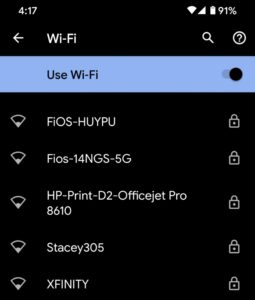
    When signing in and setting up the new device, your Wi-Fi network configurations and passwords should sync from the old device, saving time to get connected.

    Well, at least it will save time if its a new Chromebook that you add: I’d think you’d first have to get that Chromebook on a network before it can sync from Google’s cloud and get your Wi-Fi network information. At least phones have LTE for that first connection to get wireless network information.

    Regardless of that potential limitation, I’m all for anything that makes Chromebooks and Android phones work better together (yeah, I went there). I moved over from my iPhone 11 Pro to an older Pixel 4 with the Android 11 beta earlier this month and I’m super happy with how it’s worked out so far.

    Kevin Tofel
    • Website

    After spending 15 years in IT at Fortune 100 companies, Kevin turned a hobby into a career and began covering mobile technology in 2003. He writes daily on the industry and has co-hosted the weekly MobileTechRoundup podcast since 2006. His writing has appeared in print (The New York Times, PC Magazine and PC World) and he has been featured on NBC News in Philadelphia.

    Best of AI

    LMArena AI: Chatbot Ranking Platform 2026

    May 27, 2026

    Will AI Take Over the World

    May 25, 2026

    AI21 Jurassic Statistics 2026: Model Size, Usage and AI Performance Trends

    May 19, 2026

    Chub AI Explained

    May 6, 2026

    Stable Diffusion AI: Free Text To Image AI Generator

    May 5, 2026
    Trending Stats

    Chromebook Browser Usage Statistics 2026: User Behavior Data And Reports

    June 3, 2026

    ChromeOS vs Windows Power Consumption Statistics 2026: Battery Life, Wattage, and Energy Cost Data

    June 2, 2026

    Chromebook Price vs Performance Statistics 2026: Value And Hardware Trends

    May 27, 2026

    Chromebook Failure Rates vs Windows Laptops Statistics 2026: Reliability, Repairs And Performance Comparison

    May 26, 2026

    ChromeOS Update Failure Rates Statistics 2026: Stability, Security And System Reliability Trends

    May 25, 2026
    • About
    • Tech Guest Post
    • Contact
    • Privacy Policy
    • Sitemap
    © 2026 About Chrome Books. All rights reserved.

    Type above and press Enter to search. Press Esc to cancel.