Although it’s a little late compared to the official date, the ChromeOS 105 release is now available on the Stable Channel. All supported Chromebooks, Chromeboxes and other ChromeOS devices should now have the software available. Interestingly, there’s no fanfare or official blog post for ChromeOS 105. It seems as though this update addresses many items behind the scenes.
Earlier this week we heard about a new ChromeOS 105 release feature that brings improved keyboard controls to Android games on Chromebooks. But as I mentioned prior, this is a developer tool and will only be made available on a subset of games for now. So there’s nothing to see there at the moment.
Hidden away in the ChromeOS 105 release are two official items worth noting, however.
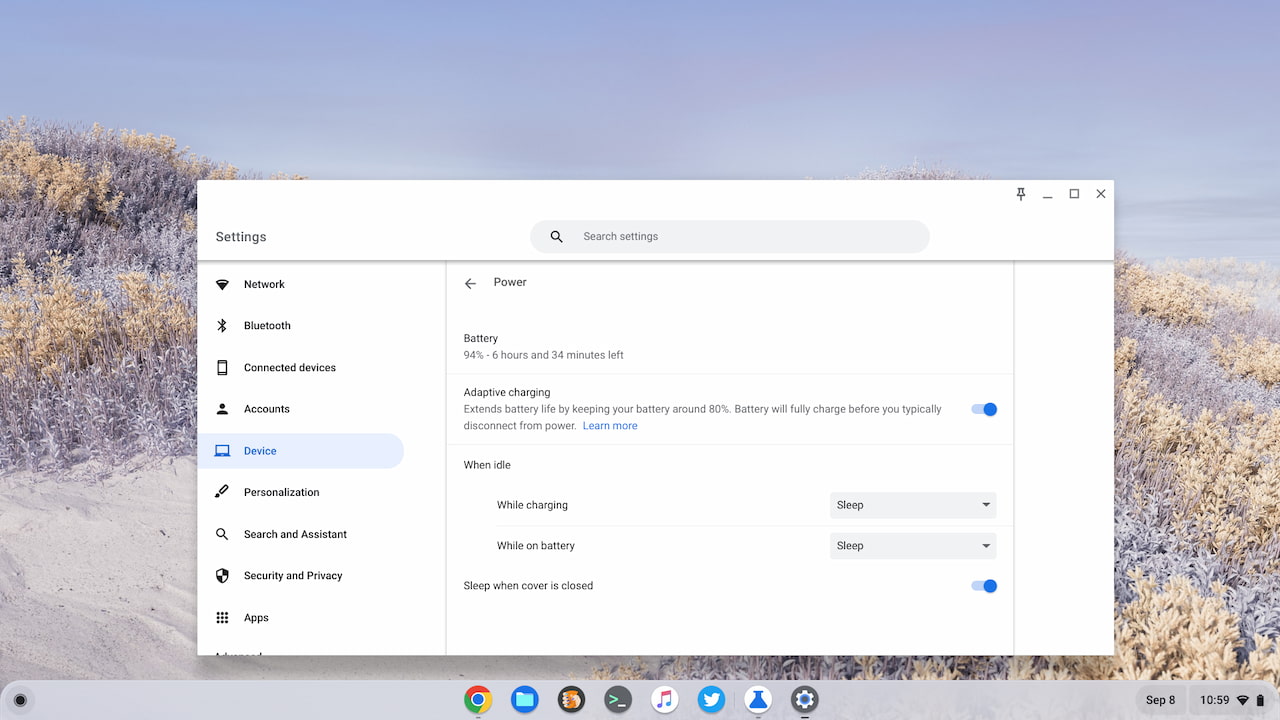
First is the addition of Adaptive Charging, which Google said previously could arrive in this version. It will help to extend the long-term battery health of Chromebooks. Instead of constantly topping up the battery with every charge, Google is making the charging process smarter. Adaptive Charging “analyzes your device usage patterns and keeps your battery working in the optimal charge range to avoid overcharging thereby delaying battery deterioration.”
Although this feature is noted in the Chrome Enterprise release notes, it’s not enabled by default. I turned it on at chrome://flags#adaptive-charging. Once I did, I saw the option in my Chromebook Settings under Device -> Power.
Second is a feature that I’ve covered in the past: The ability to close a Virtual Desk and all of the open windows on it with a single click. Previously, closing a Desk would migrate the open apps and windows to another Desk.
Since I haven’t found much in the ChromeOS 105 release, I’ll highlight some of the current experimental flags that I continue to use. The Acer Chromebook Spin 714 I recently bought was stuck on ChromeOS 103 and I just ran the update after a fresh powerwash. So I know which flags are still available to use with ChromeOS 105.
I’ve enabled chrome://flags#enable-seamless-refresh-rate-switching which modifies the display refresh rate on supported monitors. No, my Spin 714 doesn’t have a display with that functionality, but it’s useful when I use my external monitor. That screen can refresh the display up to 144 times per second.
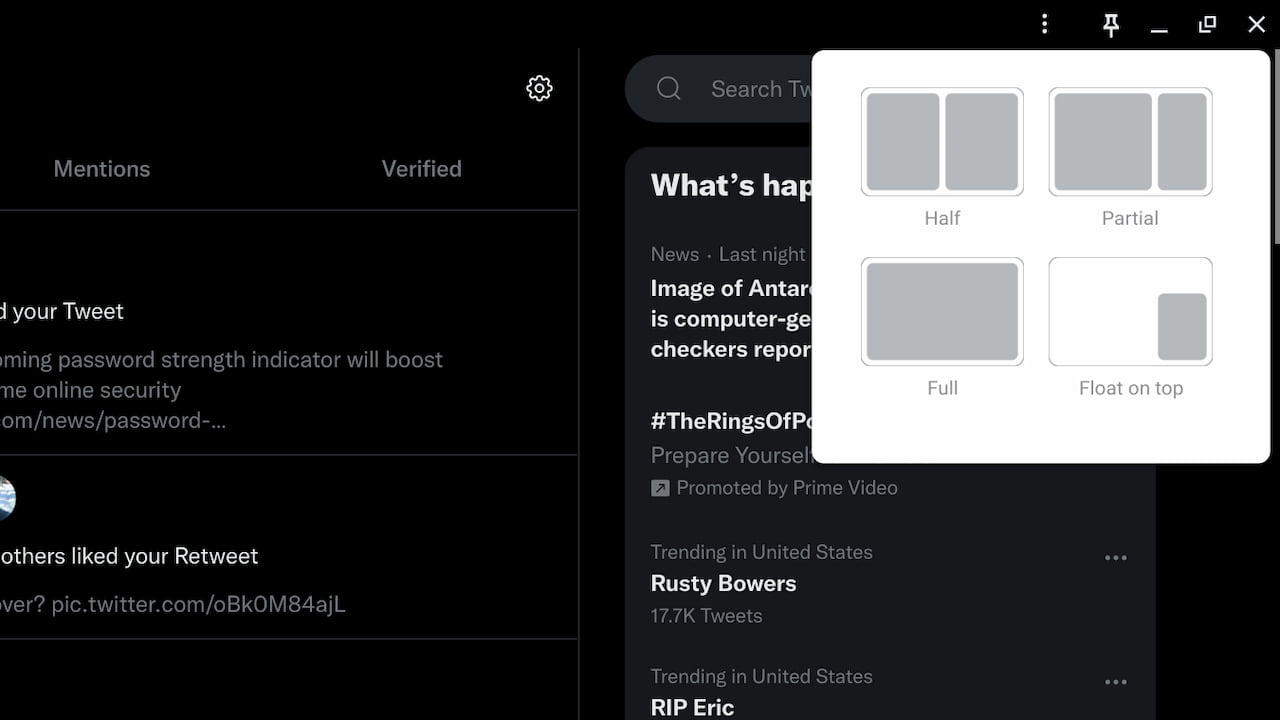
I’m also taking advantage of the Partial Split function that’s in the works. This lets me quickly tile my open windows into a 50 / 50 or into a 2/3rds / 1/3rd view on my Chromebook. It’s one of my favorite features in Windows. Previously, the chrome://flags#partial-split option would enable this. It still does but you also need to enable the chrome://flags#cros-labs-float-window option as well.
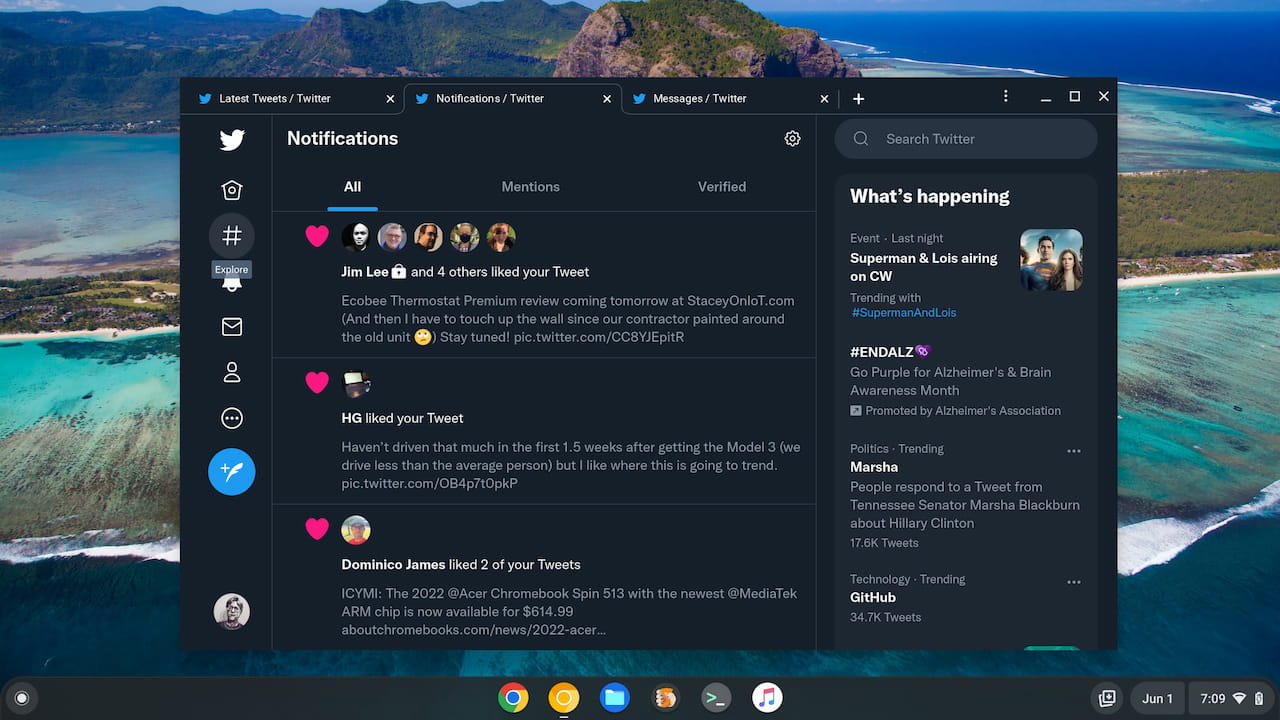
Finally, I’m also using the experimental feature that opens Progressive Web Apps (PWAs) in a tabbed browser window. This allows for multiple tabs in a single web app, which is primarily how I use Twitter, for example.
If you want to try this in the ChromeOS 105 release, enable both the chrome://flags#enable-desktop-pwas-tab-strip and chrome://flags:#enable-desktop-pwas-tab-strip-settings experimental features.