


There’s a useful new feature in the ChromeOS 109 Beta Channel for folks that move files to and from servers. The latest update of ChromeOS 109 adds SFTP to the Terminal on Chromebooks. For most mainstream users, this may mean little to nothing. For folks like me that manage a server, this is a handy tool.
Although I typically scour through the latest experimental flags in ChromeOS, this is one I missed. Rev. Kellyn Delgado shared this find, along with a use case that non-system admins might want to try:
I’m currently using it to download #FLAC files I’ve bought to my #Chromebook and then upload them to my #Plex #server! Before I had to use an alternate file manager to do this. Love it!
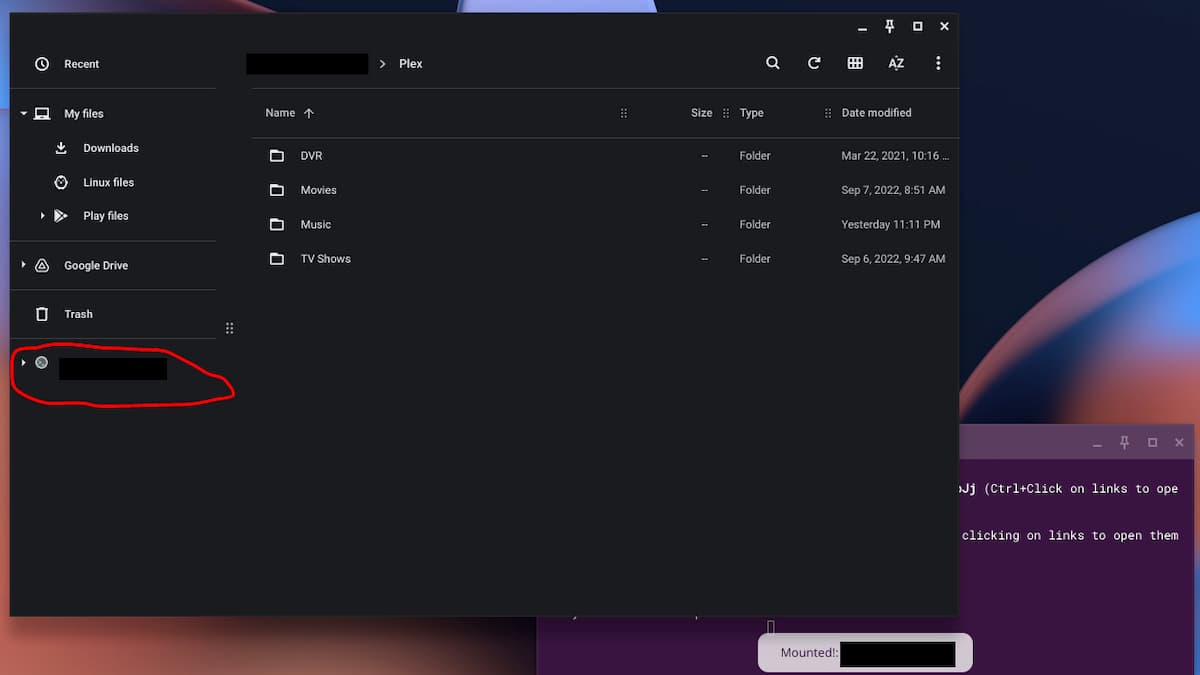
Above, you can see how his Chromebook shows a new remote mount, or server disk, in the Files app. (He’s hiding the IP addresses for security purposes.) Right in the Files app, he can access the media on his Plex server where he stores, music, movies, and TV shows. This allows him to securely access those files on his Chromebook.
To enable the feature, you’ll need to be on the Beta Channel of ChromeOS 109 and enable it at chrome://flags#terminal-sftp. For those that don’t know SFTP stands for secure file transfer protocol.
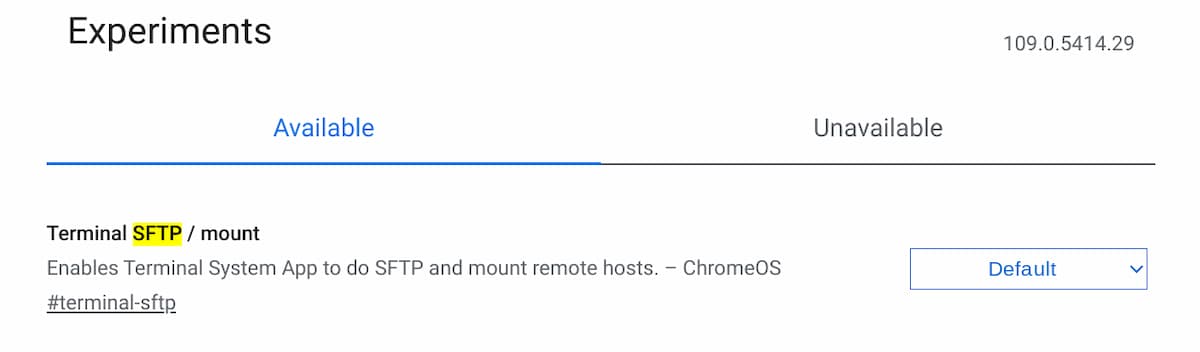
I enabled it on one of my devices and was able to remotely connect to the server where I host this site. You’ll need to enable SFTP access on a server and configure credentials to use this tool; something I did when I set up the server.
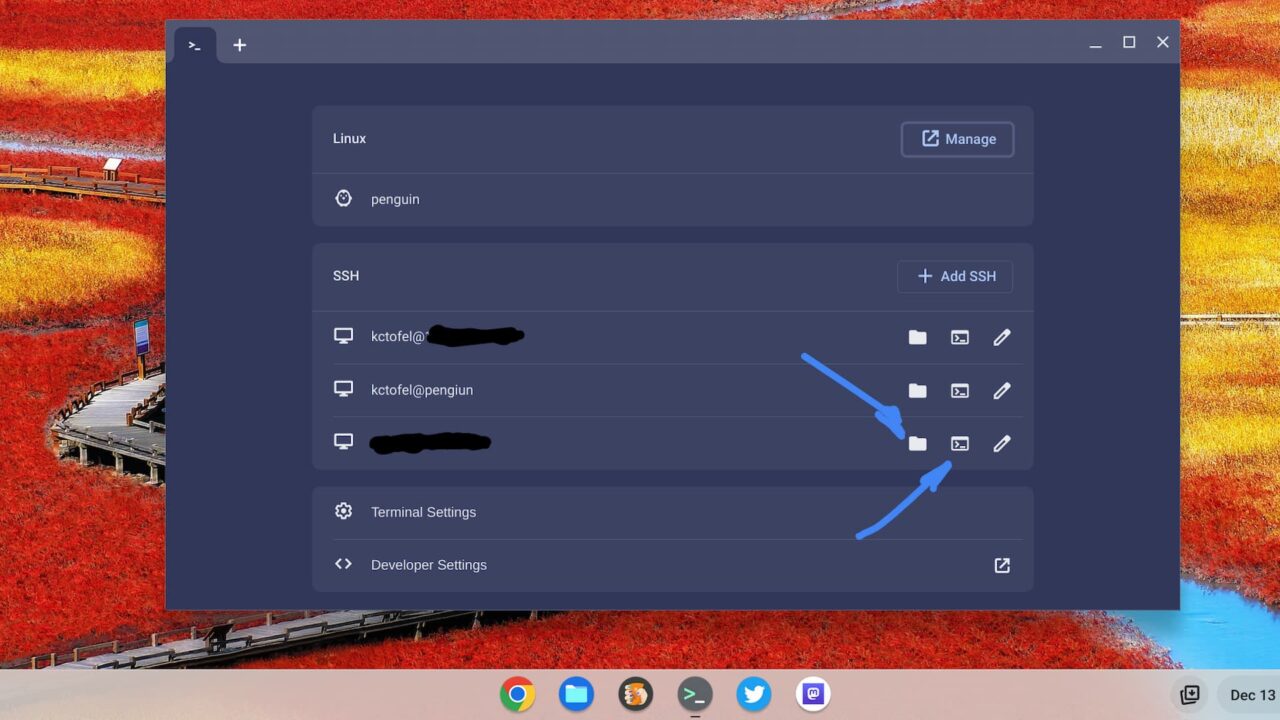
Once I enabled the SFTP mount feature, I had two additional options in the Terminal on my Chromebook.
The folder option mounts, or connects, to the server by adding it to your Files app. The second icon opens up a secure session to the server in the Terminal for any file transfers done with a command line.
Below, I chose the first option and signed in with my server credentials on the Chromebook. That added access to the server files in my Files app.
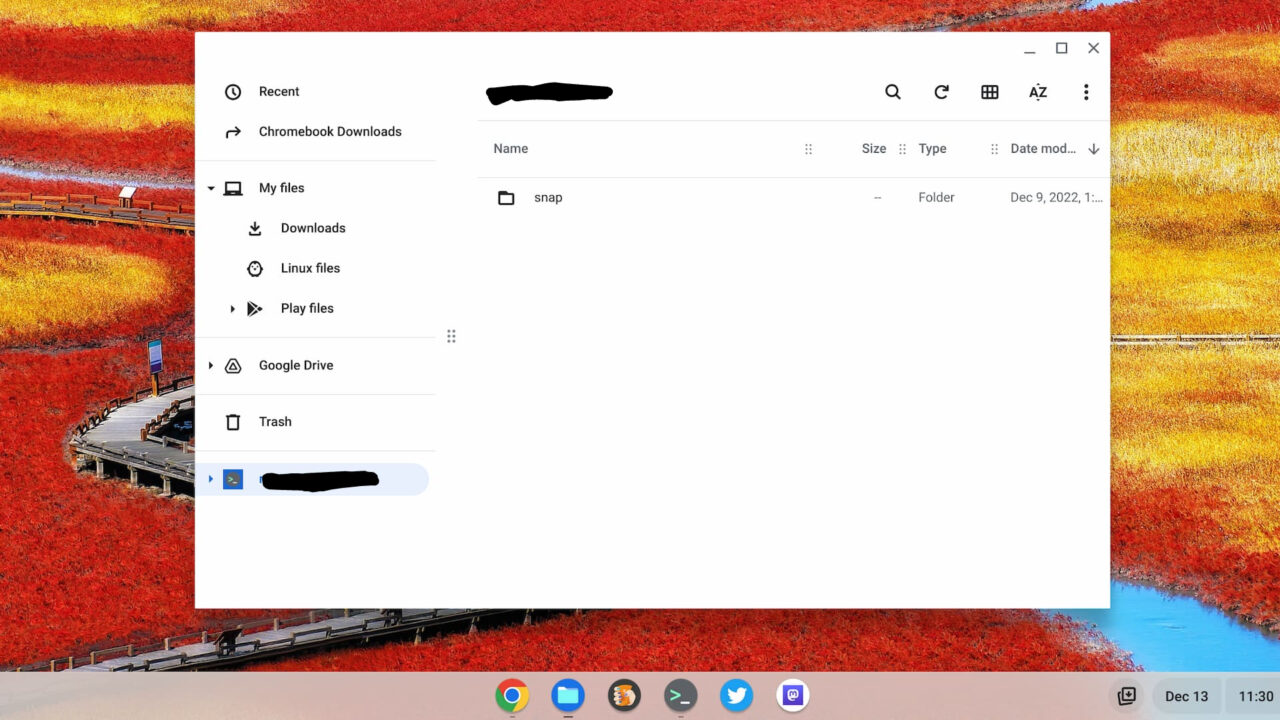
Now, I can download or upload any files from or to the server using the Files app.
Occasionally, I do have to perform those activities. And until now, I was using the Filezilla app in Linux. I still may need to do that for some things. However, to just grab or place a file on my server, this new SFTP in the ChromeOS Terminal on my Chromebook is a much quicker option.
