


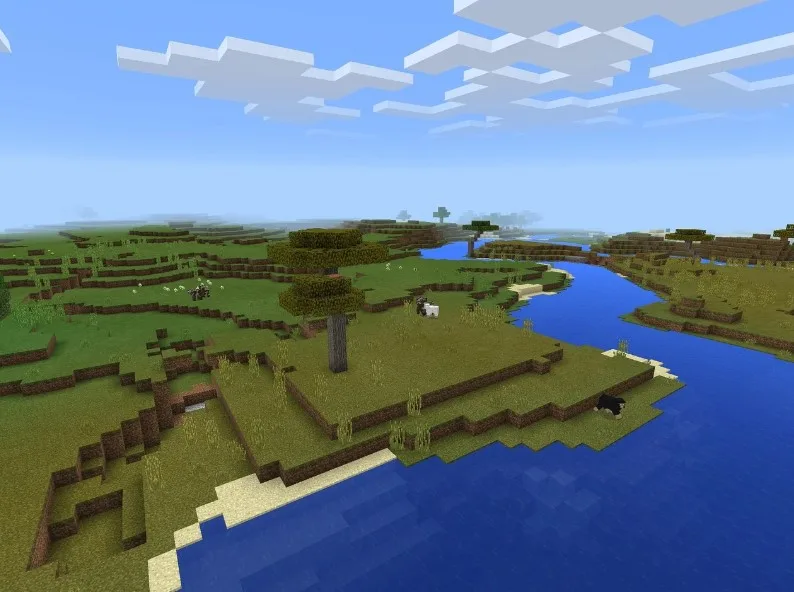
Few things freshen up Minecraft like a new coat of paint on every block. Pick the right pack and the whole game feels different, be it crisp vanilla, something cosy and medieval, or full realism with shadow and detail in every corner.
But with thousands out there, picking one is daunting. Playing on a shared world with friends? Players trade honest picks in this minecraft server hosting review thread on Reddit.
This guide, meanwhile, sorts the best minecraft texture packs by style, explains resolution in plain terms, and helps you match a pack to your PC so it stays smooth.
Resolution, Made Simple
Before you pick, understand one number: resolution.
Default Minecraft textures are 16×16 pixels per block. That blocky look is iconic. It is also kept light on purpose, so the game runs on almost anything, a gaming rig or a battered school laptop alike.
Higher-resolution packs sharpen every edge and surface, but they ask a good deal more of your machine in return.
| Resolution | Look | Demand on PC |
|---|---|---|
| 16x | Classic, crisp | Very light |
| 32x–64x | Detailed | Moderate |
| 128x+ | Realistic | Heavy |
The trade is simple. More detail, more strain. A weak PC is happier on 32x than on a 256x showpiece, and you honestly lose very little by staying modest. The charm of Minecraft was never about photoreal detail anyway.
Packs by Style
The best minecraft texture packs depend entirely on the mood you are after:
- Vanilla+. Packs like Faithful keep the classic style, just cleaner. The safe first pick.
- Realistic. High-resolution packs add depth and shadow for a lifelike world.
- Medieval. Rustic wood and stone, perfect for castles and old villages.
- PvP. Clean, stripped-back textures that boost visibility and frame rate in a fight.
- Cartoon. Bright and playful colours for a lighter, cartoon-style mood.
Faithful is where most people start. It looks like plain Minecraft, only crisper. Nothing about how you play changes; everything about how it feels does.
That is exactly why newcomers reach for it first. When people trade picks for texture packs for minecraft, that one is almost always named first.
Match It to Your PC
Here is the practical part. The best pack is the one your computer can actually run.
A 256x realistic pack looks incredible and crawls on a weak machine, stuttering every time you turn around. If your PC is modest, a 32x pack gives a big upgrade for little cost. You get cleaner edges and richer colour while your frame rate barely notices the change. Try one. Watch your frame rate.
Only climb higher if things stay smooth. Good texture packs for minecraft always show their resolution up front, so the cost is never a surprise. A single swap can transform the mood without touching performance.
Playing on a shared world? Everyone picks their own pack on their own screen, but the server underneath still needs to be solid. For a group world, this best minecraft server hosting guide covers the options that keep things stable.
Pick a Look You Love
The right pack comes down to two questions: what style do you want, and what can your PC handle? Start with a vanilla+ pack like Faithful, pick a resolution that keeps frames happy, and explore from there. There is no wrong answer, only the pack that suits your screen and your taste.
One minecraft texture change can make a years-old world feel fresh again. Pick a style you love, match it to your machine, and enjoy the new view.
