

Close Menu
    Facebook X (Twitter) Instagram
    • About
    • Privacy Policy
    • Write For Us
    • Newsletter
    • Contact
    Instagram
    About ChromebooksAbout Chromebooks
    • Linux
    • News
      • Stats
      • Reviews
    • AI
    • How to
      • DevOps
      • IP Address
    • Apps
    • Business
    • Q&A
      • Opinion
    • Gaming
      • Google Games
    • Blog
    • Podcast
    • Contact
    About ChromebooksAbout Chromebooks
    News

    Here’s a look at the Chrome OS Personalization Hub on Chromebooks

    Kevin TofelBy Kevin TofelApril 30, 2022Updated:September 23, 2025No Comments2 Mins Read

    Currently, in Chrome OS, you find all of the device personalization options in the Settings app. An effort has been underway to break these out for months. And Google is making good progress. The above image is a look at the latest Chrome OS Personalization Hub on Chromebooks.

    You can see where Google is going with the dedicated Chrome OS Personalization Hub by looking at recent code changes:
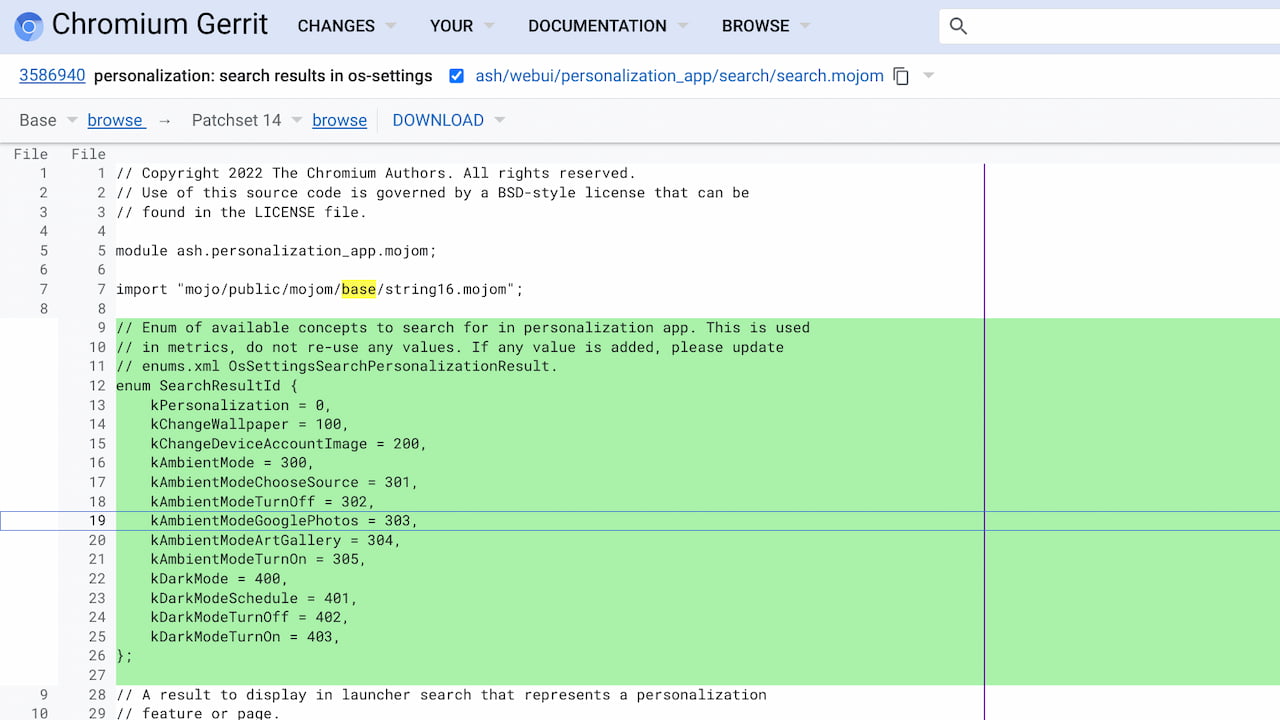
    Chrome OS Personalization app code

    The Personalization app will hold all user settings for options such as the Chromebook wallpaper, ambient mode, and scheduled dark mode, for example.

    If you navigate to chrome://personalization you may see the existing Chromebook wallpaper app open up. I say “may” because I’m running the Chrome OS 102 Dev Channel on my personal Chromebook. And I have the Personalization Hub UI flag enabled. It’s found at chrome://flags#personalization-hub.

    When I point my browser to that chrome://personalization link, it opens the new Productivity Hub user interface:
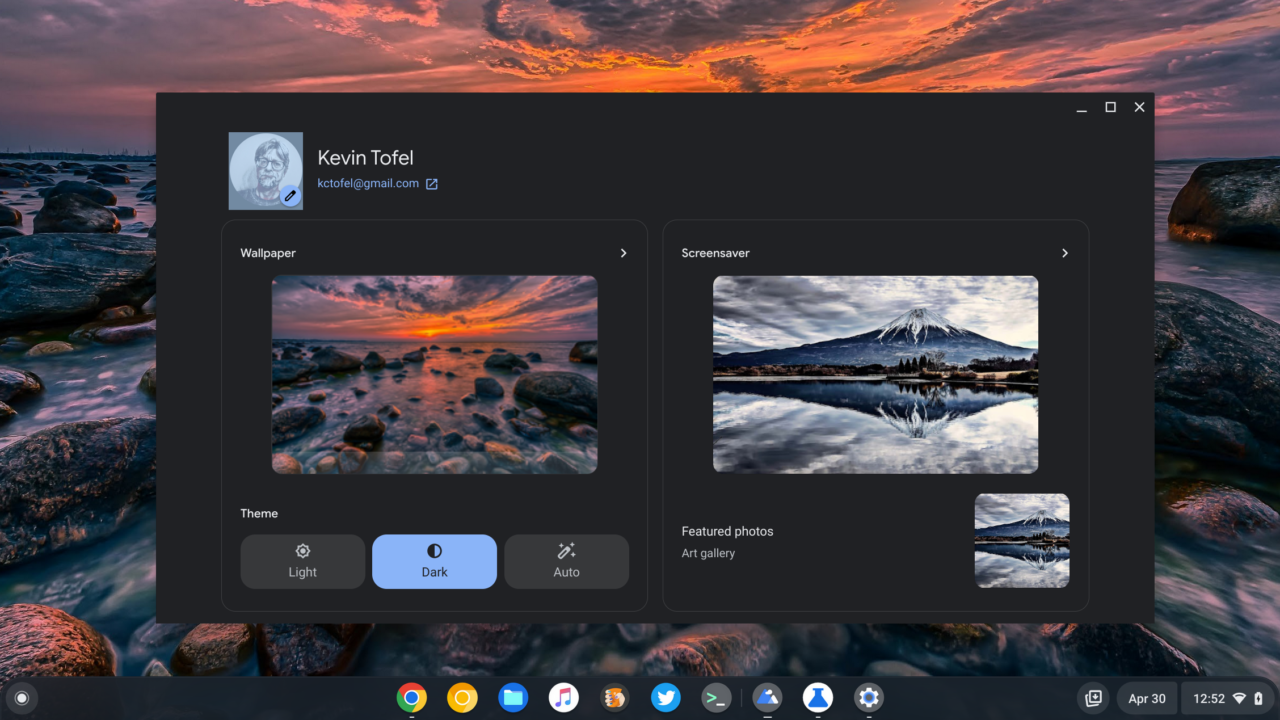
    Chromebook Personalization Hub in Chrome OS

    My Chrome OS Personalization Hub already shows all of the available customization options.

    From here, I can change my Chromebook wallpaper, screen saver (I’m using the new animated one), theme options, featured photos, and my Google account image.

    Lumping all of these settings together is a much better user experience. Why have these related options spread out in the Chrome OS settings of a Chromebook?

    Google is also currently working to better integrate a Search feature to quickly find these options. Presumably, you will still be able to search for them in the main Settings app.

    Note that my understanding is that the Personalization Hub will be unique to Chrome OS. I say this because it looks like these personalization options are being moved from chrome://os-settings to their own unique URL. Hitting that link now simply opens up the Settings app.

    That also means you’ll see the Personalization Hub on Chromebooks, but not on other devices with the Google Chrome browser. Of course, you can change those settings at the operating system level on PCs and Macs. There’s no need for Google to try and manage them.

    Kevin Tofel
    • Website

    After spending 15 years in IT at Fortune 100 companies, Kevin turned a hobby into a career and began covering mobile technology in 2003. He writes daily on the industry and has co-hosted the weekly MobileTechRoundup podcast since 2006. His writing has appeared in print (The New York Times, PC Magazine and PC World) and he has been featured on NBC News in Philadelphia.

    Best of AI

    AI21 Jurassic Statistics 2026: Model Size, Usage and AI Performance Trends

    May 19, 2026

    Chub AI Explained

    May 6, 2026

    Stable Diffusion AI: Free Text To Image AI Generator

    May 5, 2026

    Imagen AI: The Best Photo Editing AI In 2026

    April 21, 2026

    Alphafold AI from Google Deepmind 2026

    April 21, 2026
    Trending Stats

    Chromebook Webcam Usage Trends Statistics 2026: Video Calls, Remote Learning And User Behavior

    May 19, 2026

    External Monitor Usage on Chromebooks Statistics 2026

    May 15, 2026

    Chromebook Keyboard Failure Rates Statistics 2026

    May 13, 2026

    Chromebook Boot Failure and Recovery Statistics 2026

    May 7, 2026

    Linux Usage on Chromebooks Statistics 2026

    May 7, 2026
    • About
    • Tech Guest Post
    • Contact
    • Privacy Policy
    • Sitemap
    © 2026 About Chrome Books. All rights reserved.

    Type above and press Enter to search. Press Esc to cancel.