


As of Tuesday, there’s another 12th-gen Intel Chrome OS laptop to consider. The new Lenovo ThinkPad C14 Chromebook uses the latest Intel CPUs, offers the iconic Lenovo keyboard, and starts at $629. Availability is expected in June, which is just around the corner.
Technically, the official news release calls this the Lenovo ThinkPad C14 Chromebook Enterprise. However, the Chrome Enterprise license fee is optional, so everyday Chromebook users might consider this device too.
And there are plenty of reasons to consider it as compared to other, recently announced Chromebooks powered by 12th-gen Intel processors.
A reasonable starting price for a well-designed Lenovo Chromebook
That starting price just north of $600 is the main one. Just keep in mind that the Lenovo ThinkPad C14 Chromebook is offered with the full range of Intel chips. So the base price is very likely going to get you a Pentium processor and minimal memory.
Like the HP Elite Dragonfly Chromebook, configuration up to an Intel Core i7 VPro chipset is available. Lenovo says up to 16 GB of memory and 256 GB of storage are possible with the ThinkPad C14 Chromebook. Keep in mind that the 128 GB storage uses eMMC while the higher capacity choice is a faster NVMe SSD drive.
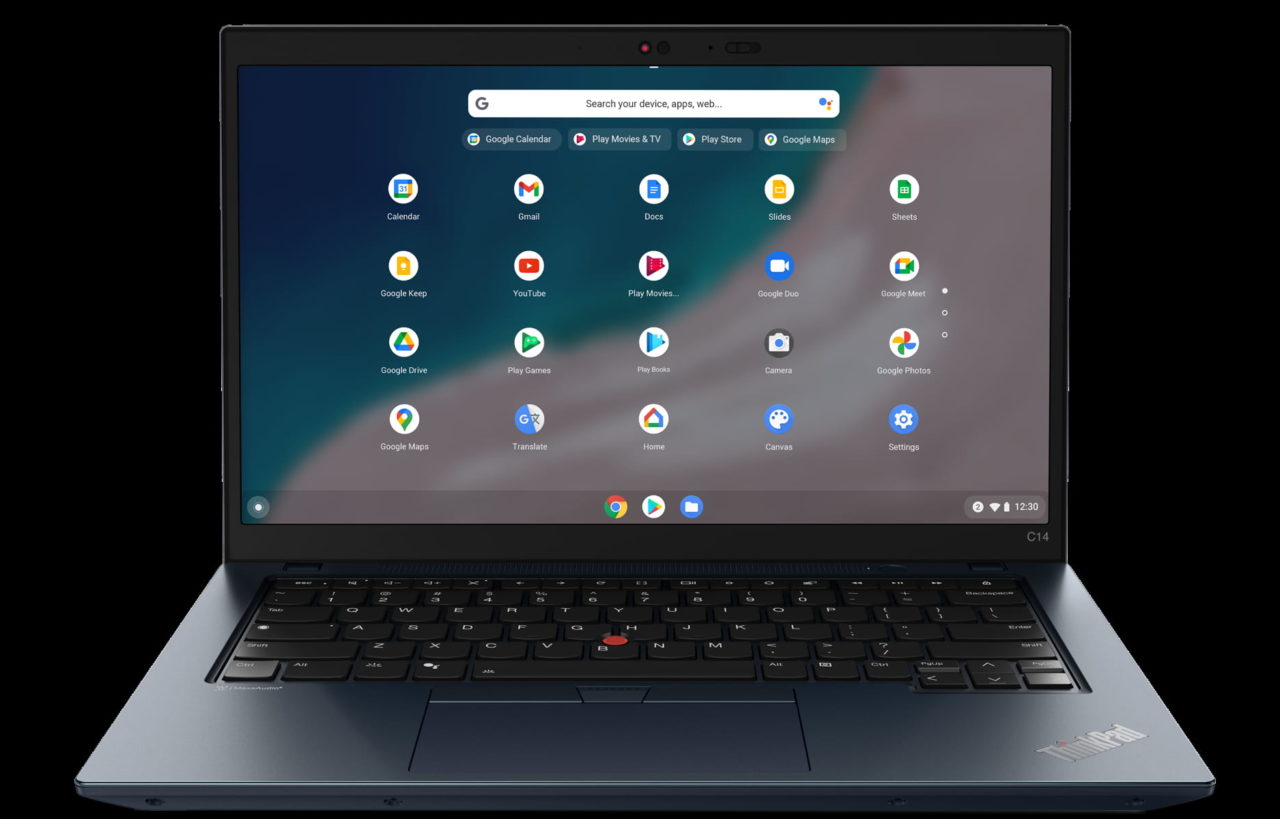
Another reason to consider this laptop is if you’re a fan of the iconic ThinkPad typing experience.
Yup, you get the tried and true ThinkPad keys, layout, and the two-button mouse. Plus that famous pointing nub is there too. I personally prefer a more minimal input experience but I can’t deny how good ThinkPad keyboards typically are.
Solid screen options and a full HD webcam in the ThinkPad C14 Chromebook
I like how Lenovo is keeping the screen options simple with the ThinkPad C14 Chromebook. All of them are 14-inch, 1920 x 1280 resolution IPS panels. The only decision you have to make is if you want a touch screen or not. Given that this is a clamshell Chromebook, you might be able to save some coin and skip the touch display. Either way, the screen should be easy on the eyes.
Just remember that if you opt-out on the touchscreen, the display brightness is 250 nits. The touchscreen boosts that to 300 nits.
Every Lenovo ThinkPad C14 Chromebook includes a full HD webcam and a privacy shutter. I’m so over the low-resolution Chromebook cameras, and I know many of you are too. So it’s good to see this sensor come standard, particularly as we all engage with more online video chats. You can disable the webcam using the privacy shutter whenever you want that extra peace of mind for privacy.
Speaking of privacy reminds me of security. The Lenovo ThinkPad C14 Chromebook power button doubles as a fingerprint sensor if you choose that option. This lets you log in to your Chrome OS laptop securely in a split second. I wish Chromebook fingerprint sensors offered a little more functionality, but that’s on Google and developers, not Lenovo.
Plenty of ports and optional LTE connectivity
Although I’d rather see the pair of USB Type-C ports split between the left and right sides, you do get two of them. They’re both on the left, in case you’re wondering.
Flanking those are a USB Type-A and HDMI port. The right side includes another USB Type-A and a microSD card slot. Note that if you opt for a VPro Intel chip, those left-side USBs are Thunderbolt 4. If not, they’re USB 4.0. It sure looks like there’s a smartcard reader too, but that’s a likely enterprise option.

Connectivity is the now standard fare for new mid-to-high-end Chromebooks. There’s WiFi 6E and Bluetooth, of course. Lenovo also offers the option of CAT 9 LTE using a physical nanoSIM card. The SIM card tray is hidden in the back of the chassis, which weighs 3.44 pounds.
All in all, there’s quite a bit to like about the Lenovo ThinkPad C14 Chromebook. Obviously, the higher you configure it, the higher the price. And Lenovo hasn’t shared the costs of the different models and configurations. So much will depend on that if you think this is the Chromebook for you.
