

Close Menu
    Facebook X (Twitter) Instagram
    • About
    • Privacy Policy
    • Write For Us
    • Newsletter
    • Contact
    Instagram
    About ChromebooksAbout Chromebooks
    • Linux
    • News
      • Stats
      • Reviews
    • AI
    • How to
      • DevOps
      • IP Address
    • Apps
    • Business
    • Q&A
      • Opinion
    • Gaming
      • Google Games
    • Blog
    • Podcast
    • Contact
    About ChromebooksAbout Chromebooks
    News

    Deal alert: A pair of Samsung Chromebook Plus v2 models are $100 off, starting at $399.99

    Kevin TofelBy Kevin TofelJanuary 28, 2019Updated:February 8, 2019No Comments2 Mins Read

    With the holiday season over, Chromebook sales seem to have become farther and fewer between. Today, however, you can you pick up either the Celeron version of the Samsung Chromebook Plus v2 for $399.99 or the Core m3 option for $499.99 (affiliate links), which is $100 off the regular prices.

    At this cost, you’d be hard pressed to find a 2-in-1 Chromebook with both a full HD touchscreen and stylus input. These are both the refreshed version 2 models that launched back last summer, but they’re still quite capable and a good value at this price.
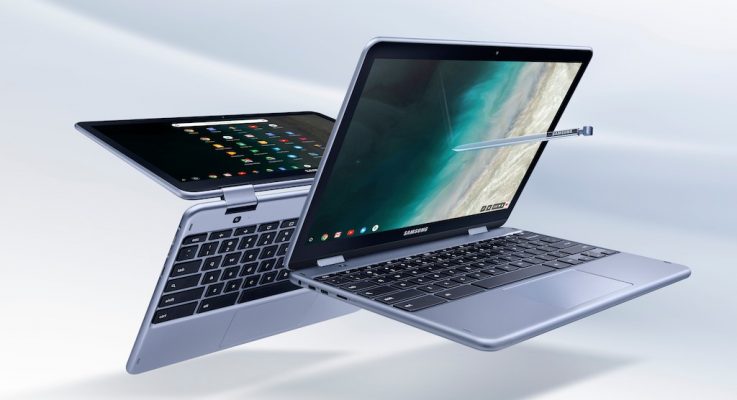
    Each has a 12.2-inch 1920 x 1080 1200 touch screen, the included stylus, a pair of USB Type-C ports, one USB Type-A port, a 720p front camera, a 13-megapixel “world view” camera when in tablet mode, microSD card slot.

    The only difference between the two is that the $399.99 model uses an Intel Celeron 3965Y with 4 GB of memory and 32 GB of storage, while the more expensive version opts for an Intel Core m3 7Y30 chip with the same RAM capacity but 64 GB of storage. Both also use the integrated Intel HD Graphics 615, which is capable of running an external display at 4K resolution with 60 frames per second over a Display Port cable.

    While the latest Chromebooks use Intel’s 8th-generation chips the Samsung Chromebook Plus v2 is still snappy with a 7-th gen processor. It supports both the Google Play Store for Android apps and Linux apps through Project Crostini.

    At these prices, either is a good 2-in-1 choice for students and those new to Chromebooks who don’t need traditional desktop apps for Windows or macOS.

    Updated to reflect 1920 x 1200 resolution, not 1920 x 1080.

    Kevin Tofel
    • Website

    After spending 15 years in IT at Fortune 100 companies, Kevin turned a hobby into a career and began covering mobile technology in 2003. He writes daily on the industry and has co-hosted the weekly MobileTechRoundup podcast since 2006. His writing has appeared in print (The New York Times, PC Magazine and PC World) and he has been featured on NBC News in Philadelphia.

    Best of AI

    Imagen AI: The Best Photo Editing AI In 2026

    April 21, 2026

    Alphafold AI from Google Deepmind 2026

    April 21, 2026

    Agentic AI Pindrop Anonybit: The Future of Secure Identity Verification

    April 17, 2026

    Google Bard Statistics And User Data 2026

    April 10, 2026

    Azure OpenAI Explained

    April 10, 2026
    Trending Stats

    Chromebook Wi-Fi Performance Statistics 2026

    April 18, 2026

    Chromebook Crash Rates Statistics 2026

    April 17, 2026

    Chromebook Offline Usage Statistics 2026

    April 16, 2026

    Chromebook Upgrade VS Replacement Statistics 2026

    April 15, 2026

    Average RAM Usage On ChromeOS Statistics 2026

    April 14, 2026
    • About
    • Tech Guest Post
    • Contact
    • Privacy Policy
    • Sitemap
    © 2026 About Chrome Books. All rights reserved.

    Type above and press Enter to search. Press Esc to cancel.