


Last month, I detailed the upcoming side panel in the Chrome browser and in Chrome OS. This panel appears alongside any browser tab, showing your bookmarks and reading list. Google planned to add a space for notes and saved tab groups but right now, only one of those features will progress. Google has decided not to add the saving of tab groups in the Chrome side panel. At least for now.
I found this out when looking through the latest code changes for Chrome and Chrome OS. Google has marked this feature as a “won’t fix”, saying: “this project has been postponed”. To be honest, I’m OK with the postponement and would even be OK if this feature never arrives.
I see the side panel as already getting cluttered. In fact, I’ve seen screenshots of the side panel displaying several different data types and with such limited space, it’s clunky to switch between them.
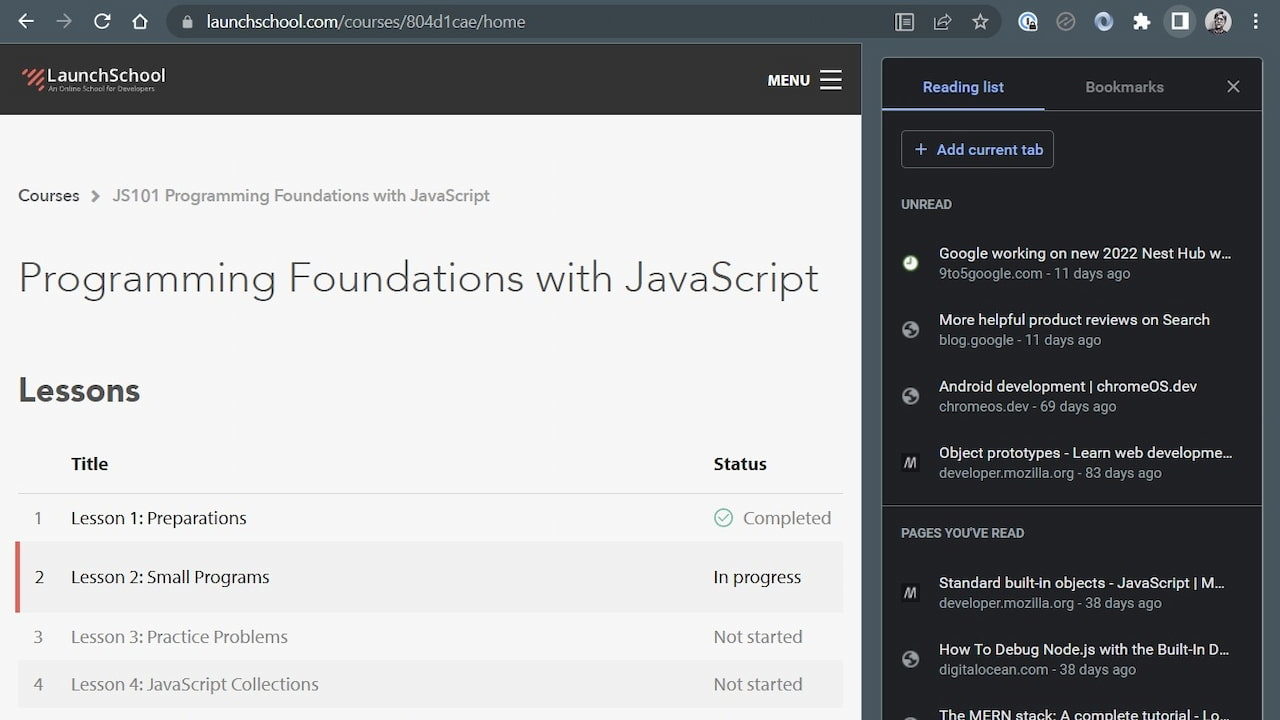
What started out as a simple, quick view for specific information has turned into choosing a drop-down menu to get at the information you want. And the more items that get added to the side panel, the longer that menu becomes.
I’ll admit that I don’t typically save tab groups in the Chrome browser. So perhaps I’m not the target audience for this feature. Even if I were, I have a similar function to do the same thing in Chrome and on Chrome OS. I save specific tabs to virtual desks.
Instead of saving tab groups in the side bar or somewhere else, I created custom virtual desks on my Chromebook and saved them as templates.
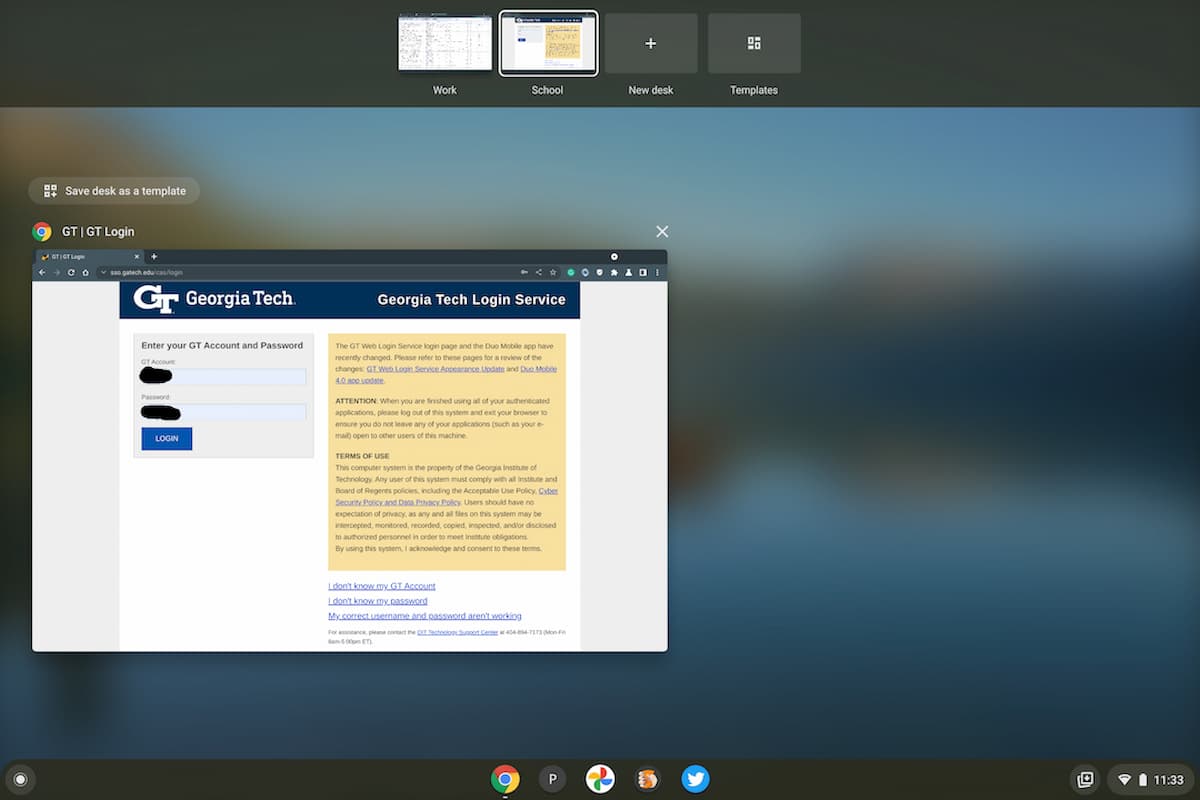
When I want to open a virtual desk with my typical work tabs, for example, I open the virtual desk I call “work”. I’ve essentially already saved all of my tabs in a group for work, so why would I need them taking up space in the Chrome side panel?
Note that you can still save tab groups in Chrome or Chrome OS. The work being postponed is allowing you to save them to the side panel. So there’s no loss of functionality if you still want to use tab groups.
Let me know if you use saved tab groups and if you’d like to see them available in the Chrome browser side panel. I’m fine if they stay right where they are.
