

Close Menu
    Facebook X (Twitter) Instagram
    • About
    • Privacy Policy
    • Write For Us
    • Newsletter
    • Contact
    Instagram
    About ChromebooksAbout Chromebooks
    • Linux
    • News
      • Stats
      • Reviews
    • AI
    • How to
      • DevOps
      • IP Address
    • Apps
    • Business
    • Q&A
      • Opinion
    • Gaming
      • Google Games
    • Blog
    • Podcast
    • Contact
    About ChromebooksAbout Chromebooks
    News

    Support for native SMB network shares in Chrome OS is moving along quickly now

    Kevin TofelBy Kevin TofelAugust 27, 2018No Comments2 Mins Read

    Back in March, Chrome Story noticed a new flag in the Chrome OS Canary Channel to enable SMB file shares. I see that flag — it’s chrome://flags/#native-smb — on my Pixelbook running the latest Dev Channel build, so I decided to dig around the latest Chromium code commits to see if there’s any movement on this effort. My timing was lucky because I see a slew of progress this month and expect to see native network file shares soon.

    These are just the most recent commits relevant to SMB services, for example:
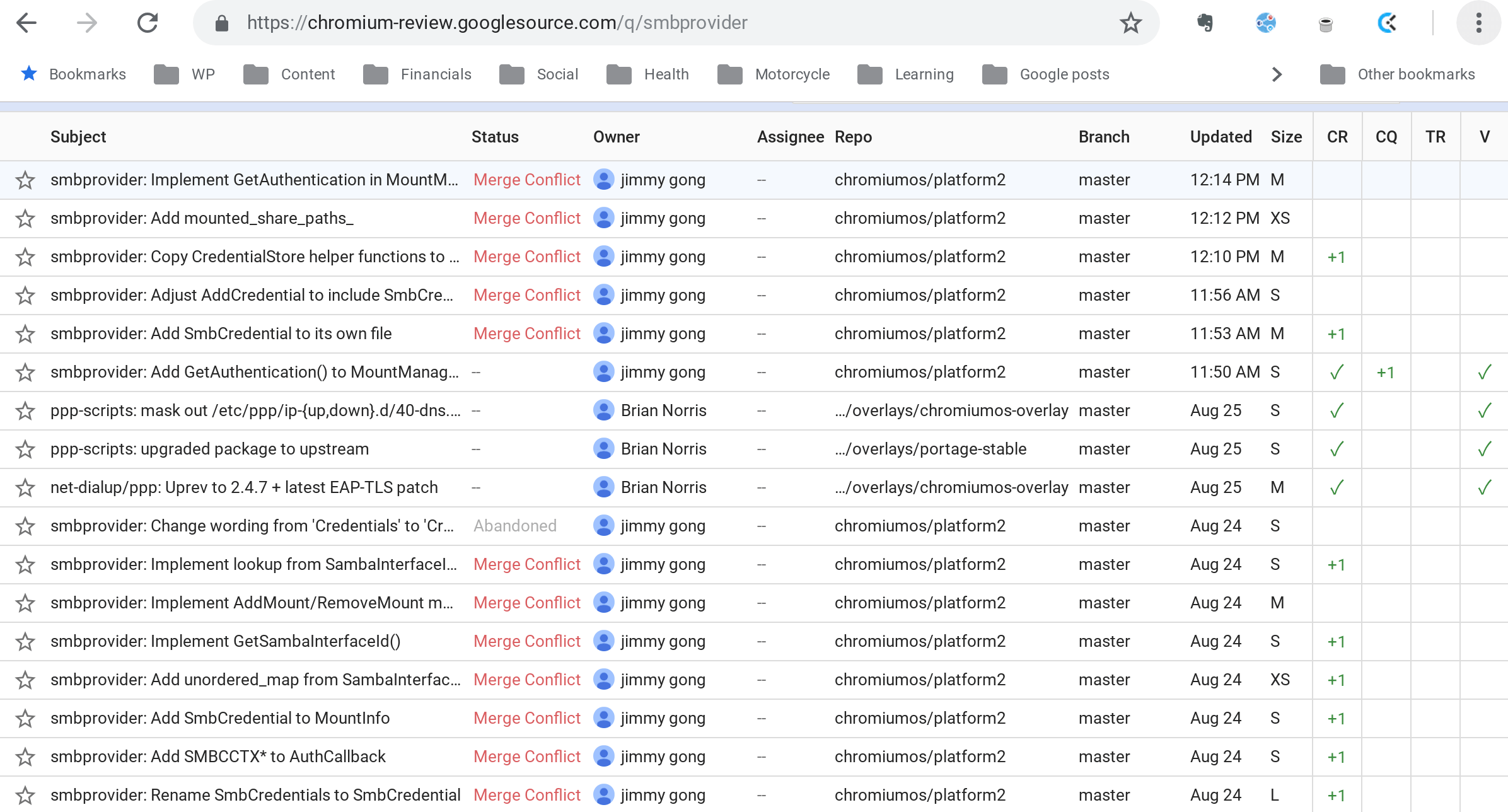
    I’m not going to get into details of all these because most of them are small bits of functionality related to the feature. Essentially, instead of using an extension to add network (or even cloud drive) shares to the Chrome OS Files app, this will be built in to the system. You might remember there was an option in Files to add an SMB service in the file tree; don’t look for it there if you have the latest Files app though. It’s been moved, at least for now.

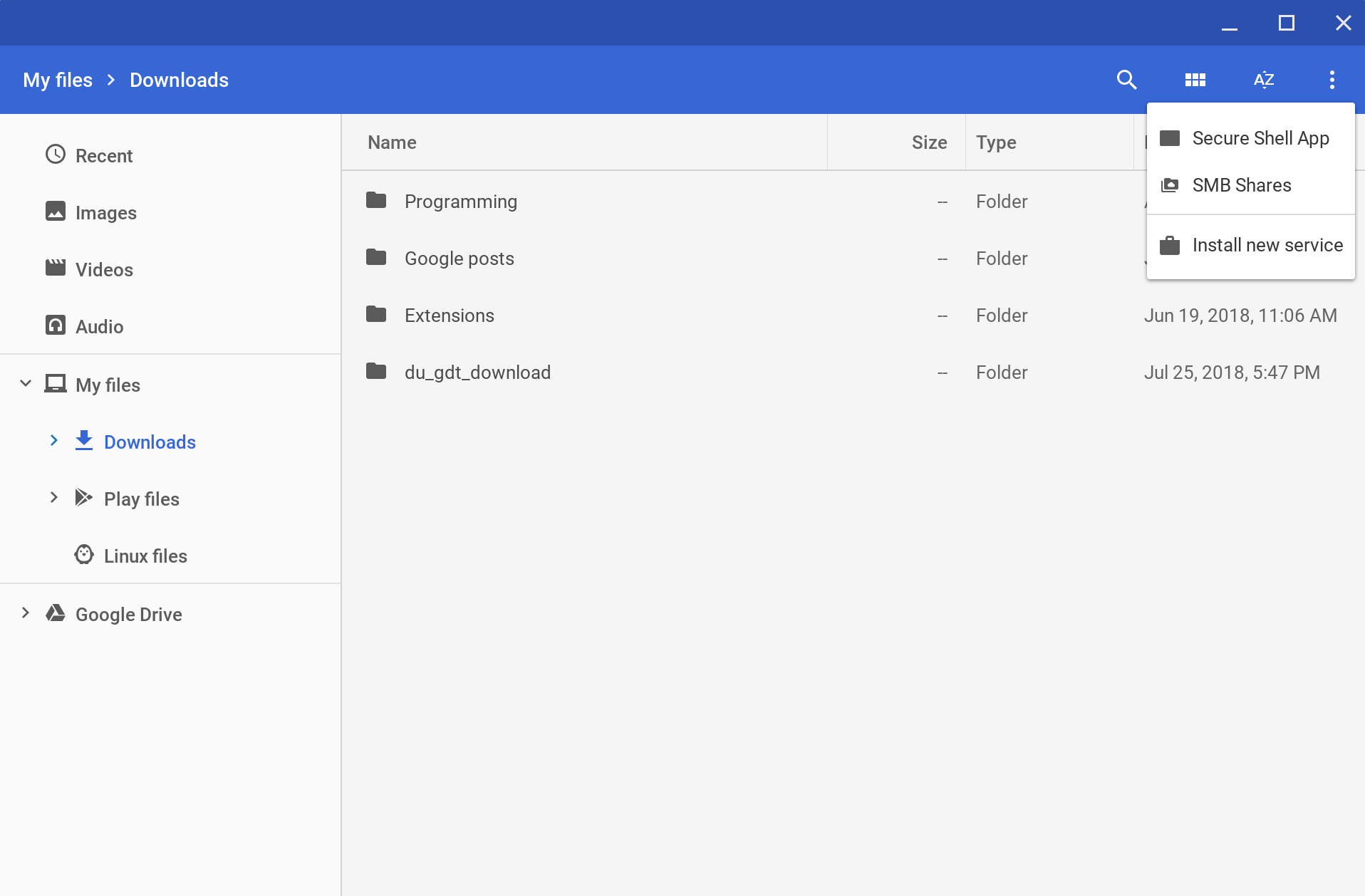
    To see it again, click the three dot menu button at the top right of Files. From here, you can click Add new service to see the old Install new service choice and a new SMB Shares option.
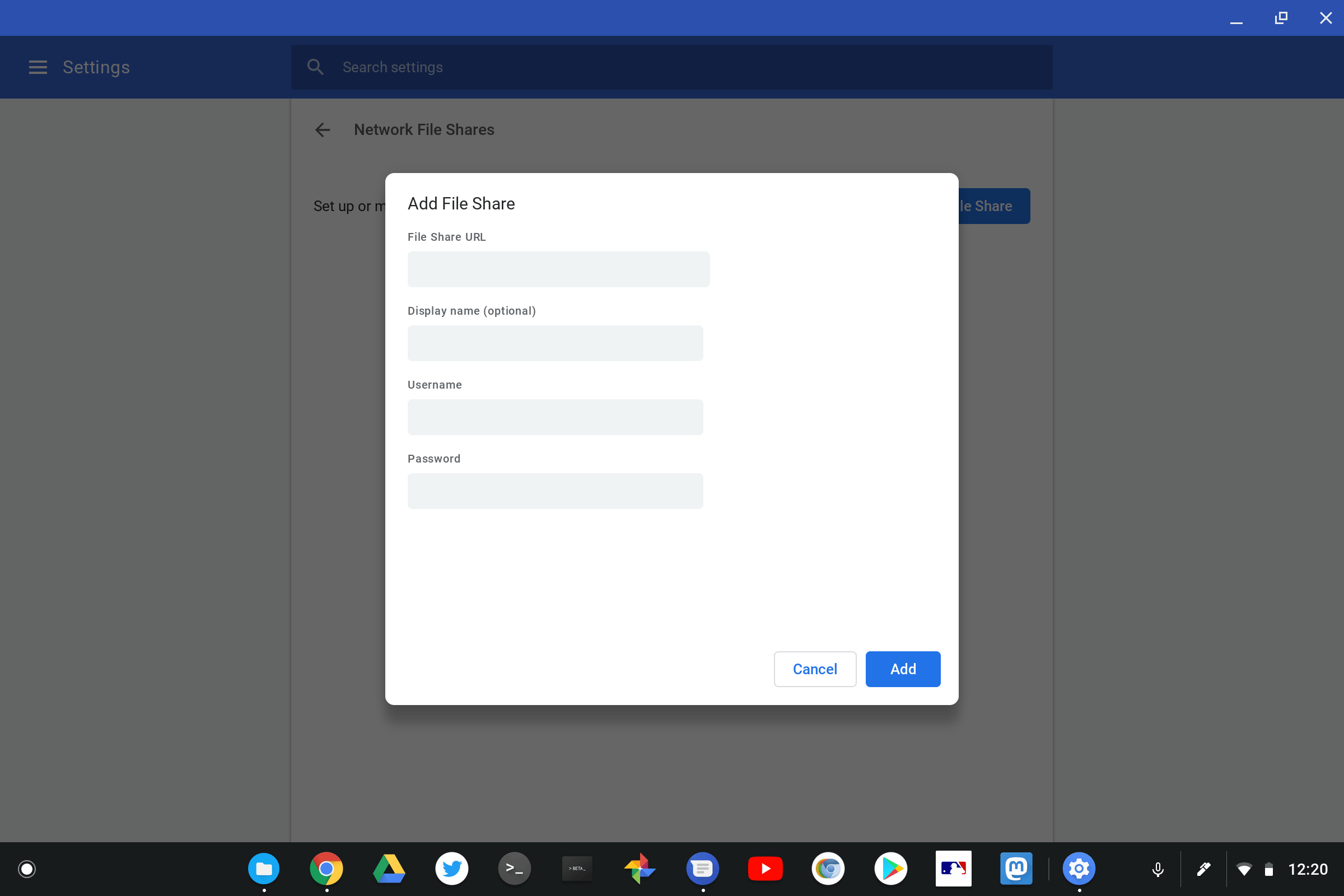
    Choosing the latter currently shows me setup options for file sharing. I haven’t gotten them to work yet, but again, this feature is still in development.
    On a related note, enterprises using Chromebooks or Chromeboxes will have a Chrome policy to enable or disable NetBios SMB share discovery. The discovery will be on by default for non-enterprise users according to the code description.

    I’ll have to dig into the details of all these code changes a little more because it appears to me that Chrome OS could also natively support cloud drive integration from providers other than Google directly in the Files app. Stay tuned.

    Kevin Tofel
    • Website

    After spending 15 years in IT at Fortune 100 companies, Kevin turned a hobby into a career and began covering mobile technology in 2003. He writes daily on the industry and has co-hosted the weekly MobileTechRoundup podcast since 2006. His writing has appeared in print (The New York Times, PC Magazine and PC World) and he has been featured on NBC News in Philadelphia.

    Best of AI

    What Does Adobe Firefly AI Do?

    June 16, 2026

    Is Joyland AI Safe For Kids?

    June 12, 2026

    LMArena AI: Chatbot Ranking Platform 2026

    May 27, 2026

    Will AI Take Over the World

    May 25, 2026

    AI21 Jurassic Statistics 2026: Model Size, Usage and AI Performance Trends

    May 19, 2026
    Trending Stats

    Chromebook Repairability Scores Statistics 2026: Hardware Serviceability Reports

    June 22, 2026

    ChromeOS Feature Adoption Rates Statistics 2026: User Adoption Metrics And Data

    June 20, 2026

    Chromebook Storage Usage Statistics 2026: Device Storage Consumption Trends

    June 18, 2026

    Conversational AI Market Statistics 2026: Chatbot Usage And Enterprise Deployment

    June 17, 2026

    Chromebook Gaming Usage Statistics 2026: Player Engagement And Usage Reports

    June 17, 2026
    • About
    • Tech Guest Post
    • Contact
    • Privacy Policy
    • Sitemap
    © 2026 About Chrome Books. All rights reserved.

    Type above and press Enter to search. Press Esc to cancel.