

Close Menu
    Facebook X (Twitter) Instagram
    • About
    • Privacy Policy
    • Write For Us
    • Newsletter
    • Contact
    Instagram
    About ChromebooksAbout Chromebooks
    • Linux
    • News
      • Stats
      • Reviews
    • AI
    • How to
      • DevOps
      • IP Address
    • Apps
    • Business
    • Q&A
      • Opinion
    • Gaming
      • Google Games
    • Blog
    • Podcast
    • Contact
    About ChromebooksAbout Chromebooks
    News

    User-controlled Chromebook screen brightness power management Settings on the way?

    Kevin TofelBy Kevin TofelFebruary 1, 2022Updated:September 15, 2025No Comments2 Mins Read

    One of the things Chrome OS doesn’t have compared to other operating systems is user settings for the screen brightness when plugged in and on battery. An ambient light sensor manages this, although you can adjust the display with a keyboard shortcut. Now it looks like Google may be adding more user controls for Chromebook screen brightness in Chrome OS Settings.

    Here’s a snippet of code I found under a change called “Add display property fields corresponding to power prefs.”
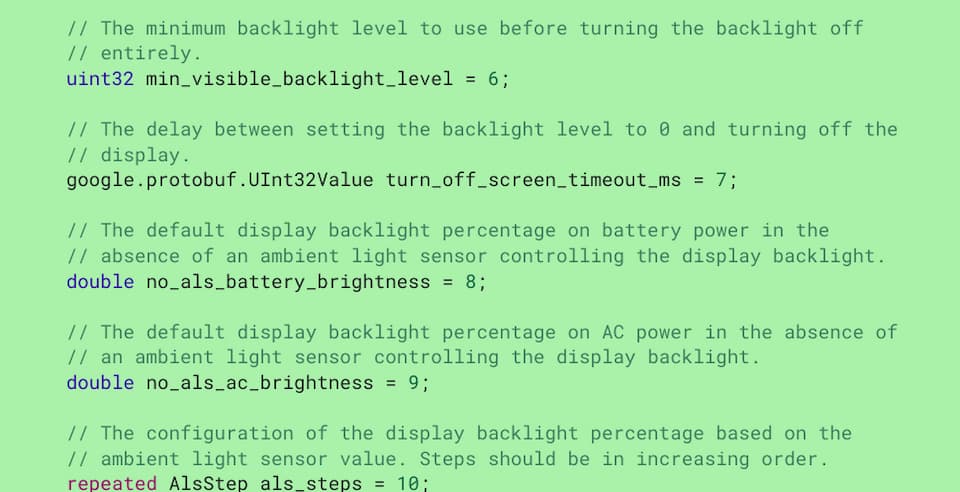
    Chromebook screen brightness power management Settings

    Note that most, if not all, Chromebooks these days come with an ALS or ambient light sensor. Based on the wording above, it appears Chrome OS will let you override the ALS and set their Chromebook screen brightness. And, like other operating systems, there will be different options for the screen backlight based on if your device is on AC power or not.

    You might want a higher “default” display brightness when your Chromebook is plugged in, for example. And likewise, a lower backlight level when running on battery.

    I get why Google has tasked a sensor to manage this Chromebook screen brightness. It maintains the “simplicity” of Chrome OS. But it’s also limiting in general and comparatively vs macOS and Windows. The sensor algorithms might be optimal for power management purposes. That doesn’t mean they’re optimal for each individual user though.
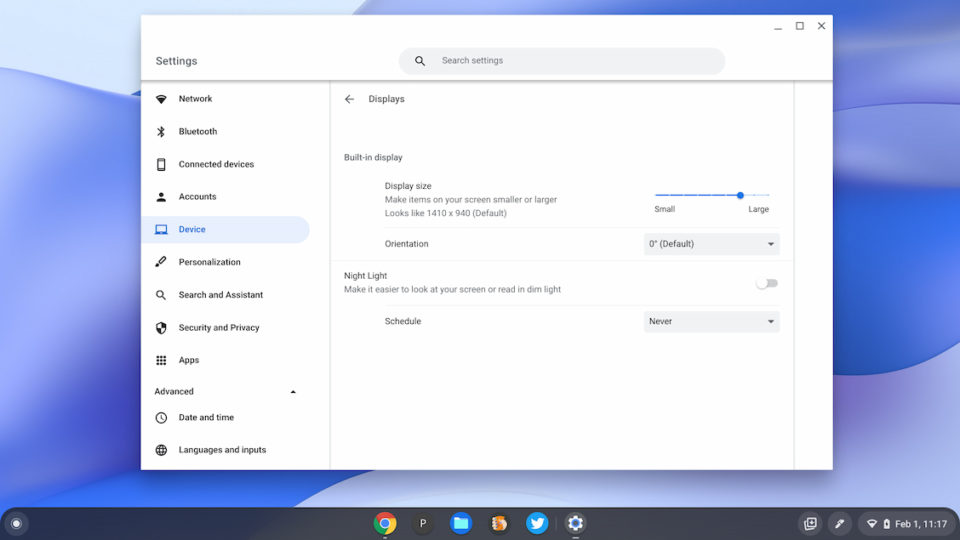
    Chromebook display settings

    I’m not yet sure if these user settings will be available in the Power or Display sections of the Chrome OS Settings app. I’d guess Power since that’s where battery management features are today. But I’m not ruling out the Display section shown above either.

    Regardless of where it ends up, assuming the feature does eventually arrive, I imagine most people will be saying the same as me: “What took you so long, Google?”

    Is this a Chrome OS feature that you feel is missing, and would you use it? Or do you find the automatic Chromebook screen brightness functionality is good enough?

    Kevin Tofel
    • Website

    After spending 15 years in IT at Fortune 100 companies, Kevin turned a hobby into a career and began covering mobile technology in 2003. He writes daily on the industry and has co-hosted the weekly MobileTechRoundup podcast since 2006. His writing has appeared in print (The New York Times, PC Magazine and PC World) and he has been featured on NBC News in Philadelphia.

    Best of AI

    What Does Adobe Firefly AI Do?

    June 16, 2026

    Is Joyland AI Safe For Kids?

    June 12, 2026

    LMArena AI: Chatbot Ranking Platform 2026

    May 27, 2026

    Will AI Take Over the World

    May 25, 2026

    AI21 Jurassic Statistics 2026: Model Size, Usage and AI Performance Trends

    May 19, 2026
    Trending Stats

    Chromebook Storage Usage Statistics 2026: Device Storage Consumption Trends

    June 18, 2026

    Conversational AI Market Statistics 2026: Chatbot Usage And Enterprise Deployment

    June 17, 2026

    Chromebook Gaming Usage Statistics 2026: Player Engagement And Usage Reports

    June 17, 2026

    Chromebook Battery Degradation Statistics 2026: Lifecycle Performance Testing Data

    June 15, 2026

    Chromebook Touchscreen vs Non-Touchscreen Usage Statistics 2026: Device Interaction and Form Factor Data

    June 11, 2026
    • About
    • Tech Guest Post
    • Contact
    • Privacy Policy
    • Sitemap
    © 2026 About Chrome Books. All rights reserved.

    Type above and press Enter to search. Press Esc to cancel.