


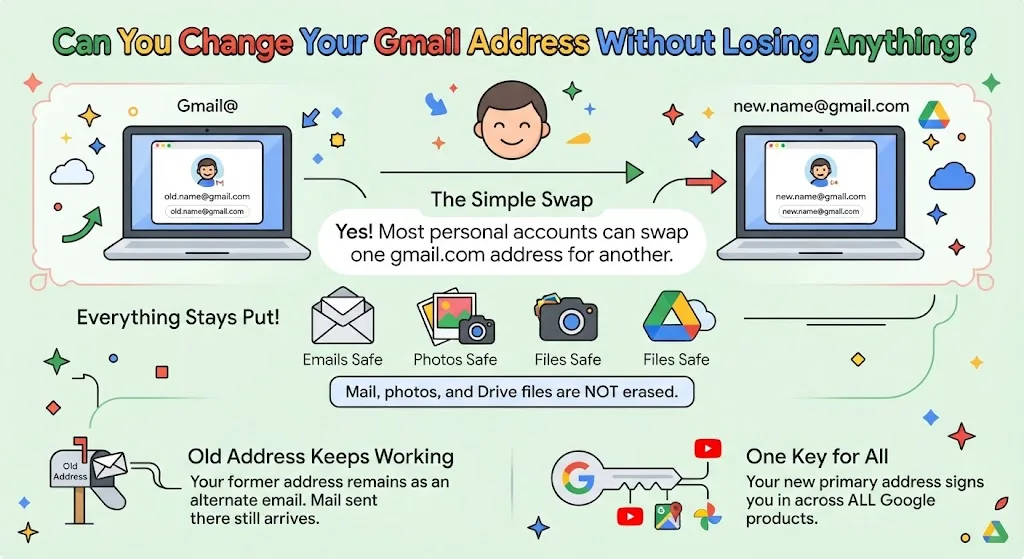
Google now lets most personal account holders swap one gmail.com address for another, and nothing stored gets erased. Mail, photos, and Drive files stay put. The old address keeps working as an alternate. Here is who qualifies, what shifts afterward, and the steps on computer, Android, and iPhone as of August 2026.
What your Gmail address does across Google products
That address is the key to every Google product you touch. Once you sign in, it sits under your name and picture.
Select your profile photo or initial at the upper right of any Google page to read it. Google sends service notices there unless you listed a separate contact address.
Other people see it too. It shows when you share a Drive file, send a Calendar invite, or press Sign in with Google. It is the main address on the profile, though you can attach extra ones as alternates or as backup options for account recovery.
Can you change your Gmail address to a non-Gmail one?
Sometimes. The route depends on what your Google Account email looks like right now.
- One gmail.com address swapped for another: use the built-in option covered below.
- Leaving gmail.com for an outside address: drop the Gmail service, or attach that address as an alternate, which Google may ask you to confirm.
- Moving from an outside address onto gmail.com: add Gmail to the profile first.
- An address issued by an employer or school: ask whoever manages it.
Want a different display name only? That is a separate setting, and the address itself stays exactly as it is.
What happens when you change your Gmail address
The former gmail.com address stays on file as an alternate email address. Mail written to either one lands in the same inbox, so read the “to” line to tell them apart.
Nothing stored is touched. Photos, chats, and older mail all survive. Going back is allowed whenever you like, but a fresh gmail.com address is off limits for 12 months, and the newer one cannot be erased.
Either address signs you in to Gmail, Maps, YouTube, Google Play, and Drive.
Steps to change your Gmail address on any device
See whether the option is there
Open myaccount.google.com/google-account-email and log in if prompted. On a computer, pick Personal info at the upper left, then Email, then Google Account email.
Android, iPhone, and iPad follow the same order, with Personal info sitting at the top instead. Look below that setting for Change Google Account email. A missing button means the switch has not reached you.
Save what could break
Three things tend to misbehave afterward: a Chromebook, Sign in with Google on outside websites, and remote sessions run through Chrome Remote Desktop. App preferences may reset, much as they do on a brand new device.
Copy what matters first. Save Android data, move your Chromebook files into Drive, then check Chrome sign-in and sync, or clear synced data and start sync fresh if it looks stale.
Export contacts, store photos and video somewhere safe, keep Timeline history, and plan to set app preferences again. Pointing downloads at the cloud helps here, and you can redirect the Downloads folder to Google Drive in under a minute.
Type the Gmail username you want
The username has to be free. Nobody may have used it before, even on a deleted profile.
Press Change email, then Yes, change email, and follow the prompts. The new address goes live, and the earlier one drops down to alternate status.
How to switch back to your old Gmail address
Open myaccount.google.com, pick Email, then Google Account email. Find the previous address and choose “Make this your Google Account email”.
You cannot wipe the old one. It stays an alternate, and no past mail disappears. Deleting the whole profile and building a new one is the only way to be rid of it.
To stop sending from it, drop it as a send alias. That also tidies things up while you set which inbox opens by default, and it pairs well with refreshing your Google password if the account has been sitting untouched.
The newer address appears across Google products from now on. Older entries are not rewritten, so a Calendar event booked last year still carries the previous one.
FAQs
How often can you change your Gmail address?
Google permits one fresh gmail.com address every 12 months, up to three new ones. Counting the original, a single account can hold four addresses in total.
Can someone else claim your old Gmail address?
No. The former address remains reserved even if you delete the profile entirely. You cannot reuse it for a new Google Account either.
Do dots in a Gmail address matter?
Versions with dots added or removed already reach your inbox. Add one as a send alias to write from it. Punctuation is fixed, so dots keep showing on shared Docs and Drive files.
What happens if the Gmail username is taken?
Google tells you and offers close matches. Some usernames are also held back to curb spam and abuse, so availability is not only about who registered first.
How do you stop mail arriving at the old address?
Build a filter in Gmail. Messages sent to the previous address still arrive, so a filter is the only way to route, label, or archive them automatically.
