


After an initial release last month, then getting pulled, the Chrome OS 96 update is back. Google restarted the rollout to Chromebooks earlier this week and a few of my devices have already been upgraded. Indeed, as I look across the Chromium site showing which devices have what Stable Channel software version, I see most of them do. If you haven’t seen the Chrome OS 96 update on your Chromebook, I’d follow that site and be patient.
Now that we have a widespread rollout, it’s time to cover what you need to know about this update.
Chrome OS 96 update official functions
Google shared most of the new functionality and features upon the initial release back on November 30th. And there are a few handy ones.
The first is the ability to use your Chromebook camera as a document scanner. You’ll find the “Scan” feature as a new option in the native Camera app:
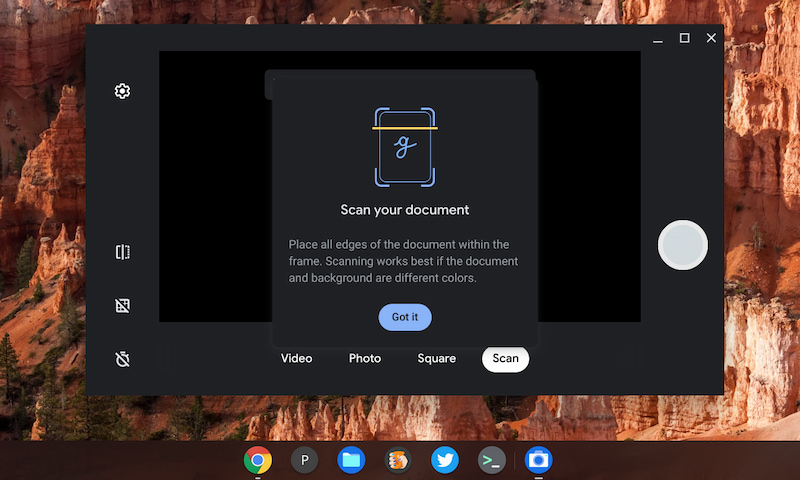
The Camera app will automatically detect the edges of a document for you. Scans can be saved in either .jpeg or .png formats locally or on Google Drive. And they’re easy to send through the Nearby Share feature in Chrome OS.
I haven’t seen value in the latest Chrome OS tablets that have a rear camera but now I do. I’d rather use that than a front-facing webcam for document scanning.
That’s not the only new Camera trick though. The Chrome OS 96 update adds official support for pan, tilt, and zoom controls on any connected external cameras over USB that support this functionality.
This feature was introduced as experimental in Chrome OS 92, but it’s fully cooked and fresh out of the oven for everyone now.
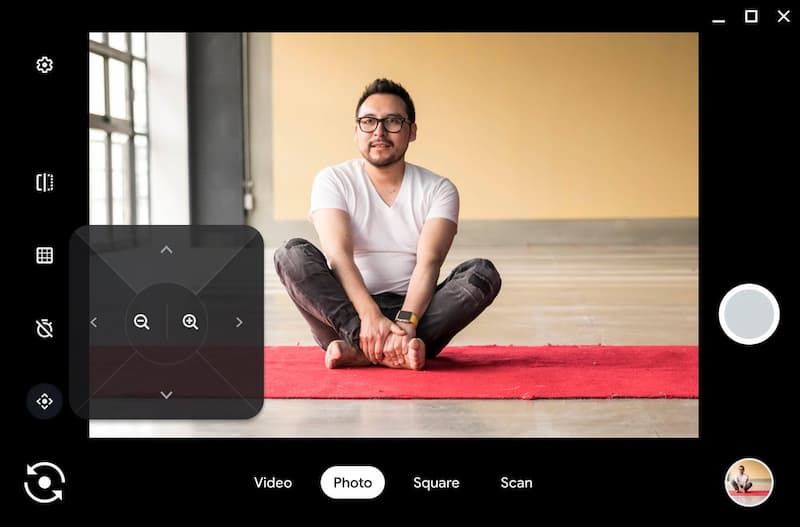
Coming soon to the Chrome OS Camera app
Lastly, the Camera app has some additional minor, but useful, additions. Per Google’s blog post:
- Video mode. If you want to send a quick message to a loved one for their birthday, record a video by clicking on the “Video” mode.
- Self timer. You don’t need to be within arm’s length of your laptop to take a picture. Set the timer, and you can take a few steps back to get the perfect shot.
- QR Code. In addition to new document scanning, you can also use the “Scan” option to scan QR codes. It works just like document scanning, so use your front or back facing camera to scan a QR code.
- Save for later. All your pictures and videos will automatically save to the “Camera” folder in your Files app for easy access later.
Google says in future Chrome OS updates, you’ll be able to create GIFs with the Camera app as well use Google Assistant to voice control certain actions such as taking a photo or a video.
Chrome OS 96 experimental features
I don’t see too many experimental flags new in this version of Chrome OS. However, some of the ones I’ve reported recently are available if you want to try them:
- Reader mode: As I noted earlier this month, this is my favorite feature of them all. Essentially, it reduces the clutter from a web page to give you a clean, relaxing interface. I still think it should be a generally available option and not hidden behind a flag. It’s that good.
- Launcher app ordering: There are a few flags available to test out an improved Launcher feature that’s in the works. By enabling
chrome://flags##productivity-launcherandchrome://flags##productivity-reorder-apps, you can get a glimpse. Here I have a Launcher experience that’s reminiscent of the Android app menu.

- Sharing Hub: I covered this upcoming feature last month and I love it. (But I love Reader More more) Head over to chrome://flags#enable-sharing-hub and you’ll get a new icon in your Omnibox / search bar. When you tap it, you can share a web page to nearby devices or any supported Progressive Web Apps (PWAs) that are installed on your Chromebook.
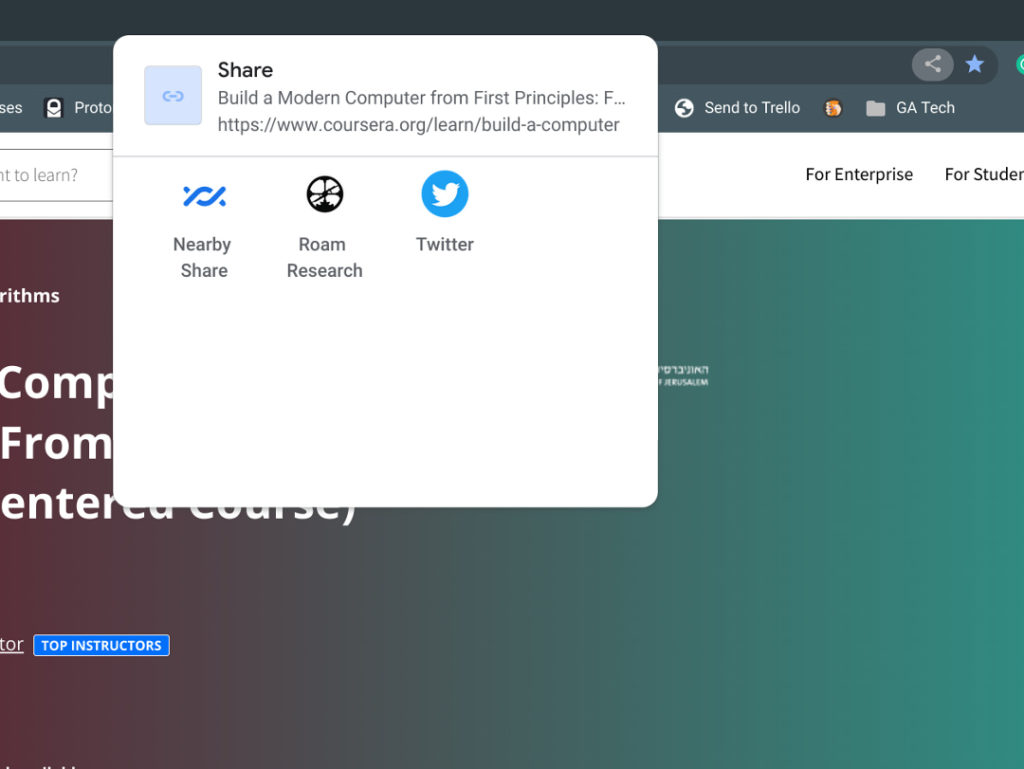
On the surface, that’s all that I see in the Chrome OS 96 update for now. However, I’m just one person and the changelog is many items long. So drop a comment if you’ve found something I missed and I’ll get it added to the post!
