

Close Menu
    Facebook X (Twitter) Instagram
    • About
    • Privacy Policy
    • Write For Us
    • Newsletter
    • Contact
    Instagram
    About ChromebooksAbout Chromebooks
    • Linux
    • News
      • Stats
      • Reviews
    • AI
    • How to
      • DevOps
      • IP Address
    • Apps
    • Business
    • Q&A
      • Opinion
    • Gaming
      • Google Games
    • Blog
    • Podcast
    • Contact
    About ChromebooksAbout Chromebooks
    News

    Need a basic browser? Save $70 off the Acer Chromebook 15 and pay $179

    Kevin TofelBy Kevin TofelApril 14, 2019No Comments2 Mins Read

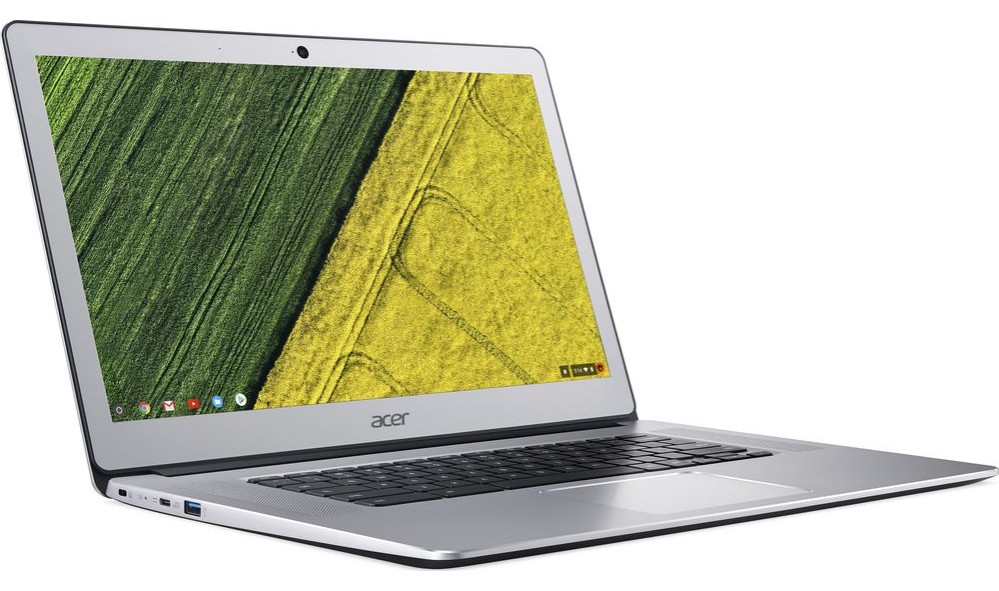
    This week’s Best Buy ad shows a few discounted Chromebooks and while I normally highlight one of the newer devices, I thought to give the Acer Chromebook 15 a shout out for those on a limited budget. It’s not as high performing as the latest and greatest Chromebooks out there of course, but it doesn’t have a high price either.

    You can nab the Acer Chromebook 15 for $179 this week, which is a savings of $70 from the normal $249 price tag.

    Keep in mind that this Chromebook is what I’d call a basic or entry-level device. It’s ideal for someone who just needs a screen and keyboard to check email, surf the web and other general internet usage. Yes, it can run Android apps, but I’d limit those to just one at a time and keep expectations in check.

    Here’s a rundown of the Acer Chromebook 15 specs:

    • Dual-core 1.6 GHz Intel Celeron N3060 processor
    • 4 GB of memory
    • 16 GB of eMMC storage with an SD card slot for additional capacity
    • 15.6-inch TFT LED display with 1366 x 768 resolution
    • 802.11ac Wi-Fi and Bluetooth 4.2
    • Two USB 3.0 Type-A ports and one HDMI port
    • 720p webcam, integrated microphone and headphone jack
    • Stereo speakers

    Again, these are basically entry level specs as evidenced by the older Celeron processor and 720p display which likely has limited viewing angles. And before you decide this is for you, know that the display is not a touchscreen nor is the keyboard backlit.
    Even so, I’m considering purchasing one of these myself for use as a secondary device the whole family can use.

    We keep an old MacBook in the living room and it’s nearing the end of its useful life. But we don’t need to spend $500, $1,000 or more for a communal laptop when most of the time we fire it up for some quick internet use. Instead, for under $200, we can get a basic Chromebook that’s easy to share, won’t require as much maintenance, can ‘cast content to our television set, and boots quickly.

    Kevin Tofel
    • Website

    After spending 15 years in IT at Fortune 100 companies, Kevin turned a hobby into a career and began covering mobile technology in 2003. He writes daily on the industry and has co-hosted the weekly MobileTechRoundup podcast since 2006. His writing has appeared in print (The New York Times, PC Magazine and PC World) and he has been featured on NBC News in Philadelphia.

    Best of AI

    Chub AI Explained

    May 6, 2026

    Stable Diffusion AI: Free Text To Image AI Generator

    May 5, 2026

    Imagen AI: The Best Photo Editing AI In 2026

    April 21, 2026

    Alphafold AI from Google Deepmind 2026

    April 21, 2026

    Agentic AI Pindrop Anonybit: The Future of Secure Identity Verification

    April 17, 2026
    Trending Stats

    Education Sector Chromebook Adoption Statistics 2026

    May 4, 2026

    ChromeOS Data Usage Patterns And Statistics 2026

    May 2, 2026

    Auto Update Expiration (AUE) In Chromebooks Statistics 2026

    May 2, 2026

    Chromebook Vs IPad Adoption In Schools Statistics 2026

    May 1, 2026

    ChromeOS Accessibility Feature Usage Statistics 2026

    April 28, 2026
    • About
    • Tech Guest Post
    • Contact
    • Privacy Policy
    • Sitemap
    © 2026 About Chrome Books. All rights reserved.

    Type above and press Enter to search. Press Esc to cancel.