


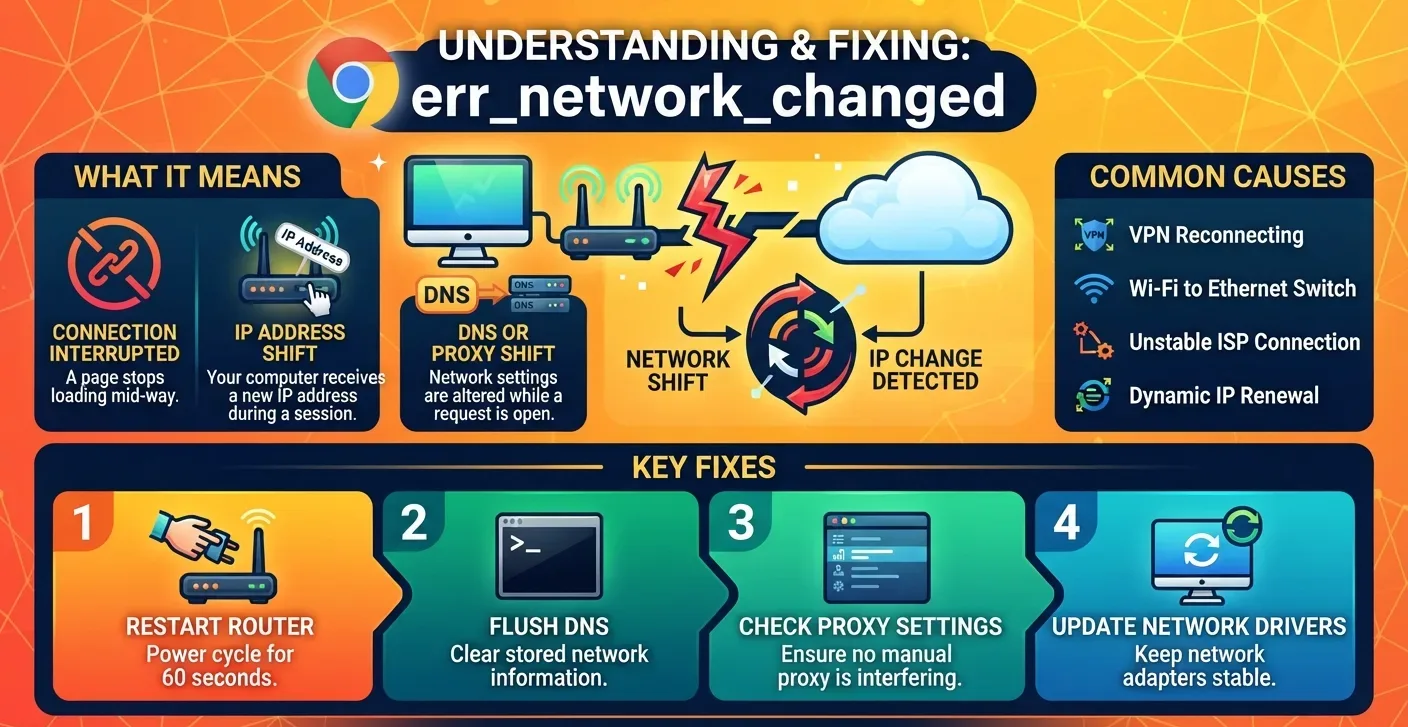
Chrome stops loading pages and shows err_network_changed when your connection shifts while a request is still open. No other browser prints this exact code.
The good news: your link still exists. It broke for a moment, which means you can repair it. The steps below cover the router, Windows and Mac settings, proxies, DNS, and the VPN setups that bring the error back.
What err_network_changed Means in Chrome
The error page shows two lines: “Your connection was interrupted” and “A network change was detected.” Chrome saw your network setup change mid-load, so it dropped the request.
Put simply, you have a connection, but it has stopped working for now. The fault sits in your IP address, network settings or a proxy. None of that needs a call to your ISP.
Edge, Firefox and other browsers can hit the same fault under a different message. Only Chrome labels it err_network_changed.
What Causes “A Network Change Was Detected”?
In most cases, the IP address is the root. Chrome can’t reach any server without a stable one.
- Sudden IP swap: the router or ISP hands your device a new address mid-session.
- DNS failure: the system can’t turn a site name into its IP address.
- Proxy or VPN shift: a tunnel reconnects or changes servers while a page loads.
- Two adapters: Wi-Fi and Ethernet both stay on, and Windows flips between them.
The fault sometimes fades on its own. The fixes below just get you there faster.
Seeing some other code? Check that your service is up at all. A dead line throws the net::err_internet_disconnected message instead, and the only cure there is waiting or calling your provider.
5 Ways to Fix err_network_changed on Windows and Mac
Start with the router and work down. Test Chrome after each step so you know which one did the job.
1. Unplug the Router for 60 Seconds
Pull the router’s power plug and wait a full minute. Plug it back in and give it one to two minutes to boot.
Check that the wireless light is on before you reload Chrome. For many people, this alone clears the code.
2. Flush DNS and Reset Winsock With 4 Commands
Next, give the PC a fresh IP and wipe its stored DNS records. Windows saves past lookups so it can skip repeat requests, and a stale entry can send Chrome the wrong way.
That store behaves a lot like browser data, which you can wipe with Chrome’s cache and cookie cleanup.
Search for cmd, right-click Command Prompt and pick Run as administrator. Enter each line below and press Enter after each one:
ipconfig /flushdnsnbtstat -Rnetsh int ip resetnetsh winsock reset
Restart the PC so the reset takes hold. Chrome also keeps its own host list, and you can empty it through the chrome://net-internals/#dns page.
Mac users can skip Terminal. Open System Settings, then Network. Remove your Wi-Fi or Ethernet service, then add it back.
3. Clear the Proxy Tick in LAN Settings
A proxy sits between your computer and remote servers. Unlike a VPN, it routes only chosen traffic, such as certain apps. SOCKS5 proxies trade speed for privacy, while HTTP proxies can open blocked sites.
Like any middleman, a proxy can break the link. On Windows, open Start, type “internet options” and open the result. Go to Connections, then LAN settings.
If “Use a proxy server for your LAN” has a tick, clear it for now. Keep “Automatically detect settings” on, press OK and reload Chrome.
Error gone? The proxy caused it, so pause it or pick another. Our walkthrough of proxy options for Chrome covers the system-level setup.
A proxy that fails outright tends to throw err_tunnel_connection_failed rather than a network change warning.
On a Mac, open System Settings, then Network. Pick the service and click Details, then Proxies. Chromebook owners can follow these steps to remove a Chromebook proxy.
4. Set IPv4 DNS Back to Automatic
Each time you open a site, Chrome asks a DNS server for the matching IP. Most devices use the ISP’s default server. A bad custom entry can still trigger the error.
- Open Network Status, then Advanced network settings, then Change adapter options. Windows 11 calls it More network adapter options.
- Find the active link that carries your Wi-Fi name.
- Right-click it and pick Properties.
- Select Internet Protocol Version 4 (TCP/IPv4), then Properties.
- Choose “Obtain an IP address automatically” and “Obtain DNS server address automatically.”
- Press OK and test Chrome.
Want to keep a custom server? Swap to a public one for now, such as Google’s 8.8.8.8 and 8.8.4.4. Free public resolvers often answer lookups faster than ISP defaults.
5. Disconnect the VPN or Second Adapter
A VPN that reconnects or jumps servers moves your traffic to a new route. Every request in flight fails at that moment. Turn the VPN off and reload to test it.
Laptops plugged into Ethernet with Wi-Fi still on can bounce between the two. Disable the adapter you don’t need.
Why err_network_changed Keeps Coming Back
A repeat error points to a link that keeps shifting. Wi-Fi hopping between the 2.4 GHz and 5 GHz bands is a common culprit. So is an adapter cycling on and off, or a router handing out new addresses through DHCP.
The router itself can be at fault too. Old firmware, limited memory or heat can cut live sessions. Two devices holding the same IP will cause a conflict as well.
Update the router firmware, then check Chrome under Help and About Google Chrome. A weak signal causes related trouble, and it often surfaces as the err_timed_out warning instead.
If Chrome now shows a new code after your fixes, treat it as a new fault. A QUIC protocol error, for example, needs its own set of steps.
FAQs
Does err_network_changed mean my internet is down?
No. It means your connection changed while a page was loading. Your internet still works in most cases, and a reload often brings the page back.
Can a VPN cause err_network_changed?
Yes. A VPN that reconnects, swaps servers or changes routing rules moves your traffic to a new path. Chrome drops any open request. Turn the VPN off and reload to confirm.
How do I stop err_network_changed from coming back?
Fix the unstable part of the link. Disable unused Wi-Fi or Ethernet adapters, stay on one VPN server, update router firmware and set DNS back to automatic.
Why do I get err_network_changed on Reddit?
The code comes from your own connection, not Reddit’s servers. Reddit was just the page loading when your IP or VPN route shifted. Reload, and if it repeats, check your network.
Is err_network_changed caused by a virus?
Rarely. IP, DNS, proxy and VPN changes cause nearly every case. Run a malware scan if unknown software keeps adding proxy entries to your system settings.
