


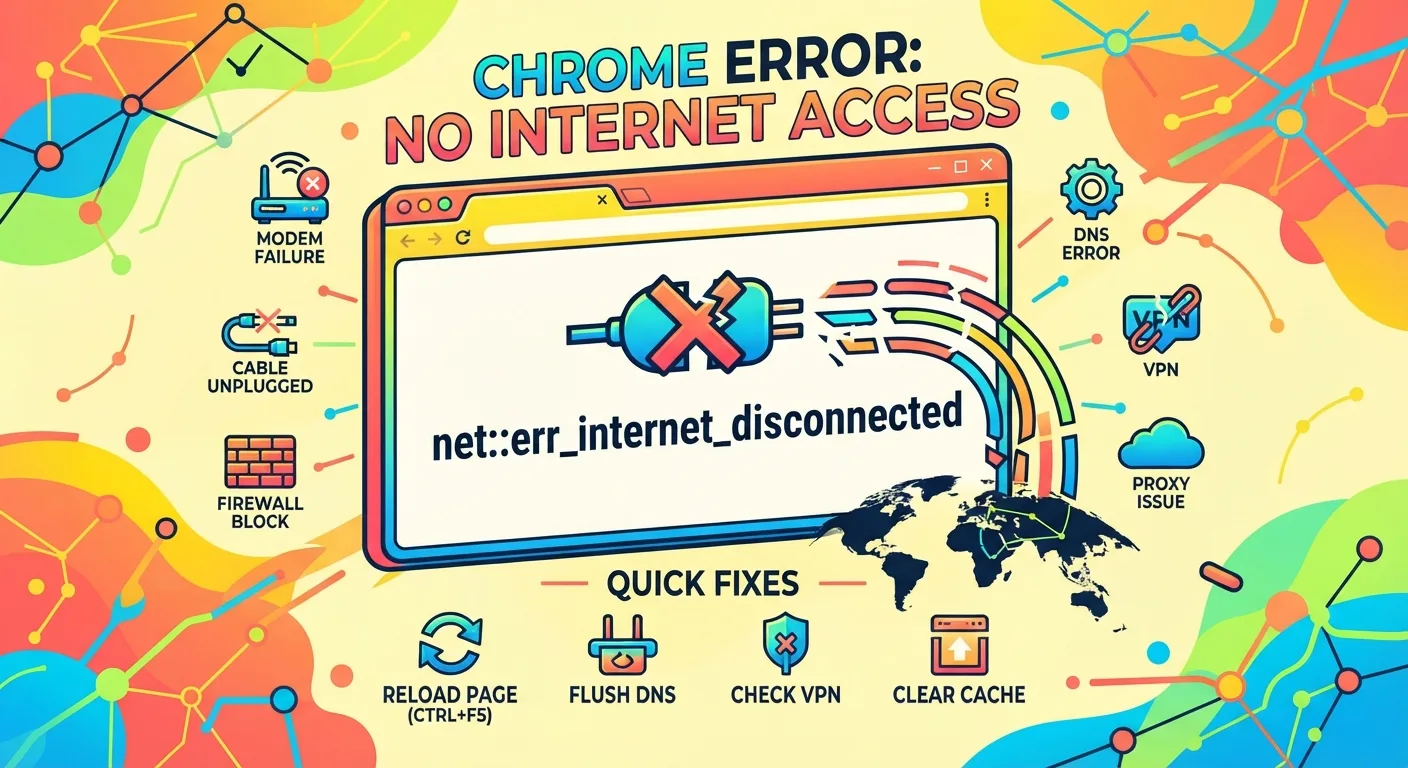
Chrome shows net::err_internet_disconnected when the browser cannot open a connection to a site. The page never loads, and the device usually has no working route to the network.
On a managed fleet, one report is routine. Several at once points at a proxy, a DNS change, or a broken link upstream.
This guide covers the causes, the device-level repairs, and the checks that show how far the fault has spread.
What net::err_internet_disconnected means in Chrome
Chrome raises this code before it looks up the address of the site. The browser has already decided that no network path exists.
It also appears on a blocked page, or when both the wired and wireless connections are down.
The wording belongs to Chrome. Firefox, Safari and Edge describe the same failure their own way, so loading the page in a second browser tells you fast whether Chrome alone is affected.
What causes the net::err_internet_disconnected error
Nine things account for nearly every case:
- No web access on cable or wireless
- A failing piece of network hardware
- Trouble on one site alone
- Stored browser files gone bad
- Wrong network values on the device
- A name lookup (DNS) failure
- A proxy server in the path
- A VPN that is off or dropped
- A firewall rule
Start with the cable and the wireless radio before touching anything else. Our walkthrough for a Chromebook that refuses to join a WiFi network covers that first check.
Most reports are one-offs. A single machine reaches for a web or intranet address that moved since its last visit.
Questions to ask when several people report it
Did the browser update recently? Did the network change, so traffic now takes a different route to the site?
Do the machines depend on a fixed proxy to get out? Was the web app itself altered?
How to fix net::err_internet_disconnected on a staff device
Scope the incident before you run anything. For one machine or a handful, Remote Actions can run quietly in the background while you talk to the user.
A wide incident needs an Engage Campaign, so people get an on-screen note that a bulk change ran on their device.
Reload the page
The fault is often short lived. Press CTRL+F5 for a hard reload, which skips cached files and pulls a fresh copy.
Empty the DNS store
Flushing DNS wipes stored lookups and forces a fresh one, which helps when a page moved to a new IP address. Run the Network Management Remote Action, or clear the browser’s own host cache through the chrome://net-internals DNS page.
Check the network values
The Get Network Configuration Remote Action shows whether a device holds the right DNS values. On DHCP, renew the lease with ipconfig /renew.
On a locally managed PC, type the correct DNS servers into its IP settings by hand.
Wipe the browser cache
Files in an old cache turn bad and keep sending requests down dead routes. Pick the Basic option if the user wants to keep passwords and personal data.
Remote actions exist for Edge and Chrome under Clear Edge / Chrome Settings, and this guide to clearing cache and cookies in Chrome covers the manual route. Stale cached data also triggers the ERR_CACHE_MISS message on form-heavy pages.
Confirm the VPN is connected
Some DNS servers sit behind a VPN. Remote staff reaching intranet addresses usually need one running.
Ask whether the VPN is on, connect it, then test again. Success here hints at the same cause on other remote machines.
Firewall and antivirus rules
Security software can bar web apps or whole IP ranges. A barred site often throws ERR_CONNECTION_RESET instead.
Test from an outside device with the firewall or antivirus off, and only with sites you trust. If the page opens, passlist it in both tools.
Restore Chrome defaults
A reset through Chrome’s advanced settings clears clashing preferences. Bookmarks, passwords and autofill entries go with it, so export anything needed first. The steps for resetting Chrome settings on a Chromebook take about a minute, and the Clear Chrome Settings Remote Action automates the same job.
Measuring how far net::err_internet_disconnected has spread
Reading the Applications dashboards
Open the Applications Reliability dashboards and filter each breakdown until a pattern shows.
Faults tied to one app mean that web app changed. Faults tied to one OS or browser build mean something was updated, so compare builds in Nexthink.
Faults inside one branch of the hierarchy usually mean a network edit or a proxy machine. Faults at set hours point to a scheduled job, such as a nightly backup eating capacity.
Tracing the path in Finder
Look up failed connections in the Applications console, then open an investigation in Finder. Filter on the site address and review every link to that domain.
Suspect a proxy? Aim the investigation at the app’s domain and see whether most traffic funnels through one box. Odd answer times stand out fast against the proxy configuration Chrome reads from the system.
Where a second proxy exists, point the device at it. If the page now loads, the company proxy is the likely culprit, and a leftover entry can also produce the ERR_TUNNEL_CONNECTION_FAILED error.
Infrastructure repairs for net::err_internet_disconnected
ISP or company link failure
When the upstream link drops, every machine loses access at once. Open a known good site from another device on the same network, then over mobile data.
Failing on the network but working on mobile confirms the ISP or the corporate link.
Slow proxy or saturated bandwidth
If a second proxy or route fixed things during testing, the proxy or the available bandwidth is at fault. Ask the infrastructure team to repair it or add capacity. Users switching off a restricted network can clear the proxy entry on a Chromebook themselves.
FAQs
How do I fix net::err_internet_disconnected?
Check the cable and WiFi first, then hard reload with CTRL+F5. If the page still fails, flush DNS, clear the browser cache, confirm the VPN is connected, and disable proxy entries left over from another network.
What does ERR_INTERNET_DISCONNECTED mean?
It means Chrome found no usable network path to the site. The browser gives up before the DNS lookup, so the cause sits in the device, the local network, or equipment between them.
Why does Chrome say no internet when WiFi is connected?
A VPN that quit badly, a stale proxy setting, or a security tool blocking Chrome can report no network while the WiFi icon shows a live link. Test the same page in a second browser to narrow it down.
What do Reddit users suggest for net::err_internet_disconnected?
Reddit threads in r/chrome and r/techsupport settle on the same order: restart the router, disconnect any VPN, clear the proxy entry, then flush DNS. Several posters report the error clearing after a Chrome update.
Is this error the same as other Chrome error codes?
No. Each code marks a different failure point. A blocked site usually returns ERR_CONNECTION_RESET, while a memory fault triggers STATUS_ACCESS_VIOLATION. Only this one fires before any connection attempt.
